Search icon CANCEL
Subscription
0
Cart icon
Your Cart (0 item)
Close icon
You have no products in your basket yet
Arrow left icon
Explore Products
Best Sellers
New Releases
Books
Events
Videos
Audiobooks
Packt Hub
Free Learning
Arrow right icon
timer SALE ENDS IN
0 Days
:
00 Hours
:
00 Minutes
:
00 Seconds
Expert C++
Expert C++

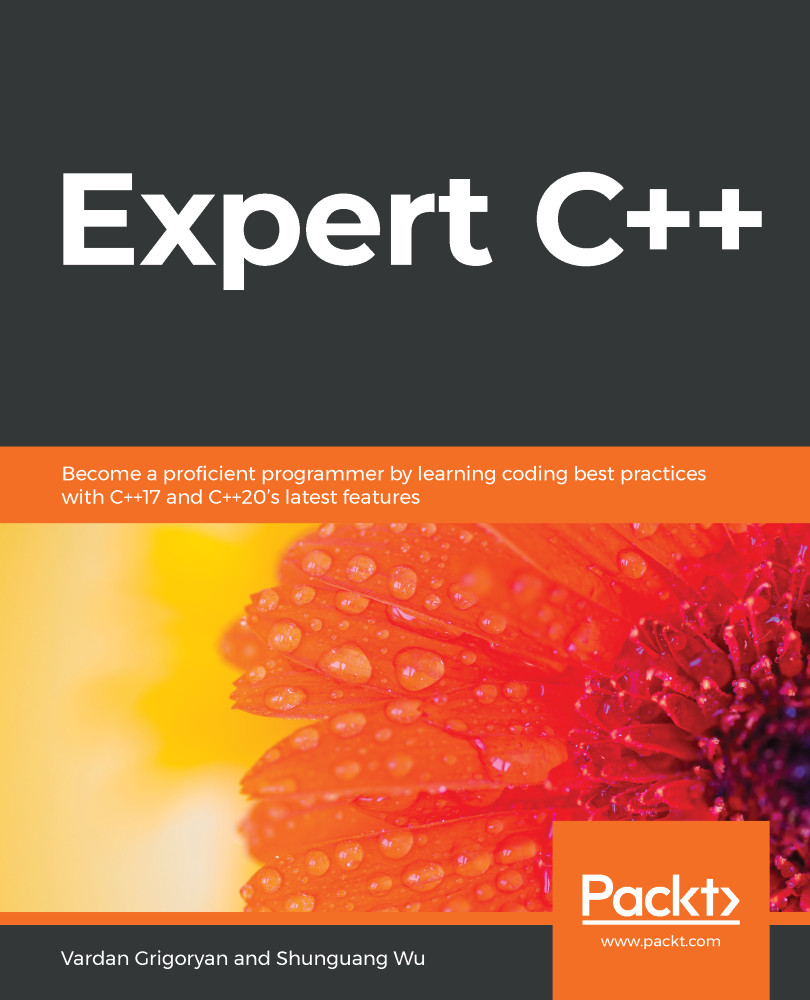
Expert C++: Become a proficient programmer by learning coding best practices with C++17 and C++20's latest features

Arrow left icon
Profile Icon Vardan Grigoryan Profile Icon Shunguang Wu
Arrow right icon
$27.89 $30.99
Full star icon Full star icon Full star icon Half star icon Empty star icon 3.1 (9 Ratings)
eBook Apr 2020 606 pages 1st Edition
eBook
$27.89 $30.99
Paperback
$45.99
eBook + Subscription
$29.99 Monthly
Arrow left icon
Profile Icon Vardan Grigoryan Profile Icon Shunguang Wu
Arrow right icon
$27.89 $30.99
Full star icon Full star icon Full star icon Half star icon Empty star icon 3.1 (9 Ratings)
eBook Apr 2020 606 pages 1st Edition
eBook
$27.89 $30.99
Paperback
$45.99
eBook + Subscription
$29.99 Monthly
eBook
$27.89 $30.99
Paperback
$45.99
eBook + Subscription
$29.99 Monthly

What do you get with eBook?

Product feature icon Instant access to your Digital eBook purchase
Product feature icon Download this book in EPUB and PDF formats
Product feature icon Access this title in our online reader with advanced features
Product feature icon DRM FREE - Read whenever, wherever and however you want
Product feature icon AI Assistant (beta) to help accelerate your learning
Modal Close icon
Payment Processing...
tick Completed

Billing Address

Table of content icon View table of contents Preview book icon Preview Book

Expert C++

Introduction to Building C++ Applications

Programming languages differ by their program execution model; the most common are interpreted and compiled languages. Compilers translate source code into machine code, which a computer can run without intermediary support systems. Interpreted language code, on the other hand, requires support systems, interpreters, and the virtual environment to work.

C++ is a compiled language, which makes programs run faster than their interpreted counterparts. While C++ programs should be compiled for each platform, interpreted programs can operate cross-platform.

We are going to discuss the details of a program-building process, starting with the phases of processing the source code – done by the compiler- and ending with the details of the executable file (the compiler's output). We will also learn why a program built for one platform won't run on another one.

The following topics will be covered in this chapter:

  • Introduction to C++20
  • Details of the C++ preprocessor
  • Under the hood of the source code compilation
  • Understanding the linker and its functionality
  • The process of loading and running an executable file

Technical requirements

Introduction to C++20

C++ has evolved over the years and now it has a brand-new version, C++20. Since C++11, the C++ standard has grown the language feature set tremendously. Let's look at notable features in the new C++20 standard.

Concepts

Concepts are a major feature in C++20 that provides a set of requirements for types. The basic idea behind concepts is the compile-time validation of template arguments. For example, to specify that the template argument must have a default constructor, we use the default_constructible concept in the following way:

template <default_constructible T>
void make_T() { return T(); }

In the preceding code, we missed the typename keyword. Instead, we set a concept that describes the T parameter of the template function.

We can say that concepts are types that describe other types – meta-types, so to speak. They allow the compile-time validation of template parameters along with a function invocation based on type properties. We will discuss concepts in detail in Chapter 3, Details of Object-Oriented Programming, and Chapter 4, Understanding and Designing Templates.

Coroutines

Coroutines are special functions able to stop at any defined point of execution and resume later. Coroutines extend the language with the following new keywords:

  • co_await suspends the execution of the coroutine.
  • co_yield suspends the execution of the coroutine while also returning a value.
  • co_return is similar to the regular return keyword; it finishes the coroutine and returns a value. Take a look at the following classic example:
generator<int> step_by_step(int n = 0) {
while (true) {
co_yield n++;
}
}

A coroutine is associated with a promise object. The promise object stores and alerts the state of the coroutine. We will dive deeper into coroutines in Chapter 8, Concurrency and Multithreading.

Ranges

The ranges library provides a new way of working with ranges of elements. To use them, you should include the <ranges> header file. Let's look at ranges with an example. A range is a sequence of elements having a beginning and an end. It provides a begin iterator and an end sentinel. Consider the following vector of integers:

import <vector>

int main()
{
std::vector<int> elements{0, 1, 2, 3, 4, 5, 6};
}

Ranges accompanied by range adapters (the | operator) provide powerful functionality to deal with a range of elements. For example, examine the following code:

import <vector>
import <ranges>

int main()
{
std::vector<int> elements{0, 1, 2, 3, 4, 5, 6};
for (int current : elements | ranges::view::filter([](int e) { return
e % 2 == 0; })
)
{
std::cout << current << " ";
}
}

In the preceding code, we filtered the range for even integers using ranges::view::filter(). Pay attention to the range adapter | applied to the elements vector. We will discuss ranges and their powerful features in Chapter 7, Functional Programming.

More C++20 features

C++20 is a new big release of the C++ language. It contains many features that make the language more complex and flexible. Concepts, ranges, and coroutines are some of the many features that will be discussed throughout the book.

One of the most anticipated features is modules, which provide the ability to declare modules and export types and values within those modules. You can consider modules an improved version of header files with the now redundant include-guards. We'll cover C++20 modules in this chapter.

Besides notable features added in C++20, there is a list of other features that we will discuss throughout the book:

  • The spaceship operator: operator<=>(). The verbosity of operator overloading can now be controlled by leveraging operator<=>().
  • constexpr conquers more and more space in the language. C++20 now has the consteval function, constexpr std::vector and std::string, and many more.
  • Math constants, such as std::number::pi and std::number::log2e.
  • Major updates to the Thread library, including stop tokens and joining threads.
  • The iterator concepts.
  • Move-only views and other features.

To better understand some new features and also dive into the essence of the language, we will introduce the language's core starting from previous versions. This will help us to find better uses for new features compared to older ones, and will also help in supporting legacy C++ code. Let's now start by gaining an understanding of the C++ application building-process.

Building and running programs

You can use any text editor to write code, because, ultimately, code is just text. To write code, you are free to choose between simple text editors such as Vim, or an advanced integrated development environment (IDE) such as MS Visual Studio. The only difference between a love letter and source code is that the latter might be interpreted by a special program called a compiler (while the love letter cannot be compiled into a program, it might give you butterflies in your stomach).

To mark the difference between a plain text file and source code, a special file extension is used. C++ operates with the .cpp and .h extensions (you may also occasionally encounter .cxx and .hpp as well). Before getting into the details, think of the compiler as a tool that translates the source code into a runnable program, known as an executable file or just an executable. The process of making an executable from the source code is called compilation. Compiling a C++ program is a sequence of complex tasks that results in machine code generation. Machine code is the native language of the computer— that's why it's called machine code.

Typically, a C++ compiler parses and analyzes the source code, then generates intermediate code, optimizes it, and finally, generates machine code in a file called an object file. You may have already encountered object files; they have individual extensions – .o in Linux and .obj in Windows. The created object file contains more than just machine code that can be run by the computer. Compilation usually involves several source files, and compiling each source file produces a separate object file. These object files are then linked together by a tool called the linker to form a single executable file. The linker uses additional information stored in object files to link them properly (linking will be discussed later in this chapter).

The following diagram depicts the program-building phases:

The C++ application-building process consists of three major steps: preprocessing, compiling, and linking. All of these steps are done using different tools, but modern compilers encapsulate them in a single tool, thereby providing a single and more straightforward interface for programmers.

The generated executable file persists on the hard drive of the computer. In order to run it, it should be copied to the main memory, the RAM. The copying is done by another tool, named the loader. The loader is a part of the operating system that knows what and where should be copied from the contents of the executable file. After loading the executable file to the main memory, the original executable file won't be deleted from the hard drive.

The loading and running of a program is done by the operating system (OS). The OS manages the execution of the program, prioritizes it over other programs, unloads it when it's done, and so on. The running copy of the program is called a process. A process is an instance of an executable file.

Understanding preprocessing

A preprocessor is intended to process source files to make them ready for compilation. A preprocessor works with preprocessor directives, such as #define, #include, and so on. Directives don't represent program statements, but they are commands for the preprocessor, telling it what to do with the text of the source file. The compiler cannot recognize those directives, so whenever you use preprocessor directives in your code, the preprocessor resolves them accordingly before the actual compilation of the code begins. For example, the following code will be changed before the compiler starts to compile it:

#define NUMBER 41 
int main() {
int a = NUMBER + 1;
return 0;
}

Everything that is defined using the #define directive is called a macro. After preprocessing, the compiler gets the transformed source in this form:

int main() { 
int a = 41 + 1;
return 0;
}

As already mentioned, the preprocessor is just processing the text and does not care about language rules or its syntax. Using preprocessor directives, especially macro definitions, as in the previous example, #define NUMBER 41 is error-prone, unless you realize that the preprocessor simply replaces any occurrence of NUMBER with 41 without interpreting 41 as an integer. For the preprocessor, the following lines are both valid:

int b = NUMBER + 1; 
struct T {}; // user-defined type
T t = NUMBER; // preprocessed successfully, but compile error

This produces the following code:

int b = 41 + 1
struct T {};
T t = 41; // error line

When the compiler starts compilation, it finds the assignment t = 41 erroneous because there is no viable conversion from 'int' to 'T'.

It is even dangerous to use macros that are correct syntactically but have logical errors:

#define DOUBLE_IT(arg) (arg * arg) 

The preprocessor will replace any occurrence of DOUBLE_IT(arg) with (arg * arg), therefore the following code will output 16:

int st = DOUBLE_IT(4);
std::cout << st;

The compiler will receive this code as follows:

int st = (4 * 4);
std::cout << st;

Problems arise when we use complex expressions as a macro argument:

int bad_result = DOUBLE_IT(4 + 1); 
std::cout << bad_result;

Intuitively, this code will produce 25, but the truth is that the preprocessor doesn't do anything but text processing, and in this case, it replaces the macro like this:

int bad_result = (4 + 1 * 4 + 1);
std::cout << bad_result;

This outputs 9, and 9 is obviously not 25.

To fix the macro definition, surround the macro argument with additional parentheses:

#define DOUBLE_IT(arg) ((arg) * (arg)) 

Now the expression will take this form:

int bad_result = ((4 + 1) * (4 + 1)); 

It is strongly suggested to use const declarations instead of macro definitions wherever applicable.

As a rule of thumb, avoid using macro definitions. Macros are error-prone and C++ provides a set of constructs that make the use of macros obsolete.

The same preceding example would be type-checked and processed at compile time if we used a constexpr function:

constexpr int double_it(int arg) { return arg * arg; } 
int bad_result = double_it(4 + 1);

Use the constexpr specifier to make it possible to evaluate the return value of the function (or the value of a variable) at compile time. The example with the NUMBER definition would be better rewritten using a const variable:

const int NUMBER = 41; 

Header files

The most common use of the preprocessor is the #include directive, intended to include header files in the source code. Header files contain definitions for functions, classes, and so on:

// file: main.cpp 
#include <iostream>
#include "rect.h"
int main() {
Rect r(3.1, 4.05)
std::cout << r.get_area() << std::endl;
}

Let's suppose the header file rect.h is defined as follows:

// file: rect.h
struct Rect
{
private:
double side1_;
double side2_;
public:
Rect(double s1, double s2);
const double get_area() const;
};

The implementation is contained in rect.cpp:

// file: rect.cpp
#include "rect.h"

Rect::Rect(double s1, double s2)
: side1_(s1), side2_(s2)
{}

const double Rect::get_area() const {
return side1_ * side2_;
}

After the preprocessor examines main.cpp and rect.cpp, it replaces the #include directives with corresponding contents of iostream and rect.h for main.cpp and rect.h for rect.cpp. C++17 introduces the __has_include preprocessor constant expression. __has_include evaluates to 1 if the file with the specified name is found and 0 if not:

#if __has_include("custom_io_stream.h")
#include "custom_io_stream.h"
#else
#include <iostream>
#endif

When declaring header files, it's strongly advised to use so-called include-guards (#ifndef, #define, #endif) to avoid double declaration errors. We are going to introduce the technique shortly. Those are, again, preprocessor directives that allow us to avoid the following scenario: type Square is defined in square.h, which includes rect.h in order to derive Square from Rect:

// file: square.h
#include "rect.h"
struct Square : Rect {
Square(double s);
};

Including both square.h and rect.h in main.cpp leads to including rect.h twice:

// file: main.cpp
#include <iostream>
#include "rect.h"
#include "square.h"
/*
preprocessor replaces the following with the contents of square.h
*/
// code omitted for brevity

After preprocessing, the compiler will receive main.cpp in the following form:

// contents of the iostream file omitted for brevity 
struct Rect {
// code omitted for brevity
};
struct Rect {
// code omitted for brevity
};
struct Square : Rect {
// code omitted for brevity
};
int main() {
// code omitted for brevity
}

The compiler will then produce an error because it encounters two declarations of type Rect. A header file should be guarded against multiple inclusions by using include-guards in the following way:

#ifndef RECT_H 
#define RECT_H
struct Rect { ... }; // code omitted for brevity
#endif // RECT_H

When the preprocessor meets the header for the first time, RECT_H is not defined and everything between #ifndef and #endif will be processed accordingly, including the RECT_H definition. The second time the preprocessor includes the same header file in the same source file, it will omit the contents because RECT_H has already been defined.

These include-guards are part of directives that control the compilation of parts of the source file. All of the conditional compilation directives are #if, #ifdef, #ifndef, #else, #elif, and #endif.

Conditional compilation is useful in many cases; one of them is logging function calls in so-called debug mode. Before releasing the program, it is advised to debug your program and test against logical flaws. You might want to see what happens in the code after invoking a certain function, for example:

void foo() {
log("foo() called");
// do some useful job
}
void start() {
log("start() called");
foo();
// do some useful job
}

Each function calls the log() function, which is implemented as follows:

void log(const std::string& msg) {
#if DEBUG
std::cout << msg << std::endl;
#endif
}

The log() function will print the msg if DEBUG is defined. If you compile the project enabling DEBUG (using compiler flags, such as -D in g++), then the log() function will print the string passed to it; otherwise, it will do nothing.

Using modules in C++20

Modules fix header files with annoying include-guard issues. We can now get rid of preprocessor macros. Modules incorporate two keywords, import and export. To use a module, we import it. To declare a module with its exported properties, we use export. Before listing the benefits of using modules, let's look at a simple usage example. The following code declares a module:

export module test;

export int twice(int a) { return a * a; }

The first line declares the module named test. Next, we declared the twice() function and set it to export. This means that we can have functions and other entities that are not exported, thus, they will be private outside of the module. By exporting an entity, we set it public to module users. To use module, we import it as done in the following code:

import test;

int main()
{
twice(21);
}

Modules are a long-awaited feature of C++ that provides better performance in terms of compilation and maintenance. The following features make modules better in the competition with regular header files:

  • A module is imported only once, similar to precompiled headers supported by custom language implementations. This reduces the compile time drastically. Non-exported entities have no effect on the translation unit that imports the module.
  • Modules allow expressing the logical structure of code by allowing you to select which units should be exported and which should not. Modules can be bundled together into bigger modules.
  • Getting rid of workarounds such as include-guards, described earlier. We can import modules in any order. There are no more concerns for macro redefinitions.

Modules can be used together with header files. We can both import and include headers in the same file, as demonstrated in the following example:

import <iostream>;
#include <vector>

int main()
{
std::vector<int> vec{1, 2, 3};
for (int elem : vec) std::cout << elem;
}

When creating modules, you are free to export entities in the interface file of the module and move the implementations to other files. The logic is the same as in managing .h and .cpp files.

Understanding Compiling

The C++ compilation process consists of several phases. Some of the phases are intended to analyze the source code, and others generate and optimize the target machine code. The following diagram shows the phases of compilation:

Let's look at each of these phases in detail.

Tokenization

The analysis phase of the compiler aims to split the source code into small units called tokens. A token may be a word or just a single symbol, such as = (the equals sign). A token is the smallest unit of the source code that carries meaningful value for the compiler. For example, the expression int a = 42; will be divided into the tokens int, a, =, 42, and ;. The expression isn't just split by spaces, because the following expression is being split into the same tokens (though it is advisable not to forget the spaces between operands):

int a=42;

The splitting of the source code into tokens is done using sophisticated methods using regular expressions. It is known as lexical analysis, or tokenization (dividing into tokens). For compilers, using a tokenized input presents a better way to construct internal data structures used to analyze the syntax of the code. Let's see how.

Syntax analysis

When speaking about programming language compilation, we usually differentiate two terms: syntax and semantics. The syntax is the structure of the code; it defines the rules by which tokens combined make structural sense. For example, day nice is a syntactically correct phrase in English because it doesn't contain errors in either of the tokens. Semantics, on the other hand, concerns the actual meaning of the code. That is, day nice is semantically incorrect and should be corrected as a nice day.

Syntax analysis is a crucial part of source analysis, because tokens will be analyzed syntactically and semantically, that is, as to whether they bear any meaning that conforms to the general grammar rules. Take the following, for example:

int b = a + 0;

It may not make sense for us, because adding zero to the variable won't change its value, but the compiler doesn't look on logical meaning here—it looks for the syntactic correctness of the code (a missing semicolon, a missing closing parenthesis, and more). Checking the syntactic correctness of the code is done in the syntax analysis phase of compilation. The lexical analysis divides the code into tokens; syntax analysis checks for syntactic correctness, which means that the aforementioned expression will produce a syntax error if we have missed a semicolon:

int b = a + 0

g++ will complain with the expected ';' at end of declaration error.

Semantic analysis

If the previous expression was something like it b = a + 0; , the compiler would divide it into the tokens it, b, =, and others. We already see that it is something unknown, but for the compiler, it is fine at this point. This would lead to the compilation error unknown type name "it" in g++. Finding the meaning behind expressions is the task of semantic analysis (parsing).

Intermediate code generation

After all the analysis is completed, the compiler generates intermediate code that is a light version of C++ mostly C. A simple example would be the following:

class A { 
public:
int get_member() { return mem_; }
private:
int mem_;
};

After analyzing the code, intermediate code will be generated (this is an abstract example meant to show the idea of the intermediate code generation; compilers may differ in implementation):

struct A { 
int mem_;
};
int A_get_member(A* this) { return this->mem_; }

Optimization

Generating intermediate code helps the compiler to make optimizations in the code. Compilers try to optimize code a lot. Optimizations are done in more than one pass. For example, take the following code:

int a = 41; 
int b = a + 1;

This will be optimized into this during compilation:

int a = 41; 
int b = 41 + 1;

This again will be optimized into the following:

int a = 41; 
int b = 42;

Some programmers have no doubt that, nowadays, compilers code better than programmers.

Machine code generation

Compiler optimizations are done in both intermediate code and generated machine code. So what is it like when we compile the project? Earlier in the chapter, when we discussed the preprocessing of the source code, we looked at a simple structure containing several source files, including two headers, rect.h and square.h, each with its .cpp files, and main.cpp, which contained the program entry point (the main() function). After the preprocessing, the following units are left as input for the compiler: main.cpp, rect.cpp, and square.cpp, as depicted in the following diagram:

The compiler will compile each separately. Compilation units, also known as source files, are independent of each other in some way. When the compiler compiles main.cpp, which has a call to the get_area() function in Rect, it does not include the get_area() implementation in main.cpp. Instead, it is just sure that the function is implemented somewhere in the project. When the compiler gets to rect.cpp, it does not know that the get_area() function is used somewhere.

Here's what the compiler gets after main.cpp passes the preprocessing phase:

// contents of the iostream 
struct Rect {
private:
double side1_;
double side2_;
public:
Rect(double s1, double s2);
const double get_area() const;
};

struct Square : Rect {
Square(double s);
};

int main() {
Rect r(3.1, 4.05);
std::cout << r.get_area() << std::endl;
return 0;
}

After analyzing main.cpp, the compiler generates the following intermediate code (many details are omitted to simply express the idea behind compilation):

struct Rect { 
double side1_;
double side2_;
};
void _Rect_init_(Rect* this, double s1, double s2);
double _Rect_get_area_(Rect* this);

struct Square {
Rect _subobject_;
};
void _Square_init_(Square* this, double s);

int main() {
Rect r;
_Rect_init_(&r, 3.1, 4.05);
printf("%d\n", _Rect_get_area(&r));
// we've intentionally replace cout with printf for brevity and
// supposing the compiler generates a C intermediate code
return 0;
}

The compiler will remove the Square struct with its constructor function (we named it _Square_init_) while optimizing the code because it was never used in the source code.

At this point, the compiler operates with main.cpp only, so it sees that we called the _Rect_init_ and _Rect_get_area_ functions but did not provide their implementation in the same file. However, as we did provide their declarations beforehand, the compiler trusts us and believes that those functions are implemented in other compilation units. Based on this trust and the minimum information regarding the function signature (its return type, name, and the number and types of its parameters), the compiler generates an object file that contains the working code in main.cpp and somehow marks the functions that have no implementation but are trusted to be resolved later. The resolving is done by the linker.

In the following example, we have the simplified variant of the generated object file, which contains two sections—code and information. The code section has addresses for each instruction (the hexadecimal values):

code: 
0x00 main
0x01 Rect r;
0x02 _Rect_init_(&r, 3.1, 4.05);
0x03 printf("%d\n", _Rect_get_area(&r));
information:
main: 0x00
_Rect_init_: ????
printf: ????
_Rect_get_area_: ????

Take a look at the information section. The compiler marks all the functions used in the code section that were not found in the same compilation unit with ????. These question marks will be replaced by the actual addresses of the functions found in other units by the linker. Finishing with main.cpp, the compiler starts to compile the rect.cpp file:

// file: rect.cpp 
struct Rect {
// #include "rect.h" replaced with the contents
// of the rect.h file in the preprocessing phase
// code omitted for brevity
};
Rect::Rect(double s1, double s2)
: side1_(s1), side2_(s2)
{}
const double Rect::get_area() const {
return side1_ * side2_;
}

Following the same logic here, the compilation of this unit produces the following output (don't forget, we're still providing abstract examples):

code:  
0x00 _Rect_init_
0x01 side1_ = s1
0x02 side2_ = s2
0x03 return
0x04 _Rect_get_area_
0x05 register = side1_
0x06 reg_multiply side2_
0x07 return
information:
_Rect_init_: 0x00
_Rect_get_area_: 0x04

This output has all the addresses of the functions in it, so there is no need to wait for some functions to be resolved later.

Platforms and object files

The abstract output that we just saw is somewhat similar to the actual object file structure that the compiler produces after the compilation of a unit. The structure of an object file depends on the platform; for example, in Linux, it is represented in ELF format (ELF stands for Executable and Linkable Format). A platform is an environment in which a program is executed. In this context, by platform, we mean the combination of the computer architecture (more specifically, the instruction set architecture) and operating system. Hardware and operating systems are designed and created by different teams and companies. Each of them has different solutions to design problems, which leads to major differences between platforms. Platforms differ in many ways, and those differences are projected onto the executable file format and structure as well. For example, the executable file format in Windows systems is Portable Executable (PE), which has a different structure, number, and sequence of sections than the ELF format in Linux.

An object file is divided into sections. Most important for us are the code sections (marked as .text) and the data section (.data). The .text section holds the program instructions and the .data section holds the data used by instructions. Data itself may be split into several sections, such as initialized, uninitialized, and read-only data.

An important part of the object files in addition to the .text and .data sections is the symbol table. The symbol table stores the mappings of strings (symbols) to locations in the object file. In the preceding example, the compiler-generated output had two portions, the second portion of which was marked as information:, which holds the names of the functions used in the code and their relative addresses. This information: is the abstract version of the actual symbol table of the object file. The symbol table holds both symbols defined in the code and symbols used in the code that need to be resolved. This information is then used by the linker in order to link the object files together to form the final executable file.

Introducing Linking

The compiler outputs an object file for each compilation unit. In the previous example, we had three .cpp files and the compiler produced three object files. The task of the linker is to combine these object files together into a single object file. Combining files together results in relative address changes; for example, if the linker puts the rect.o file after main.o, the starting address of rect.o becomes 0x04 instead of the previous value of 0x00:

code: 
0x00 main
0x01 Rect r;
0x02 _Rect_init_(&r, 3.1, 4.05);
0x03 printf("%d\n", _Rect_get_area(&r));
0x04 _Rect_init_
0x05 side1_ = s1
0x06 side2_ = s2
0x07 return
0x08 _Rect_get_area_
0x09 register = side1_
0x0A reg_multiply side2_
0x0B return
information (symbol table):
main: 0x00
_Rect_init_: 0x04
printf: ????
_Rect_get_area_: 0x08

_Rect_init_: 0x04
_Rect_get_area_: 0x08

The linker correspondingly updates the symbol table addresses (the information: section in our example). As mentioned previously, each object file has its symbol table, which maps the string name of the symbol to its relative location (address) in the file. The next step of linking is to resolve all the unresolved symbols in the object file.

Now that the linker has combined main.o and rect.o together, it knows the relative location of unresolved symbols because they are now located in the same file. The printf symbol will be resolved the same way, except this time it will link the object files with the standard library. After all the object files are combined together (we omitted the linking of square.o for brevity), all addresses are updated, and all the symbols are resolved, the linker outputs the one final object file that can be executed by the operating system. As discussed earlier in the chapter, the OS uses a tool called the loader to load the contents of the executable file into the memory.

Linking libraries

A library is similar to an executable file, with one major difference: it does not have a main() function, which means that it cannot be invoked as a regular program. Libraries are used to combine code that might be reused with more than one program. You already linked your programs with the standard library by including the <iostream> header, for example.

Libraries can be linked with the executable file either as static or dynamic libraries. When you link them as a static library, they become a part of the final executable file. A dynamically linked library should also be loaded into memory by the OS to provide your program with the ability to call its functions. Let's suppose we want to find the square root of a function:

int main() {
double result = sqrt(49.0);
}

The C++ standard library provides the sqrt() function, which returns the square root of its argument. If you compile the preceding example, it will produce an error insisting that the sqrt function has not been declared. We know that to use the standard library function, we should include the corresponding <cmath> header. But the header file does not contain the implementation of the function; it just declares the function (in the std namespace), which is then included in our source file:

#include <cmath>
int main() {
double result = std::sqrt(49.0);
}

The compiler marks the address of the sqrt symbol as unknown, and the linker should resolve it in the linking stage. The linker will fail to resolve it if the source file is not linked with the standard library implementation (the object file containing the library functions).

The final executable file generated by the linker will consist of both our program and the standard library if the linking was static. On the other hand, if the linking is dynamic, the linker marks the sqrt symbol to be found at runtime.

Now when we run the program, the loader also loads the library that was dynamically linked to our program. It loads the contents of the standard library into the memory as well and then resolves the actual location of the sqrt() function in memory. The same library that is already loaded into the memory can be used by other programs as well.

Summary

In this chapter, we touched on a few of the many new features of C++20 and are now ready to dive deeper into the language. We discussed the process of building a C++ application and its compilation phases. This includes analyzing the code to detect syntactical and grammatical errors, generating intermediate code to make optimizations, and finally, generating the object file that will be linked together with other generated object files to form the final executable file.

In the next chapter, we will learn about C++ data types, arrays, and pointers. We will also gain an understanding of what pointers are and look at low-level details of conditionals.

Questions

  1. What is the difference between a compiler and an interpreter?
  2. List the program compilation phases.
  3. What does the preprocessor do?
  4. What are the tasks of the linker?
  5. What is the difference between statically and dynamically linked libraries?

Further reading

Left arrow icon Right arrow icon
Download code icon Download Code

Key benefits

  • Design professional-grade, maintainable apps by learning advanced concepts such as functional programming, templates, and networking
  • Apply design patterns and best practices to solve real-world problems
  • Improve the performance of your projects by designing concurrent data structures and algorithms

Description

C++ has evolved over the years and the latest release – C++20 – is now available. Since C++11, C++ has been constantly enhancing the language feature set. With the new version, you’ll explore an array of features such as concepts, modules, ranges, and coroutines. This book will be your guide to learning the intricacies of the language, techniques, C++ tools, and the new features introduced in C++20, while also helping you apply these when building modern and resilient software. You’ll start by exploring the latest features of C++, and then move on to advanced techniques such as multithreading, concurrency, debugging, monitoring, and high-performance programming. The book will delve into object-oriented programming principles and the C++ Standard Template Library, and even show you how to create custom templates. After this, you’ll learn about different approaches such as test-driven development (TDD), behavior-driven development (BDD), and domain-driven design (DDD), before taking a look at the coding best practices and design patterns essential for building professional-grade applications. Toward the end of the book, you will gain useful insights into the recent C++ advancements in AI and machine learning. By the end of this C++ programming book, you’ll have gained expertise in real-world application development, including the process of designing complex software.

Who is this book for?

This C++ book is for experienced C++ developers who are looking to take their knowledge to the next level and perfect their skills in building professional-grade applications.

What you will learn

  • Understand memory management and low-level programming in C++ to write secure and stable applications
  • Discover the latest C++20 features such as modules, concepts, ranges, and coroutines
  • Understand debugging and testing techniques and reduce issues in your programs
  • Design and implement GUI applications using Qt5
  • Use multithreading and concurrency to make your programs run faster
  • Develop high-end games by using the object-oriented capabilities of C++
  • Explore AI and machine learning concepts with C++

Product Details

Country selected
Publication date, Length, Edition, Language, ISBN-13
Publication date : Apr 10, 2020
Length: 606 pages
Edition : 1st
Language : English
ISBN-13 : 9781838554767
Category :
Languages :

What do you get with eBook?

Product feature icon Instant access to your Digital eBook purchase
Product feature icon Download this book in EPUB and PDF formats
Product feature icon Access this title in our online reader with advanced features
Product feature icon DRM FREE - Read whenever, wherever and however you want
Product feature icon AI Assistant (beta) to help accelerate your learning
Modal Close icon
Payment Processing...
tick Completed

Billing Address

Product Details

Publication date : Apr 10, 2020
Length: 606 pages
Edition : 1st
Language : English
ISBN-13 : 9781838554767
Category :
Languages :

Packt Subscriptions

See our plans and pricing
Modal Close icon
$19.99 billed monthly
Feature tick icon Unlimited access to Packt's library of 7,000+ practical books and videos
Feature tick icon Constantly refreshed with 50+ new titles a month
Feature tick icon Exclusive Early access to books as they're written
Feature tick icon Solve problems while you work with advanced search and reference features
Feature tick icon Offline reading on the mobile app
Feature tick icon Simple pricing, no contract
$199.99 billed annually
Feature tick icon Unlimited access to Packt's library of 7,000+ practical books and videos
Feature tick icon Constantly refreshed with 50+ new titles a month
Feature tick icon Exclusive Early access to books as they're written
Feature tick icon Solve problems while you work with advanced search and reference features
Feature tick icon Offline reading on the mobile app
Feature tick icon Choose a DRM-free eBook or Video every month to keep
Feature tick icon PLUS own as many other DRM-free eBooks or Videos as you like for just $5 each
Feature tick icon Exclusive print discounts
$279.99 billed in 18 months
Feature tick icon Unlimited access to Packt's library of 7,000+ practical books and videos
Feature tick icon Constantly refreshed with 50+ new titles a month
Feature tick icon Exclusive Early access to books as they're written
Feature tick icon Solve problems while you work with advanced search and reference features
Feature tick icon Offline reading on the mobile app
Feature tick icon Choose a DRM-free eBook or Video every month to keep
Feature tick icon PLUS own as many other DRM-free eBooks or Videos as you like for just $5 each
Feature tick icon Exclusive print discounts

Frequently bought together


Stars icon
Total $ 205.97
Modern C++ Programming Cookbook
$99.99
Expert C++
$45.99
C++ High Performance
$59.99
Total $ 205.97 Stars icon

Table of Contents

21 Chapters
Section 1: Under the Hood of C++ Programming Chevron down icon Chevron up icon
Introduction to Building C++ Applications Chevron down icon Chevron up icon
Low-Level Programming with C++ Chevron down icon Chevron up icon
Details of Object-Oriented Programming Chevron down icon Chevron up icon
Understanding and Designing Templates Chevron down icon Chevron up icon
Memory Management and Smart Pointers Chevron down icon Chevron up icon
Section 2: Designing Robust and Efficient Applications Chevron down icon Chevron up icon
Digging into Data Structures and Algorithms in STL Chevron down icon Chevron up icon
Functional Programming Chevron down icon Chevron up icon
Concurrency and Multithreading Chevron down icon Chevron up icon
Designing Concurrent Data Structures Chevron down icon Chevron up icon
Designing World-Ready Applications Chevron down icon Chevron up icon
Designing a Strategy Game Using Design Patterns Chevron down icon Chevron up icon
Networking and Security Chevron down icon Chevron up icon
Debugging and Testing Chevron down icon Chevron up icon
Graphical User Interface with Qt Chevron down icon Chevron up icon
Section 3: C++ in the AI World Chevron down icon Chevron up icon
Using C++ in Machine Learning Tasks Chevron down icon Chevron up icon
Implementing a Dialog-Based Search Engine Chevron down icon Chevron up icon
Assessments Chevron down icon Chevron up icon
Other Books You May Enjoy Chevron down icon Chevron up icon

Customer reviews

Top Reviews
Rating distribution
Full star icon Full star icon Full star icon Half star icon Empty star icon 3.1
(9 Ratings)
5 star 22.2%
4 star 22.2%
3 star 11.1%
2 star 33.3%
1 star 11.1%
Filter icon Filter
Top Reviews

Filter reviews by


KARAN Jun 19, 2024
Full star icon Full star icon Full star icon Full star icon Full star icon 5
Nice book , advanced concepts very much satisfied with the contents.
Subscriber review Packt
Andranik Dec 10, 2020
Full star icon Full star icon Full star icon Full star icon Full star icon 5
This book is very understandable.And contains important information
Amazon Verified review Amazon
cygnus.x1 Jan 20, 2021
Full star icon Full star icon Full star icon Full star icon Empty star icon 4
Good book, but not quite perfect.
Amazon Verified review Amazon
FAm Dec 19, 2021
Full star icon Full star icon Full star icon Full star icon Empty star icon 4
Really great book to master modern C++. It covers and explains the concepts well it also tries to explain in the perspective of compiler. I gave 4 ⭐ just because I faced some wrong examples which even didn't get compiled under C++20 and lower compilers
Amazon Verified review Amazon
George Apr 28, 2022
Full star icon Full star icon Full star icon Empty star icon Empty star icon 3
This book explains many basic concepts from base C++ (aka C++11) and doesn't explains what some newer concepts are, even though they are used. The book also leads you into thinking that it will work through a project within a chapter, but actually doesn't do that, instead only doing small snippets of the project and explaining other parts in text only (it feals like they were told the book could only be so many pages long and constantly reminds you of this). The AI chapters is also severely missing in content, both conceptually and in code examples.The early part of this book focuses in on how the compiler works and how it changes you code to look like, but then says how different compilers may work differently.The book also mentions that it would cover certain C++20 content that it barely mentions and doesn't explain how to use it or hiw it is better than a method(s) that already existed. This is especially felt, in my opinion, in the section that mentions (it doesn't truly cover) ranges. I have little experience with functional style programming, and, in comparison to OOP, neither does many C++ programs. Similarly, concepts are shown, but it doesn't really show how to make your own.The section, in my opinion, that has the best coverage is the chapter that covers multi-threading, but it was still lacking in its explanation on coroutines. Similarly, template metaprogramming is also covered well, but I feel the author(s) didn't use any of the newer additions to C++ that I expect, but haven't had time to test and see, to work.The section on GUIs focused on just one library, Qt, and I feel other libraries should have been looked at. It also didn't do a good job at showing what different widgets/layouts looked like.I think that this would be a good book for an intermediate C++ program with plenty of free time to further develop the projects shown, but it shouldn't be the only resources used or you will come out knowing little or nothing about some content.
Amazon Verified review Amazon
Get free access to Packt library with over 7500+ books and video courses for 7 days!
Start Free Trial

FAQs

How do I buy and download an eBook? Chevron down icon Chevron up icon

Where there is an eBook version of a title available, you can buy it from the book details for that title. Add either the standalone eBook or the eBook and print book bundle to your shopping cart. Your eBook will show in your cart as a product on its own. After completing checkout and payment in the normal way, you will receive your receipt on the screen containing a link to a personalised PDF download file. This link will remain active for 30 days. You can download backup copies of the file by logging in to your account at any time.

If you already have Adobe reader installed, then clicking on the link will download and open the PDF file directly. If you don't, then save the PDF file on your machine and download the Reader to view it.

Please Note: Packt eBooks are non-returnable and non-refundable.

Packt eBook and Licensing When you buy an eBook from Packt Publishing, completing your purchase means you accept the terms of our licence agreement. Please read the full text of the agreement. In it we have tried to balance the need for the ebook to be usable for you the reader with our needs to protect the rights of us as Publishers and of our authors. In summary, the agreement says:

  • You may make copies of your eBook for your own use onto any machine
  • You may not pass copies of the eBook on to anyone else
How can I make a purchase on your website? Chevron down icon Chevron up icon

If you want to purchase a video course, eBook or Bundle (Print+eBook) please follow below steps:

  1. Register on our website using your email address and the password.
  2. Search for the title by name or ISBN using the search option.
  3. Select the title you want to purchase.
  4. Choose the format you wish to purchase the title in; if you order the Print Book, you get a free eBook copy of the same title. 
  5. Proceed with the checkout process (payment to be made using Credit Card, Debit Cart, or PayPal)
Where can I access support around an eBook? Chevron down icon Chevron up icon
  • If you experience a problem with using or installing Adobe Reader, the contact Adobe directly.
  • To view the errata for the book, see www.packtpub.com/support and view the pages for the title you have.
  • To view your account details or to download a new copy of the book go to www.packtpub.com/account
  • To contact us directly if a problem is not resolved, use www.packtpub.com/contact-us
What eBook formats do Packt support? Chevron down icon Chevron up icon

Our eBooks are currently available in a variety of formats such as PDF and ePubs. In the future, this may well change with trends and development in technology, but please note that our PDFs are not Adobe eBook Reader format, which has greater restrictions on security.

You will need to use Adobe Reader v9 or later in order to read Packt's PDF eBooks.

What are the benefits of eBooks? Chevron down icon Chevron up icon
  • You can get the information you need immediately
  • You can easily take them with you on a laptop
  • You can download them an unlimited number of times
  • You can print them out
  • They are copy-paste enabled
  • They are searchable
  • There is no password protection
  • They are lower price than print
  • They save resources and space
What is an eBook? Chevron down icon Chevron up icon

Packt eBooks are a complete electronic version of the print edition, available in PDF and ePub formats. Every piece of content down to the page numbering is the same. Because we save the costs of printing and shipping the book to you, we are able to offer eBooks at a lower cost than print editions.

When you have purchased an eBook, simply login to your account and click on the link in Your Download Area. We recommend you saving the file to your hard drive before opening it.

For optimal viewing of our eBooks, we recommend you download and install the free Adobe Reader version 9.

Modal Close icon
Modal Close icon