Search icon CANCEL
Subscription
0
Cart icon
Your Cart (0 item)
Close icon
You have no products in your basket yet
Save more on your purchases! discount-offer-chevron-icon
Savings automatically calculated. No voucher code required.
Arrow left icon
Explore Products
Best Sellers
New Releases
Books
Videos
Audiobooks
Learning Hub
Newsletter Hub
Free Learning
Arrow right icon
timer SALE ENDS IN
0 Days
:
00 Hours
:
00 Minutes
:
00 Seconds
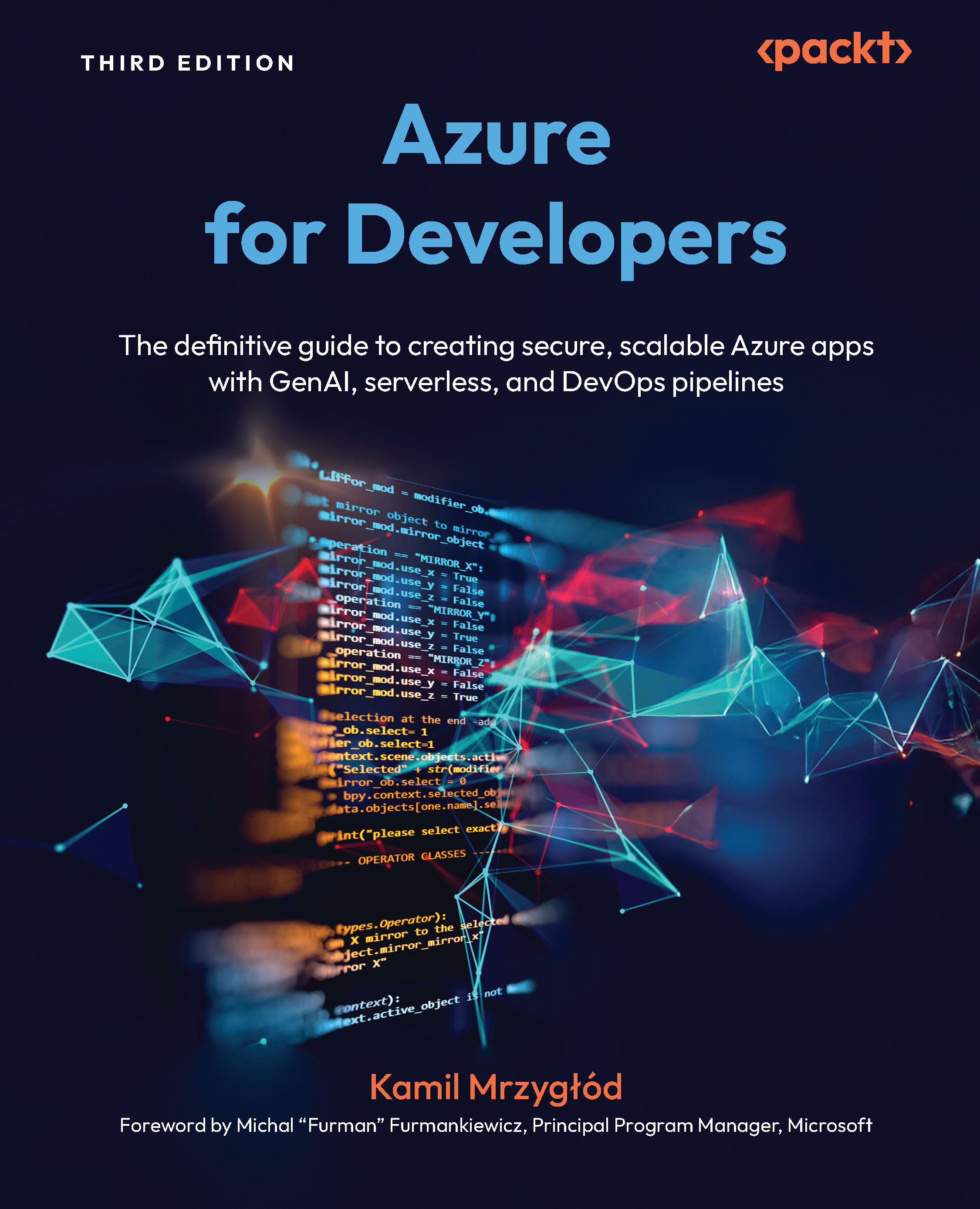
Azure for  Developers

Azure for Developers: The definitive guide to creating secure, scalable Azure apps with GenAI, serverless, and DevOps pipelines , Third Edition

eBook
$39.59 $43.99
Paperback
$54.99
Subscription
Free Trial
Renews at $19.99p/m

What do you get with Print?

Product feature icon Instant access to your digital copy whilst your Print order is Shipped
Product feature icon Paperback book shipped to your preferred address
Product feature icon Redeem a companion digital copy on all Print orders
Product feature icon Access this title in our online reader with advanced features
Product feature icon DRM FREE - Read whenever, wherever and however you want
Product feature icon AI Assistant (beta) to help accelerate your learning
Modal Close icon
Payment Processing...
tick Completed

Shipping Address

Billing Address

Shipping Methods
Table of content icon View table of contents Preview book icon Preview Book

Azure for Developers

Getting Started with an Azure Account and Selecting an IDE

Welcome to the third edition of Azure for Developers, where your journey to mastering cloud development begins with setting up your account and choosing the right tools to bring your ideas to life.

For many developers, the most difficult step when starting with Microsoft Azure is obtaining a cloud account and configuring the local environment. While this topic may sound trivial, it really isn’t. Azure offers you multiple ways to start working with cloud infrastructure, and choosing the right option is crucial so you can focus on learning rather than fixing cloud account access.

We will start by explaining how to create an Azure account and what the basic operations are for working with that cloud platform, so you have a good understanding of the baseline for Azure and the overall cloud setup. Then, we will talk about setting up your local environment, which will make it easier for you to work through the exercises...

Technical requirements

For exercises in this chapter, you’ll need the Azure CLI. The process of installing and configuring it will be explained later in this chapter.

Creating an Azure account

To start building your applications using Azure, you’ll need an account. An account in Azure is in fact a subscription, which acts as a high-level building block, allowing charges for Azure services to be linked with your payment method. There are several ways to create an account – we’ll try to find the one that suits you the best.

Note that most of the accounts for Azure aren’t free of charge. However, as you may not always be able to access an account provided by your company, we’ll also try to find a way to be able to learn without spending a penny.

Types of Azure accounts

In general, accounts in Azure can be put in one of two categories:

  • Work or school accounts
  • Personal accounts

The names of these accounts describe exactly what they are – if you’re an employee, you may be given access to a work account. Such a work account may have access to Microsoft Azure, so you don’...

Installing the Azure CLI and Azure PowerShell

As we’re going to discuss both the Azure CLI and Azure PowerShell, we need to install them first. The installation process is pretty straightforward for both of these tools; however, before we proceed, we need to quickly explain both of these tools. If you don’t want to install the tools locally or use your local machine, you can use Cloud Shell, which is a dedicated environment available to all Azure accounts. You can read more about it at https://azure.microsoft.com/en-us/get-started/azure-portal/cloud-shell.

Understanding the importance of the CLI

While your main work environment may be an IDE and a specific programming framework, when working with Azure, you’ll realize that there are additional areas of work that need to be covered. You may create and configure resources in Azure using the Azure portal, but that way of working is rarely advisable and, if possible, should be avoided. In many cases, you could...

Learning basic operations

To start working with Azure, you’ll need to understand how to perform certain operations, such as signing in, switching accounts, and even switching tenants. We’ll get to that shortly, but before we start, let’s discuss briefly how Azure is structured.

Basic Azure structure

In Azure, there are several building blocks, which you’ll be using when developing applications and infrastructure. The main building block is called the tenant. A tenant is the most important component as it links Azure subscriptions with user accounts. When you create an Azure account, it’s automatically linked to a new tenant (unless your account is a work/school account, which is created inside an existing tenant).

If you went through the Azure account creation process, you created three separate components:

  • Azure tenant
  • Azure subscription
  • User account in Azure tenant (global/account administrator)

To help you understand...

Using service principals and managed identities

To understand service principals and managed identities, let’s consider the following scenario: you’re developing an application that allows users to upload photos from a user and store them in Azure. If you want to use a managed cloud service such as Azure Storage, you’ll need to find a way to authorize upload operations. In Azure, there are two options:

  • Use an access key
  • Use an access token

Using an access key, which can be quickly developed and deployed, is the simplest option. It’s also the least desirable from the security point of view as it requires your application to store and manage access keys. A much better option (in terms of management and design) is to allow your application to obtain an access token. In this scenario, you’d control access to Azure services by giving your application a certain set of permissions.

If you want to leverage that option, you’ll...

Choosing the right IDE for working with Azure

Azure is one of the most popular platforms for building applications with a cloud infrastructure. To develop those applications, we need to be able to integrate our local workstation with Azure’s capabilities. Being a developer means that your main working environment is an IDE. The choice of a suitable IDE relies on the technology stack you’re using. If you’re .NET developer, you may work with applications such as Visual Studio or Rider. Java developers might be using IntelliJ or Eclipse. Python developers may use PyCharm. There are many choices, so it’s important to understand the implications of our decisions, especially when thinking about development in Azure.

Note

In this book, we’re going to focus on the most popular technology stacks that are closely related to Azure. This means that we’re not going to talk about languages such as C, C++, or Rust, as they’re rarely used with...

Integrating your IDE with Azure

In order to integrate your IDE with Azure, you need to check whether plugins and workloads are available for it. To help you with that, I have prepared a quick summary with links, which will help you set up your local environment.

JetBrains IntelliJ

IntelliJ (https://learn.microsoft.com/en-us/azure/developer/java/toolkit-for-intellij/install-toolkit) provides quite an advanced extension for working with Azure that enables you to work with the following Azure services:

  • Azure Web App
  • Azure Functions
  • Azure Container Apps
  • Azure Storage
  • Azure Virtual Machine
  • Azure Redis Cache
  • Azure OpenAI

It’s a great choice for all web developers who want to encapsulate all their work within the same tool without needing to use additional tools.

Eclipse

Eclipse (https://learn.microsoft.com/en-us/azure/developer/java/toolkit-for-eclipse/installation) is another IDE that allows you to work with Azure, though the integration...

Learning about plugins and additional workloads

No matter which IDE you choose, it’s important to be aware of additional tools that could be useful when developing an application. Let’s start with WSL, which could help to provide a uniform local setup for all developers inside a team.

WSL

WSL (https://learn.microsoft.com/en-us/windows/wsl/install) is one of the best features for developers using mixed operating systems (Windows/Linux/macOS). It can also be helpful if you want to get the most out of tools that target UNIX-based systems at first (which is often true for software meant for the development of containerized applications). WSL gives you the ability to work on your Windows machine as if it were running a Linux-based operating system, making development much easier in a number of ways (for instance, it allows you to develop, run, and test shell scripts on Ubuntu, which is very often used as a default operating system for CI/CD pipelines runners).

Another...

Using Azure emulators

When developing an application, you often need to decide how local development is performed. While running an application locally is quite a simple task, running its dependencies may be challenging. Let’s discuss how to decouple real Azure services from local workstations so that every developer can host their own environment that is secure from outages and unwanted changes.

Benefits of emulators

Consider the following scenario: you’re developing an application that requires an SQL database. If that application is hosted on Azure, it may be tempting to deploy a dedicated Azure SQL instance for development only. This, however, has serious implications:

  • Developers are going to share the same instance of a database.
  • If Azure SQL isn’t available, local development is affected.
  • It’s difficult to test changes in isolation.

To overcome those problems, you’ll need to consider the following options:

    ...

Summary

In this chapter, you learned about the basic structure and operations of Azure. We discussed how you can obtain access to the Azure environment and explored the differences between work/school and personal accounts. You also learned how to sign in to your account, switch the working context, and change the Azure tenant if needed.

We also talked about service principals and managed identities, which will become some of the most important components in the next chapters. In the last part of this chapter, we covered IDEs and additional plugins and emulators that may help you when developing applications in Azure. This knowledge will become important in the next chapters, as we’ll start building simple applications to showcase certain features of Azure services.

In the next chapter, we’ll cover the differences between the Azure CLI and Azure PowerShell. Going through this topic will help you build your own scripts and integrate them with CI/CD pipelines, which...

Left arrow icon Right arrow icon
Download code icon Download Code

Key benefits

  • Build and deploy Azure apps with web, serverless, and container-based architectures
  • Create end-to-end cloud solutions on Azure by integrating AI services, monitoring tools, and DevOps
  • Upskill confidently with practical insights and real-world development practices
  • Purchase of the print or Kindle book includes a free PDF eBook

Description

Supercharge your development career by mastering Azure’s evolving GenAI, container, and serverless capabilities to build scalable, secure applications with confidence. This third edition of Azure for Developers transforms complex cloud concepts into practical skills, guiding you through the design, deployment, and management of cloud-native solutions while eliminating infrastructure headaches. Fully updated with Azure’s latest features, this hands-on guide helps you automate DevOps pipelines with GitHub Actions, deploy microservices using containers, and integrate generative AI via Azure OpenAI to modernize your development workflows. You will learn how to set up your environment, streamline app deployment, and implement robust service integrations using real-world best practices. The final section is a game-changer for developers who want to stay ahead of the curve. It shows you how to leverage Azure’s AI and machine learning services to automate tasks, fine-tune models, and build intelligent assistants and next-generation workflows. By the end, you will have the confidence and capabilities to deliver production-grade cloud solutions that meet real-world demands and position yourself at the forefront of modern cloud development.

Who is this book for?

This book is for cloud developers and engineers building applications with Microsoft Azure, as well as those looking to begin a career in Azure development. While a basic understanding of programming concepts is recommended, the book covers both basic and advanced ideas and solutions, making it valuable for beginners and experienced developers looking to enhance their skills.

What you will learn

  • Integrate data solutions like Azure Storage and managed SQL databases into your applications
  • Embed monitoring into your application using Application Insights SDK
  • Develop serverless solutions with Azure Functions and Durable Functions
  • Automate CI/CD workflows with GitHub Actions and Azure integration
  • Build and manage containers using Azure Container Apps, Azure Container Registry (ACR), and App Service
  • Design powerful workflows with both low-code and full-code approaches
  • Enhance applications with AI and machine learning components
Estimated delivery fee Deliver to Russia

Economy delivery 10 - 13 business days

$6.95

Premium delivery 6 - 9 business days

$21.95
(Includes tracking information)

Product Details

Country selected
Publication date, Length, Edition, Language, ISBN-13
Publication date : Jul 30, 2025
Length: 584 pages
Edition : 3rd
Language : English
ISBN-13 : 9781836203513
Tools :

What do you get with Print?

Product feature icon Instant access to your digital copy whilst your Print order is Shipped
Product feature icon Paperback book shipped to your preferred address
Product feature icon Redeem a companion digital copy on all Print orders
Product feature icon Access this title in our online reader with advanced features
Product feature icon DRM FREE - Read whenever, wherever and however you want
Product feature icon AI Assistant (beta) to help accelerate your learning
Modal Close icon
Payment Processing...
tick Completed

Shipping Address

Billing Address

Shipping Methods
Estimated delivery fee Deliver to Russia

Economy delivery 10 - 13 business days

$6.95

Premium delivery 6 - 9 business days

$21.95
(Includes tracking information)

Product Details

Publication date : Jul 30, 2025
Length: 584 pages
Edition : 3rd
Language : English
ISBN-13 : 9781836203513
Tools :

Packt Subscriptions

See our plans and pricing
Modal Close icon
$19.99 billed monthly
Feature tick icon Unlimited access to Packt's library of 7,000+ practical books and videos
Feature tick icon Constantly refreshed with 50+ new titles a month
Feature tick icon Exclusive Early access to books as they're written
Feature tick icon Solve problems while you work with advanced search and reference features
Feature tick icon Offline reading on the mobile app
Feature tick icon Simple pricing, no contract
$199.99 billed annually
Feature tick icon Unlimited access to Packt's library of 7,000+ practical books and videos
Feature tick icon Constantly refreshed with 50+ new titles a month
Feature tick icon Exclusive Early access to books as they're written
Feature tick icon Solve problems while you work with advanced search and reference features
Feature tick icon Offline reading on the mobile app
Feature tick icon Choose a DRM-free eBook or Video every month to keep
Feature tick icon PLUS own as many other DRM-free eBooks or Videos as you like for just $5 each
Feature tick icon Exclusive print discounts
$279.99 billed in 18 months
Feature tick icon Unlimited access to Packt's library of 7,000+ practical books and videos
Feature tick icon Constantly refreshed with 50+ new titles a month
Feature tick icon Exclusive Early access to books as they're written
Feature tick icon Solve problems while you work with advanced search and reference features
Feature tick icon Offline reading on the mobile app
Feature tick icon Choose a DRM-free eBook or Video every month to keep
Feature tick icon PLUS own as many other DRM-free eBooks or Videos as you like for just $5 each
Feature tick icon Exclusive print discounts

Table of Contents

27 Chapters
Part 1:Setting Up Your Environment Chevron down icon Chevron up icon
Chapter 1: Getting Started with an Azure Account and Selecting an IDE Chevron down icon Chevron up icon
Chapter 2: Choosing between Azure CLI and Azure PowerShell Chevron down icon Chevron up icon
Part 2:Web Applications and Workflows in Microsoft Azure Chevron down icon Chevron up icon
Chapter 3: Hosting Applications with Azure App Service Chevron down icon Chevron up icon
Chapter 4: Developing Static Web Applications Chevron down icon Chevron up icon
Chapter 5: Going Serverless with Azure Functions Chevron down icon Chevron up icon
Chapter 6: Managing Secrets and Configuration in Azure Chevron down icon Chevron up icon
Chapter 7: Integrating Services with Azure Logic Apps Chevron down icon Chevron up icon
Chapter 8: Building Workflows Using Durable Functions Chevron down icon Chevron up icon
Part 3:Containers in Microsoft Azure Chevron down icon Chevron up icon
Chapter 9: Learning About Azure Container Registry Chevron down icon Chevron up icon
Chapter 10: Building Ad Hoc Workloads Using Azure Container Instances Chevron down icon Chevron up icon
Chapter 11: Developing Microservices with Azure Container Apps Chevron down icon Chevron up icon
Chapter 12: Hosting Containers with Azure App Service Chevron down icon Chevron up icon
Part 4:Storage, Messaging, and Monitoring Chevron down icon Chevron up icon
Chapter 13: Storing Data with Azure Storage Chevron down icon Chevron up icon
Chapter 14: Using Queues in Microsoft Azure Chevron down icon Chevron up icon
Chapter 15: Using Relational Databases in Microsoft Azure Chevron down icon Chevron up icon
Chapter 16: Adding Monitoring to Your Application Chevron down icon Chevron up icon
Part 5:AI, ML, and DevOps Chevron down icon Chevron up icon
Chapter 17: Integrating an Application with Azure OpenAI Service Chevron down icon Chevron up icon
Chapter 18: Leveraging Azure Machine Learning to Automate Machine Learning Tasks Chevron down icon Chevron up icon
Chapter 19: Using GitHub Actions to Build and Deploy Applications to Azure Chevron down icon Chevron up icon
Chapter 20: Developing, Testing, and Deploying Azure Logic Apps Chevron down icon Chevron up icon
Index Chevron down icon Chevron up icon
Other Books You May Enjoy Chevron down icon Chevron up icon

Customer reviews

Rating distribution
Full star icon Full star icon Full star icon Full star icon Full star icon 5
(1 Ratings)
5 star 100%
4 star 0%
3 star 0%
2 star 0%
1 star 0%
N/A Feb 10, 2026
Full star icon Full star icon Full star icon Full star icon Full star icon 5
Feefo Verified review Feefo
Get free access to Packt library with over 7500+ books and video courses for 7 days!
Start Free Trial

FAQs

What is the digital copy I get with my Print order? Chevron down icon Chevron up icon

When you buy any Print edition of our Books, you can redeem (for free) the eBook edition of the Print Book you’ve purchased. This gives you instant access to your book when you make an order via PDF, EPUB or our online Reader experience.

What is the delivery time and cost of print book? Chevron down icon Chevron up icon

Shipping Details

USA:

'

Economy: Delivery to most addresses in the US within 10-15 business days

Premium: Trackable Delivery to most addresses in the US within 3-8 business days

UK:

Economy: Delivery to most addresses in the U.K. within 7-9 business days.
Shipments are not trackable

Premium: Trackable delivery to most addresses in the U.K. within 3-4 business days!
Add one extra business day for deliveries to Northern Ireland and Scottish Highlands and islands

EU:

Premium: Trackable delivery to most EU destinations within 4-9 business days.

Australia:

Economy: Can deliver to P. O. Boxes and private residences.
Trackable service with delivery to addresses in Australia only.
Delivery time ranges from 7-9 business days for VIC and 8-10 business days for Interstate metro
Delivery time is up to 15 business days for remote areas of WA, NT & QLD.

Premium: Delivery to addresses in Australia only
Trackable delivery to most P. O. Boxes and private residences in Australia within 4-5 days based on the distance to a destination following dispatch.

India:

Premium: Delivery to most Indian addresses within 5-6 business days

Rest of the World:

Premium: Countries in the American continent: Trackable delivery to most countries within 4-7 business days

Asia:

Premium: Delivery to most Asian addresses within 5-9 business days

Disclaimer:
All orders received before 5 PM U.K time would start printing from the next business day. So the estimated delivery times start from the next day as well. Orders received after 5 PM U.K time (in our internal systems) on a business day or anytime on the weekend will begin printing the second to next business day. For example, an order placed at 11 AM today will begin printing tomorrow, whereas an order placed at 9 PM tonight will begin printing the day after tomorrow.


Unfortunately, due to several restrictions, we are unable to ship to the following countries:

  1. Afghanistan
  2. American Samoa
  3. Belarus
  4. Brunei Darussalam
  5. Central African Republic
  6. The Democratic Republic of Congo
  7. Eritrea
  8. Guinea-bissau
  9. Iran
  10. Lebanon
  11. Libiya Arab Jamahriya
  12. Somalia
  13. Sudan
  14. Russian Federation
  15. Syrian Arab Republic
  16. Ukraine
  17. Venezuela
What is custom duty/charge? Chevron down icon Chevron up icon

Customs duty are charges levied on goods when they cross international borders. It is a tax that is imposed on imported goods. These duties are charged by special authorities and bodies created by local governments and are meant to protect local industries, economies, and businesses.

Do I have to pay customs charges for the print book order? Chevron down icon Chevron up icon

The orders shipped to the countries that are listed under EU27 will not bear custom charges. They are paid by Packt as part of the order.

List of EU27 countries: www.gov.uk/eu-eea:

A custom duty or localized taxes may be applicable on the shipment and would be charged by the recipient country outside of the EU27 which should be paid by the customer and these duties are not included in the shipping charges been charged on the order.

How do I know my custom duty charges? Chevron down icon Chevron up icon

The amount of duty payable varies greatly depending on the imported goods, the country of origin and several other factors like the total invoice amount or dimensions like weight, and other such criteria applicable in your country.

For example:

  • If you live in Mexico, and the declared value of your ordered items is over $ 50, for you to receive a package, you will have to pay additional import tax of 19% which will be $ 9.50 to the courier service.
  • Whereas if you live in Turkey, and the declared value of your ordered items is over € 22, for you to receive a package, you will have to pay additional import tax of 18% which will be € 3.96 to the courier service.
How can I cancel my order? Chevron down icon Chevron up icon

Cancellation Policy for Published Printed Books:

You can cancel any order within 1 hour of placing the order. Simply contact customercare@packt.com with your order details or payment transaction id. If your order has already started the shipment process, we will do our best to stop it. However, if it is already on the way to you then when you receive it, you can contact us at customercare@packt.com using the returns and refund process.

Please understand that Packt Publishing cannot provide refunds or cancel any order except for the cases described in our Return Policy (i.e. Packt Publishing agrees to replace your printed book because it arrives damaged or material defect in book), Packt Publishing will not accept returns.

What is your returns and refunds policy? Chevron down icon Chevron up icon

Return Policy:

We want you to be happy with your purchase from Packtpub.com. We will not hassle you with returning print books to us. If the print book you receive from us is incorrect, damaged, doesn't work or is unacceptably late, please contact Customer Relations Team on customercare@packt.com with the order number and issue details as explained below:

  1. If you ordered (eBook, Video or Print Book) incorrectly or accidentally, please contact Customer Relations Team on customercare@packt.com within one hour of placing the order and we will replace/refund you the item cost.
  2. Sadly, if your eBook or Video file is faulty or a fault occurs during the eBook or Video being made available to you, i.e. during download then you should contact Customer Relations Team within 14 days of purchase on customercare@packt.com who will be able to resolve this issue for you.
  3. You will have a choice of replacement or refund of the problem items.(damaged, defective or incorrect)
  4. Once Customer Care Team confirms that you will be refunded, you should receive the refund within 10 to 12 working days.
  5. If you are only requesting a refund of one book from a multiple order, then we will refund you the appropriate single item.
  6. Where the items were shipped under a free shipping offer, there will be no shipping costs to refund.

On the off chance your printed book arrives damaged, with book material defect, contact our Customer Relation Team on customercare@packt.com within 14 days of receipt of the book with appropriate evidence of damage and we will work with you to secure a replacement copy, if necessary. Please note that each printed book you order from us is individually made by Packt's professional book-printing partner which is on a print-on-demand basis.

What tax is charged? Chevron down icon Chevron up icon

Currently, no tax is charged on the purchase of any print book (subject to change based on the laws and regulations). A localized VAT fee is charged only to our European and UK customers on eBooks, Video and subscriptions that they buy. GST is charged to Indian customers for eBooks and video purchases.

What payment methods can I use? Chevron down icon Chevron up icon

You can pay with the following card types:

  1. Visa Debit
  2. Visa Credit
  3. MasterCard
  4. PayPal
What is the delivery time and cost of print books? Chevron down icon Chevron up icon

Shipping Details

USA:

'

Economy: Delivery to most addresses in the US within 10-15 business days

Premium: Trackable Delivery to most addresses in the US within 3-8 business days

UK:

Economy: Delivery to most addresses in the U.K. within 7-9 business days.
Shipments are not trackable

Premium: Trackable delivery to most addresses in the U.K. within 3-4 business days!
Add one extra business day for deliveries to Northern Ireland and Scottish Highlands and islands

EU:

Premium: Trackable delivery to most EU destinations within 4-9 business days.

Australia:

Economy: Can deliver to P. O. Boxes and private residences.
Trackable service with delivery to addresses in Australia only.
Delivery time ranges from 7-9 business days for VIC and 8-10 business days for Interstate metro
Delivery time is up to 15 business days for remote areas of WA, NT & QLD.

Premium: Delivery to addresses in Australia only
Trackable delivery to most P. O. Boxes and private residences in Australia within 4-5 days based on the distance to a destination following dispatch.

India:

Premium: Delivery to most Indian addresses within 5-6 business days

Rest of the World:

Premium: Countries in the American continent: Trackable delivery to most countries within 4-7 business days

Asia:

Premium: Delivery to most Asian addresses within 5-9 business days

Disclaimer:
All orders received before 5 PM U.K time would start printing from the next business day. So the estimated delivery times start from the next day as well. Orders received after 5 PM U.K time (in our internal systems) on a business day or anytime on the weekend will begin printing the second to next business day. For example, an order placed at 11 AM today will begin printing tomorrow, whereas an order placed at 9 PM tonight will begin printing the day after tomorrow.


Unfortunately, due to several restrictions, we are unable to ship to the following countries:

  1. Afghanistan
  2. American Samoa
  3. Belarus
  4. Brunei Darussalam
  5. Central African Republic
  6. The Democratic Republic of Congo
  7. Eritrea
  8. Guinea-bissau
  9. Iran
  10. Lebanon
  11. Libiya Arab Jamahriya
  12. Somalia
  13. Sudan
  14. Russian Federation
  15. Syrian Arab Republic
  16. Ukraine
  17. Venezuela
Modal Close icon
Modal Close icon