Search icon CANCEL
Subscription
0
Cart icon
Your Cart (0 item)
Close icon
You have no products in your basket yet
Save more on your purchases! discount-offer-chevron-icon
Savings automatically calculated. No voucher code required.
Arrow left icon
Explore Products
Best Sellers
New Releases
Books
Videos
Audiobooks
Learning Hub
Newsletter Hub
Free Learning
Arrow right icon
timer SALE ENDS IN
0 Days
:
00 Hours
:
00 Minutes
:
00 Seconds
Clean Code with Typescript

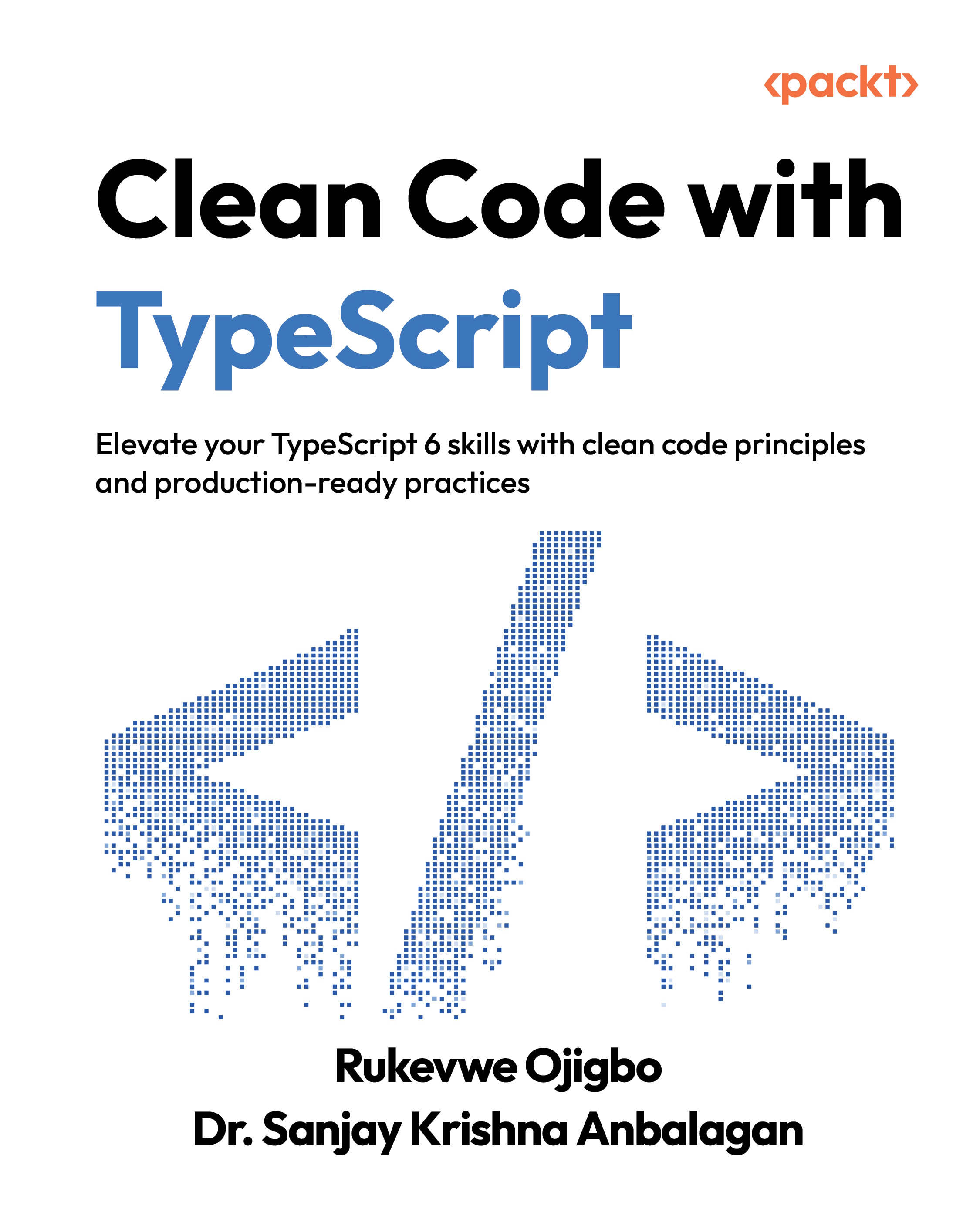
Clean Code with Typescript: Elevate your TypeScript skills with clean code principles and production-ready practices

Arrow left icon
Profile Icon Rukevwe Ojigbo Profile Icon Sanjay Krishna Anbalagan
Arrow right icon
Early Access Early Access Publishing in Mar 2026
zł129.99
eBook Mar 2026 1st Edition
eBook
zł129.99
Paperback
zł161.99
Subscription
Free Trial
Arrow left icon
Profile Icon Rukevwe Ojigbo Profile Icon Sanjay Krishna Anbalagan
Arrow right icon
Early Access Early Access Publishing in Mar 2026
zł129.99
eBook Mar 2026 1st Edition
eBook
zł129.99
Paperback
zł161.99
Subscription
Free Trial
eBook
zł129.99
Paperback
zł161.99
Subscription
Free Trial

What do you get with eBook?

Product feature icon Instant access to your Digital eBook purchase
Product feature icon Download this book in EPUB and PDF formats
Product feature icon Access this title in our online reader with advanced features
Product feature icon DRM FREE - Read whenever, wherever and however you want
Modal Close icon
Payment Processing...
tick Completed

Billing Address

Table of content icon View table of contents Preview book icon Preview Book

Clean Code with Typescript

Join our book community on Discord

A qr code with an orange square and a white symbolhttps://packt.link/EarlyAccessCommunity

In the ever-evolving world of web development, TypeScript has emerged as a powerful tool for creating robust, maintainable, and error-free code. In this chapter, we will explore the benefits of using TypeScript in modern web development and provide practical examples of how it can be used to enhance code quality, readability, and maintainability.We will begin by discussing the rationale for using TypeScript and identifying scenarios where it can be most effective. Next, we will provide a step-by-step guide to setting up a basic TypeScript project and installing TypeScript. We will then dive into the foundational types of TypeScript, including strings, numbers, and booleans, and provide practical examples of how they can be used in real-world scenarios. We will also explore more complex types, such as arrays and tuples, and discuss how they can be used to manipulate data in TypeScript.Additionally, we will cover...

Technical requirements

To maximize your engagement with this chapter and actively participate in the hands-on exercises, ensure that you meet the following technical requirements:

  • A basic understanding of the JavaScript programming language.
  • Node.js and npm: Node.js must be installed on your system to execute the TypeScript compiler (tsc). You can download and install Node.js from the official website: https://nodejs.org/en.
  • A text editor or an Integrated Development Environment (IDE) that supports TypeScript. We recommend using Visual Studio Code, which is a free and open-source code editor developed by Microsoft. You can download VS code here: https://code.visualstudio.com/. You can also use CodeSandbox to experiment with TypeScript (https://codesandbox.io/s/vanilla-typescript-vanilla-ts).
  • TypeScript Compiler (tsc): TypeScript is a superset of JavaScript that adds optional static typing. The TypeScript compiler (tsc) converts TypeScript code into JavaScript code that can run in any...

Why TypeScript?

TypeScript is a superset of JavaScript that adds static typing and improved tooling to the JavaScript ecosystem. It has gained significant popularity among developers due to its ability to enhance the development experience, improve code quality, and enable the creation of robust applications. In this section, we will explore the advantages of using TypeScript and real-world scenarios where TypeScript shines.

Advantages of using TypeScript

TypeScript’s core feature is its static type system, which allows developers to define types for variables, function parameters, return values, classes, and namespaces. Not only do we benefit from enhanced code readability by being able to explicitly define these types, but runtime errors are reduced, and potential bugs are caught during the development phase itself. Real-world applications benefit from fewer unexpected runtime errors, leading to more reliable and stable software.In collaborative development environments, TypeScript...

Getting Started with TypeScript: Installation and Project Setup

Before delving into the intricacies of TypeScript, let's establish a solid foundation by installing the essential tools and configuring a basic project structure.We would start by installing the TypeScript compiler, tsc. This can be accomplished using the following command in your terminal (either the integrated terminal with VS Code or the default one that comes with your computer):

$ npm install -g typescript

This will install tsc globally, allowing you to access it from anywhere on your system.

Setting up a basic TypeScript project

Congrats, you just succeeded in installing typescript, now we can proceed with setting up our first Typescript project.To do that, follow these steps:

  1. Start by creating a directory for your project. This will be the folder where all your project files will be stored. You can name it clean-code-with-typescript or choose a different name if you prefer. Here’s how to do this in...

Understanding Basic Types in TypeScript

In typescript, basic types serve as the building blocks for crafting meaningful data representations. They establish a shared understanding between you, the developer, and the TypeScript compiler, ensuring clarity and precision within your code.Throughout this section, you will gain insights into basic types in TypeScript, how to effectively utilize them in your code, and discover practical examples and use cases for each type.

What are basic types in TypeScript?

In TypeScript, basic types are used to represent the most fundamental data types in the language. The following are the basic types in TypeScript:

  • string: Represents a sequence of characters.
  • number: Represents a numeric value.
  • boolean: Represents a logical value that can be either true or false.
  • null: Represents a null value.
  • undefined: Represents an undefined value.
  • symbol: Represents a unique identifier.

How to use basic types in TypeScript

To use basic types in TypeScript, you...

Working with complex types

In the previous section, we discussed the basic types in TypeScript. In the realm of TypeScript, data representation extends beyond simple types such as strings and numbers. This section delves into objects, arrays, tuples, and enums, empowering you to structure and represent more complex data collections and enhance code readability.We will begin with objects.

Objects

Objects in TypeScript allow you to encapsulate related data and functionality into a single entity. You can define object properties and methods, providing a clear structure to your code. In the code snippet below, we have created a person object:

const person: { name: string; age: number; greet: () => void } = {
  name: "Alice",
  age: 30,
  greet() {
    console.log(
      `Hello, my name is ${this.name} and I'm ${this.age}     years old.`
    );
  },
};

We have specified the expected structure of our object (the expected type), let’s see what happens when I remove...

Mastering Advanced Types

In this section, you will delve deeper into TypeScript's advanced type system. You'll learn about powerful features such as union types, intersection types, generics, and conditional types. These advanced types enable you to create more flexible, dynamic, and adaptable type definitions in your TypeScript code. By mastering these concepts, you'll be equipped to handle complex scenarios and write more robust and maintainable code. Let’s begin.

Union Types: the power of "OR"

Union types allow you to define a type that can hold values of multiple types. This flexibility is particularly useful when a function or variable can accept different types of values. Imagine representing user input that could be a string or a number:

type Input = string | number;
function processInput(value: Input) {
  if (typeof value === "string") {
    console.log(value.toUpperCase());
  } else {
    console.log(value.toFixed(2), "number&quot...

1 Introduction to TypeScript

Join our book community on Discord

A qr code with an orange square and a white symbolhttps://packt.link/EarlyAccessCommunity

In the ever-evolving world of web development, TypeScript has emerged as a powerful tool for creating robust, maintainable, and error-free code. In this chapter, we will explore the benefits of using TypeScript in modern web development and provide practical examples of how it can be used to enhance code quality, readability, and maintainability.We will begin by discussing the rationale for using TypeScript and identifying scenarios where it can be most effective. Next, we will provide a step-by-step guide to setting up a basic TypeScript project and installing TypeScript. We will then dive into the foundational types of TypeScript, including strings, numbers, and booleans, and provide practical examples of how they can be used in real-world scenarios. We will also explore more complex types, such as arrays and tuples, and discuss how they can be used to manipulate data in TypeScript...

Summary

This chapter has equipped you with essential skills for effective TypeScript development. You've learned about the rationale for using TypeScript, including its benefits and usage scenarios. We covered the practical setup process, including installation and basic project configuration. The chapter delved into foundational types, helping you master working with strings, numbers, booleans, and the any type. You explored working with complex types like arrays, tuples, and enums. Additionally, the chapter introduced advanced concepts such as union/intersection types, aliases/interfaces, generics, and conditional types. As a bonus, we briefly touched upon tsconfig.json configuration and best practices.The next chapter focuses on writing clean and maintainable functions in TypeScript. You'll delve into the Single Responsibility Principle (SRP), function signatures, parameter types, return types, optional and default parameters, and best practices for function naming and documentation...

Left arrow icon Right arrow icon

Key benefits

  • Apply clean code to create maintainable, high-quality TypeScript applications.
  • Leverage TypeScript’s type system for expressive, self-documenting code.
  • Architect scalable systems that grow across teams and codebases.
  • Purchase of the print or Kindle book includes a free PDF eBook.

Description

Clean Code in TypeScript is a practical guide to writing maintainable, efficient, and elegant TypeScript code. It equips developers with the essential principles and techniques needed to produce code that is both functional and easy to read and maintain. Written by Rukevwe Ojigbo, an expert software engineer with extensive experience building scalable, high-performance applications across industries, this book reflects practical lessons from his real-world projects, ensuring that the content is grounded, relevant, and production-tested. What sets this book apart is its example-driven approach rooted in real-world scenarios. It goes beyond TypeScript best practices by developing your architectural thinking, enhancing team collaboration, and fostering long-term code quality. Whether you're new to TypeScript or an experienced developer, this guide will improve your TypeScript programming skills and help deliver cleaner, more robust code.

Who is this book for?

The book is for JavaScript developers who want to master TypeScript to build scalable and maintainable applications. Frontend, backend, and full-stack developers, as well as software architects looking to leverage TypeScript for robust application design, will find practical value in this book. A basic understanding of JavaScript, including ES6+ features, functions, and asynchronous programming is assumed. Although not required, familiarity with TypeScript fundamentals, OOP principles, and Git is helpful.

What you will learn

  • Master types, configuration, and foundational TypeScript concepts
  • Apply clean code principles for better readability and consistency
  • Implement classes, inheritance, and interfaces in TypeScript
  • Work with interfaces, generics, and advanced types for flexible code
  • Apply unit testing, integration testing, and test-driven development
  • Handle errors effectively and use debugging tools in TypeScript
  • Identify bottlenecks and apply performance optimization techniques
  • Build applications with TypeScript in Next.js, Node.js, and CI/CD workflows

Product Details

Country selected
Publication date, Length, Edition, Language, ISBN-13
Publication date : Mar 23, 2026
Edition : 1st
Language : English
ISBN-13 : 9781835889572
Languages :

What do you get with eBook?

Product feature icon Instant access to your Digital eBook purchase
Product feature icon Download this book in EPUB and PDF formats
Product feature icon Access this title in our online reader with advanced features
Product feature icon DRM FREE - Read whenever, wherever and however you want
Modal Close icon
Payment Processing...
tick Completed

Billing Address

Product Details

Publication date : Mar 23, 2026
Edition : 1st
Language : English
ISBN-13 : 9781835889572
Languages :

Packt Subscriptions

See our plans and pricing
Modal Close icon
$19.99 billed monthly
Feature tick icon Unlimited access to Packt's library of 7,000+ practical books and videos
Feature tick icon Constantly refreshed with 50+ new titles a month
Feature tick icon Exclusive Early access to books as they're written
Feature tick icon Solve problems while you work with advanced search and reference features
Feature tick icon Offline reading on the mobile app
Feature tick icon Simple pricing, no contract
$199.99 billed annually
Feature tick icon Unlimited access to Packt's library of 7,000+ practical books and videos
Feature tick icon Constantly refreshed with 50+ new titles a month
Feature tick icon Exclusive Early access to books as they're written
Feature tick icon Solve problems while you work with advanced search and reference features
Feature tick icon Offline reading on the mobile app
Feature tick icon Choose a DRM-free eBook or Video every month to keep
Feature tick icon PLUS own as many other DRM-free eBooks or Videos as you like for just zł20 each
Feature tick icon Exclusive print discounts
$279.99 billed in 18 months
Feature tick icon Unlimited access to Packt's library of 7,000+ practical books and videos
Feature tick icon Constantly refreshed with 50+ new titles a month
Feature tick icon Exclusive Early access to books as they're written
Feature tick icon Solve problems while you work with advanced search and reference features
Feature tick icon Offline reading on the mobile app
Feature tick icon Choose a DRM-free eBook or Video every month to keep
Feature tick icon PLUS own as many other DRM-free eBooks or Videos as you like for just zł20 each
Feature tick icon Exclusive print discounts

Table of Contents

4 Chapters
Clean Code with Typescript: Elevate your TypeScript skills with clean code principles and production-ready practices Chevron down icon Chevron up icon
1 Introduction to TypeScript Chevron down icon Chevron up icon
2 Writing Clean Functions Chevron down icon Chevron up icon
3Object-Oriented Programming with TypeScript Chevron down icon Chevron up icon
Get free access to Packt library with over 7500+ books and video courses for 7 days!
Start Free Trial

FAQs

How do I buy and download an eBook? Chevron down icon Chevron up icon

Where there is an eBook version of a title available, you can buy it from the book details for that title. Add either the standalone eBook or the eBook and print book bundle to your shopping cart. Your eBook will show in your cart as a product on its own. After completing checkout and payment in the normal way, you will receive your receipt on the screen containing a link to a personalised PDF download file. This link will remain active for 30 days. You can download backup copies of the file by logging in to your account at any time.

If you already have Adobe reader installed, then clicking on the link will download and open the PDF file directly. If you don't, then save the PDF file on your machine and download the Reader to view it.

Please Note: Packt eBooks are non-returnable and non-refundable.

Packt eBook and Licensing When you buy an eBook from Packt Publishing, completing your purchase means you accept the terms of our licence agreement. Please read the full text of the agreement. In it we have tried to balance the need for the ebook to be usable for you the reader with our needs to protect the rights of us as Publishers and of our authors. In summary, the agreement says:

  • You may make copies of your eBook for your own use onto any machine
  • You may not pass copies of the eBook on to anyone else
How can I make a purchase on your website? Chevron down icon Chevron up icon

If you want to purchase a video course, eBook or Bundle (Print+eBook) please follow below steps:

  1. Register on our website using your email address and the password.
  2. Search for the title by name or ISBN using the search option.
  3. Select the title you want to purchase.
  4. Choose the format you wish to purchase the title in; if you order the Print Book, you get a free eBook copy of the same title. 
  5. Proceed with the checkout process (payment to be made using Credit Card, Debit Cart, or PayPal)
Where can I access support around an eBook? Chevron down icon Chevron up icon
  • If you experience a problem with using or installing Adobe Reader, the contact Adobe directly.
  • To view the errata for the book, see www.packtpub.com/support and view the pages for the title you have.
  • To view your account details or to download a new copy of the book go to www.packtpub.com/account
  • To contact us directly if a problem is not resolved, use www.packtpub.com/contact-us
What eBook formats do Packt support? Chevron down icon Chevron up icon

Our eBooks are currently available in a variety of formats such as PDF and ePubs. In the future, this may well change with trends and development in technology, but please note that our PDFs are not Adobe eBook Reader format, which has greater restrictions on security.

You will need to use Adobe Reader v9 or later in order to read Packt's PDF eBooks.

What are the benefits of eBooks? Chevron down icon Chevron up icon
  • You can get the information you need immediately
  • You can easily take them with you on a laptop
  • You can download them an unlimited number of times
  • You can print them out
  • They are copy-paste enabled
  • They are searchable
  • There is no password protection
  • They are lower price than print
  • They save resources and space
What is an eBook? Chevron down icon Chevron up icon

Packt eBooks are a complete electronic version of the print edition, available in PDF and ePub formats. Every piece of content down to the page numbering is the same. Because we save the costs of printing and shipping the book to you, we are able to offer eBooks at a lower cost than print editions.

When you have purchased an eBook, simply login to your account and click on the link in Your Download Area. We recommend you saving the file to your hard drive before opening it.

For optimal viewing of our eBooks, we recommend you download and install the free Adobe Reader version 9.

Modal Close icon
Modal Close icon