Search icon CANCEL
Subscription
0
Cart icon
Your Cart (0 item)
Close icon
You have no products in your basket yet
Arrow left icon
Explore Products
Best Sellers
New Releases
Books
Events
Videos
Audiobooks
Packt Hub
Free Learning
Arrow right icon
timer SALE ENDS IN
0 Days
:
00 Hours
:
00 Minutes
:
00 Seconds
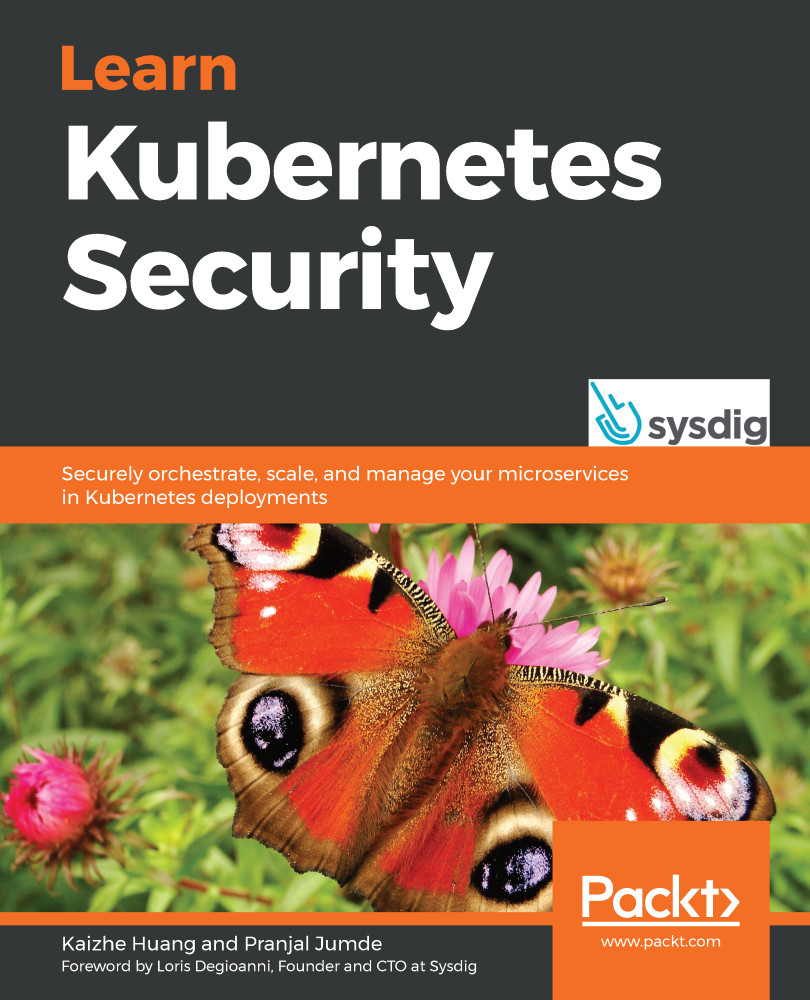
Learn Kubernetes Security

Learn Kubernetes Security: Securely orchestrate, scale, and manage your microservices in Kubernetes deployments

Arrow left icon
Profile Icon Kaizhe Huang Profile Icon Pranjal Jumde
Arrow right icon
₹3053.99
Full star icon Full star icon Full star icon Full star icon Full star icon 5 (10 Ratings)
Paperback Jul 2020 330 pages 1st Edition
eBook
₹999.99 ₹2442.99
Paperback
₹3053.99
Arrow left icon
Profile Icon Kaizhe Huang Profile Icon Pranjal Jumde
Arrow right icon
₹3053.99
Full star icon Full star icon Full star icon Full star icon Full star icon 5 (10 Ratings)
Paperback Jul 2020 330 pages 1st Edition
eBook
₹999.99 ₹2442.99
Paperback
₹3053.99
eBook
₹999.99 ₹2442.99
Paperback
₹3053.99

What do you get with Print?

Product feature icon Instant access to your digital copy whilst your Print order is Shipped
Product feature icon Paperback book shipped to your preferred address
Product feature icon Redeem a companion digital copy on all Print orders
Product feature icon Access this title in our online reader with advanced features
Product feature icon DRM FREE - Read whenever, wherever and however you want
Product feature icon AI Assistant (beta) to help accelerate your learning
Modal Close icon
Payment Processing...
tick Completed

Shipping Address

Billing Address

Shipping Methods
Table of content icon View table of contents Preview book icon Preview Book

Learn Kubernetes Security

Chapter 1: Kubernetes Architecture

Traditional applications, such as web applications, are known to follow a modular architecture, splitting code into an application layer, business logic, a storage layer, and a communication layer. Despite the modular architecture, the components are packaged and deployed as a monolith. A monolith application, despite being easy to develop, test, and deploy, is hard to maintain and scale. This led to the growth of microservices architecture. Development of container runtimes like Docker and Linux Containers (LXC) has eased deployment and maintenance of applications as microservices.

Microservices architecture splits application deployment into small and interconnected entities. The increasing popularity of microservices architecture has led to the growth of orchestration platforms such as Apache Swarm, Mesos, and Kubernetes. Container orchestration platforms help manage containers in large and dynamic environments.

Kubernetes is an open source orchestration platform for containerized applications that support automated deployment, scaling, and management. It was originally developed by Google in 2014 and it is now maintained by the Cloud Native Computing Foundation (CNCF). Kubernetes is the first CNCF-graduated project that graduated in 2018. Established global organizations, such as Uber, Bloomberg, Blackrock, BlaBlaCar, The New York Times, Lyft, eBay, Buffer, Ancestry, GolfNow, Goldman Sachs, and many others, use Kubernetes in production at a massive scale (https://kubernetes.io/case-studies/). Large cloud providers, such as Elastic Kubernetes Service (Amazon), Azure Kubernetes Service (Microsoft), Google Kubernetes Engine (Google), and Alibaba Cloud Kubernetes (Alibaba), offer their own managed Kubernetes services.

In a microservices model, application developers ensure that the applications work correctly in containerized environments. They write a Docker file to bundle their applications. DevOps and infrastructure engineers interact with the Kubernetes cluster directly. They ensure that the application bundles provided by developers run smoothly within the cluster. They monitor the nodes, pods, and other Kubernetes components to ensure the cluster is healthy. However, security requires the joint effort of both parties and the security team. To learn how to secure a Kubernetes cluster, we will first have to understand what Kubernetes is and how it works.

In this chapter, we will cover the following topics:

  • The rise of Docker and the trend of microservices
  • Kubernetes components
  • Kubernetes objects
  • Kubernetes variations
  • Kubernetes and cloud providers

The rise of Docker and the trend of microservices

Before we start looking into Kubernetes, it's important to understand the growth of microservices and containerization. With the evolution of a monolithic application, developers face inevitable problems as the applications evolve:

  • Scaling: A monolith application is difficult to scale. It's been proven that the proper way to solve a scalability problem is via a distributed method.
  • Operational cost: The operation cost increases with the complexity of a monolith application. Updates and maintenance require careful analysis and enough testing before deployment. This is the opposite of scalability; you can't scale down a monolithic application easily as the minimum resource requirement is high.
  • Longer release cycle: The maintenance and development barrier is significantly high for monolith applications. For developers, when there is a bug, it takes a lot of time to identify the root cause in a complex and ever-growing code base. The testing time increases significantly. Regression, integration, and unit tests take significantly longer to pass with a complex code base. When the customer's requests come in, it takes months or even a year for a single feature to ship. This makes the release cycle long and impacts the company's business significantly.

This creates a huge incentive to break down monolithic applications into microservices. The benefits are obvious:

  • With a well-defined interface, developers only need to focus on the functionality of the services they own.
  • The code logic is simplified, which makes the application easier to maintain and easier to debug. Furthermore, the release cycle of microservices has shortened tremendously compared to monolithic applications, so customers do not have to wait for too long for a new feature.

When a monolithic application breaks down into many microservices, it increases the deployment and management complexity on the DevOps side. The complexity is obvious; microservices are usually written in different programming languages that require different runtimes or interpreters, with different package dependencies, different configurations, and so on, not to mention the interdependence among microservices. This is exactly the right time for Docker to come into the picture.

Let's look at the evolution of Docker. Process isolation has been a part of Linux for a long time in the form of Control Groups (cgroups) and namespaces. With the cgroup setting, each process has limited resources (CPU, memory, and so on) to use. With a dedicated process namespace, the processes within a namespace do not have any knowledge of other processes running in the same node but in different process namespaces. With a dedicated network namespace, processes cannot communicate with other processes without a proper network configuration, even though they're running on the same node.

Docker eases process management for infrastructure and DevOps engineers. In 2013, Docker as a company released the Docker open source project. Instead of managing namespaces and cgroups, DevOps engineers manage containers through Docker engine. Docker containers leverage these isolation mechanisms in Linux to run and manage microservices. Each container has a dedicated cgroup and namespaces.

The interdependency complexity remains. Orchestration platforms are ones that try to solve this problem. Docker also offered Docker Swarm mode (later renamed Docker Enterprise Edition, or Docker EE) to support clustering containers, around the same time as Kubernetes.

Kubernetes adoption status

According to a container usage report conducted in 2019 by Sysdig (https://sysdig.com/blog/sysdig-2019-container-usage-report), a container security and orchestration vendor says that Kubernetes takes a whopping 77% share of orchestrators in use. The market share is close to 90% if OpenShift (a variation of Kubernetes from Red Hat) is included:

Figure 1.1 – The market share of orchestration platforms

Figure 1.1 – The market share of orchestration platforms

Although Docker Swarm was released around the same time as Kubernetes, Kubernetes has now become the de facto choice of platform for container orchestration. This is because of Kubernetes' ability to work well in production environments. It is easy to use, supports a multitude of developer configurations, and can handle high-scale environments.

Kubernetes clusters

A Kubernetes cluster is composed of multiple machines (or Virtual Machines (VMs)) or nodes. There are two types of nodes: master nodes and worker nodes. The main control plane, such as kube-apiserver, runs on the master nodes. The agent running on each worker node is called kubelet, working as a minion on behalf of kube-apiserver, and runs on the worker nodes. A typical workflow in Kubernetes starts with a user (for example, DevOps), who communicates with kube-apiserver in the master node, and kube-apiserver delegates the deployment job to the worker nodes. In the next section, we will introduce kube-apiserver and kubelet in more detail:

Figure 1.2 – Kubernetes deployment

Figure 1.2 – Kubernetes deployment

The previous diagram shows how a user sends a deployment request to the master node (kube-apiserver) and kube-apiserver delegates the deployment execution to kubelet in some of the worker nodes.

Kubernetes components

Kubernetes follows a client-server architecture. In Kubernetes, multiple master nodes control multiple worker nodes. Each master and worker has a set of components that are required for the cluster to work correctly. A master node generally has kube-apiserver, etcd storage, kube-controller-manager, cloud-controller-manager, and kube-scheduler. The worker nodes have kubelet, kube-proxy, a Container Runtime Interface (CRI) component, a Container Storage Interface (CRI) component, and so on. We will go through each of them in detail now:

  • kube-apiserver: The Kubernetes API server (kube-apiserver) is a control-plane component that validates and configures data for objects such as pods, services, and controllers. It interacts with objects using REST requests.
  • etcd: etcd is a high-availability key-value store used to store data such as configuration, state, and metadata. The watch functionality of etcd provides Kubernetes with the ability to listen for updates to configuration and make changes accordingly.
  • kube-scheduler: kube-scheduler is a default scheduler for Kubernetes. It watches for newly created pods and assigns pods to the nodes. The scheduler first filters a set of nodes on which the pod can run. Filtering includes creating a list of possible nodes based on available resources and policies set by the user. Once this list is created, the scheduler ranks the nodes to find the most optimal node for the pod.
  • kube-controller-manager: The Kubernetes controller manager is a combination of the core controllers that watch for state updates and make changes to the cluster accordingly. Controllers that currently ship with Kubernetes include the following:
  • cloud-controller-manager: The cloud container manager was introduced in v1.6; it runs controllers to interact with the underlying cloud providers. This is an attempt to decouple the cloud vendor code from the Kubernetes code.
  • kubelet: kubelet runs on every node. It registers the node with the API server. kubelet monitors pods created using Podspecs and ensures that the pods and containers are healthy.
  • kube-proxy: kube-proxy is a networking proxy that runs on each node. It manages the networking rules on each node and forwards or filters traffic based on these rules.
  • kube-dns: DNS is a built-in service launched at cluster startup. With v1.12, CoreDNS became the recommended DNS server, replacing kube-dns. CoreDNS uses a single container (versus the three used for kube-dns). It uses multithreaded caching and has in-built negative caching, thus being superior to kube-dns in terms of memory and performance.

In this section, we looked at the core components of Kubernetes. These components will be present in all Kubernetes clusters. Kubernetes also has some configurable interfaces that allow clusters to be modified to suit the organizational needs.

The Kubernetes interfaces

Kubernetes aims to be flexible and modular, so cluster administrators can modify the networking, storage, and container runtime capabilities to suit the organization's requirements. Currently, Kubernetes provides three different interfaces that can be used by cluster administrators to use different capabilities within the cluster.

The container networking interface

Kubernetes has a default networking provider, kubenet, which is limited in capability. kubenet only supports 50 nodes per cluster, which obviously cannot meet any requirements of large-scale deployment. Meanwhile, Kubernetes leverages a Container Networking Interface (CNI) as a common interface between the network providers and Kubernetes' networking components to support network communication in a cluster with a large scale. Currently, the supported providers include Calico, Flannel, kube-router and so on.

The container storage interface

Kubernetes introduced the container storage interface in v1.13. Before 1.13, new volume plugins were part of the core Kubernetes code. The container storage interface provides an interface for exposing arbitrary blocks and file storage to Kubernetes. Cloud providers can expose advanced filesystems to Kubernetes by using CSI plugins. Plugins such as MapR and Snapshot are popular among cluster administrators.

The container runtime interface

At the lowest level of Kubernetes, container runtimes ensure containers start, work, and stop. The most popular container runtime is Docker. The container runtime interface gives cluster administrators the ability to use other container runtimes, such as frakti, rktlet, and cri-o.

Kubernetes objects

The storage and compute resources of the system are classified into different objects that reflect the current state of the cluster. Objects are defined using a .yaml spec and the Kubernetes API is used to create and manage the objects. We are going to cover some common Kubernetes objects in detail.

Pods

A pod is a basic building block of a Kubernetes cluster. It's a group of one or more containers that are expected to co-exist on a single host. Containers within a pod can reference each other using localhost or inter-process communications (IPCs).

Deployments

Kubernetes deployments help scale pods up or down based on labels and selectors. The YAML spec for a deployment consists of replicas, which is the number of instances of pods that are required, and template, which is identical to a pod specification.

Services

A Kubernetes service is an abstraction of an application. A service enables network access for pods. Services and deployments work in conjunction to ease the management and communication between different pods of an application.

Replica sets

Replica sets ensure a given number pods are running in a system at any given time. It is better to use deployments over replica sets. Deployments encapsulate replica sets and pods. Additionally, deployments provide the ability to carry out rolling updates.

Volumes

Container storage is ephemeral. If the container crashes or reboots, it starts from its original state when it starts. Kubernetes volumes help solve this problem. A container can use volumes to store a state. A Kubernetes volume has a lifetime of a pod; as soon as the pod perishes, the volume is cleaned up as well. Some of the supported volumes include awsElasticBlockStore, azureDisk, flocker, nfs, and gitRepo.

Namespaces

Namespaces help a physical cluster to be divided into multiple virtual clusters. Multiple objects can be isolated within different namespaces. Default Kubernetes ships with three namespaces: default, kube-system, and kube-public.

Service accounts

Pods that need to interact with kube-apiserver use service accounts to identify themselves. By default, Kubernetes is provisioned with a list of default service accounts: kube-proxy, kube-dns, node-controller, and so on. Additional service accounts can be created to enforce custom access control.

Network policies

A network policy defines a set of rules of how a group of pods is allowed to communicate with each other and other network endpoints. Any incoming and outgoing network connections are gated by the network policy. By default, a pod is able to communicate with all pods.

Pod security policies

The pod security policy is a cluster-level resource that defines a set of conditions that must be fulfilled for a pod to run on the system. Pod security policies define the security-sensitive configuration for a pod. These policies must be accessible to the requesting user or the service account of the target pod to work.

Kubernetes variations

In the Kubernetes ecosystem, Kubernetes is the flagship among all variations. However, there are some other ships that play very important roles. Next, we will introduce some Kubernetes-like platforms, which serve different purposes in the ecosystem.

Minikube

Minikube is the single-node cluster version of Kubernetes that can be run on Linux, macOS, and Windows platforms. Minikube supports standard Kubernetes features, such as LoadBalancer, services, PersistentVolume, Ingress, container runtimes, and developer-friendly features such as add-ons and GPU support.

Minikube is a great starting place to get hands-on experience with Kubernetes. It's also a good place to run tests locally, especially cluster dependency or working on proof of concepts.

K3s

K3s is a lightweight Kubernetes platform. Its total size is less than 40 MB. It is great for Edge, Internet of Things (IoT), and ARM, previously Advanced RISC Machine, originally Acorn RISC Machine, a family of reduced instruction set computing (RISC) architectures for computer processors, configured for various environments. It is supposed to be fully compliant with Kubernetes. One significant difference from Kubernetes is that it uses sqlite as a default storage mechanism, while Kubernetes uses etcd as its default storage server.

OpenShift

OpenShift version 3 adopted Docker as its container technology and Kubernetes as its container orchestration technology. In version 4, OpenShift switched to CRI-O as the default container runtime. It appears as though OpenShift should be the same as Kubernetes; however, there are quite a few differences.

OpenShift versus Kubernetes

The connections between Linux and Red Hat Linux might first appear to be the same as the connections between OpenShift and Kubernetes. Now, let's look at some of their major differences.

Naming

Objects named in Kubernetes might have different names in OpenShift, although sometimes their functionality is alike. For example, a namespace in Kubernetes is called a project in OpenShift, and project creation comes with default objects. Ingress in Kubernetes is called routes in OpenShift. Routes were actually introduced earlier than Ingress objects. Underneath, routes in OpenShift are implemented by HAProxy, while there are many ingress controller options in Kubernetes. Deployment in Kubernetes is called deploymentConfig. However, the implementation underneath is quite different.

Security

Kubernetes is open and less secure by default. OpenShift is relatively closed and offers a handful of good security mechanisms to secure a cluster. For example, when creating an OpenShift cluster, DevOps can enable the internal image registry, which is not exposed to the external one. At the same time, the internal image registry serves as the trusted registry where the image will be pulled and deployed. There is another thing that OpenShift projects do better than kubernetes namespaces—when creating a project in OpenShift, you can modify the project template and add extra objects, such as NetworkPolicy and default quotas, to the project that are compliant with your company's policy. It also helps hardening, by default.

Cost

OpenShift is a product offered by Red Hat, although there is a community version project called OpenShift Origin. When people talk about OpenShift, they usually mean the paid option of the OpenShift product with support from Red Hat. Kubernetes is a completely free open source project.

Kubernetes and cloud providers

A lot of people believe that Kubernetes is the future of infrastructure, and there are some people who believe that everything will end up on the cloud. However, this doesn't mean you have to run Kubernetes on the cloud, but it does work really well with the cloud.

Kubernetes as a service

Containerization makes applications more portable so that locking down with a specific cloud provider becomes unlikely. Although there are some great open source tools, such as kubeadm and kops, that can help DevOps create Kubernetes clusters, Kubernetes as a service offered by a cloud provider still sounds attractive. As the original creator of Kubernetes, Google has offered Kubernetes as a service since 2014. It is called Google Kubernetes Engine (GKE). In 2017, Microsoft offered its own Kubernetes service, called Azure Kubernetes Service (AKS). AWS offered Elastic Kubernetes Service (EKS) in 2018.

Kubedex (https://kubedex.com/google-gke-vs-microsoft-aks-vs-amazon-eks/) have carried out a great comparison of the cloud Kubernetes services. Some of the differences between the three are listed in the following table:

Some highlights worth emphasizing from the preceding list are as follows:

  • Scalability: GKE supports up to 5,000 nodes per cluster, while AKS and EKS only support a few hundred nodes or less.
  • Advanced security options: GKE supports Istio service meshes, Sandbox, Binary Authorization, and ingress-managed secure sockets layer (SSL), while AKS and EKS cannot.

If the plan is to deploy and manage microservices in a Kubernetes cluster provisioned by cloud providers, you need to consider the scalability capability as well as security options available with the cloud provider. There are certain limitations if you use a cluster managed by a cloud provider:

  • Some of the cluster configuration and hardenings are done by the cloud provider by default and may not be subject to change.
  • You lose the flexibility of managing the Kubernetes cluster. For example, if you want to enable Kubernetes' audit policy and export audit logs to splunk, you might want to make some configuration changes to the kube-apiserver manifest.
  • There is limited access to the master node where kube-apiserver is running. The limitation totally makes sense if you are focused on deploying and managing microservices. In some cases, you need to enable some admission controllers, then you will have to make changes to the kube-apiserver manifest as well. These operations require access to the master node.

If you want to have a Kubernetes cluster with access to the cluster node, an open source tool—kops—can help you.

Kops

Kubernetes Operations (kops), helps in creating, destroying, upgrading, and maintaining production-grade, highly available Kubernetes clusters from the command line. It officially supports AWS and supports GCE and OpenStack in the beta version. The major difference from provisioning a Kubernetes cluster on a cloud Kubernetes service is that the provisioning starts from the VM layer. This means that with kops you can control what OS image you want to use and set up your own admin SSH key to access both the master nodes and the worker nodes. An example of creating a Kubernetes cluster in AWS is as follows:

  # Create a cluster in AWS that has HA masters. This cluster
  # will be setup with an internal networking in a private VPC.
  # A bastion instance will be setup to provide instance access.
  export NODE_SIZE=${NODE_SIZE:-m4.large}
  export MASTER_SIZE=${MASTER_SIZE:-m4.large}
  export ZONES=${ZONES:-'us-east-1d,us-east-1b,us-east-1c'}
  export KOPS_STATE_STORE='s3://my-state-store'
  kops create cluster k8s-clusters.example.com \
  --node-count 3 \
  --zones $ZONES \
  --node-size $NODE_SIZE \
  --master-size $MASTER_SIZE \
  --master-zones $ZONES \
  --networking weave \
  --topology private \
  --bastion='true' \
  --yes

With the preceding kops command, a three-worker-nodes Kubernetes cluster is created. The user can choose the size of the master node and the CNI plugin.

Why worry about Kubernetes' security?

Kubernetes was in general availability in 2018 and is still evolving very fast. There are features that are still under development and are not in a GA state (either alpha or beta). This is an indication that Kubernetes itself is far from mature, at least from a security standpoint. But this is not the main reason that we need to be concerned with Kubernetes security.

Bruce Schneier summed this up best in 1999 when he said 'Complexity is the worst enemy of security' in an essay titled A Plea for Simplicity, correctly predicting the cybersecurity problems we encounter today (https://www.schneier.com/essays/archives/1999/11/a_plea_for_simplicit.html). In order to address all the major orchestration requirements of stability, scalability, flexibility, and security, Kubernetes has been designed in a complex but cohesive way. This complexity no doubt brings with it some security concerns.

Configurability is one of the top benefits of the Kubernetes platform for developers. Developers and cloud providers are free to configure their clusters to suit their needs. This trait of Kubernetes is one of the major reasons for increasing security concerns among enterprises. The ever-growing Kubernetes code and components of a Kubernetes cluster make it challenging for DevOps to understand the correct configuration. The default configurations are usually not secure (the openness does bring advantages to DevOps to try out new features).

With the increase in the usage of Kubernetes, it has been in the news for various security breaches and flaws:

  • Researchers at Palo Alto Networks found 40,000 Docker and Kubernetes containers exposed to the internet. This was the result of misconfigured deployments.
  • Attackers used Tesla's unsecured administrative console to run a crypto-mining rig.
  • A privilege escalation vulnerability was found in a Kubernetes version, which allowed a specially crafted request to establish a connection through the API server to the backend and send an arbitrary request.
  • The use of a Kubernetes metadata beta feature in a production environment led to an Server-Side Request Forgery (SSRF) attack on the popular e-commerce platform Shopify. The vulnerability exposed the Kubernetes metadata, which revealed Google service account tokens and the kube-env details, which allowed the attacker to compromise the cluster.

A recent survey by The New Stack (https://thenewstack.io/top-challenges-kubernetes-users-face-deployment/) shows that security is the primary concern of enterprises running Kubernetes:

Figure 1.3 – Top concerns for Kubernetes users

Figure 1.3 – Top concerns for Kubernetes users

Kubernetes is not secure by default. We will explain more about this in later chapters. Security becoming one of the primary concerns of users totally makes sense. It is a problem that needs to be addressed properly just like other infrastructure or platform.

Summary

The trend of microservices and the rise of Docker has enabled Kubernetes to become the de facto platform for DevOps to deploy, scale, and manage containerized applications. Kubernetes abstracts storage and computing resources as Kubernetes objects, which are managed by components such as kube-apiserver, kubelet, etcd, and so on.

Kubernetes can be created in a private data center or on the cloud or hybrid. This allows DevOps to work with multiple cloud providers and not get locked down to any one of them. Although Kubernetes is in GA as of 2018, it is still young and evolving very fast. As Kubernetes gets more and more attention, the attacks targeted at Kubernetes also become more notable.

In the next chapter, we are going to cover the Kubernetes network model and understand how microservices communicate with each other in Kubernetes.

Questions

  1. What are the major problems of monolith architecture?
  2. What are Kubernetes' master components?
  3. What is deployment?
  4. What are some variations of Kubernetes?
  5. Why do we care about Kubernetes' security?

Further reading

The following links contain more detailed information about Kubernetes, kops, and the OpenShift platform. You will find them useful when starting to build a Kubernetes cluster:

Left arrow icon Right arrow icon
Download code icon Download Code

Description

Kubernetes is an open source orchestration platform for managing containerized applications. Despite widespread adoption of the technology, DevOps engineers might be unaware of the pitfalls of containerized environments. With this comprehensive book, you'll learn how to use the different security integrations available on the Kubernetes platform to safeguard your deployments in a variety of scenarios. Learn Kubernetes Security starts by taking you through the Kubernetes architecture and the networking model. You'll then learn about the Kubernetes threat model and get to grips with securing clusters. Throughout the book, you'll cover various security aspects such as authentication, authorization, image scanning, and resource monitoring. As you advance, you'll learn about securing cluster components (the kube-apiserver, CoreDNS, and kubelet) and pods (hardening image, security context, and PodSecurityPolicy). With the help of hands-on examples, you'll also learn how to use open source tools such as Anchore, Prometheus, OPA, and Falco to protect your deployments. By the end of this Kubernetes book, you'll have gained a solid understanding of container security and be able to protect your clusters from cyberattacks and mitigate cybersecurity threats.

Who is this book for?

This book is for security consultants, cloud administrators, system administrators, and DevOps engineers interested in securing their container deployments. If you're looking to secure your Kubernetes clusters and cloud-based deployments, you'll find this book useful. A basic understanding of cloud computing and containerization is necessary to make the most of this book.

What you will learn

  • Understand the basics of Kubernetes architecture and networking
  • Gain insights into different security integrations provided by the Kubernetes platform
  • Delve into Kubernetes threat modeling and security domains
  • Explore different security configurations from a variety of practical examples
  • Get to grips with using and deploying open source tools to protect your deployments
  • Discover techniques to mitigate or prevent known Kubernetes hacks
Estimated delivery fee Deliver to India

Premium delivery 5 - 8 business days

₹630.95
(Includes tracking information)

Product Details

Country selected
Publication date, Length, Edition, Language, ISBN-13
Publication date : Jul 09, 2020
Length: 330 pages
Edition : 1st
Language : English
ISBN-13 : 9781839216503
Category :
Languages :
Concepts :
Tools :

What do you get with Print?

Product feature icon Instant access to your digital copy whilst your Print order is Shipped
Product feature icon Paperback book shipped to your preferred address
Product feature icon Redeem a companion digital copy on all Print orders
Product feature icon Access this title in our online reader with advanced features
Product feature icon DRM FREE - Read whenever, wherever and however you want
Product feature icon AI Assistant (beta) to help accelerate your learning
Modal Close icon
Payment Processing...
tick Completed

Shipping Address

Billing Address

Shipping Methods
Estimated delivery fee Deliver to India

Premium delivery 5 - 8 business days

₹630.95
(Includes tracking information)

Product Details

Publication date : Jul 09, 2020
Length: 330 pages
Edition : 1st
Language : English
ISBN-13 : 9781839216503
Category :
Languages :
Concepts :
Tools :

Packt Subscriptions

See our plans and pricing
Modal Close icon
₹800 billed monthly
Feature tick icon Unlimited access to Packt's library of 7,000+ practical books and videos
Feature tick icon Constantly refreshed with 50+ new titles a month
Feature tick icon Exclusive Early access to books as they're written
Feature tick icon Solve problems while you work with advanced search and reference features
Feature tick icon Offline reading on the mobile app
Feature tick icon Simple pricing, no contract
₹4500 billed annually
Feature tick icon Unlimited access to Packt's library of 7,000+ practical books and videos
Feature tick icon Constantly refreshed with 50+ new titles a month
Feature tick icon Exclusive Early access to books as they're written
Feature tick icon Solve problems while you work with advanced search and reference features
Feature tick icon Offline reading on the mobile app
Feature tick icon Choose a DRM-free eBook or Video every month to keep
Feature tick icon PLUS own as many other DRM-free eBooks or Videos as you like for just ₹400 each
Feature tick icon Exclusive print discounts
₹5000 billed in 18 months
Feature tick icon Unlimited access to Packt's library of 7,000+ practical books and videos
Feature tick icon Constantly refreshed with 50+ new titles a month
Feature tick icon Exclusive Early access to books as they're written
Feature tick icon Solve problems while you work with advanced search and reference features
Feature tick icon Offline reading on the mobile app
Feature tick icon Choose a DRM-free eBook or Video every month to keep
Feature tick icon PLUS own as many other DRM-free eBooks or Videos as you like for just ₹400 each
Feature tick icon Exclusive print discounts

Frequently bought together


Stars icon
Total 12,736.97
The Kubernetes Workshop
₹3425.99
Learn Kubernetes Security
₹3053.99
Mastering Kubernetes
₹6256.99
Total 12,736.97 Stars icon

Table of Contents

18 Chapters
Section 1: Introduction to Kubernetes Chevron down icon Chevron up icon
Chapter 1: Kubernetes Architecture Chevron down icon Chevron up icon
Chapter 2: Kubernetes Networking Chevron down icon Chevron up icon
Chapter 3: Threat Modeling Chevron down icon Chevron up icon
Chapter 4: Applying the Principle of Least Privilege in Kubernetes Chevron down icon Chevron up icon
Chapter 5: Configuring Kubernetes Security Boundaries Chevron down icon Chevron up icon
Section 2: Securing Kubernetes Deployments and Clusters Chevron down icon Chevron up icon
Chapter 6: Securing Cluster Components Chevron down icon Chevron up icon
Chapter 7: Authentication, Authorization, and Admission Control Chevron down icon Chevron up icon
Chapter 8: Securing Kubernetes Pods Chevron down icon Chevron up icon
Chapter 9: Image Scanning in DevOps Pipelines Chevron down icon Chevron up icon
Chapter 10: Real-Time Monitoring and Resource Management of a Kubernetes Cluster Chevron down icon Chevron up icon
Chapter 11: Defense in Depth Chevron down icon Chevron up icon
Section 3: Learning from Mistakes and Pitfalls Chevron down icon Chevron up icon
Chapter 12: Analyzing and Detecting Crypto-Mining Attacks Chevron down icon Chevron up icon
Chapter 13: Learning from Kubernetes CVEs Chevron down icon Chevron up icon
Assessments Chevron down icon Chevron up icon
Other Books You May Enjoy Chevron down icon Chevron up icon

Customer reviews

Top Reviews
Rating distribution
Full star icon Full star icon Full star icon Full star icon Full star icon 5
(10 Ratings)
5 star 100%
4 star 0%
3 star 0%
2 star 0%
1 star 0%
Filter icon Filter
Top Reviews

Filter reviews by


Anslem John Sep 06, 2020
Full star icon Full star icon Full star icon Full star icon Full star icon 5
I have read this book and have gained a deeper appreciation to securing environments using Kubernetes client-server architecture. This book teaches you threat modeling, access privilege management Real time monitoring and resource management for a Kubernetes environment. This is a must have book if you work with Kubernetes and App developments.
Amazon Verified review Amazon
Amazon Customer Jul 31, 2020
Full star icon Full star icon Full star icon Full star icon Full star icon 5
It’s concept is easy understand and intuitively clear. Excellent work!
Amazon Verified review Amazon
homePC Jan 11, 2021
Full star icon Full star icon Full star icon Full star icon Full star icon 5
it is a great book which gives us a solid understanding the underlying architect and security boundaries of Kubernetes
Amazon Verified review Amazon
Walid Shaari Oct 30, 2020
Full star icon Full star icon Full star icon Full star icon Full star icon 5
I am evaluating the book from its technical value and merits, This is a very rich book that covers almost all of Linux Foundation new CKS exam topics. it is a must have if you are serious about taking the CKS exam, or you are into a career or journey of Kubernetes security. Kaizhe is a security practitioner working in an innovative cloud native security company. thank you Pranjal Jumde and Kaizhe for a great book, its a space that needs to be filled. most people are worried about how can they run K8s in production if they do not cover security, this is one answer.
Amazon Verified review Amazon
Samantha R. Aug 21, 2021
Full star icon Full star icon Full star icon Full star icon Full star icon 5
Well organized and written that makes it a much easier read than other K8s security books. Lots of relevant detail in Kubectl and other output for helpful context. A highly recommended read for those looking for cloud native security tools with hardening best practices.
Amazon Verified review Amazon
Get free access to Packt library with over 7500+ books and video courses for 7 days!
Start Free Trial

FAQs

What is the digital copy I get with my Print order? Chevron down icon Chevron up icon

When you buy any Print edition of our Books, you can redeem (for free) the eBook edition of the Print Book you’ve purchased. This gives you instant access to your book when you make an order via PDF, EPUB or our online Reader experience.

What is the delivery time and cost of print book? Chevron down icon Chevron up icon

Shipping Details

USA:

'

Economy: Delivery to most addresses in the US within 10-15 business days

Premium: Trackable Delivery to most addresses in the US within 3-8 business days

UK:

Economy: Delivery to most addresses in the U.K. within 7-9 business days.
Shipments are not trackable

Premium: Trackable delivery to most addresses in the U.K. within 3-4 business days!
Add one extra business day for deliveries to Northern Ireland and Scottish Highlands and islands

EU:

Premium: Trackable delivery to most EU destinations within 4-9 business days.

Australia:

Economy: Can deliver to P. O. Boxes and private residences.
Trackable service with delivery to addresses in Australia only.
Delivery time ranges from 7-9 business days for VIC and 8-10 business days for Interstate metro
Delivery time is up to 15 business days for remote areas of WA, NT & QLD.

Premium: Delivery to addresses in Australia only
Trackable delivery to most P. O. Boxes and private residences in Australia within 4-5 days based on the distance to a destination following dispatch.

India:

Premium: Delivery to most Indian addresses within 5-6 business days

Rest of the World:

Premium: Countries in the American continent: Trackable delivery to most countries within 4-7 business days

Asia:

Premium: Delivery to most Asian addresses within 5-9 business days

Disclaimer:
All orders received before 5 PM U.K time would start printing from the next business day. So the estimated delivery times start from the next day as well. Orders received after 5 PM U.K time (in our internal systems) on a business day or anytime on the weekend will begin printing the second to next business day. For example, an order placed at 11 AM today will begin printing tomorrow, whereas an order placed at 9 PM tonight will begin printing the day after tomorrow.


Unfortunately, due to several restrictions, we are unable to ship to the following countries:

  1. Afghanistan
  2. American Samoa
  3. Belarus
  4. Brunei Darussalam
  5. Central African Republic
  6. The Democratic Republic of Congo
  7. Eritrea
  8. Guinea-bissau
  9. Iran
  10. Lebanon
  11. Libiya Arab Jamahriya
  12. Somalia
  13. Sudan
  14. Russian Federation
  15. Syrian Arab Republic
  16. Ukraine
  17. Venezuela
What is custom duty/charge? Chevron down icon Chevron up icon

Customs duty are charges levied on goods when they cross international borders. It is a tax that is imposed on imported goods. These duties are charged by special authorities and bodies created by local governments and are meant to protect local industries, economies, and businesses.

Do I have to pay customs charges for the print book order? Chevron down icon Chevron up icon

The orders shipped to the countries that are listed under EU27 will not bear custom charges. They are paid by Packt as part of the order.

List of EU27 countries: www.gov.uk/eu-eea:

A custom duty or localized taxes may be applicable on the shipment and would be charged by the recipient country outside of the EU27 which should be paid by the customer and these duties are not included in the shipping charges been charged on the order.

How do I know my custom duty charges? Chevron down icon Chevron up icon

The amount of duty payable varies greatly depending on the imported goods, the country of origin and several other factors like the total invoice amount or dimensions like weight, and other such criteria applicable in your country.

For example:

  • If you live in Mexico, and the declared value of your ordered items is over $ 50, for you to receive a package, you will have to pay additional import tax of 19% which will be $ 9.50 to the courier service.
  • Whereas if you live in Turkey, and the declared value of your ordered items is over € 22, for you to receive a package, you will have to pay additional import tax of 18% which will be € 3.96 to the courier service.
How can I cancel my order? Chevron down icon Chevron up icon

Cancellation Policy for Published Printed Books:

You can cancel any order within 1 hour of placing the order. Simply contact customercare@packt.com with your order details or payment transaction id. If your order has already started the shipment process, we will do our best to stop it. However, if it is already on the way to you then when you receive it, you can contact us at customercare@packt.com using the returns and refund process.

Please understand that Packt Publishing cannot provide refunds or cancel any order except for the cases described in our Return Policy (i.e. Packt Publishing agrees to replace your printed book because it arrives damaged or material defect in book), Packt Publishing will not accept returns.

What is your returns and refunds policy? Chevron down icon Chevron up icon

Return Policy:

We want you to be happy with your purchase from Packtpub.com. We will not hassle you with returning print books to us. If the print book you receive from us is incorrect, damaged, doesn't work or is unacceptably late, please contact Customer Relations Team on customercare@packt.com with the order number and issue details as explained below:

  1. If you ordered (eBook, Video or Print Book) incorrectly or accidentally, please contact Customer Relations Team on customercare@packt.com within one hour of placing the order and we will replace/refund you the item cost.
  2. Sadly, if your eBook or Video file is faulty or a fault occurs during the eBook or Video being made available to you, i.e. during download then you should contact Customer Relations Team within 14 days of purchase on customercare@packt.com who will be able to resolve this issue for you.
  3. You will have a choice of replacement or refund of the problem items.(damaged, defective or incorrect)
  4. Once Customer Care Team confirms that you will be refunded, you should receive the refund within 10 to 12 working days.
  5. If you are only requesting a refund of one book from a multiple order, then we will refund you the appropriate single item.
  6. Where the items were shipped under a free shipping offer, there will be no shipping costs to refund.

On the off chance your printed book arrives damaged, with book material defect, contact our Customer Relation Team on customercare@packt.com within 14 days of receipt of the book with appropriate evidence of damage and we will work with you to secure a replacement copy, if necessary. Please note that each printed book you order from us is individually made by Packt's professional book-printing partner which is on a print-on-demand basis.

What tax is charged? Chevron down icon Chevron up icon

Currently, no tax is charged on the purchase of any print book (subject to change based on the laws and regulations). A localized VAT fee is charged only to our European and UK customers on eBooks, Video and subscriptions that they buy. GST is charged to Indian customers for eBooks and video purchases.

What payment methods can I use? Chevron down icon Chevron up icon

You can pay with the following card types:

  1. Visa Debit
  2. Visa Credit
  3. MasterCard
  4. PayPal
What is the delivery time and cost of print books? Chevron down icon Chevron up icon

Shipping Details

USA:

'

Economy: Delivery to most addresses in the US within 10-15 business days

Premium: Trackable Delivery to most addresses in the US within 3-8 business days

UK:

Economy: Delivery to most addresses in the U.K. within 7-9 business days.
Shipments are not trackable

Premium: Trackable delivery to most addresses in the U.K. within 3-4 business days!
Add one extra business day for deliveries to Northern Ireland and Scottish Highlands and islands

EU:

Premium: Trackable delivery to most EU destinations within 4-9 business days.

Australia:

Economy: Can deliver to P. O. Boxes and private residences.
Trackable service with delivery to addresses in Australia only.
Delivery time ranges from 7-9 business days for VIC and 8-10 business days for Interstate metro
Delivery time is up to 15 business days for remote areas of WA, NT & QLD.

Premium: Delivery to addresses in Australia only
Trackable delivery to most P. O. Boxes and private residences in Australia within 4-5 days based on the distance to a destination following dispatch.

India:

Premium: Delivery to most Indian addresses within 5-6 business days

Rest of the World:

Premium: Countries in the American continent: Trackable delivery to most countries within 4-7 business days

Asia:

Premium: Delivery to most Asian addresses within 5-9 business days

Disclaimer:
All orders received before 5 PM U.K time would start printing from the next business day. So the estimated delivery times start from the next day as well. Orders received after 5 PM U.K time (in our internal systems) on a business day or anytime on the weekend will begin printing the second to next business day. For example, an order placed at 11 AM today will begin printing tomorrow, whereas an order placed at 9 PM tonight will begin printing the day after tomorrow.


Unfortunately, due to several restrictions, we are unable to ship to the following countries:

  1. Afghanistan
  2. American Samoa
  3. Belarus
  4. Brunei Darussalam
  5. Central African Republic
  6. The Democratic Republic of Congo
  7. Eritrea
  8. Guinea-bissau
  9. Iran
  10. Lebanon
  11. Libiya Arab Jamahriya
  12. Somalia
  13. Sudan
  14. Russian Federation
  15. Syrian Arab Republic
  16. Ukraine
  17. Venezuela
Modal Close icon
Modal Close icon