Search icon CANCEL
Subscription
0
Cart icon
Your Cart (0 item)
Close icon
You have no products in your basket yet
Save more on your purchases! discount-offer-chevron-icon
Savings automatically calculated. No voucher code required.
Arrow left icon
Explore Products
Best Sellers
New Releases
Books
Videos
Audiobooks
Learning Hub
Newsletter Hub
Free Learning
Arrow right icon
timer SALE ENDS IN
0 Days
:
00 Hours
:
00 Minutes
:
00 Seconds
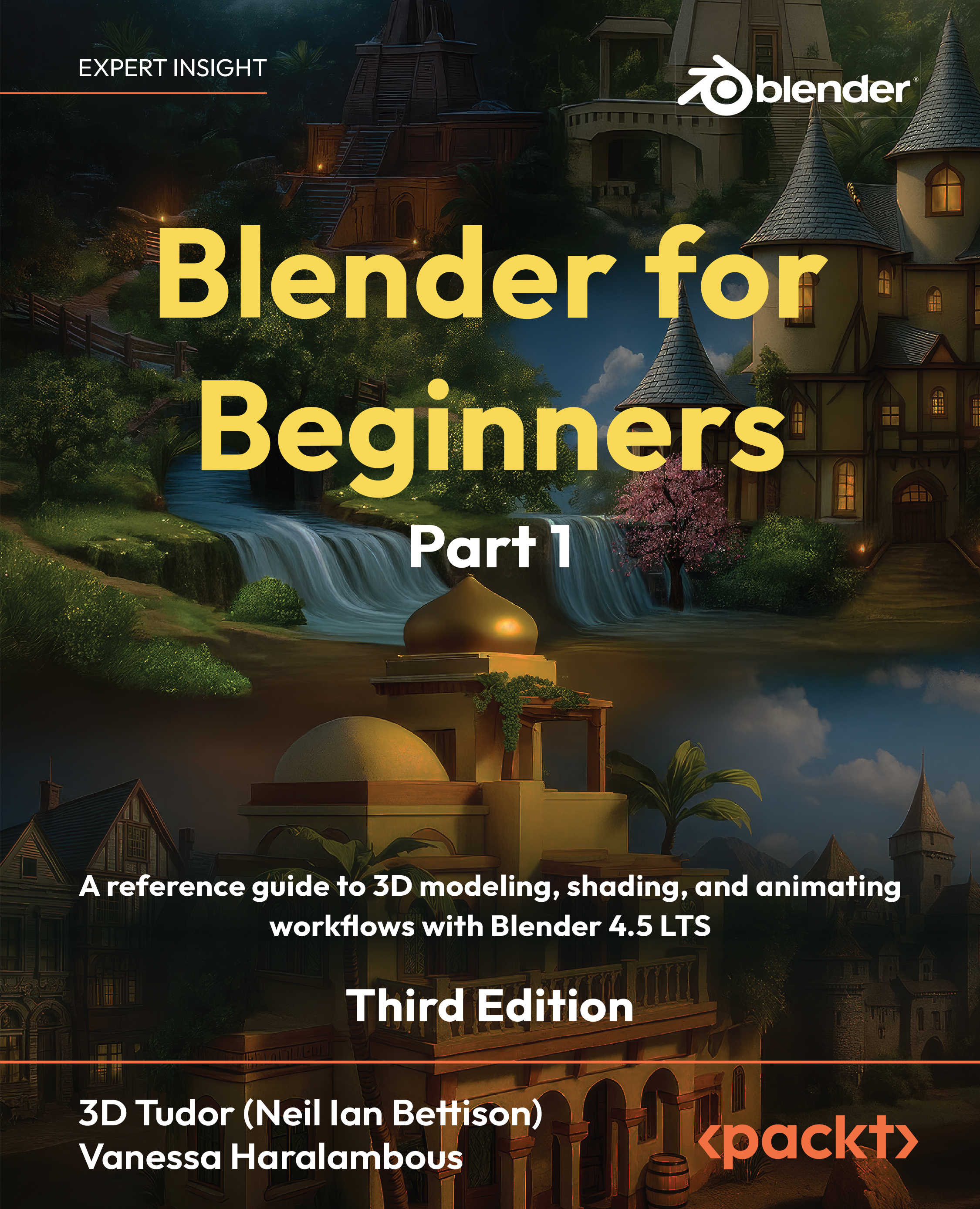
Blender for Beginners Part 1

Blender for Beginners Part 1: A reference guide to 3D modeling, shading, and animating workflows with Blender 4.5 LTS , Third Edition

Arrow left icon
Profile Icon 3D Tudor (Neil Ian Bettison) Profile Icon Vanessa Haralambous
Arrow right icon
€20.99 €29.99
eBook Nov 2025 702 pages 3rd Edition
eBook
€20.99 €29.99
Paperback
€30.39 €37.99
Subscription
Free Trial
Renews at €18.99p/m
Arrow left icon
Profile Icon 3D Tudor (Neil Ian Bettison) Profile Icon Vanessa Haralambous
Arrow right icon
€20.99 €29.99
eBook Nov 2025 702 pages 3rd Edition
eBook
€20.99 €29.99
Paperback
€30.39 €37.99
Subscription
Free Trial
Renews at €18.99p/m
eBook
€20.99 €29.99
Paperback
€30.39 €37.99
Subscription
Free Trial
Renews at €18.99p/m

What do you get with eBook?

Product feature icon Instant access to your Digital eBook purchase
Product feature icon Download this book in EPUB and PDF formats
Product feature icon Access this title in our online reader with advanced features
Product feature icon DRM FREE - Read whenever, wherever and however you want
OR
Modal Close icon
Payment Processing...
tick Completed

Billing Address

Table of content icon View table of contents Preview book icon Preview Book

Blender for Beginners Part 1

Left arrow icon Right arrow icon

Key benefits

  • Learn 3D modeling fundamentals in Blender from an expert team of tutors who’ve taught over 250,000 students worldwide
  • Understand the core principles that make animation, lighting, and camera work come to life
  • Start with the basics and build your skills through a series of projects to create a complex world

Description

Blender for Beginners Part 1 is your hands-on visual introduction to Blender, brought to you by the educators at 3D Tudor, who’ve helped over 250,000 students worldwide master 3D design. Starting Blender can feel daunting, but this first part makes it approachable. You’ll develop smart habits and clean workflows to keep projects organized. From setting up a readable interface and clean navigation to mastering reliable modeling tools that create shading-friendly results, every lesson builds your foundation as a confident 3D artist. Through easy-to-follow exercises, you’ll learn how to install Blender, navigate key menus and viewport modes, and use essential tools like Extrude, Bevel, and Loop Cut. You’ll build small assets and understand why seams, sharps, normals, and pivots matter for clean surfaces and predictable shading. Neil adds a touch of British humor that will keep you engaged throughout, even as you unwrap UVs using seams and projections, measure texel density, and explore trim sheets and UDIM basics. With principled PBR materials and Node Wrangler shortcuts, you’ll progress from flat clay to believable surfaces. Everything is taught step by step, with keystroke callouts and definitions. By the end of this part, your models will look great under lighting, your topology will behave, and your files will be ready for 3D animation—setting you up for Geometry Nodes, rendering, and compositing in Part 2. *Email sign-up and proof of purchase required

Who is this book for?

If you’re a video game enthusiast looking to gain experience in 3D modeling, 3D rendering, game design, and animation for game props, assets, and environments, this Blender book is for you. It’s ideal for character artists, game designers, motion graphics designers, animators, environment artists, and other technical artists. No prior Blender experience is required, but a general understanding of digital art concepts will help you get the most out of this book.

What you will learn

  • Customize Blender for speed by clearing workspaces, overlays, the Status Bar, and Outliner filters
  • Model with precision using Extrude, Inset, Bevel, Loop Cut, Knife, Spin, Slide, Shear, and Rip
  • Produce shading-friendly topology with bridges, fills, smoothing, Auto Smooth, and sharps
  • Shape faster with curves, modifiers, lattices, and constraints and stay non-destructive
  • Keep meshes clean with selections, transforms, normals, naming, and file organization
  • Build principled PBR materials with Node Wrangler and Ambient Occlusion helpers

Product Details

Country selected
Publication date, Length, Edition, Language, ISBN-13
Publication date : Nov 28, 2025
Length: 702 pages
Edition : 3rd
Language : English
ISBN-13 : 9781837636648
Concepts :
Tools :

What do you get with eBook?

Product feature icon Instant access to your Digital eBook purchase
Product feature icon Download this book in EPUB and PDF formats
Product feature icon Access this title in our online reader with advanced features
Product feature icon DRM FREE - Read whenever, wherever and however you want
OR
Modal Close icon
Payment Processing...
tick Completed

Billing Address

Product Details

Publication date : Nov 28, 2025
Length: 702 pages
Edition : 3rd
Language : English
ISBN-13 : 9781837636648
Concepts :
Tools :

Packt Subscriptions

See our plans and pricing
Modal Close icon
€18.99 billed monthly
Feature tick icon Unlimited access to Packt's library of 7,000+ practical books and videos
Feature tick icon Constantly refreshed with 50+ new titles a month
Feature tick icon Exclusive Early access to books as they're written
Feature tick icon Solve problems while you work with advanced search and reference features
Feature tick icon Offline reading on the mobile app
Feature tick icon Simple pricing, no contract
€189.99 billed annually
Feature tick icon Unlimited access to Packt's library of 7,000+ practical books and videos
Feature tick icon Constantly refreshed with 50+ new titles a month
Feature tick icon Exclusive Early access to books as they're written
Feature tick icon Solve problems while you work with advanced search and reference features
Feature tick icon Offline reading on the mobile app
Feature tick icon Choose a DRM-free eBook or Video every month to keep
Feature tick icon PLUS own as many other DRM-free eBooks or Videos as you like for just €5 each
Feature tick icon Exclusive print discounts
€264.99 billed in 18 months
Feature tick icon Unlimited access to Packt's library of 7,000+ practical books and videos
Feature tick icon Constantly refreshed with 50+ new titles a month
Feature tick icon Exclusive Early access to books as they're written
Feature tick icon Solve problems while you work with advanced search and reference features
Feature tick icon Offline reading on the mobile app
Feature tick icon Choose a DRM-free eBook or Video every month to keep
Feature tick icon PLUS own as many other DRM-free eBooks or Videos as you like for just €5 each
Feature tick icon Exclusive print discounts

Table of Contents

31 Chapters
Part 1: 3D Modeling, Shading, and Animating Chevron down icon Chevron up icon
Understanding Camera Control and Viewport Navigation in Blender Chevron down icon Chevron up icon
Optimizing Workflow with the Status Bar, Workspaces, and File Options Chevron down icon Chevron up icon
Exploring Blender’s Properties Panel for Optimal 3D Creativity Chevron down icon Chevron up icon
Unleashing the Potential of Blender’s Outliner and Add-On Ecosystem Chevron down icon Chevron up icon
Going Over Proportional Editing, Transform Orientation, and Viewport Shaders Chevron down icon Chevron up icon
Discovering Essential Tools for 3D Modeling in Blender Chevron down icon Chevron up icon
Elevating Your Craft with Mid-Level Blender Modeling Techniques Chevron down icon Chevron up icon
Refining Your Mid-Level Blender Modeling Techniques Chevron down icon Chevron up icon
Discovering Must-Know Advanced Blender Modeling Techniques Chevron down icon Chevron up icon
Leveling Up with More Advanced Blender Modeling Techniques Chevron down icon Chevron up icon
Exploring Blender’s Particle System Chevron down icon Chevron up icon
Introducing Digital Sculpting and Brushing Up on Your Retopology Skills Chevron down icon Chevron up icon
Introducing Shaders in Blender Chevron down icon Chevron up icon
Mastering Seams and Sharps in Blender Chevron down icon Chevron up icon
Mastering the Art of UV Unwrapping in Blender Chevron down icon Chevron up icon
Subscribe to Game Dev Assembly! Chevron down icon Chevron up icon
Animating Your First Scene in Blender Chevron down icon Chevron up icon
Index Chevron down icon Chevron up icon
Part 2: Animating Continued, Lighting, and Rendering Chevron down icon Chevron up icon
Rigging and Weight Painting for Beginners Chevron down icon Chevron up icon
Mastering the Basics of Blender Geometry Nodes Chevron down icon Chevron up icon
Unlocking Creativity with Blender Texture Painting Chevron down icon Chevron up icon
Releasing Colorful Creativity with Vertex Painting in Blender Chevron down icon Chevron up icon
Introducing Blender’s Rendering Engines: A Comprehensive Exploration Chevron down icon Chevron up icon
Enhancing Realism in Blender: Mastering Light Linking, Light Portals, and the Shadow Catcher Chevron down icon Chevron up icon
Guiding You through Compositing in Blender Chevron down icon Chevron up icon
Optimizing Blender for Success Chevron down icon Chevron up icon
Unlock Your Exclusive Benefits Chevron down icon Chevron up icon
Index Chevron down icon Chevron up icon
Other Books You May Enjoy Chevron down icon Chevron up icon
Get free access to Packt library with over 7500+ books and video courses for 7 days!
Start Free Trial

FAQs

How do I buy and download an eBook? Chevron down icon Chevron up icon

Where there is an eBook version of a title available, you can buy it from the book details for that title. Add either the standalone eBook or the eBook and print book bundle to your shopping cart. Your eBook will show in your cart as a product on its own. After completing checkout and payment in the normal way, you will receive your receipt on the screen containing a link to a personalised PDF download file. This link will remain active for 30 days. You can download backup copies of the file by logging in to your account at any time.

If you already have Adobe reader installed, then clicking on the link will download and open the PDF file directly. If you don't, then save the PDF file on your machine and download the Reader to view it.

Please Note: Packt eBooks are non-returnable and non-refundable.

Packt eBook and Licensing When you buy an eBook from Packt Publishing, completing your purchase means you accept the terms of our licence agreement. Please read the full text of the agreement. In it we have tried to balance the need for the ebook to be usable for you the reader with our needs to protect the rights of us as Publishers and of our authors. In summary, the agreement says:

  • You may make copies of your eBook for your own use onto any machine
  • You may not pass copies of the eBook on to anyone else
How can I make a purchase on your website? Chevron down icon Chevron up icon

If you want to purchase a video course, eBook or Bundle (Print+eBook) please follow below steps:

  1. Register on our website using your email address and the password.
  2. Search for the title by name or ISBN using the search option.
  3. Select the title you want to purchase.
  4. Choose the format you wish to purchase the title in; if you order the Print Book, you get a free eBook copy of the same title. 
  5. Proceed with the checkout process (payment to be made using Credit Card, Debit Cart, or PayPal)
Where can I access support around an eBook? Chevron down icon Chevron up icon
  • If you experience a problem with using or installing Adobe Reader, the contact Adobe directly.
  • To view the errata for the book, see www.packtpub.com/support and view the pages for the title you have.
  • To view your account details or to download a new copy of the book go to www.packtpub.com/account
  • To contact us directly if a problem is not resolved, use www.packtpub.com/contact-us
What eBook formats do Packt support? Chevron down icon Chevron up icon

Our eBooks are currently available in a variety of formats such as PDF and ePubs. In the future, this may well change with trends and development in technology, but please note that our PDFs are not Adobe eBook Reader format, which has greater restrictions on security.

You will need to use Adobe Reader v9 or later in order to read Packt's PDF eBooks.

What are the benefits of eBooks? Chevron down icon Chevron up icon
  • You can get the information you need immediately
  • You can easily take them with you on a laptop
  • You can download them an unlimited number of times
  • You can print them out
  • They are copy-paste enabled
  • They are searchable
  • There is no password protection
  • They are lower price than print
  • They save resources and space
What is an eBook? Chevron down icon Chevron up icon

Packt eBooks are a complete electronic version of the print edition, available in PDF and ePub formats. Every piece of content down to the page numbering is the same. Because we save the costs of printing and shipping the book to you, we are able to offer eBooks at a lower cost than print editions.

When you have purchased an eBook, simply login to your account and click on the link in Your Download Area. We recommend you saving the file to your hard drive before opening it.

For optimal viewing of our eBooks, we recommend you download and install the free Adobe Reader version 9.

Modal Close icon
Modal Close icon