Search icon CANCEL
Subscription
0
Cart icon
Your Cart (0 item)
Close icon
You have no products in your basket yet
Save more on your purchases! discount-offer-chevron-icon
Savings automatically calculated. No voucher code required.
Arrow left icon
Explore Products
Best Sellers
New Releases
Books
Videos
Audiobooks
Learning Hub
Newsletter Hub
Free Learning
Arrow right icon
timer SALE ENDS IN
0 Days
:
00 Hours
:
00 Minutes
:
00 Seconds
Learning Pandas
Learning Pandas

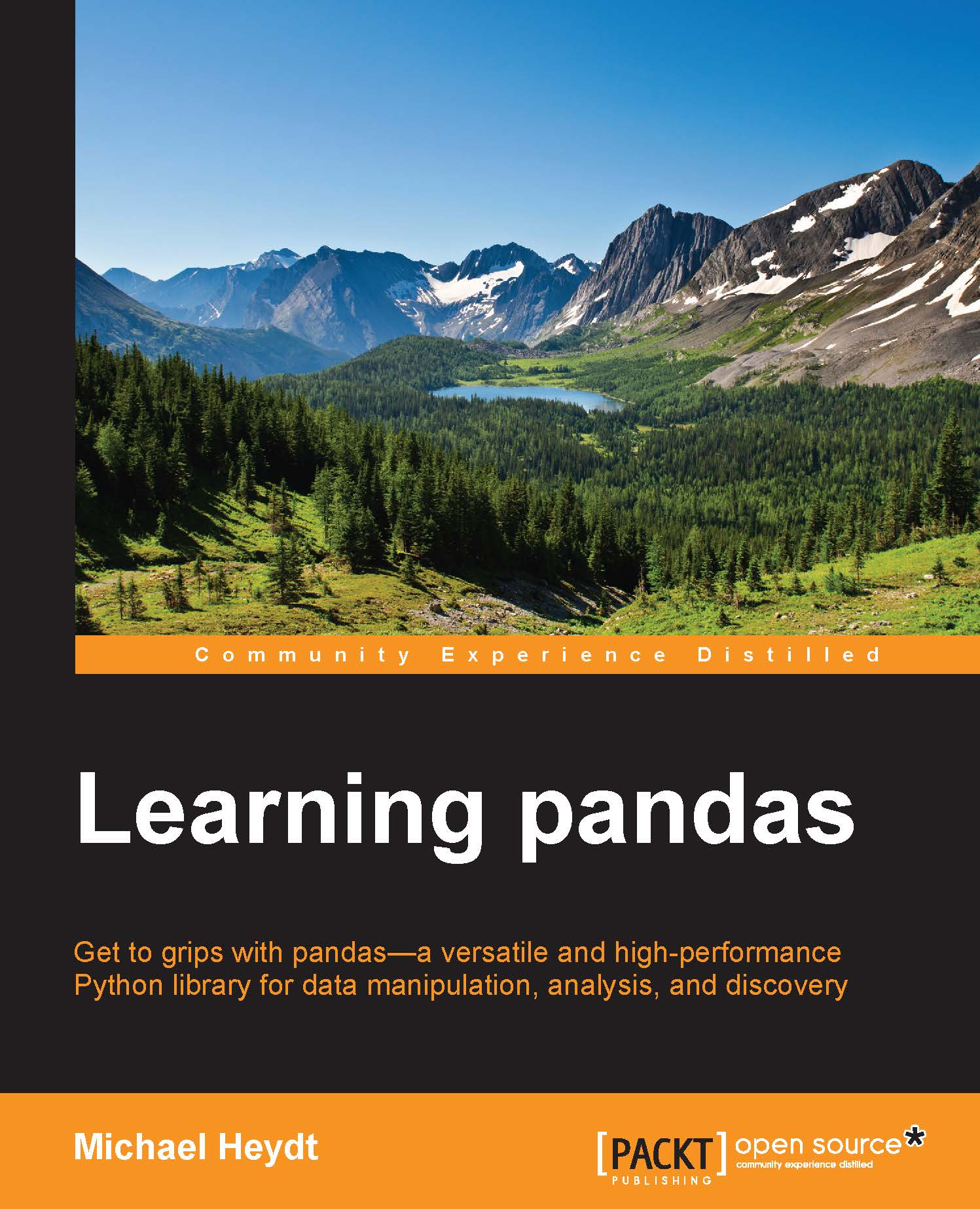
Learning Pandas: Get to grips with pandas - a versatile and high-performance Python library for data manipulation, analysis, and discovery

eBook
$9.99 $51.99
Paperback
$65.99
Hardcover
$54.99
Subscription
Free Trial
Renews at $19.99p/m

What do you get with a Packt Subscription?

Free for first 7 days. $19.99 p/m after that. Cancel any time!
Product feature icon Unlimited ad-free access to the largest independent learning library in tech. Access this title and thousands more!
Product feature icon 50+ new titles added per month, including many first-to-market concepts and exclusive early access to books as they are being written.
Product feature icon Innovative learning tools, including AI book assistants, code context explainers, and text-to-speech.
Product feature icon Thousands of reference materials covering every tech concept you need to stay up to date.
Subscribe now
View plans & pricing
Table of content icon View table of contents Preview book icon Preview Book

Learning Pandas

Chapter 2. Installing pandas

In this chapter, we will cover how to install pandas using the Anaconda Scientific Python distribution from Continuum Analytics. Anaconda is a popular Python distribution with both free and paid components, and it has cross-platform support—including Windows, Mac, and Linux. The base distribution installs pandas as part of the default installation, so it makes getting started with pandas simple.

The chapter will examine installing both pandas and Python through Anaconda, as this book assumes that you are new to both pandas and Python. This can include readers who are coming from an R environment to learn data manipulation skills using pandas. Those who already have more advanced Python skills can feel free to move onto later chapters or use alternative Python distributions and package managers, as well as virtualized development environments for multiple Python distributions.

In general, the remaining chapters of this book will focus on data manipulation...

Getting Anaconda

We will focus on installing Anaconda Python and ensuring that pandas is up to date within that distribution. You are not limited to using pandas with Anaconda, as pandas is supported by most Python distributions—although the specific installation tasks on each distribution may differ from those covered in this chapter. If you use another Python distribution, feel free to use your package manager of choice or pip from PyPI.

Note

I would say most Python distributions because—being a Mac user—I've found it very difficult (if not impossible) to install pandas into the default Python provided in OS X by Apple.

At the time of writing, pandas is at Version 0.15.1. The current version of Anaconda is 2.1.9 that contains Python 2.7.8, but comes with pandas 0.14.1 by default. Therefore, we will update to v0.15.1 using the conda package manager provided by Anaconda.

Anaconda Python can be downloaded from the Continuum Analytics website at http://continuum.io...

Installing Anaconda

The installation of Anaconda is straightforward, but varies slightly by platform. We will cover the installation of Anaconda on Linux, Mac, and Windows platforms. After this installation, pandas will likely need to be updated, which is an identical process across platforms using the conda package manager.

Installing Anaconda on Linux

The download will place a shell script/installer on your system (the following shell script/installer assumes to be downloaded to the ~/Download folder). The name of the file will differ depending upon the Anaconda version and the architecture of Linux selected. This example is using Ubuntu 13.10, AMD64 platform and Anaconda Version 2.1.0. The file downloaded in this scenario is Anaconda-2.1.0-Linux-x86_64.sh.

Once downloaded, make the script executable and run it with the following command:

mh@ubuntu:~/Downloads$ chmod +x Anaconda-2.1.0-Linux-x86_64.sh
mh@ubuntu:~/Downloads$ ./Anaconda-2.1.0-Linux-x86_64.sh

The script will execute and you will...

Ensuring pandas is up to date

Now that Anaconda is installed, we can check the version of pandas that is installed either from within the Python interpreter or from the command line. The means to perform both of these is the same on each platform, and this will be demonstrated from an OS X terminal.

From within the Anaconda Python interpreter, you can check the version of pandas on the system by importing pandas and then examining the version with the following two Python statements:

>>>import pandas as pd
>>>print (pd.__version__)

The preceding commands will then report the version of pandas. The following screenshot shows that v0.14.1 is the currently installed version:

Ensuring pandas is up to date

This has reported that pandas version is 0.14.1, which is not the most recent, so we may want to update.

You can also check the pandas version using the conda package manager from the command line as follows (which also reports that version is 0.14.1):

Michaels-MacBook-Pro:~ michaelheydt$ conda list pandas...

Running a small pandas sample in IPython

Now that Python and pandas is installed, let's write our first pandas application. We will write it in the IPython interpreter. IPython is an alternative shell for executing Python applications, and it conveniently provides numeric sequence numbers for thin input and output for example purposes. This is convenient for matching specific code examples in the book and will be used in all examples.

Note

IPython or IPython Notebooks will be the tools for all remaining examples in the book.

IPython is started using the ipython command from the shell or command line:

Michaels-MacBook-Pro:~ michaelheydt$ ipython
Python 2.7.8 |Anaconda 2.1.0 (x86_64)| (default, Aug 21 2014, 15:21:46) 
Type "copyright", "credits" or "license" for more information.

IPython 2.2.0 -- An enhanced Interactive Python.
Anaconda is brought to you by Continuum Analytics.
Please check out: http://continuum.io/thanks and https://binstar.org
?         ...

Starting the IPython Notebook server

IPython Notebooks are a web server-based interactive environment that combine Python code execution, text, mathematics, plots, and rich media into a single document, along with automatic persistence of code and an easy means of deploying code to the Web. You can find more details on the IPython Notebook site at http://ipython.org/notebook.html.

IPython Notebooks are an exceptional way to learn both Python and pandas. This book will neither assume the use of IPython Notebooks, nor teach their usage beyond the brief examples given in this section. However, the code provided with the book are IPython Notebook files, so demonstrating how to run the server provided by Anaconda is worth a few paragraphs of explanation.

The IPython Notebook server can be started with the following shell command (the same on all platforms):

ipython notebook

You will get a small amount of output on the console:

elheydt/.ipython/profile_default'
2014-12-06 21:36:11.547 [NotebookApp...

Getting Anaconda


We will focus on installing Anaconda Python and ensuring that pandas is up to date within that distribution. You are not limited to using pandas with Anaconda, as pandas is supported by most Python distributions—although the specific installation tasks on each distribution may differ from those covered in this chapter. If you use another Python distribution, feel free to use your package manager of choice or pip from PyPI.

Note

I would say most Python distributions because—being a Mac user—I've found it very difficult (if not impossible) to install pandas into the default Python provided in OS X by Apple.

At the time of writing, pandas is at Version 0.15.1. The current version of Anaconda is 2.1.9 that contains Python 2.7.8, but comes with pandas 0.14.1 by default. Therefore, we will update to v0.15.1 using the conda package manager provided by Anaconda.

Anaconda Python can be downloaded from the Continuum Analytics website at http://continuum.io/downloads. The web server will...

Installing Anaconda


The installation of Anaconda is straightforward, but varies slightly by platform. We will cover the installation of Anaconda on Linux, Mac, and Windows platforms. After this installation, pandas will likely need to be updated, which is an identical process across platforms using the conda package manager.

Installing Anaconda on Linux

The download will place a shell script/installer on your system (the following shell script/installer assumes to be downloaded to the ~/Download folder). The name of the file will differ depending upon the Anaconda version and the architecture of Linux selected. This example is using Ubuntu 13.10, AMD64 platform and Anaconda Version 2.1.0. The file downloaded in this scenario is Anaconda-2.1.0-Linux-x86_64.sh.

Once downloaded, make the script executable and run it with the following command:

mh@ubuntu:~/Downloads$ chmod +x Anaconda-2.1.0-Linux-x86_64.sh
mh@ubuntu:~/Downloads$ ./Anaconda-2.1.0-Linux-x86_64.sh

The script will execute and you will...

Ensuring pandas is up to date


Now that Anaconda is installed, we can check the version of pandas that is installed either from within the Python interpreter or from the command line. The means to perform both of these is the same on each platform, and this will be demonstrated from an OS X terminal.

From within the Anaconda Python interpreter, you can check the version of pandas on the system by importing pandas and then examining the version with the following two Python statements:

>>>import pandas as pd
>>>print (pd.__version__)

The preceding commands will then report the version of pandas. The following screenshot shows that v0.14.1 is the currently installed version:

This has reported that pandas version is 0.14.1, which is not the most recent, so we may want to update.

You can also check the pandas version using the conda package manager from the command line as follows (which also reports that version is 0.14.1):

Michaels-MacBook-Pro:~ michaelheydt$ conda list pandas...
Left arrow icon Right arrow icon

Description

If you are a Python programmer who wants to get started with performing data analysis using pandas and Python, this is the book for you. Some experience with statistical analysis would be helpful but is not mandatory.

Product Details

Country selected
Publication date, Length, Edition, Language, ISBN-13
Publication date : Apr 16, 2015
Length: 504 pages
Edition : 1st
Language : English
ISBN-13 : 9781783985128
Category :
Languages :
Concepts :
Tools :

What do you get with a Packt Subscription?

Free for first 7 days. $19.99 p/m after that. Cancel any time!
Product feature icon Unlimited ad-free access to the largest independent learning library in tech. Access this title and thousands more!
Product feature icon 50+ new titles added per month, including many first-to-market concepts and exclusive early access to books as they are being written.
Product feature icon Innovative learning tools, including AI book assistants, code context explainers, and text-to-speech.
Product feature icon Thousands of reference materials covering every tech concept you need to stay up to date.
Subscribe now
View plans & pricing

Product Details

Publication date : Apr 16, 2015
Length: 504 pages
Edition : 1st
Language : English
ISBN-13 : 9781783985128
Category :
Languages :
Concepts :
Tools :

Packt Subscriptions

See our plans and pricing
Modal Close icon
$19.99 billed monthly
Feature tick icon Unlimited access to Packt's library of 7,000+ practical books and videos
Feature tick icon Constantly refreshed with 50+ new titles a month
Feature tick icon Exclusive Early access to books as they're written
Feature tick icon Solve problems while you work with advanced search and reference features
Feature tick icon Offline reading on the mobile app
Feature tick icon Simple pricing, no contract
$199.99 billed annually
Feature tick icon Unlimited access to Packt's library of 7,000+ practical books and videos
Feature tick icon Constantly refreshed with 50+ new titles a month
Feature tick icon Exclusive Early access to books as they're written
Feature tick icon Solve problems while you work with advanced search and reference features
Feature tick icon Offline reading on the mobile app
Feature tick icon Choose a DRM-free eBook or Video every month to keep
Feature tick icon PLUS own as many other DRM-free eBooks or Videos as you like for just $5 each
Feature tick icon Exclusive print discounts
$279.99 billed in 18 months
Feature tick icon Unlimited access to Packt's library of 7,000+ practical books and videos
Feature tick icon Constantly refreshed with 50+ new titles a month
Feature tick icon Exclusive Early access to books as they're written
Feature tick icon Solve problems while you work with advanced search and reference features
Feature tick icon Offline reading on the mobile app
Feature tick icon Choose a DRM-free eBook or Video every month to keep
Feature tick icon PLUS own as many other DRM-free eBooks or Videos as you like for just $5 each
Feature tick icon Exclusive print discounts

Frequently bought together


Stars icon
Total $ 175.97
Learning Pandas
$65.99
Mastering Predictive Analytics with R
$54.99
Practical Data Analysis
$54.99
Total $ 175.97 Stars icon

Table of Contents

13 Chapters
1. A Tour of pandas Chevron down icon Chevron up icon
2. Installing pandas Chevron down icon Chevron up icon
3. NumPy for pandas Chevron down icon Chevron up icon
4. The pandas Series Object Chevron down icon Chevron up icon
5. The pandas DataFrame Object Chevron down icon Chevron up icon
6. Accessing Data Chevron down icon Chevron up icon
7. Tidying Up Your Data Chevron down icon Chevron up icon
8. Combining and Reshaping Data Chevron down icon Chevron up icon
9. Grouping and Aggregating Data Chevron down icon Chevron up icon
10. Time-series Data Chevron down icon Chevron up icon
11. Visualization Chevron down icon Chevron up icon
12. Applications to Finance Chevron down icon Chevron up icon
Index Chevron down icon Chevron up icon

Customer reviews

Top Reviews
Rating distribution
Full star icon Full star icon Full star icon Full star icon Half star icon 4.2
(10 Ratings)
5 star 50%
4 star 40%
3 star 0%
2 star 0%
1 star 10%
Filter icon Filter
Top Reviews

Filter reviews by


Natester Jun 06, 2015
Full star icon Full star icon Full star icon Full star icon Full star icon 5
I've been working with the pandas library for a while but had been looking for a text to help navigate the rich feature set of the pandas library. I purchased this book as soon as it became available and I'm quite satisfied with the content.I skipped the first few chapters, but if you are new to Python and using Python packages, do be sure to go through the content.The next couple of chapters discuss the inner workings of pandas DataFrame and Series. Worth going through as it provides a foundation for the remainder of the book's examples.Around chapter 6 is where the application examples dig in and they are quite useful. I've referred to many of these examples. They include reading and writing data with different data sources, slicing and dicing data and running stats on your data.Examples towards the end of the book get progressively sophisticated with shaping data. I didn't read everything in those chapters, but towards the end of the book are some chapters on data visualization and working with time series data. Definitely a "must" if you are looking to make use of pandas in your data analysis work.I keep this ebook in my reference collection and refer to it when in need to figure out how to solve a data issue where pandas might be a good fit. A helpful book in the Python + data space.
Amazon Verified review Amazon
Loris Jun 20, 2015
Full star icon Full star icon Full star icon Full star icon Full star icon 5
In my job I make use of many scientific libraries and Pandas is one of those. I have been looking for a good Pandas reference book for a while and I got this book as soon as it was published. I am not exaggerating when I say that it is one of the best python-related book I ever read. It is not only well written but it is also very well organized and structured. The book begins by providing detailed instructions on how to install Pandas on Linux, MacOS X, and Windows. In the firsts chapters it introduces NumPy and both Pandas Series and DataFrames. These firsts chapters are really important, especially for beginners, as they explain basic concepts that will be used continuously through the book. The author also indicates in which situations Pandas behave differently from NumPy, something I ignored before reading the book.I found very useful the description of the different ways to access rows and columns in DataFrames (loc, iloc, ix, etc.). The author clearly explains which is the best method to use in different scenarios and gives important tips regarding the performances of the different methods. Personally the chapters I found more useful were those about “Tidying Up your Data”, “Combining and Reshaping Data”, and “Grouping and Aggregating Data”. These are not easy concepts and the author did a very good job explaining them and providing a lot of clear examples. I believe these chapters are where you realize how Pandas can greatly simplify data analysis. The chapter about visualization is particularly useful to those who do not have experience with matplotlib and want to learn how to do quick plots with pandas.To conclude, the book is an excellent guide to Pandas not only if you are a beginner but also if you already have some experience with the library. Beside being well written, it covers all the mayor features of Pandas and each topic is complemented with a lot of code.
Amazon Verified review Amazon
Trevor May 20, 2015
Full star icon Full star icon Full star icon Full star icon Full star icon 5
Warning! This is not a book for learning statistical methods of data analysis. Do not buy if that is what you are looking for. If you are interested in learning the tools for data analysis in python, then this book is for you.This book is great for anyone who wants to understand how to use the pandas library. The book is larger than most Packtpub books. The size is primarily due to the number of topics covered and the rich interactive set of examples to illustrate each topic.All the code in the book can be downloaded in the form of ipython notebooks. Which is by far the best learning median for python. This greatly enhances not only your ability to follow along with the examples, but to explore each topic yourself by altering the code to reinforce what you have learned.Also, the books really does the best job I've seen at building each piece of the puzzle one step at a time. The author assumes basic knowledge of python, and some familiarity with statistical definitions. Otherwise, nothing is referenced without first being explained, and everything is introduced in a logical way.If you want to understand how to use pandas from the ground up, then this book is for you.
Amazon Verified review Amazon
Harmon L. Jul 26, 2016
Full star icon Full star icon Full star icon Full star icon Full star icon 5
Excellent
Amazon Verified review Amazon
Lidija Novak Jan 05, 2019
Full star icon Full star icon Full star icon Full star icon Full star icon 5
Its a beginners book and a bit outdated, still what counts is its content. Straight forward, sharp and great set up of content and examples. What I hate is meaningless nonsense, this author is great of keeping text short but informative.Have not yet finished reading the book but the first chapters have answered all my previous questions I had on Pandas after reading another book. Great buy! After this book I will buy Pandas for Finance written by same author - Michael Heydt!
Amazon Verified review Amazon
Get free access to Packt library with over 7500+ books and video courses for 7 days!
Start Free Trial

FAQs

What is included in a Packt subscription? Chevron down icon Chevron up icon

A subscription provides you with full access to view all Packt and licnesed content online, this includes exclusive access to Early Access titles. Depending on the tier chosen you can also earn credits and discounts to use for owning content

How can I cancel my subscription? Chevron down icon Chevron up icon

To cancel your subscription with us simply go to the account page - found in the top right of the page or at https://subscription.packtpub.com/my-account/subscription - From here you will see the ‘cancel subscription’ button in the grey box with your subscription information in.

What are credits? Chevron down icon Chevron up icon

Credits can be earned from reading 40 section of any title within the payment cycle - a month starting from the day of subscription payment. You also earn a Credit every month if you subscribe to our annual or 18 month plans. Credits can be used to buy books DRM free, the same way that you would pay for a book. Your credits can be found in the subscription homepage - subscription.packtpub.com - clicking on ‘the my’ library dropdown and selecting ‘credits’.

What happens if an Early Access Course is cancelled? Chevron down icon Chevron up icon

Projects are rarely cancelled, but sometimes it's unavoidable. If an Early Access course is cancelled or excessively delayed, you can exchange your purchase for another course. For further details, please contact us here.

Where can I send feedback about an Early Access title? Chevron down icon Chevron up icon

If you have any feedback about the product you're reading, or Early Access in general, then please fill out a contact form here and we'll make sure the feedback gets to the right team. 

Can I download the code files for Early Access titles? Chevron down icon Chevron up icon

We try to ensure that all books in Early Access have code available to use, download, and fork on GitHub. This helps us be more agile in the development of the book, and helps keep the often changing code base of new versions and new technologies as up to date as possible. Unfortunately, however, there will be rare cases when it is not possible for us to have downloadable code samples available until publication.

When we publish the book, the code files will also be available to download from the Packt website.

How accurate is the publication date? Chevron down icon Chevron up icon

The publication date is as accurate as we can be at any point in the project. Unfortunately, delays can happen. Often those delays are out of our control, such as changes to the technology code base or delays in the tech release. We do our best to give you an accurate estimate of the publication date at any given time, and as more chapters are delivered, the more accurate the delivery date will become.

How will I know when new chapters are ready? Chevron down icon Chevron up icon

We'll let you know every time there has been an update to a course that you've bought in Early Access. You'll get an email to let you know there has been a new chapter, or a change to a previous chapter. The new chapters are automatically added to your account, so you can also check back there any time you're ready and download or read them online.

I am a Packt subscriber, do I get Early Access? Chevron down icon Chevron up icon

Yes, all Early Access content is fully available through your subscription. You will need to have a paid for or active trial subscription in order to access all titles.

How is Early Access delivered? Chevron down icon Chevron up icon

Early Access is currently only available as a PDF or through our online reader. As we make changes or add new chapters, the files in your Packt account will be updated so you can download them again or view them online immediately.

How do I buy Early Access content? Chevron down icon Chevron up icon

Early Access is a way of us getting our content to you quicker, but the method of buying the Early Access course is still the same. Just find the course you want to buy, go through the check-out steps, and you’ll get a confirmation email from us with information and a link to the relevant Early Access courses.

What is Early Access? Chevron down icon Chevron up icon

Keeping up to date with the latest technology is difficult; new versions, new frameworks, new techniques. This feature gives you a head-start to our content, as it's being created. With Early Access you'll receive each chapter as it's written, and get regular updates throughout the product's development, as well as the final course as soon as it's ready.We created Early Access as a means of giving you the information you need, as soon as it's available. As we go through the process of developing a course, 99% of it can be ready but we can't publish until that last 1% falls in to place. Early Access helps to unlock the potential of our content early, to help you start your learning when you need it most. You not only get access to every chapter as it's delivered, edited, and updated, but you'll also get the finalized, DRM-free product to download in any format you want when it's published. As a member of Packt, you'll also be eligible for our exclusive offers, including a free course every day, and discounts on new and popular titles.

Modal Close icon
Modal Close icon