Search icon CANCEL
Subscription
0
Cart icon
Your Cart (0 item)
Close icon
You have no products in your basket yet
Save more on your purchases! discount-offer-chevron-icon
Savings automatically calculated. No voucher code required.
Arrow left icon
Explore Products
Best Sellers
New Releases
Books
Videos
Audiobooks
Learning Hub
Newsletter Hub
Free Learning
Arrow right icon
timer SALE ENDS IN
0 Days
:
00 Hours
:
00 Minutes
:
00 Seconds
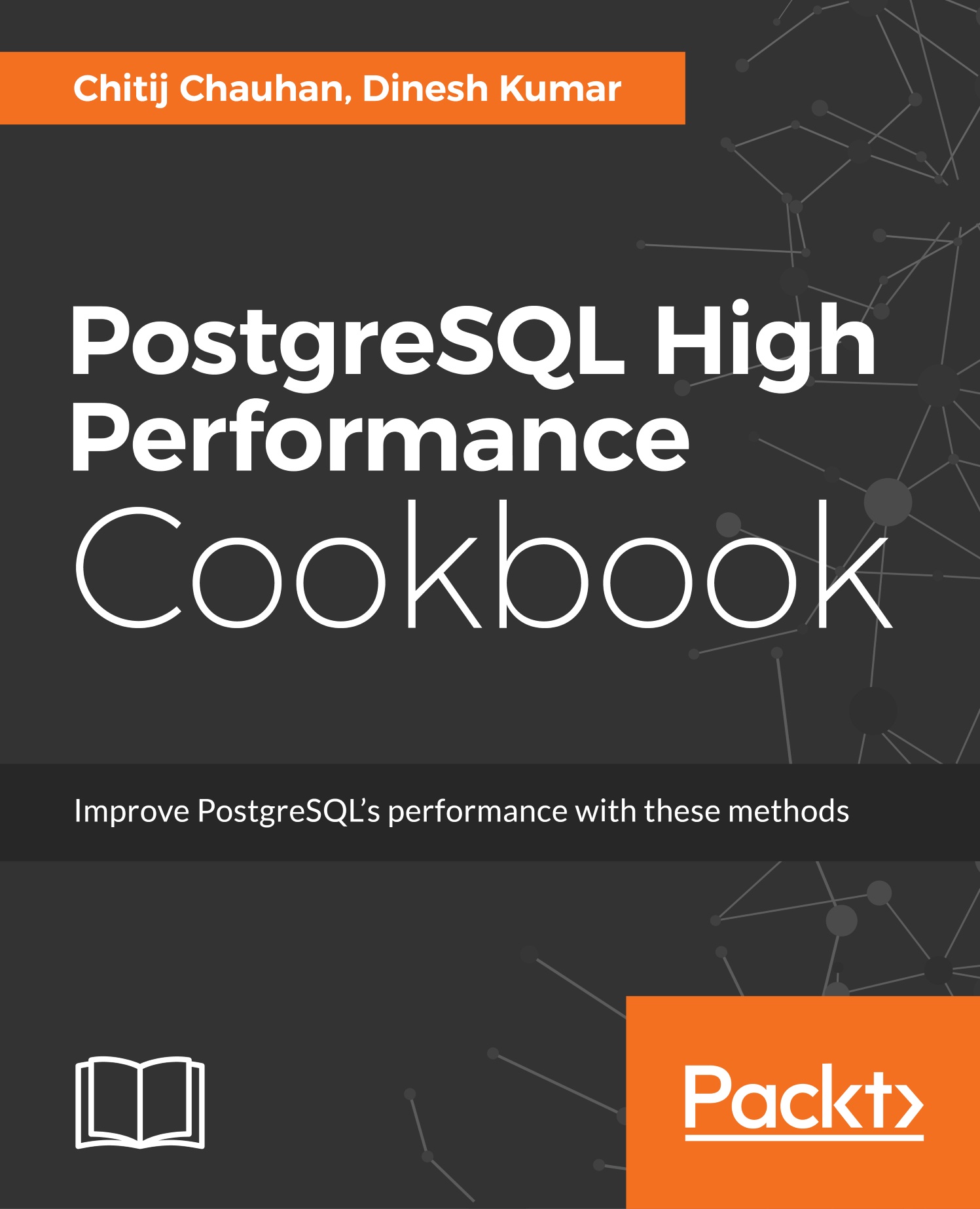
PostgreSQL High Performance Cookbook

PostgreSQL High Performance Cookbook: Mastering query optimization, database monitoring, and performance-tuning for PostgreSQL
Arrow left icon
Profile Icon Chauhan Profile Icon Dinesh Kumar
Arrow right icon
€18.99 per month
Paperback Mar 2017 360 pages 1st Edition
eBook
€33.29 €36.99
Paperback
€45.99
Subscription
Free Trial
Renews at €18.99p/m
Arrow left icon
Profile Icon Chauhan Profile Icon Dinesh Kumar
Arrow right icon
€18.99 per month
Paperback Mar 2017 360 pages 1st Edition
eBook
€33.29 €36.99
Paperback
€45.99
Subscription
Free Trial
Renews at €18.99p/m
eBook
€33.29 €36.99
Paperback
€45.99
Subscription
Free Trial
Renews at €18.99p/m

What do you get with a Packt Subscription?

Free for first 7 days. $19.99 p/m after that. Cancel any time!
Product feature icon Unlimited ad-free access to the largest independent learning library in tech. Access this title and thousands more!
Product feature icon 50+ new titles added per month, including many first-to-market concepts and exclusive early access to books as they are being written.
Product feature icon Innovative learning tools, including AI book assistants, code context explainers, and text-to-speech.
Product feature icon Thousands of reference materials covering every tech concept you need to stay up to date.
Subscribe now
View plans & pricing
Table of content icon View table of contents Preview book icon Preview Book

PostgreSQL High Performance Cookbook

Chapter 2. Server Configuration and Control

In this chapter, we will cover the following:

  • Starting the database server manually
  • Stopping the server quickly
  • Stopping the server in an emergency
  • Reloading server configuration
  • Restarting the database server quickly
  • Tuning connection-related parameters
  • Tuning query-planning parameters
  • Tuning logging-related parameters

Introduction

This chapter basically deals with the server architecture and server control. Initially, we will discuss the different options available to start and stop the PostgreSQL server. As an administrator, one should be aware of the different methods available in order to use the appropriate option in emergency situations or during maintenance operations. We then move onto discussing different server parameters and the tuning aspects related to them. Some important server parameters that help improve the overall server throughput and performance are discussed here from an optimization perspective.

Starting the server manually

Normally, a PostgreSQL server will start automatically when the system boots up. If an automatic start is not enabled for a server, we would need to start the server manually. This may be required even for operational reasons.

Getting ready

Before we talk about how to start the database server, first we need to understand the difference between server and service. The term server refers to the database server and its processes, whereas the term service essentially indicates the operating system wrapper through which the server gets called.

How to do it...

On a majority of platforms, that is, Linux and Unix distributions, we can start the server using the pg_ctl command-line utility as shown here:

pg_ctl -D <location of data directory> start

Consider the following example:

pg_ctl -D /var/lib/pgsql/9.6/data start

The -D switch of the pg_ctl command indicates the data directory of the PostgreSQL server. In the preceding command, the data directory is...

Stopping the server quickly

There are different modes available to stop the PostgreSQL server. Here we will talk about the mode in which we can stop the server quickly.

Getting ready

The pg_ctl command is used in combination with the stop option in order to stop the PostgreSQL server.

How to do it...

We can use the following command to stop the server quickly on Red Hat-based Linux distributions and other Unix-based systems:

pg_ctl -D /var/lib/pgsql/9.6/data -m fast stop

Here, /var/lib/pgsql/9.6/data is the location of the data directory.

How it works...

The -m fast option must be used in order to shut down as quickly as possible. In case of a normal shutdown, PostgreSQL will wait for all users to finish their transactions before halting and on a busy system this can sometimes take a very long time.

While initiating a fast stop with the -m fast option of the pg_ctl command, all the users will have their transactions aborted and all connections are disconnected. However, this is a clean shutdown...

Stopping the server in an emergency

In this recipe, we will show you the command that can be used to stop the server in an emergency situation.

How to do it...

We can use the following command to stop the PostgreSQL server in an emergency:

pg_ctl -D /var/lib/pgsql/9.6/data stop -m immediate

Here, the data directory location is defined at /var/lib/pgsql/9.6/data.

How it works...

The moment the immediate stop mode is used with the pg_ctl command, all the users have their transactions aborted and the existing connections are terminated. There is no system checkpoint either and the database basically requires crash recovery at the time of database restart.

In this shutdown mode, the PostgresSQL process will issue a direct SIGQUIT signal to each of the child processes, by including the backend processes such as bgwriter, autovacuum, and recovery processes. However, in smart shutdown mode, the PostgreSQL process will wait until these processes are terminated and then shut down the...

Reloading server configuration

In this recipe, we will talk about the command that can be used to reload the server configuration and its parameters.

Getting ready

If any of the server parameters come into effect after reloading the server configuration files, such as postgresql.conf, then we need to reload the server configuration using the reload option of the pg_ctl command.

How to do it...

We can use the following command to reload the server configuration on Red Hat-based Linux and Unix distributions:

pg_ctl -D /var/lib/pgsql/9.6/data reload

You can also reload the configuration using the pg_reload_conf function while still being connected to PostgreSQL .The usage of the pg_reload_conf function is mentioned as follows:

postgres=# select pg_reload_conf();

How it works...

The reload mode of the pg_ctl command is used to send the postgres process a SIGHUP signal, which in turn causes it to reload its configuration files such as postgresql.conf and pg_hba.conf. The benefit...

Introduction


This chapter basically deals with the server architecture and server control. Initially, we will discuss the different options available to start and stop the PostgreSQL server. As an administrator, one should be aware of the different methods available in order to use the appropriate option in emergency situations or during maintenance operations. We then move onto discussing different server parameters and the tuning aspects related to them. Some important server parameters that help improve the overall server throughput and performance are discussed here from an optimization perspective.

Starting the server manually


Normally, a PostgreSQL server will start automatically when the system boots up. If an automatic start is not enabled for a server, we would need to start the server manually. This may be required even for operational reasons.

Getting ready

Before we talk about how to start the database server, first we need to understand the difference between server and service. The term server refers to the database server and its processes, whereas the term service essentially indicates the operating system wrapper through which the server gets called.

How to do it...

On a majority of platforms, that is, Linux and Unix distributions, we can start the server using the pg_ctl command-line utility as shown here:

pg_ctl -D <location of data directory> start

Consider the following example:

pg_ctl -D /var/lib/pgsql/9.6/data start

The -D switch of the pg_ctl command indicates the data directory of the PostgreSQL server. In the preceding command, the data directory is defined at...

Stopping the server quickly


There are different modes available to stop the PostgreSQL server. Here we will talk about the mode in which we can stop the server quickly.

Getting ready

The pg_ctl command is used in combination with the stop option in order to stop the PostgreSQL server.

How to do it...

We can use the following command to stop the server quickly on Red Hat-based Linux distributions and other Unix-based systems:

pg_ctl -D /var/lib/pgsql/9.6/data -m fast stop

Here, /var/lib/pgsql/9.6/data is the location of the data directory.

How it works...

The -m fast option must be used in order to shut down as quickly as possible. In case of a normal shutdown, PostgreSQL will wait for all users to finish their transactions before halting and on a busy system this can sometimes take a very long time.

While initiating a fast stop with the -m fast option of the pg_ctl command, all the users will have their transactions aborted and all connections are disconnected. However, this is a clean shutdown...

Stopping the server in an emergency


In this recipe, we will show you the command that can be used to stop the server in an emergency situation.

How to do it...

We can use the following command to stop the PostgreSQL server in an emergency:

pg_ctl -D /var/lib/pgsql/9.6/data stop -m immediate

Here, the data directory location is defined at /var/lib/pgsql/9.6/data.

How it works...

The moment the immediate stop mode is used with the pg_ctl command, all the users have their transactions aborted and the existing connections are terminated. There is no system checkpoint either and the database basically requires crash recovery at the time of database restart.

In this shutdown mode, the PostgresSQL process will issue a direct SIGQUIT signal to each of the child processes, by including the backend processes such as bgwriter, autovacuum, and recovery processes. However, in smart shutdown mode, the PostgreSQL process will wait until these processes are terminated and then shut down the postmaster process...

Left arrow icon Right arrow icon
Download code icon Download Code

Key benefits

  • Perform essential database tasks such as benchmarking the database and optimizing the server’s memory usage
  • Learn ways to improve query performance and optimize the PostgreSQL server
  • Explore a wide range of high availability and replication mechanisms to build robust, highly available, scalable, and fault-tolerant PostgreSQL databases

Description

PostgreSQL is one of the most powerful and easy to use database management systems. It has strong support from the community and is being actively developed with a new release every year. PostgreSQL supports the most advanced features included in SQL standards. It also provides NoSQL capabilities and very rich data types and extensions. All of this makes PostgreSQL a very attractive solution in software systems. If you run a database, you want it to perform well and you want to be able to secure it. As the world’s most advanced open source database, PostgreSQL has unique built-in ways to achieve these goals. This book will show you a multitude of ways to enhance your database’s performance and give you insights into measuring and optimizing a PostgreSQL database to achieve better performance. This book is your one-stop guide to elevate your PostgreSQL knowledge to the next level. First, you’ll get familiarized with essential developer/administrator concepts such as load balancing, connection pooling, and distributing connections to multiple nodes. Next, you will explore memory optimization techniques before exploring the security controls offered by PostgreSQL. Then, you will move on to the essential database/server monitoring and replication strategies with PostgreSQL. Finally, you will learn about query processing algorithms.

Who is this book for?

If you are a developer or administrator with limited PostgreSQL knowledge and want to develop your skills with this great open source database, then this book is ideal for you. Learning how to enhance the database performance is always an exciting topic to everyone, and this book will show you enough ways to enhance the database performance.

What you will learn

  • * Build replication strategies for homogeneous and heterogeneous databases
  • * Test and build a powerful machine with multiple bench marking techniques
  • * Get to know a few SQL injection techniques
  • * Find out how to manage the replication using multiple tools
  • * Benchmark the database server using multiple strategies
  • * Work with the query processing algorithms and their internal behaviors
  • * Build a proper plan to upgrade or migrate to PostgreSQL from other databases
  • * See the essential database load balancing techniques and the various partitioning approaches PostgreSQL provides
  • * Learn memory optimization techniques and database server configurations

Product Details

Country selected
Publication date, Length, Edition, Language, ISBN-13
Publication date : Mar 29, 2017
Length: 360 pages
Edition : 1st
Language : English
ISBN-13 : 9781785284335
Vendor :
PostgreSQL Global Development Group
Category :
Languages :
Tools :

What do you get with a Packt Subscription?

Free for first 7 days. $19.99 p/m after that. Cancel any time!
Product feature icon Unlimited ad-free access to the largest independent learning library in tech. Access this title and thousands more!
Product feature icon 50+ new titles added per month, including many first-to-market concepts and exclusive early access to books as they are being written.
Product feature icon Innovative learning tools, including AI book assistants, code context explainers, and text-to-speech.
Product feature icon Thousands of reference materials covering every tech concept you need to stay up to date.
Subscribe now
View plans & pricing

Product Details

Publication date : Mar 29, 2017
Length: 360 pages
Edition : 1st
Language : English
ISBN-13 : 9781785284335
Vendor :
PostgreSQL Global Development Group
Category :
Languages :
Tools :

Packt Subscriptions

See our plans and pricing
Modal Close icon
€18.99 billed monthly
Feature tick icon Unlimited access to Packt's library of 7,000+ practical books and videos
Feature tick icon Constantly refreshed with 50+ new titles a month
Feature tick icon Exclusive Early access to books as they're written
Feature tick icon Solve problems while you work with advanced search and reference features
Feature tick icon Offline reading on the mobile app
Feature tick icon Simple pricing, no contract
€189.99 billed annually
Feature tick icon Unlimited access to Packt's library of 7,000+ practical books and videos
Feature tick icon Constantly refreshed with 50+ new titles a month
Feature tick icon Exclusive Early access to books as they're written
Feature tick icon Solve problems while you work with advanced search and reference features
Feature tick icon Offline reading on the mobile app
Feature tick icon Choose a DRM-free eBook or Video every month to keep
Feature tick icon PLUS own as many other DRM-free eBooks or Videos as you like for just €5 each
Feature tick icon Exclusive print discounts
€264.99 billed in 18 months
Feature tick icon Unlimited access to Packt's library of 7,000+ practical books and videos
Feature tick icon Constantly refreshed with 50+ new titles a month
Feature tick icon Exclusive Early access to books as they're written
Feature tick icon Solve problems while you work with advanced search and reference features
Feature tick icon Offline reading on the mobile app
Feature tick icon Choose a DRM-free eBook or Video every month to keep
Feature tick icon PLUS own as many other DRM-free eBooks or Videos as you like for just €5 each
Feature tick icon Exclusive print discounts

Frequently bought together


Stars icon
Total 141.97
PostgreSQL High Availability Cookbook
€45.99
PostgreSQL Administration Cookbook, 9.5/9.6 Edition
€49.99
PostgreSQL High Performance Cookbook
€45.99
Total 141.97 Stars icon

Table of Contents

12 Chapters
1. Database Benchmarking Chevron down icon Chevron up icon
2. Server Configuration and Control Chevron down icon Chevron up icon
3. Device Optimization Chevron down icon Chevron up icon
4. Monitoring Server Performance Chevron down icon Chevron up icon
5. Connection Pooling and Database Partitioning Chevron down icon Chevron up icon
6. High Availability and Replication Chevron down icon Chevron up icon
7. Working with Third-Party Replication Management Utilities Chevron down icon Chevron up icon
8. Database Monitoring and Performance Chevron down icon Chevron up icon
9. Vacuum Internals Chevron down icon Chevron up icon
10. Data Migration from Other Databases to PostgreSQL and Upgrading the PostgreSQL Cluster Chevron down icon Chevron up icon
11. Query Optimization Chevron down icon Chevron up icon
12. Database Indexing Chevron down icon Chevron up icon
Get free access to Packt library with over 7500+ books and video courses for 7 days!
Start Free Trial

FAQs

What is included in a Packt subscription? Chevron down icon Chevron up icon

A subscription provides you with full access to view all Packt and licnesed content online, this includes exclusive access to Early Access titles. Depending on the tier chosen you can also earn credits and discounts to use for owning content

How can I cancel my subscription? Chevron down icon Chevron up icon

To cancel your subscription with us simply go to the account page - found in the top right of the page or at https://subscription.packtpub.com/my-account/subscription - From here you will see the ‘cancel subscription’ button in the grey box with your subscription information in.

What are credits? Chevron down icon Chevron up icon

Credits can be earned from reading 40 section of any title within the payment cycle - a month starting from the day of subscription payment. You also earn a Credit every month if you subscribe to our annual or 18 month plans. Credits can be used to buy books DRM free, the same way that you would pay for a book. Your credits can be found in the subscription homepage - subscription.packtpub.com - clicking on ‘the my’ library dropdown and selecting ‘credits’.

What happens if an Early Access Course is cancelled? Chevron down icon Chevron up icon

Projects are rarely cancelled, but sometimes it's unavoidable. If an Early Access course is cancelled or excessively delayed, you can exchange your purchase for another course. For further details, please contact us here.

Where can I send feedback about an Early Access title? Chevron down icon Chevron up icon

If you have any feedback about the product you're reading, or Early Access in general, then please fill out a contact form here and we'll make sure the feedback gets to the right team. 

Can I download the code files for Early Access titles? Chevron down icon Chevron up icon

We try to ensure that all books in Early Access have code available to use, download, and fork on GitHub. This helps us be more agile in the development of the book, and helps keep the often changing code base of new versions and new technologies as up to date as possible. Unfortunately, however, there will be rare cases when it is not possible for us to have downloadable code samples available until publication.

When we publish the book, the code files will also be available to download from the Packt website.

How accurate is the publication date? Chevron down icon Chevron up icon

The publication date is as accurate as we can be at any point in the project. Unfortunately, delays can happen. Often those delays are out of our control, such as changes to the technology code base or delays in the tech release. We do our best to give you an accurate estimate of the publication date at any given time, and as more chapters are delivered, the more accurate the delivery date will become.

How will I know when new chapters are ready? Chevron down icon Chevron up icon

We'll let you know every time there has been an update to a course that you've bought in Early Access. You'll get an email to let you know there has been a new chapter, or a change to a previous chapter. The new chapters are automatically added to your account, so you can also check back there any time you're ready and download or read them online.

I am a Packt subscriber, do I get Early Access? Chevron down icon Chevron up icon

Yes, all Early Access content is fully available through your subscription. You will need to have a paid for or active trial subscription in order to access all titles.

How is Early Access delivered? Chevron down icon Chevron up icon

Early Access is currently only available as a PDF or through our online reader. As we make changes or add new chapters, the files in your Packt account will be updated so you can download them again or view them online immediately.

How do I buy Early Access content? Chevron down icon Chevron up icon

Early Access is a way of us getting our content to you quicker, but the method of buying the Early Access course is still the same. Just find the course you want to buy, go through the check-out steps, and you’ll get a confirmation email from us with information and a link to the relevant Early Access courses.

What is Early Access? Chevron down icon Chevron up icon

Keeping up to date with the latest technology is difficult; new versions, new frameworks, new techniques. This feature gives you a head-start to our content, as it's being created. With Early Access you'll receive each chapter as it's written, and get regular updates throughout the product's development, as well as the final course as soon as it's ready.We created Early Access as a means of giving you the information you need, as soon as it's available. As we go through the process of developing a course, 99% of it can be ready but we can't publish until that last 1% falls in to place. Early Access helps to unlock the potential of our content early, to help you start your learning when you need it most. You not only get access to every chapter as it's delivered, edited, and updated, but you'll also get the finalized, DRM-free product to download in any format you want when it's published. As a member of Packt, you'll also be eligible for our exclusive offers, including a free course every day, and discounts on new and popular titles.

Modal Close icon
Modal Close icon