Search icon CANCEL
Subscription
0
Cart icon
Your Cart (0 item)
Close icon
You have no products in your basket yet
Arrow left icon
Explore Products
Best Sellers
New Releases
Books
Events
Videos
Audiobooks
Packt Hub
Free Learning
Arrow right icon
timer SALE ENDS IN
0 Days
:
00 Hours
:
00 Minutes
:
00 Seconds
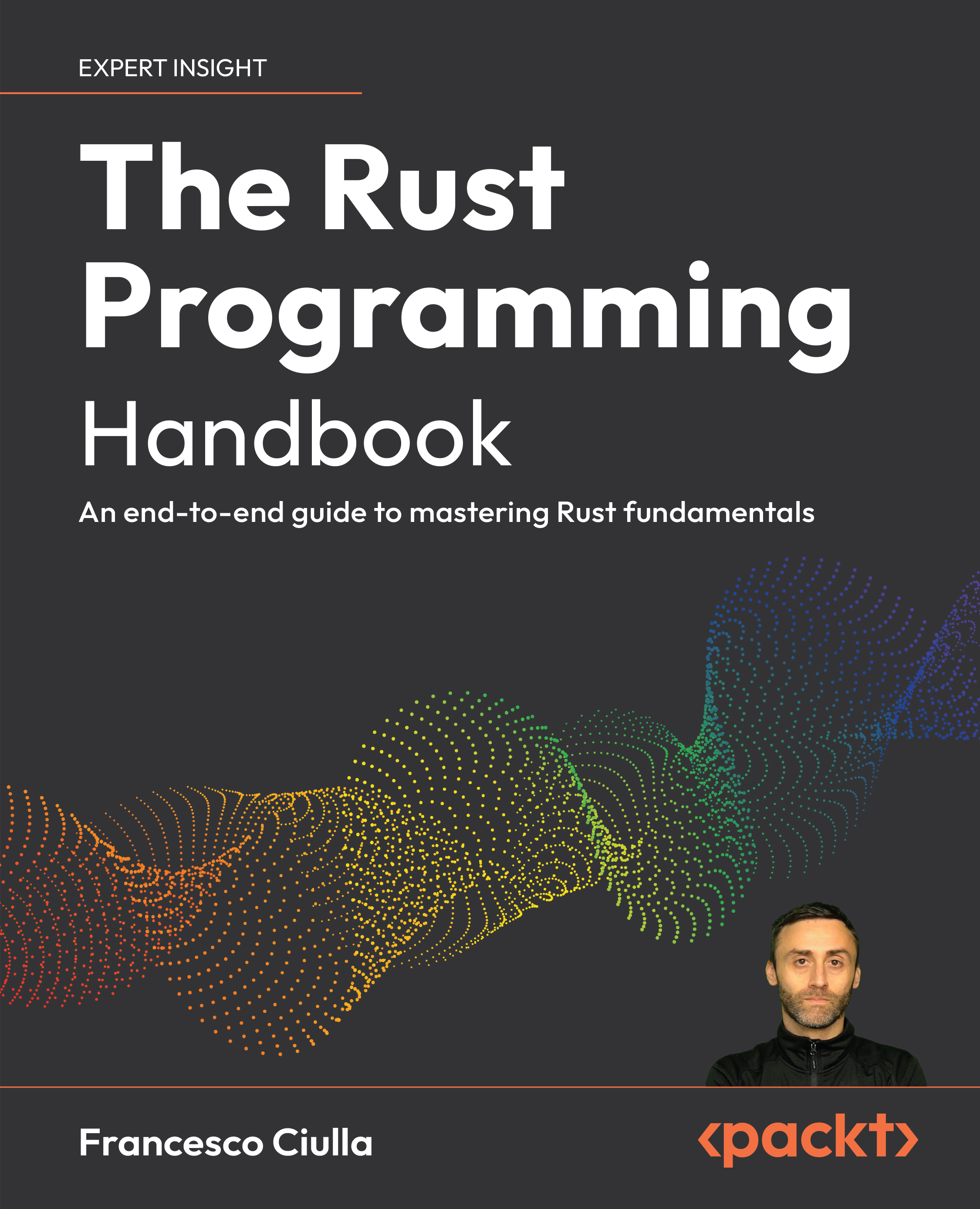
The Rust Programming Handbook

The Rust Programming Handbook: An end-to-end guide to mastering Rust fundamentals

Arrow left icon
Profile Icon Francesco Ciulla
Arrow right icon
$54.99
Full star icon Full star icon Full star icon Full star icon Full star icon 5 (1 Ratings)
Paperback Dec 2025 768 pages 1st Edition
eBook
$39.59 $43.99
Paperback
$54.99
Arrow left icon
Profile Icon Francesco Ciulla
Arrow right icon
$54.99
Full star icon Full star icon Full star icon Full star icon Full star icon 5 (1 Ratings)
Paperback Dec 2025 768 pages 1st Edition
eBook
$39.59 $43.99
Paperback
$54.99
eBook
$39.59 $43.99
Paperback
$54.99

What do you get with Print?

Product feature icon Instant access to your digital copy whilst your Print order is Shipped
Product feature icon Paperback book shipped to your preferred address
Product feature icon Redeem a companion digital copy on all Print orders
Product feature icon Access this title in our online reader with advanced features
Product feature icon DRM FREE - Read whenever, wherever and however you want
Product feature icon AI Assistant (beta) to help accelerate your learning
Modal Close icon
Payment Processing...
tick Completed

Shipping Address

Billing Address

Shipping Methods
Table of content icon View table of contents Preview book icon Preview Book

The Rust Programming Handbook

Getting Started with Rust

Welcome to the realm of Rust programming!

If you’ve found your way here, you’re probably intrigued by Rust’s reputation as a robust, contemporary language specialized in systems programming, focusing on safety, speed, and reliability.

This book is for anyone who wants to learn Rust, from experienced developers looking to expand their skills to beginners exploring new technologies or those who are just curious. In the Stack Overflow 2024 Developer Survey, Rust was voted the “most admired programming language” by ~83% of developers. This is because it offers a rare combination of performance, memory safety, and a strong, welcoming community. It eliminates entire classes of bugs, such as null pointer dereferences and data races, while delivering the speed of a systems language. Learning Rust is a great way to write safer, more efficient code and future-proof your skills.

In this chapter, we start our journey by understanding the essence of Rust programming. We’ll dive deep into the core principles defining Rust and explain why it shines among other programming languages. Rust has some unique features that really make it “special” among other languages. Following that, we’ll set up your development environment together, ensuring you’re fully equipped to dive into Rust coding right away. Finally, we’ll start with the practical side of Rust by walking you through creating your first Rust program. To make it accessible to everyone, we will begin with a simple CLI tool, ensuring you grasp Rust’s fundamental concepts before moving to more advanced projects such as a web server. This structured approach will help you build confidence in Rust step by step.

By the end of this chapter, you’ll have a solid understanding of what makes Rust unique and why so many developers appreciate it. You’ll get familiar with its core principles and how it differs from other programming languages. This foundation will give you the confidence to start exploring Rust and writing your first programs.

Let’s get started!

Free Benefits with Your Book

Your purchase includes a free PDF copy of this book along with other exclusive benefits. Check the Free Benefits with Your Book section in the Preface to unlock them instantly and maximize your learning experience.

Technical requirements

You can use any operating system you want, but it is highly recommended that you have Git, the system versioning system. All the code examples are available in the `book-compendium` folder of the GitHub repository.

You will also need an IDE. Any IDE works, but for this book, I will use VS Code, with a couple of extensions.

What is Rust?

According to Wikipedia, “Rust is a general-purpose programming language emphasizing performance, type safety, and concurrency. It enforces memory safety, meaning that all references point to valid memory, without a garbage collector. To simultaneously enforce memory safety and prevent data races, its ‘borrow checker’ tracks the object lifetime of all references in a program during compiling.”

This definition sounds fascinating, but can also be quite confusing. This brief explanation alone isn’t enough to fully grasp what Rust is and what makes it unique!

Let’s break down this definition and explain each part:

  • General-purpose programming language: Rust is a versatile language that excels in various domains, from system-level programming to modern web development. It’s used in embedded systems, operating systems, backend engineering, and even high-frequency, low-latency applications. Rust also plays a significant role in frontend development with WebAssembly (Wasm) and is gaining traction in decentralized systems such as blockchain. Its ability to adapt across different fields makes it truly unique.
  • Emphasizing performance, type safety, and concurrency: Rust is designed with three main goals in mind:
    • Type safety: Rust ensures that your code adheres to strict type rules, reducing bugs and making it easier for you and other developers to understand and maintain
    • Performance: Rust allows you to write high-performance software that runs as fast as programs written in C or C++
    • Concurrency: Rust provides powerful tools for writing concurrent code, allowing you to take full advantage of multi-core processors without the risk of data races
  • Enforces memory safety without a garbage collector: Memory safety means that all pointers (references) point to valid memory. Rust achieves this without a garbage collector, which is typically used in other languages such as Java or Go to manage memory automatically. Instead, Rust uses a system of ownership with rules that the compiler checks at compile time.
  • The borrow checker: To enforce memory safety and prevent data races, Rust employs a mechanism known as the “borrow checker.” This system tracks the lifetime of all references in a program during compilation, ensuring that references are always valid and that multiple threads do not unexpectedly modify data.

    No worries!

    If some of these concepts sound complex or unfamiliar right now, don’t worry! Throughout this book, we’ll explore these topics in depth, providing clear explanations and practical examples to help you understand and master Rust programming.

    By the end of the book, any doubts you have now will be resolved, and you’ll be confident in your ability to use Rust effectively.

What is Rust good for?

So, what is Rust good for? Overall, Rust is versatile and excels in many areas, from system-level programming to web development. It provides the tools and guarantees necessary to build robust and efficient software, making it a valuable addition to any developer’s skill set.

Rust is valued for its high performance, security, and ability to handle concurrency. These qualities matter more than ever, as software must be fast, scalable, and vulnerable to vulnerabilities. It’s especially well-suited for systems programming, where speed and reliability are critical.

Rust is well-suited for developing low-level system components such as operating systems, device drivers, and embedded systems. Its memory safety features help prevent crashes and security vulnerabilities, making it a dependable choice for critical software where stability and performance are essential. But don’t worry! We will start with something much simpler to help you become familiar with the syntax quickly.

Rust’s robust concurrency model and expressive type system make it exceptionally well-suited for creating scalable and resilient network services, web servers, and concurrent applications. In fact, many real-world applications, such as the Firefox browser engine, Dropbox’s file storage backend, and Cloudflare’s performance-critical systems, currently use Rust.

In a recent communication from the US government, the White House recommended memory-safe programming languages and security-by-design principles to prevent cyberattacks. Rust was highlighted as a key example of such a language. While Rust doesn’t make your application secure by default, it enforces strict rules that require developers to handle memory safely and efficiently.

The biggest challenge for developers learning Rust is adapting to its distinctive approach to memory management. This requires a mindset different from that of many other programming languages. The good news is that once you grasp these concepts, you’ll be able to write safer and more efficient code with confidence. Unlike C and C++, where developers manually manage memory or languages with garbage collection, Rust requires you to adopt a different mindset. Be open-minded and ready to embrace this new way of thinking.

Key features of Rust

What makes Rust stand out compared to other programming languages is its unique features and design principles:

  • Expressiveness: Rust’s expressive syntax and powerful type system allow developers to write clear, concise, and maintainable code, making it easier to reason about complex systems. For instance, Rust’s pattern matching makes decision-making elegant and enjoyable:
    fn developer_mood(caffeine_level: u8) -> &'static str {
        match caffeine_level {
            0 => "I can't work without coffee! ",
            1..=2 => "Alright, I can write a few functions.",
            3..=5 => "Productivity mode: ON! ",
            _ => "Too much coffee! I'm rewriting the entire project in Rust! "
        }
    }
    fn main() {
        println!("{}", developer_mood(4)); 
        // Output: Productivity mode: ON! 
    }
    
  • Memory safety: Rust guarantees memory safety while maintaining high performance by implementing strict rules during compile time. These checks help prevent common programming errors such as null pointer dereferencing and out-of-bounds array indexing before the code is executed. As a result, many potential bugs are identified early on, reducing the likelihood of crashes and enhancing the reliability of Rust programs, all without the necessity for garbage collection.
  • Concurrency: Rust offers robust abstractions for writing concurrent code, enabling developers to fully utilize modern multi-core processors while minimizing concerns about data races and deadlocks. Features such as ownership-based threading and the async/await system ensure that concurrency is both safe and efficient. This allows developers to create fast, parallel code without encountering the typical challenges associated with concurrent programming.
  • Performance: Rust provides performance that is comparable to low-level programming languages such as C and C++ by eliminating runtime overhead. Its zero-cost abstractions guarantee that high-level code compiles into efficient machine instructions without incurring additional performance penalties. Furthermore, Rust offers precise control over memory management, enabling developers to write fast and predictable code without compromising safety.

The Rust ecosystem

Rust not only boasts essential language features but also has a dynamic ecosystem of libraries, tools, and frameworks that enhance its functionality and simplify development. Notable crates such as Serde for data serialization, Tokio for asynchronous programming, and Axum for web development make Rust a strong option for various applications. This extensive ecosystem enables developers to create efficient and reliable software while taking advantage of Rust’s safety and performance guarantees.

Rust’s ecosystem caters to various industries and use cases, such as web development, system programming, data analysis, and gaming. One of Rust’s most significant strengths lies in its ability to handle data processing tasks efficiently, which has become a cornerstone of its industrial applications. Rust’s memory safety guarantees, combined with its performance comparable to C and C++, make it an excellent choice for building data-intensive systems. Developers use Rust to create high-performance data pipelines, process large-scale datasets, and implement real-time analytics applications. Its growing library ecosystem, including crates such as Polars, is a fast, multithreaded DataFrame library for Rust and Python, designed for efficient data manipulation and analysis. It is optimized for performance, using Apache Arrow’s columnar memory format to handle large datasets efficiently. Polars is often compared to pandas, but it is significantly faster, especially for big data and parallel processing tasks.

You can check it out here: https://crates.io/crates/polars.

This versatility makes Rust a natural fit for demanding scenarios, such as optimizing database query engines or building distributed systems capable of processing petabytes of data. Beyond data processing, Rust excels in high-performance web servers and efficient system utilities, offering developers a robust toolkit across a range of domains.

The Rust community is very welcoming and committed to being open source. The Rust language itself is an open source project!

Figure 1.1: The official Rust repository

Figure 1.1: The official Rust repository

This is the perfect environment to grow a robust and solid language with a solid basis and a bright future.

Why learn Rust?

As a developer, learning Rust offers several advantages:

  • Enhanced productivity: Rust’s strict compiler checks and powerful tooling assist developers in catching bugs early and writing more reliable code, which reduces both development time and debugging efforts. For instance, Rust prevents the use of uninitialized variables at compile time:
    fn main() {
        let x: i32;
        println!("{}", x); //  Error: use of possibly-uninitialized variable `x`
    }
    
  • Career opportunities: Rust is gaining popularity in industries such as systems programming, cloud computing, and cybersecurity, opening up exciting career opportunities for developers. More and more companies are using Rust for performance-critical applications, secure backend services, and infrastructure tooling. This creates demand for different roles, such as systems engineers, backend developers, security engineers, and embedded systems developers. If you’re looking for a language that’s both future-proof and in high demand, Rust is a very strong choice for your career.
  • Personal growth: Learning Rust goes beyond simply adding another language to your skill set; it transforms your approach to memory management, safety, and concurrency. It challenges your problem-solving abilities and enhances your understanding of how computers operate. By mastering Rust, you become a more well-rounded developer, enabling you to write efficient and reliable software. And let’s face it, overcoming the borrow checker feels like a great achievement!

Installation and Hello World

This chapter will cover the essential steps to install Rust on your system and write your first Rust program.

We’ll start by guiding you through the installation process, followed by a demonstration of compiling and running a "Hello World" program in Rust.

Installing Rust

Before diving into Rust programming, you must set up your development environment by installing the Rust toolchain.

You can download and install Rust by visiting https://www.rust-lang.org/tools/install and following the instructions for your operating system.

Figure 1.2: How to install Rust on different operating systems

Figure 1.2: How to install Rust on different operating systems

Rust provides convenient installation options for different platforms, ensuring a smooth setup process:

  • Linux/Unix: The official installer or package manager can install Rust on Linux and Unix-based systems
  • macOS: Rust is well-supported on macOS, and you can install it using the official installer or Homebrew package manager
  • Windows: Rust offers a straightforward installation experience through the official installer or Chocolatey package manager

Verifying the installation

Once Rust is installed on your system, you can verify the installation by opening a terminal or command prompt and running the following command:

rustc --version

This command should display the installed version of the Rust compiler, confirming that Rust is successfully installed on your machine.

Setting up your development environment

In addition to the Rust compiler, you’ll need a text editor or integrated development environment (IDE) to write and edit Rust code.

A good IDE enhances productivity with features such as syntax highlighting, code completion, and debugging support. The most popular options for Rust development include the following:

  • Visual Studio Code (VS Code): A lightweight and highly customizable code editor with excellent Rust support via extensions
  • RustRover by IntelliJ IDEA: A powerful, full-featured IDE specifically designed for Rust development, offering deep code analysis, refactoring tools, and seamless Cargo integration
  • Neovim: A customizable, terminal-based editor with Rust support via plugins

Setting up VS Code for Rust (recommended)

VS Code is one of the most popular editors for Rust development due to its lightweight design, extensibility, and excellent Rust support.

To get started, download and install VS Code from the official website at https://code.visualstudio.com/:

  1. Choose the version for your operating system (Windows, macOS, or Linux).
  2. Follow the installation prompts.
  3. Once installed, open VS Code.

For a smooth Rust development experience, install the following essential extensions:

Hello World

With Rust installed and your development environment set up, you can write your first Rust program.

For our first program, we’ll use the Rust compiler (rustc) directly, even if this is not recommended for creating a project. We will do this just once to understand how the Rust compiler works. For all future projects, we will use a package manager that will compile all our project files for us.

Open your preferred text editor or IDE and create a new file named hello.rs. In this file, enter the following code:

fn main() {
    println!("Hello, Rust!");
}

The code is available here: https://github.com/FrancescoXX/rustcrab/blob/main/book-compendium/chapter-1/hello_world.rs.

This simple Rust program consists of a single function named main, which prints the message "Hello, Rust!" to the console using the println! macro. Similar to the main function in other programming languages, the main function serves as the entry point for all Rust programs.

Note

In Rust, a macro is a way of writing code that generates other code, this is known as metaprogramming. The println! macro is used to print text to the console, similar to how console.log works in JavaScript or print in Python.

Here is an example comparison:

  • Rust: println!("Hello, Rust!");
  • JavaScript: console.log("Hello, Rust!");

Compiling and running your Hello World

To compile and run your Rust program, open a terminal or command prompt, navigate to the directory containing your hello.rs file, and execute the following command:

rustc hello.rs

This command compiles your Rust source code into an executable binary named hello (or hello.exe on Windows). By default, Rust compiles your code in debug mode, which includes additional debugging information and performs fewer optimizations to make development easier:

./hello # (or hello.exe on Windows)

You should see the message "Hello, Rust!" printed on the console, indicating that your Rust program was executed successfully.

Note

While using rustc directly is useful for understanding how Rust compiles code, this is not the standard way to build Rust projects. In real-world development, Rust programmers use Cargo, Rust’s official package manager and build system.

Why use Cargo instead of rustc?

  • Simplifies project management (automates builds, dependencies, and tests)
  • Handles multiple source files efficiently (unlike rustc, which requires compiling each file manually)
  • Supports optimized builds (cargo build --release) for production-ready applications

In the next chapters, we’ll explore how Cargo makes Rust development easier and dive into its powerful features for building, testing, and distributing Rust applications.

Using Cargo and Crates.io

Cargo is Rust’s package manager and build system, designed to streamline developing, building, and managing Rust projects.

Crates.io is the official repository for Rust crates, where you can find and share libraries and tools written in Rust.

This is what the https://crates.io/ website looks like:

Figure 1.3: crates.io website

Figure 1.3: crates.io website

Verifying Cargo installation

Before we use Cargo and Crates.io, let’s ensure that your system has Rust and Cargo installed:

cargo --version

If you see something like this, you are good to go; otherwise, check the installation procedure:

Figure 1.4: Check cargo version on your machine

Figure 1.4: Check cargo version on your machine

What is Cargo?

Cargo is an essential tool for Rust development. It simplifies project management, from building and running programs to managing dependencies and publishing packages.

Cargo automates many tasks that would otherwise require manual configuration, making development more efficient. Instead of compiling each file individually, Cargo organizes and builds entire projects with a single command. It also ensures that dependencies are downloaded and used correctly.

Cargo’s main features

Cargo provides several built-in commands for common development tasks:

  1. Creating a new project: Cargo can generate a project structure with the necessary files:
    cargo new my_project
    

This creates a folder with Cargo.toml (which manages dependencies) and a src directory for code.

  1. Building and running code: Instead of compiling files manually, Cargo compiles the entire project:
    cargo build      # Compiles the project (debug mode)
    cargo run        # Compiles and runs the project
    

For optimized performance, use the release mode:

cargo build --release

This produces a faster executable by applying optimizations.

  1. Managing dependencies: Cargo makes it easy to add external libraries (called “crates”):
    cargo add serde
    

This updates Cargo.toml and downloads the required dependencies automatically.

  1. Running tests: Cargo includes a built-in testing framework:
    cargo test
    

This runs all test functions in the project.

  1. Checking code without full compilation: For quick feedback on potential errors, use the following:
    cargo check
    

This is much faster than cargo build and helps catch issues early.

Stable versus Nightly Rust

Cargo also manages different versions of Rust. The default version is Stable Rust, which receives updates every six weeks and is recommended for most projects.

For developers who need access to experimental features, Cargo supports Nightly Rust, which can be installed with the following:

rustup install nightly
rustup default nightly

Nightly Rust includes features that may become part of future stable versions. However, it may be less stable than the default version.

Creating a new Rust project

With Rust and Cargo installed, you can create a new Rust project using the cargo new command. Open your terminal or command prompt and navigate to the directory where you want to create your project. Then, run the following command:

cargo new my_project

Replace my_project with the desired name of your project. This command will create a new directory named my_project containing the files and folders necessary for a basic Rust project.

Managing dependencies with Cargo.toml

When you create a new Rust project with Cargo, it generates a file named Cargo.toml. This file serves as the manifest for your project and contains metadata about your project, including its name, version, authors, and dependencies.

The .toml extension is used for configuration files in Rust projects because TOML (Tom’s Obvious, Minimal Language, https://toml.io/en/) provides a human-readable format that is easy to write and understand. This makes it ideal for specifying project dependencies, build settings, and other configuration details concisely and intuitively.

Let’s take a look at an example Cargo.toml file:

[package]
name = "my_project"
version = "0.1.0"
authors = ["Your Name <your@email.com>"]
edition = "2024"
[dependencies]

In the [dependencies] section, you can specify the dependencies required by your project. You can add dependencies manually by editing the Cargo.toml file, or you can use Cargo commands to manage dependencies automatically.

Installing dependencies from Crates.io

To install the dependencies, you usually just modify the Cargo.toml file.

An alternative is to use the cargo add command. For example, to add the rand crate, which provides random number generation functionality, run the following command:

cargo add rand

This command will automatically update your Cargo.toml file to include the rand crate as a dependency and fetch the latest version from Crates.io.

Cargo.lock: keeping dependencies consistent

When Cargo installs dependencies, it locks the exact versions in a file called Cargo.lock. This ensures that all developers working on the project use the same dependency versions, avoiding unexpected updates.

Cargo.lock is similar to package-lock.json in npm or Pipfile.lock in Python, as it records the resolved versions of all dependencies and their subdependencies.

Cargo automatically updates Cargo.lock when dependencies change, so you don’t need to edit it manually.

To update dependencies explicitly, use the following:

cargo update

This will fetch the latest compatible versions based on the constraints in Cargo.toml and update Cargo.lock accordingly.

Building your project

Once you’ve set up your project and added any necessary dependencies, you can build and run your project using Cargo commands. By default, Cargo builds in debug mode, which includes additional debugging information and fewer optimizations.

To build your project, navigate to your project directory in the terminal and run the following:

cargo build

This generates a debug binary inside the target/debug/ directory. Debug mode is useful for development because it compiles faster and provides better error messages.

For an optimized build with full compiler optimizations, use the following:

cargo build --release

This produces a release binary inside target/release/, which is faster but takes longer to compile.

Running your project with Cargo

Instead of manually executing the compiled binary after using cargo build or cargo build --release, Cargo provides a more efficient way to compile and run your project in a single step:

cargo run

This command automatically compiles the project if necessary and then runs the binary from target/debug/. If no changes were made since the last build, Cargo skips recompilation and executes the existing binary.

Initializing a new Rust project with cargo init

When starting a new Rust project, you have two main commands to choose from: cargo new and cargo init. Both simplify the setup process by generating the necessary files and directories for your project, but they serve slightly different purposes:

  • cargo new: Used to create a brand-new project in a new directory. It’s ideal when starting a project from scratch.
  • cargo init: Used to initialize a Rust project in an existing directory. This is useful if you already have a folder set up and want to turn it into a Rust project.

For example, if you’re working in a pre-existing directory, navigate to it in your terminal and run the following:

cargo init

This command generates two key components:

  • Cargo.toml: The manifest file containing project metadata such as the name, version, and dependencies
  • The src/ directory: Contains your Rust source code, including a main.rs file for binary (executable) projects

If you’re starting from scratch and want Cargo to create a new directory for you, use the following:

cargo new your_project_name 

This creates a new folder named your_project_name with the same structure as cargo init, which, by default, generates a binary (executable) project containing a main.rs file.

Choose the command that fits your workflow: cargo new for a fresh start, or cargo init for existing directories. Either way, you can jump right into coding once the project is set up.

Creating a library with cargo init --lib

Alternatively, if you intend to create a Rust library (a reusable crate) instead of a binary project, you can utilize the --lib option with the cargo init command. This option tells Cargo to generate a library project structure instead of a binary project.

To create a new Rust library project, execute the following command:

cargo init --lib your_library_name

Cargo generates a project structure tailored for a library with the --lib option. This structure includes a src/ directory with a file named lib.rs, which contains the initial code for your library.

This tells Cargo to generate a library project structure instead of a binary project. The key differences are as follows:

  • Library (--lib) versus binary (cargo init default):
    • A binary project (default) creates a src/main.rs file, which acts as the entry point for execution
    • A library project (--lib) creates a src/lib.rs file instead, which contains reusable functions and modules but no main function
  • Purpose:
    • Binary crates: Used for building applications that run as standalone programs
    • Library crates: Used for writing reusable Rust code that can be imported into other Rust projects via Cargo.toml
  • How it’s used:
    • A binary crate runs with cargo run
    • A library crate is imported into other Rust projects with the following:
      extern crate your_library_name;
      

Your first real Rust program: a CLI calculator

While a "Hello, World!" program is an excellent first step, it only touches the surface of what Rust is capable of. Let’s take it a step further by building a simple command-line calculator that can perform basic arithmetic operations based on user input.

This small project will introduce you to key concepts in Rust, including the following:

  • Handling user input using std::io
  • Using functions to organize code efficiently
  • Error handling with match expressions
  • Working with numbers and string parsing using the parse() method

Step 1: Setting up your project

First, create a new Rust project using Cargo:

cargo new cli_calculator
cd cli_calculator

Open src/main.rs in your favorite IDE and let’s start coding!

Step 2: Writing the calculator logic

We will build a simple calculator that does the following:

  • Prompts the user for two numbers
  • Asks for an operation (+, -, *, or /)
  • Performs the calculation and displays the result

Here’s the complete code, followed by a deeper explanation (Don’t worry if you don’t fully understand the code below. This is just to get used to the Rust code. We will get into all the concepts and constructs used in the example below in the upcoming chapters. Take this as a trailer!):

// Import the standard input/output library to handle user input
use std::io;
fn main() {
    // Display a welcome message to introduce the program
    println!("Welcome to the Rust CLI Calculator!");
    
    // Prompt the user to enter the first number
    // We use a helper function `get_number` to handle input validation
    let num1 = get_number("Enter the first number: ");
    
    // Prompt the user to enter the second number
    let num2 = get_number("Enter the second number: ");
    
    // Prompt the user to enter an operation
    println!("Enter an operation (+, -, *, /):");
    // Create a mutable string to store the user's input
    let mut operation = String::new();
    // Read the user's input and store it in `operation`
    io::stdin().read_line(&mut operation).expect("Failed to read input");
    // Trim any whitespace (e.g., newline) from the input
    let operation = operation.trim(); 
    // Perform the calculation based on the chosen operation
    let result = match operation {
        "+" => Some(num1 + num2), // Addition
        "-" => Some(num1 - num2), // Subtraction
        "*" => Some(num1 * num2), // Multiplication
        "/" => {
            // Before dividing, check that the second number is not zero
            if num2 != 0.0 {
                Some(num1 / num2) // Division
            } else {
                println!("Error: Division by zero is not allowed.");
                None // Return None if division by zero is attempted
            }
        }
        _ => {
            // If the user enters an invalid operation, print an error message
            println!("Invalid operation. Please enter +, -, *, or /.");
            None // Return None to indicate an invalid operation
        }
    };
    // If the result is valid (not None), print the result
    if let Some(res) = result {
        println!("Result: {}", res);
    }
}
// This function prompts the user to enter a number and ensures valid input
fn get_number(prompt: &str) -> f64 {
    loop { // Infinite loop until valid input is provided
        println!("{}", prompt); // Display the prompt message
        let mut input = String::new(); // Create a new mutable string for user input
        io::stdin().read_line(&mut input).expect("Failed to read input"); // Read input
        // Try to convert the input string into a floating-point number (f64)
        match input.trim().parse::<f64>() {
            Ok(num) => return num, // If parsing succeeds, return the number
            Err(_) => println!("Invalid number. Please enter a valid numeric value."), // If parsing fails, prompt again
        }
    }
}

Let’s look at a detailed explanation:

  • Handling user input (io::stdin().read_line()):
    • Reads input as a string, which is then trimmed to remove extra spaces and newlines
    • Used for both numbers and the operation selection
  • Validating numeric input (the get_number() function):
    • Uses a loop to repeatedly ask the user for input until a valid number is provided
    • parse::<f64>() converts the input string into a floating-point number
    • If the input is not a number, it prints an error message and retries
  • Using match for decision-making:
    • Determines which arithmetic operation to perform
    • Prevents division by zero, an important safety check
    • Returns None for invalid operations, preventing incorrect calculations
  • Displaying the result (if let Some(res) = result):
    • If a valid result exists (Some(value)), it prints it
    • If an error occurred (e.g., invalid operation, division by zero), no incorrect result is shown

Step 3: Running the program

Now, compile and run your calculator:

cargo run

Try entering different numbers and operations. If you enter invalid input, the program will prompt you until a valid number is provided.

What you learned

This simple CLI calculator introduced several fundamental Rust concepts:

  • Handling user input using std::io::stdin()
  • Using functions to keep the code modular and readable
  • Error handling with match expressions and loops for input validation
  • String parsing and working with numbers using .trim() and .parse()

This is just the beginning! Don’t worry if you don’t understand everything now; this was meant to give you an idea of what Rust code looks like and to help you become familiar with the Rust syntax!

Functions

In this final section of the chapter, we’ll explore functions, a fundamental building block of Rust programs. Functions allow you to encapsulate and reuse logic throughout your code, making it more modular and easier to maintain. Defining and using functions is essential for writing effective Rust programs.

Functions in Rust are defined using the fn keyword, followed by the function name, parameters, and the function body. Let’s define a simple function to see how it works.

Functions example

In Rust, functions can be defined globally (outside main) or locally (inside another function). This example shows both approaches:

// Global function (available everywhere)
fn add(a: i32, b: i32) -> i32 {
    a + b
}
fn main() {
    // Local function (only available inside main)
    fn greet(name: &str) {
        println!("Hello, {}!", name);
    }
    // Call the local function
    greet("Alice");
    greet("Bob");
    // Call the global function
    let sum = add(1, 2);
    println!("The sum is: {}", sum);
}

In this example, we see both the function definition and the function invocation:

  • Function definition:
    • The greet function takes a single parameter name of the &str type (a string slice), and prints a greeting message. This demonstrates how to define a function and use parameters.
    • The add function takes two parameters (a and b) of the i32 type (32-bit integers) and returns their sum. This demonstrates how to define a function that returns a value.
  • Function invocation:
    • We call the greet function twice with different arguments ("Alice" and "Bob"), demonstrating how to pass arguments to functions.
    • We call the add function with arguments of 5 and 7, store the result in the variable sum, and print it.

These are just a few of the core syntax concepts in Rust. In this chapter, we’ve introduced the basics of Rust programming, including variables and mutability, data types, control flow, and functions. Each of these topics is crucial for building a solid foundation in Rust.

As we progress through the book, we’ll explore more advanced topics and dive deeper into Rust’s syntax and features. Each chapter will provide detailed explanations, practical examples, questions, and assignments to help you master Rust programming. By the end of this book, you’ll have a comprehensive understanding of Rust and be well equipped to tackle complex programming challenges confidently.

Summary

In this opening chapter, we took our first steps into Rust programming. We explored why Rust has become such a hot topic among developers and how its unique features make it stand out in various fields, such as system programming and web development.

Getting practical, we talked about setting up your Rust development environment. We ensured that you’re all set to start writing code, from installing Rust to initializing your first project.

We also introduced you to Cargo, Rust’s trusty package manager and build system. We showed you how to use it for project management, handling dependencies, and publishing your work.

As we wrap up this chapter, you now understand Rust’s basics and practical tools. Armed with this knowledge, you can confidently start your Rust journey. So, let’s dive in and explore what Rust has to offer!

Questions

Before we proceed to the next chapter, let’s take a moment to reflect on a few key questions. Note that the answers to the questions can be found in Appendix B (Online).

These questions reinforce the concepts discussed in this chapter and ensure a solid understanding as we move forward:

  1. What key features of Rust make it stand out among other programming languages?
  2. How does Rust ensure memory safety and prevent common programming errors?
  3. What is Cargo, and what role does it play in Rust development?
  4. Can you provide examples of projects or domains where Rust is commonly used?
  5. Considering its unique features and syntax, how can beginners approach learning Rust effectively?

Get This Book’s PDF Version and Exclusive Extras

Scan the QR code (or go to https://packtpub.com/unlock). Search for this book by name, confirm the edition, and then follow the steps on the page.

Note: Keep your invoice handy. Purchases made directly from Packt don’t require one.

Left arrow icon Right arrow icon
Download code icon Download Code

Key benefits

  • Boost your career by mastering Rust's unique features, from systems programming to secure web applications
  • Stay ahead of the curve with insights into the latest tools and frameworks within the Rust ecosystem
  • Turn theoretical knowledge into practical expertise with engaging projects and step-by-step tutorials

Description

The Rust Programming Handbook is a deeply engaging and meticulously crafted book designed to immerse programmers into the intricate world of Rust’s core principles and sophisticated features. This book not only enhances your coding skills but also prepares you to tackle complex challenges in software development, optimizing your code for better performance and reliability. You will explore Rust’s powerful concurrency models, rigorous memory safety guarantees, and its versatile trait system. Discover the foundational elements that make Rust a standout language for developing safe and efficient applications. The book will show you how these core principles can seamlessly transition into real-world applications. You will learn how to apply Rust's capabilities to systems programming and web development, extending the reach of its safety and efficiency benefits across different programming domains. Whether it's creating low-level system components or high-performance web services, the book provides practical examples to integrate Rust effectively into a variety of projects. Elevate your coding skills and become a sought-after professional in the tech industry with this essential guide. Rust from Beginner to Professional is your definitive toolkit for mastering advanced Rust programming techniques and writing high-quality code.

Who is this book for?

This book is ideal for readers with a foundational knowledge of Rust as well as experienced developers from other programming backgrounds. Whether you're starting your journey with Rust and aiming to deepen your expertise, or you're an experienced developer in languages like C++, Java, or Python transitioning to Rust, this book offers a comprehensive understanding of its core mechanics. Technical leads and software architects who aim to implement Rust in their projects will find valuable insights into enhancing performance and safety, making it a crucial addition to their professional toolkit.

What you will learn

  • Thoroughly understand Rust's unique programming model and its advantages for software development
  • Implement advanced features like smart pointers, concurrency, and error handling to write efficient and secure code
  • Seamlessly incorporate Rust into your projects, enhancing both performance and scalability
  • Prepare for sophisticated development tasks in systems and web programming using Rust
  • Navigate Rust's ecosystem with the latest tools and frameworks to stay ahead in technology
Estimated delivery fee Deliver to United States

Economy delivery 10 - 13 business days

Free $6.95

Premium delivery 6 - 9 business days

$21.95
(Includes tracking information)

Product Details

Country selected
Publication date, Length, Edition, Language, ISBN-13
Publication date : Dec 24, 2025
Length: 768 pages
Edition : 1st
Language : English
ISBN-13 : 9781836208877
Category :
Languages :
Tools :

What do you get with Print?

Product feature icon Instant access to your digital copy whilst your Print order is Shipped
Product feature icon Paperback book shipped to your preferred address
Product feature icon Redeem a companion digital copy on all Print orders
Product feature icon Access this title in our online reader with advanced features
Product feature icon DRM FREE - Read whenever, wherever and however you want
Product feature icon AI Assistant (beta) to help accelerate your learning
Modal Close icon
Payment Processing...
tick Completed

Shipping Address

Billing Address

Shipping Methods
Estimated delivery fee Deliver to United States

Economy delivery 10 - 13 business days

Free $6.95

Premium delivery 6 - 9 business days

$21.95
(Includes tracking information)

Product Details

Publication date : Dec 24, 2025
Length: 768 pages
Edition : 1st
Language : English
ISBN-13 : 9781836208877
Category :
Languages :
Tools :

Packt Subscriptions

See our plans and pricing
Modal Close icon
$19.99 billed monthly
Feature tick icon Unlimited access to Packt's library of 7,000+ practical books and videos
Feature tick icon Constantly refreshed with 50+ new titles a month
Feature tick icon Exclusive Early access to books as they're written
Feature tick icon Solve problems while you work with advanced search and reference features
Feature tick icon Offline reading on the mobile app
Feature tick icon Simple pricing, no contract
$199.99 billed annually
Feature tick icon Unlimited access to Packt's library of 7,000+ practical books and videos
Feature tick icon Constantly refreshed with 50+ new titles a month
Feature tick icon Exclusive Early access to books as they're written
Feature tick icon Solve problems while you work with advanced search and reference features
Feature tick icon Offline reading on the mobile app
Feature tick icon Choose a DRM-free eBook or Video every month to keep
Feature tick icon PLUS own as many other DRM-free eBooks or Videos as you like for just $5 each
Feature tick icon Exclusive print discounts
$279.99 billed in 18 months
Feature tick icon Unlimited access to Packt's library of 7,000+ practical books and videos
Feature tick icon Constantly refreshed with 50+ new titles a month
Feature tick icon Exclusive Early access to books as they're written
Feature tick icon Solve problems while you work with advanced search and reference features
Feature tick icon Offline reading on the mobile app
Feature tick icon Choose a DRM-free eBook or Video every month to keep
Feature tick icon PLUS own as many other DRM-free eBooks or Videos as you like for just $5 each
Feature tick icon Exclusive print discounts

Table of Contents

19 Chapters
Getting Started with Rust Chevron down icon Chevron up icon
Rust Syntax and Functions Chevron down icon Chevron up icon
Functions in Rust Chevron down icon Chevron up icon
Ownership, Borrowing, and References Chevron down icon Chevron up icon
Composite Types in Rust and the Module System Chevron down icon Chevron up icon
Introduction to Error Handling Chevron down icon Chevron up icon
Polymorphism and Lifetimes Chevron down icon Chevron up icon
Object-Oriented Programming in Rust Chevron down icon Chevron up icon
Thinking Functionally in Rust Chevron down icon Chevron up icon
Testing in Rust Chevron down icon Chevron up icon
Smart Pointers and Memory Management Chevron down icon Chevron up icon
Managing System Resources Chevron down icon Chevron up icon
Concurrency and Parallelism Chevron down icon Chevron up icon
Rust for Web Development: Building Full-Stack Applications Chevron down icon Chevron up icon
System Programming in Rust: Concrete Examples Chevron down icon Chevron up icon
Dockerization and Deployment of Rust Applications Chevron down icon Chevron up icon
Unlock Your Exclusive Benefits Chevron down icon Chevron up icon
Other Books You May Enjoy Chevron down icon Chevron up icon
Index Chevron down icon Chevron up icon

Customer reviews

Rating distribution
Full star icon Full star icon Full star icon Full star icon Full star icon 5
(1 Ratings)
5 star 100%
4 star 0%
3 star 0%
2 star 0%
1 star 0%
Alain Couniot Feb 12, 2026
Full star icon Full star icon Full star icon Full star icon Full star icon 5
An excellent product, like many in the Packt Pub range
Feefo Verified review Feefo
Get free access to Packt library with over 7500+ books and video courses for 7 days!
Start Free Trial

FAQs

What is the digital copy I get with my Print order? Chevron down icon Chevron up icon

When you buy any Print edition of our Books, you can redeem (for free) the eBook edition of the Print Book you’ve purchased. This gives you instant access to your book when you make an order via PDF, EPUB or our online Reader experience.

What is the delivery time and cost of print book? Chevron down icon Chevron up icon

Shipping Details

USA:

'

Economy: Delivery to most addresses in the US within 10-15 business days

Premium: Trackable Delivery to most addresses in the US within 3-8 business days

UK:

Economy: Delivery to most addresses in the U.K. within 7-9 business days.
Shipments are not trackable

Premium: Trackable delivery to most addresses in the U.K. within 3-4 business days!
Add one extra business day for deliveries to Northern Ireland and Scottish Highlands and islands

EU:

Premium: Trackable delivery to most EU destinations within 4-9 business days.

Australia:

Economy: Can deliver to P. O. Boxes and private residences.
Trackable service with delivery to addresses in Australia only.
Delivery time ranges from 7-9 business days for VIC and 8-10 business days for Interstate metro
Delivery time is up to 15 business days for remote areas of WA, NT & QLD.

Premium: Delivery to addresses in Australia only
Trackable delivery to most P. O. Boxes and private residences in Australia within 4-5 days based on the distance to a destination following dispatch.

India:

Premium: Delivery to most Indian addresses within 5-6 business days

Rest of the World:

Premium: Countries in the American continent: Trackable delivery to most countries within 4-7 business days

Asia:

Premium: Delivery to most Asian addresses within 5-9 business days

Disclaimer:
All orders received before 5 PM U.K time would start printing from the next business day. So the estimated delivery times start from the next day as well. Orders received after 5 PM U.K time (in our internal systems) on a business day or anytime on the weekend will begin printing the second to next business day. For example, an order placed at 11 AM today will begin printing tomorrow, whereas an order placed at 9 PM tonight will begin printing the day after tomorrow.


Unfortunately, due to several restrictions, we are unable to ship to the following countries:

  1. Afghanistan
  2. American Samoa
  3. Belarus
  4. Brunei Darussalam
  5. Central African Republic
  6. The Democratic Republic of Congo
  7. Eritrea
  8. Guinea-bissau
  9. Iran
  10. Lebanon
  11. Libiya Arab Jamahriya
  12. Somalia
  13. Sudan
  14. Russian Federation
  15. Syrian Arab Republic
  16. Ukraine
  17. Venezuela
What is custom duty/charge? Chevron down icon Chevron up icon

Customs duty are charges levied on goods when they cross international borders. It is a tax that is imposed on imported goods. These duties are charged by special authorities and bodies created by local governments and are meant to protect local industries, economies, and businesses.

Do I have to pay customs charges for the print book order? Chevron down icon Chevron up icon

The orders shipped to the countries that are listed under EU27 will not bear custom charges. They are paid by Packt as part of the order.

List of EU27 countries: www.gov.uk/eu-eea:

A custom duty or localized taxes may be applicable on the shipment and would be charged by the recipient country outside of the EU27 which should be paid by the customer and these duties are not included in the shipping charges been charged on the order.

How do I know my custom duty charges? Chevron down icon Chevron up icon

The amount of duty payable varies greatly depending on the imported goods, the country of origin and several other factors like the total invoice amount or dimensions like weight, and other such criteria applicable in your country.

For example:

  • If you live in Mexico, and the declared value of your ordered items is over $ 50, for you to receive a package, you will have to pay additional import tax of 19% which will be $ 9.50 to the courier service.
  • Whereas if you live in Turkey, and the declared value of your ordered items is over € 22, for you to receive a package, you will have to pay additional import tax of 18% which will be € 3.96 to the courier service.
How can I cancel my order? Chevron down icon Chevron up icon

Cancellation Policy for Published Printed Books:

You can cancel any order within 1 hour of placing the order. Simply contact customercare@packt.com with your order details or payment transaction id. If your order has already started the shipment process, we will do our best to stop it. However, if it is already on the way to you then when you receive it, you can contact us at customercare@packt.com using the returns and refund process.

Please understand that Packt Publishing cannot provide refunds or cancel any order except for the cases described in our Return Policy (i.e. Packt Publishing agrees to replace your printed book because it arrives damaged or material defect in book), Packt Publishing will not accept returns.

What is your returns and refunds policy? Chevron down icon Chevron up icon

Return Policy:

We want you to be happy with your purchase from Packtpub.com. We will not hassle you with returning print books to us. If the print book you receive from us is incorrect, damaged, doesn't work or is unacceptably late, please contact Customer Relations Team on customercare@packt.com with the order number and issue details as explained below:

  1. If you ordered (eBook, Video or Print Book) incorrectly or accidentally, please contact Customer Relations Team on customercare@packt.com within one hour of placing the order and we will replace/refund you the item cost.
  2. Sadly, if your eBook or Video file is faulty or a fault occurs during the eBook or Video being made available to you, i.e. during download then you should contact Customer Relations Team within 14 days of purchase on customercare@packt.com who will be able to resolve this issue for you.
  3. You will have a choice of replacement or refund of the problem items.(damaged, defective or incorrect)
  4. Once Customer Care Team confirms that you will be refunded, you should receive the refund within 10 to 12 working days.
  5. If you are only requesting a refund of one book from a multiple order, then we will refund you the appropriate single item.
  6. Where the items were shipped under a free shipping offer, there will be no shipping costs to refund.

On the off chance your printed book arrives damaged, with book material defect, contact our Customer Relation Team on customercare@packt.com within 14 days of receipt of the book with appropriate evidence of damage and we will work with you to secure a replacement copy, if necessary. Please note that each printed book you order from us is individually made by Packt's professional book-printing partner which is on a print-on-demand basis.

What tax is charged? Chevron down icon Chevron up icon

Currently, no tax is charged on the purchase of any print book (subject to change based on the laws and regulations). A localized VAT fee is charged only to our European and UK customers on eBooks, Video and subscriptions that they buy. GST is charged to Indian customers for eBooks and video purchases.

What payment methods can I use? Chevron down icon Chevron up icon

You can pay with the following card types:

  1. Visa Debit
  2. Visa Credit
  3. MasterCard
  4. PayPal
What is the delivery time and cost of print books? Chevron down icon Chevron up icon

Shipping Details

USA:

'

Economy: Delivery to most addresses in the US within 10-15 business days

Premium: Trackable Delivery to most addresses in the US within 3-8 business days

UK:

Economy: Delivery to most addresses in the U.K. within 7-9 business days.
Shipments are not trackable

Premium: Trackable delivery to most addresses in the U.K. within 3-4 business days!
Add one extra business day for deliveries to Northern Ireland and Scottish Highlands and islands

EU:

Premium: Trackable delivery to most EU destinations within 4-9 business days.

Australia:

Economy: Can deliver to P. O. Boxes and private residences.
Trackable service with delivery to addresses in Australia only.
Delivery time ranges from 7-9 business days for VIC and 8-10 business days for Interstate metro
Delivery time is up to 15 business days for remote areas of WA, NT & QLD.

Premium: Delivery to addresses in Australia only
Trackable delivery to most P. O. Boxes and private residences in Australia within 4-5 days based on the distance to a destination following dispatch.

India:

Premium: Delivery to most Indian addresses within 5-6 business days

Rest of the World:

Premium: Countries in the American continent: Trackable delivery to most countries within 4-7 business days

Asia:

Premium: Delivery to most Asian addresses within 5-9 business days

Disclaimer:
All orders received before 5 PM U.K time would start printing from the next business day. So the estimated delivery times start from the next day as well. Orders received after 5 PM U.K time (in our internal systems) on a business day or anytime on the weekend will begin printing the second to next business day. For example, an order placed at 11 AM today will begin printing tomorrow, whereas an order placed at 9 PM tonight will begin printing the day after tomorrow.


Unfortunately, due to several restrictions, we are unable to ship to the following countries:

  1. Afghanistan
  2. American Samoa
  3. Belarus
  4. Brunei Darussalam
  5. Central African Republic
  6. The Democratic Republic of Congo
  7. Eritrea
  8. Guinea-bissau
  9. Iran
  10. Lebanon
  11. Libiya Arab Jamahriya
  12. Somalia
  13. Sudan
  14. Russian Federation
  15. Syrian Arab Republic
  16. Ukraine
  17. Venezuela
Modal Close icon
Modal Close icon