Search icon CANCEL
Subscription
0
Cart icon
Your Cart (0 item)
Close icon
You have no products in your basket yet
Save more on your purchases! discount-offer-chevron-icon
Savings automatically calculated. No voucher code required.
Arrow left icon
Explore Products
Best Sellers
New Releases
Books
Videos
Audiobooks
Learning Hub
Newsletter Hub
Free Learning
Arrow right icon
timer SALE ENDS IN
0 Days
:
00 Hours
:
00 Minutes
:
00 Seconds
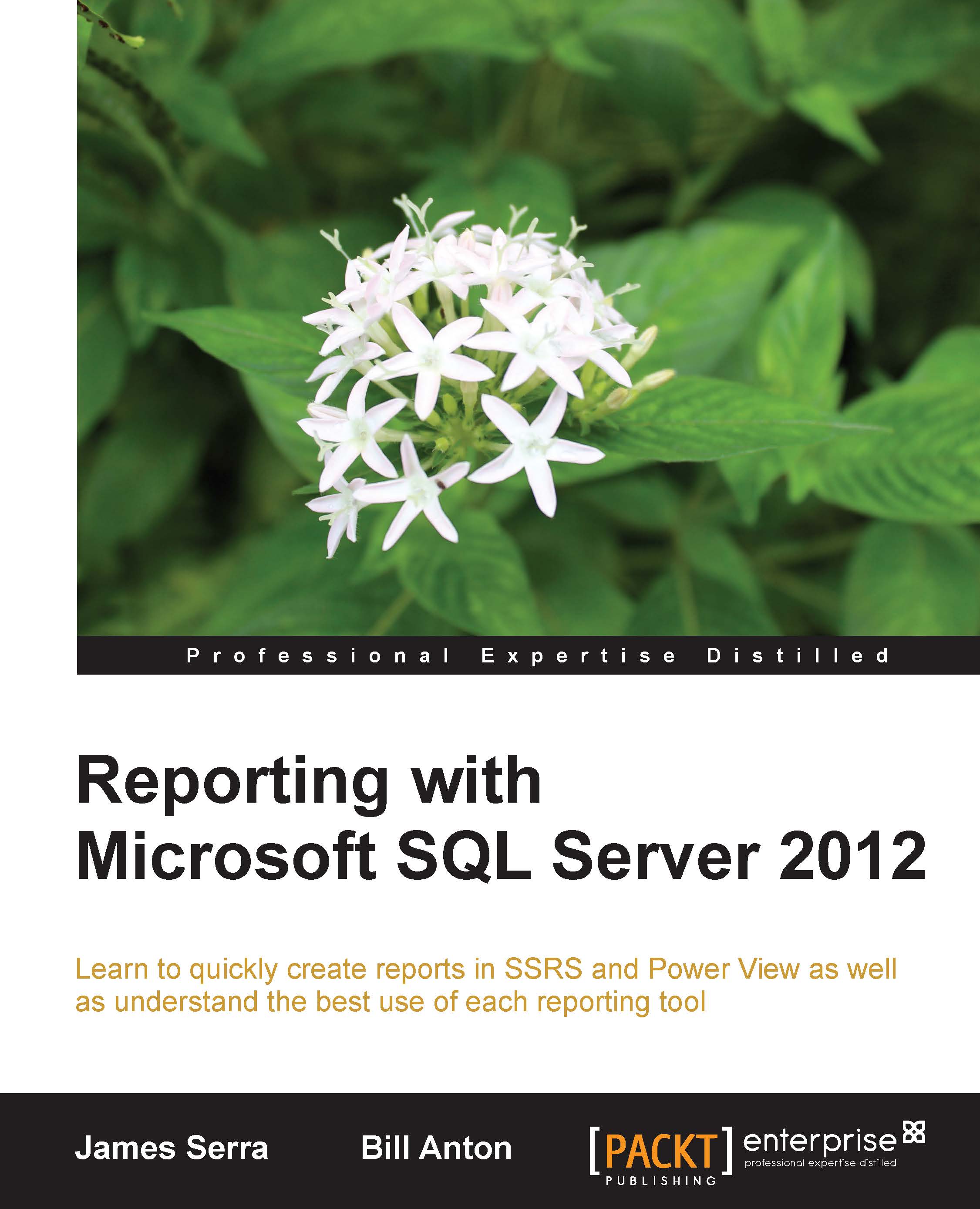
Reporting with Microsoft SQL Server 2012

Reporting with Microsoft SQL Server 2012: Learn to quickly create reports in SSRS and Power View as well as understand the best use of each reporting tool.

eBook
$20.69 $22.99
Paperback
$38.99
Subscription
Free Trial
Renews at $19.99p/m

What do you get with Print?

Product feature icon Instant access to your digital copy whilst your Print order is Shipped
Product feature icon Paperback book shipped to your preferred address
Product feature icon Redeem a companion digital copy on all Print orders
Product feature icon Access this title in our online reader with advanced features
Product feature icon DRM FREE - Read whenever, wherever and however you want
Modal Close icon
Payment Processing...
tick Completed

Shipping Address

Billing Address

Shipping Methods
Table of content icon View table of contents Preview book icon Preview Book

Reporting with Microsoft SQL Server 2012

Chapter 2. SSRS – Standard Reporting

SQL Server Reporting Services (SSRS) is Microsoft's primary technology for delivering standard reports. As mentioned in the previous chapter, these types of reports typically contain a well-defined output that is known and developed by a member of the IT department ahead of time and delivered on a recurring basis to facilitate the regular daily, weekly, and even monthly decision-making needs of the business.

One of the great capabilities of SSRS is the fine-grained control it allows users over visualizations, layout, parameterization, and extensibility, providing for a level of customization that simply can't be matched by any other reporting tool in the Microsoft stack. In fact, it is this ability of control and customization that also makes SSRS well suited for the development and delivery of complex dashboards and scorecards, even though there are arguably more suitable tools (for example, PerformancePoint) for this purpose when requirements are more...

Primary components of a report


Before diving into all the cool features and functionalities offered by SSRS, it is important to have a basic understanding of the primary components that make up an SSRS report as well as a mental model of how these components work together to deliver information to the business; which is, after all, the entire purpose of standard reporting.

The primary components of an SSRS report are as follows:

  • Data source

  • Dataset

  • Report item

The following diagram shows how data flows from the source system through these components and out to the end user:

Flow of data through primary report components

Data source

A data source is typically the first object created while building an SSRS report and contains all the information necessary to make a connection to a source system. The source system could be a SQL Server database, Analysis Services cube, a SharePoint list, or some other type of business application database such as Oracle.

While most reports typically pull data...

Additional components of a report


A basic report can be created from just the primary components (data source, dataset, and report items) discussed in the previous section. However, in practice, there are a few other objects used to make reports more useful and flexible for business users.

Report parameters

Parameters provide users with control over the behavior of a report at runtime. The most common use of parameters is in conjunction with a dataset to filter the results returned by the query. This can add a great deal of flexibility to reports. For example, instead of developing a separate report for each of the company's six sales territories, a single report could be created with a sales territory parameter that allows the user to choose the sales territory or subset of sales territories that they want data displayed for at runtime.

Parameter values can also be accessed in expressions (which will be discussed in the next section) allowing the user to provide input that is then used to...

Report development environment


There are two primary tools for report authors to use in creating SSRS reports: Report Builder and Report Designer.

  • Report Builder: This is a standalone application offering a simplistic design experience and targeted at power users. This tool provides a familiar office-ribbon user interface and provides a wizard to guide the report author through the various report development tasks. It can also be used to easily edit existing reports that have been deployed to the report server.

  • Report Designer: This is a fully featured report authoring tool based on Visual Studio and targeted at IT developers. Compared to Report Builder, this tool offers a much more manual development experience but can prove to be overly complicated for typical power users.

Feature-wise there is little difference between these two tools other than the ability to consume Shared Report Parts. Report Builder can be used to create and consume Shared Report Parts, while Report Designer can only...

Server features and functionality


SQL Server Reporting Services is a server-based reporting system with an application layer responsible for the authentication, processing, rendering, and delivery of reports to users. Depending on the installation mode, the application layer might also be responsible for the security of reporting-related objects stored on the server such as reports, shared data sources, shared datasets, and shared report parts.

In addition to the items described below, which are fairly standard across most enterprise-level standard reporting systems, Reporting Services also includes a number of other features that provide substantial gains in performance and user experience. These features include items such as subscriptions, caching, and snapshots, as well as a new feature known as data driven alerts.

In the rest of this section, we will explore the primary server-level features and functionality offered by the SQL Server Reporting Services.

Choosing an installation mode ...

Consuming reports


There are a number of ways for users to consume Reporting Services reports.

Online

For on-demand scenarios the most common method is to view the reports online using a browser through the reporting services web application, SharePoint site, or through a custom application that interfaces with the report server. Another scenario where users will typically view a report online is with data alerts. When a data alert is triggered, the generated e-mail sent to the user will contain a link to the source report.

Offline

There are plenty of scenarios where users might need to view standard reports in an offline format through applications such as Microsoft Excel or Word. In these cases, users can obtain offline copies of the report in one of two ways. The first way is to view the report online and export a copy of it in one of the offline file formats shown in the following screenshot. The other method to view a report offline is to set up a subscription to execute the report and deliver...

Summary


In this chapter, we covered the main features and functionalities offered in SQL Server Reporting Services 2012, including a breakdown of report components, development experience, extensibility, and security. By now, readers should have a general understanding of the capabilities offered in SQL Server Reporting Services. In the next chapter, we are going to roll up our sleeves and step into the shoes of a report developer to create a report and deploy it to a report server.

Left arrow icon Right arrow icon

What you will learn

  • Get to grips with reporting scenarios that describe the best reporting tool to use
  • Follow the stepbystep exercises to build a report in SSRS and Power View
  • Visualize and interact with data in bold new ways with Power View
  • Generate reports quickly using intuitive interfaces
  • Create selfservice reports with a wide variety of formats
Estimated delivery fee Deliver to United States

Economy delivery 10 - 13 business days

Free $6.95

Premium delivery 6 - 9 business days

$21.95
(Includes tracking information)

Product Details

Country selected
Publication date, Length, Edition, Language, ISBN-13
Publication date : Mar 18, 2014
Length: 142 pages
Edition :
Language : English
ISBN-13 : 9781782171720
Vendor :
Microsoft
Category :
Languages :
Tools :

What do you get with Print?

Product feature icon Instant access to your digital copy whilst your Print order is Shipped
Product feature icon Paperback book shipped to your preferred address
Product feature icon Redeem a companion digital copy on all Print orders
Product feature icon Access this title in our online reader with advanced features
Product feature icon DRM FREE - Read whenever, wherever and however you want
Modal Close icon
Payment Processing...
tick Completed

Shipping Address

Billing Address

Shipping Methods
Estimated delivery fee Deliver to United States

Economy delivery 10 - 13 business days

Free $6.95

Premium delivery 6 - 9 business days

$21.95
(Includes tracking information)

Product Details

Publication date : Mar 18, 2014
Length: 142 pages
Edition :
Language : English
ISBN-13 : 9781782171720
Vendor :
Microsoft
Category :
Languages :
Tools :

Packt Subscriptions

See our plans and pricing
Modal Close icon
$19.99 billed monthly
Feature tick icon Unlimited access to Packt's library of 7,000+ practical books and videos
Feature tick icon Constantly refreshed with 50+ new titles a month
Feature tick icon Exclusive Early access to books as they're written
Feature tick icon Solve problems while you work with advanced search and reference features
Feature tick icon Offline reading on the mobile app
Feature tick icon Simple pricing, no contract
$199.99 billed annually
Feature tick icon Unlimited access to Packt's library of 7,000+ practical books and videos
Feature tick icon Constantly refreshed with 50+ new titles a month
Feature tick icon Exclusive Early access to books as they're written
Feature tick icon Solve problems while you work with advanced search and reference features
Feature tick icon Offline reading on the mobile app
Feature tick icon Choose a DRM-free eBook or Video every month to keep
Feature tick icon PLUS own as many other DRM-free eBooks or Videos as you like for just $5 each
Feature tick icon Exclusive print discounts
$279.99 billed in 18 months
Feature tick icon Unlimited access to Packt's library of 7,000+ practical books and videos
Feature tick icon Constantly refreshed with 50+ new titles a month
Feature tick icon Exclusive Early access to books as they're written
Feature tick icon Solve problems while you work with advanced search and reference features
Feature tick icon Offline reading on the mobile app
Feature tick icon Choose a DRM-free eBook or Video every month to keep
Feature tick icon PLUS own as many other DRM-free eBooks or Videos as you like for just $5 each
Feature tick icon Exclusive print discounts

Frequently bought together


Stars icon
Total $ 142.97
Reporting with Microsoft SQL Server 2012
$38.99
Expert Cube Development with SSAS Multidimensional Models
$54.99
Microsoft SQL Server 2012 Integration Services: An Expert Cookbook
$48.99
Total $ 142.97 Stars icon

Table of Contents

5 Chapters
Getting Started with Reporting Chevron down icon Chevron up icon
SSRS – Standard Reporting Chevron down icon Chevron up icon
Development Activity with SSRS Chevron down icon Chevron up icon
Power View – Self-service Reporting Chevron down icon Chevron up icon
Development Activity with Power View Chevron down icon Chevron up icon

Customer reviews

Top Reviews
Rating distribution
Full star icon Full star icon Full star icon Full star icon Half star icon 4.1
(7 Ratings)
5 star 71.4%
4 star 0%
3 star 0%
2 star 28.6%
1 star 0%
Filter icon Filter
Top Reviews

Filter reviews by


Nicholas Emond Nov 20, 2014
Full star icon Full star icon Full star icon Full star icon Full star icon 5
This well written book gives clear examples on how to use features of SSRS and Power View. This book will be my first stop (before Google) when I'll want to use features about SSRS that I have never used (i.e.: subscriptions) and to learn Power View.A "must read" if you want to get your MCSE : Business Intelligence.
Amazon Verified review Amazon
Robert F. Sonders Apr 28, 2014
Full star icon Full star icon Full star icon Full star icon Full star icon 5
I have recently completed reading this book. I was looking for a good dive into the new SQL 2012 SSRS reporting functionality. As a seasoned IT professional, I continually want to jump in to new technology. This book will have you ramped up with the new functionality in no time. With SQL 2012, there are many choices. The book jumps right in with many different scenarios that report writers and business savvy power users will face. Optional solutions are then provided that are very much applicable to real world considerations. The various opportunities and pitfalls of the MSSQL reporting stack are explained. Which to choose and when. All the BI Semantic Model data sources are touched upon. Server side, SharePoint, and connectivity considerations are also explained in detail. The book provides considerable development examples around Power View. The relationship between PowerPivot and Power View is explained in great detail. As a report writer, you will be off and running with Data visualizations with Power View in no time, either within SharePoint or Excel. This will greatly reduce development time. Good read!
Amazon Verified review Amazon
Tamta Meladze May 16, 2014
Full star icon Full star icon Full star icon Full star icon Full star icon 5
This book is very easy to read and understand. I liked that it's straight to the point, not too much detail but just exactly what you need to know, and it also gives references to Microsoft technet site for more in depth detailed information on each topic. Very good comparisons between SSRS and PowerView with great examples and step by step tutorials. I will definitely recommend this book especially for beginners in reporting like me.
Amazon Verified review Amazon
Mimi Byrd May 01, 2014
Full star icon Full star icon Full star icon Full star icon Full star icon 5
I have been in the IT field for 16 years and one of the troubling factors with technically books is that they are most often written from a beginners level. This book provides practical real life scenarios that will quickly get you moving allow on your reporting project. The relationship between PowerPivot and Power View is explained in awesome detail. I was able to work through the examples and starting building with Data visualizations with Power View in no time, either within SharePoint or Excel. This book was a win for my project! [...]
Amazon Verified review Amazon
Glyn Radcliffe-Brine Jun 02, 2014
Full star icon Full star icon Full star icon Full star icon Full star icon 5
I am a SQL Server Consultant, Mentor and Trainer. I have been writing and running Reporting Services (SSRCS) training courses since 2004 when SSRS was launched as an add-in to SQL Server 2000. I immediately saw the huge benefits of SSRS over Crystal Reports and from 2005 onwards I have focused on SQL Server and SharePoint with my reporting tool of choice being SSRS.Since 2004 many SSRS books have been written, most of them either too simplistic to be of any use to anyone other a raw beginner or too abstruse for anyone who isn't already an expert to understand. Microsoft's Technet often falls into the latter category.Because of my experience (and because I have written much training material myself) my approach to any new SQL Server related book tends to be a bit jaundiced. Here is what I found when I read Reporting with Microsoft SQL Server 2012:I like the style. It's easy to read and it assumes that the reader is intelligent but not yet expert in the subject matter. The language is plain English (I'll have to forgive the fact that it's American English rather than British English) with clear explanations of both theory and practice.Accuracy is good. I haven't yet spotted any howlers, and although I disagree with the author on one or two points, it's mainly a matter of opinion rather than fact.Some specific points:The Reporting Scenarios starting on page 10 are excellent! Unfortunately they do rather emphasise the mess that Microsoft has made of SSRS's placement in the market. Users are confused by the decisions they need to make as to which elements product (some of which are only available to Enterprise SQL Server and/or Enterprise SharePoint). Confusion is a really good way to drive customers away to competing (generally inferior) products.Somewhere around page 20 I would have commented that the Query Designer is quite aggressive (it eats your code if you errors rather than helping you to rectify the errors) and I would have explicitly stated that most people who code SSRS queries use Management Studio if they have the appropriate permissions.The warning on page 36 regarding the issues around scheduling and credentials cries out for a worked example. This is a topic that many of my students struggle with until they see a practical example.The paragraphs on Report Snapshots are particularly clear, and I like the note hinting that you might like to leave this to the IT department.Although data security is only covered at a high level, the description contains enough detail without being deadly dull. I do worry slightly about the references to TechNet articles, as per my previous comment.Regarding PowerView and Reporting Services Integrated Mode with SharePoint 2013, I haven't seen any note warning users that these can't be used with SharePoint 2013 Online.Notwithstanding my previous comment, the PowerView section is excellent. The book is worth buying just for this. I heartily recommend this book! Here is a link to the publishers site: [...]
Amazon Verified review Amazon
Get free access to Packt library with over 7500+ books and video courses for 7 days!
Start Free Trial

FAQs

What is the digital copy I get with my Print order? Chevron down icon Chevron up icon

When you buy any Print edition of our Books, you can redeem (for free) the eBook edition of the Print Book you’ve purchased. This gives you instant access to your book when you make an order via PDF, EPUB or our online Reader experience.

What is the delivery time and cost of print book? Chevron down icon Chevron up icon

Shipping Details

USA:

'

Economy: Delivery to most addresses in the US within 10-15 business days

Premium: Trackable Delivery to most addresses in the US within 3-8 business days

UK:

Economy: Delivery to most addresses in the U.K. within 7-9 business days.
Shipments are not trackable

Premium: Trackable delivery to most addresses in the U.K. within 3-4 business days!
Add one extra business day for deliveries to Northern Ireland and Scottish Highlands and islands

EU:

Premium: Trackable delivery to most EU destinations within 4-9 business days.

Australia:

Economy: Can deliver to P. O. Boxes and private residences.
Trackable service with delivery to addresses in Australia only.
Delivery time ranges from 7-9 business days for VIC and 8-10 business days for Interstate metro
Delivery time is up to 15 business days for remote areas of WA, NT & QLD.

Premium: Delivery to addresses in Australia only
Trackable delivery to most P. O. Boxes and private residences in Australia within 4-5 days based on the distance to a destination following dispatch.

India:

Premium: Delivery to most Indian addresses within 5-6 business days

Rest of the World:

Premium: Countries in the American continent: Trackable delivery to most countries within 4-7 business days

Asia:

Premium: Delivery to most Asian addresses within 5-9 business days

Disclaimer:
All orders received before 5 PM U.K time would start printing from the next business day. So the estimated delivery times start from the next day as well. Orders received after 5 PM U.K time (in our internal systems) on a business day or anytime on the weekend will begin printing the second to next business day. For example, an order placed at 11 AM today will begin printing tomorrow, whereas an order placed at 9 PM tonight will begin printing the day after tomorrow.


Unfortunately, due to several restrictions, we are unable to ship to the following countries:

  1. Afghanistan
  2. American Samoa
  3. Belarus
  4. Brunei Darussalam
  5. Central African Republic
  6. The Democratic Republic of Congo
  7. Eritrea
  8. Guinea-bissau
  9. Iran
  10. Lebanon
  11. Libiya Arab Jamahriya
  12. Somalia
  13. Sudan
  14. Russian Federation
  15. Syrian Arab Republic
  16. Ukraine
  17. Venezuela
What is custom duty/charge? Chevron down icon Chevron up icon

Customs duty are charges levied on goods when they cross international borders. It is a tax that is imposed on imported goods. These duties are charged by special authorities and bodies created by local governments and are meant to protect local industries, economies, and businesses.

Do I have to pay customs charges for the print book order? Chevron down icon Chevron up icon

The orders shipped to the countries that are listed under EU27 will not bear custom charges. They are paid by Packt as part of the order.

List of EU27 countries: www.gov.uk/eu-eea:

A custom duty or localized taxes may be applicable on the shipment and would be charged by the recipient country outside of the EU27 which should be paid by the customer and these duties are not included in the shipping charges been charged on the order.

How do I know my custom duty charges? Chevron down icon Chevron up icon

The amount of duty payable varies greatly depending on the imported goods, the country of origin and several other factors like the total invoice amount or dimensions like weight, and other such criteria applicable in your country.

For example:

  • If you live in Mexico, and the declared value of your ordered items is over $ 50, for you to receive a package, you will have to pay additional import tax of 19% which will be $ 9.50 to the courier service.
  • Whereas if you live in Turkey, and the declared value of your ordered items is over € 22, for you to receive a package, you will have to pay additional import tax of 18% which will be € 3.96 to the courier service.
How can I cancel my order? Chevron down icon Chevron up icon

Cancellation Policy for Published Printed Books:

You can cancel any order within 1 hour of placing the order. Simply contact customercare@packt.com with your order details or payment transaction id. If your order has already started the shipment process, we will do our best to stop it. However, if it is already on the way to you then when you receive it, you can contact us at customercare@packt.com using the returns and refund process.

Please understand that Packt Publishing cannot provide refunds or cancel any order except for the cases described in our Return Policy (i.e. Packt Publishing agrees to replace your printed book because it arrives damaged or material defect in book), Packt Publishing will not accept returns.

What is your returns and refunds policy? Chevron down icon Chevron up icon

Return Policy:

We want you to be happy with your purchase from Packtpub.com. We will not hassle you with returning print books to us. If the print book you receive from us is incorrect, damaged, doesn't work or is unacceptably late, please contact Customer Relations Team on customercare@packt.com with the order number and issue details as explained below:

  1. If you ordered (eBook, Video or Print Book) incorrectly or accidentally, please contact Customer Relations Team on customercare@packt.com within one hour of placing the order and we will replace/refund you the item cost.
  2. Sadly, if your eBook or Video file is faulty or a fault occurs during the eBook or Video being made available to you, i.e. during download then you should contact Customer Relations Team within 14 days of purchase on customercare@packt.com who will be able to resolve this issue for you.
  3. You will have a choice of replacement or refund of the problem items.(damaged, defective or incorrect)
  4. Once Customer Care Team confirms that you will be refunded, you should receive the refund within 10 to 12 working days.
  5. If you are only requesting a refund of one book from a multiple order, then we will refund you the appropriate single item.
  6. Where the items were shipped under a free shipping offer, there will be no shipping costs to refund.

On the off chance your printed book arrives damaged, with book material defect, contact our Customer Relation Team on customercare@packt.com within 14 days of receipt of the book with appropriate evidence of damage and we will work with you to secure a replacement copy, if necessary. Please note that each printed book you order from us is individually made by Packt's professional book-printing partner which is on a print-on-demand basis.

What tax is charged? Chevron down icon Chevron up icon

Currently, no tax is charged on the purchase of any print book (subject to change based on the laws and regulations). A localized VAT fee is charged only to our European and UK customers on eBooks, Video and subscriptions that they buy. GST is charged to Indian customers for eBooks and video purchases.

What payment methods can I use? Chevron down icon Chevron up icon

You can pay with the following card types:

  1. Visa Debit
  2. Visa Credit
  3. MasterCard
  4. PayPal
What is the delivery time and cost of print books? Chevron down icon Chevron up icon

Shipping Details

USA:

'

Economy: Delivery to most addresses in the US within 10-15 business days

Premium: Trackable Delivery to most addresses in the US within 3-8 business days

UK:

Economy: Delivery to most addresses in the U.K. within 7-9 business days.
Shipments are not trackable

Premium: Trackable delivery to most addresses in the U.K. within 3-4 business days!
Add one extra business day for deliveries to Northern Ireland and Scottish Highlands and islands

EU:

Premium: Trackable delivery to most EU destinations within 4-9 business days.

Australia:

Economy: Can deliver to P. O. Boxes and private residences.
Trackable service with delivery to addresses in Australia only.
Delivery time ranges from 7-9 business days for VIC and 8-10 business days for Interstate metro
Delivery time is up to 15 business days for remote areas of WA, NT & QLD.

Premium: Delivery to addresses in Australia only
Trackable delivery to most P. O. Boxes and private residences in Australia within 4-5 days based on the distance to a destination following dispatch.

India:

Premium: Delivery to most Indian addresses within 5-6 business days

Rest of the World:

Premium: Countries in the American continent: Trackable delivery to most countries within 4-7 business days

Asia:

Premium: Delivery to most Asian addresses within 5-9 business days

Disclaimer:
All orders received before 5 PM U.K time would start printing from the next business day. So the estimated delivery times start from the next day as well. Orders received after 5 PM U.K time (in our internal systems) on a business day or anytime on the weekend will begin printing the second to next business day. For example, an order placed at 11 AM today will begin printing tomorrow, whereas an order placed at 9 PM tonight will begin printing the day after tomorrow.


Unfortunately, due to several restrictions, we are unable to ship to the following countries:

  1. Afghanistan
  2. American Samoa
  3. Belarus
  4. Brunei Darussalam
  5. Central African Republic
  6. The Democratic Republic of Congo
  7. Eritrea
  8. Guinea-bissau
  9. Iran
  10. Lebanon
  11. Libiya Arab Jamahriya
  12. Somalia
  13. Sudan
  14. Russian Federation
  15. Syrian Arab Republic
  16. Ukraine
  17. Venezuela
Modal Close icon
Modal Close icon