Search icon CANCEL
Subscription
0
Cart icon
Your Cart (0 item)
Close icon
You have no products in your basket yet
Save more on your purchases! discount-offer-chevron-icon
Savings automatically calculated. No voucher code required.
Arrow left icon
Explore Products
Best Sellers
New Releases
Books
Videos
Audiobooks
Learning Hub
Newsletter Hub
Free Learning
Arrow right icon
timer SALE ENDS IN
0 Days
:
00 Hours
:
00 Minutes
:
00 Seconds
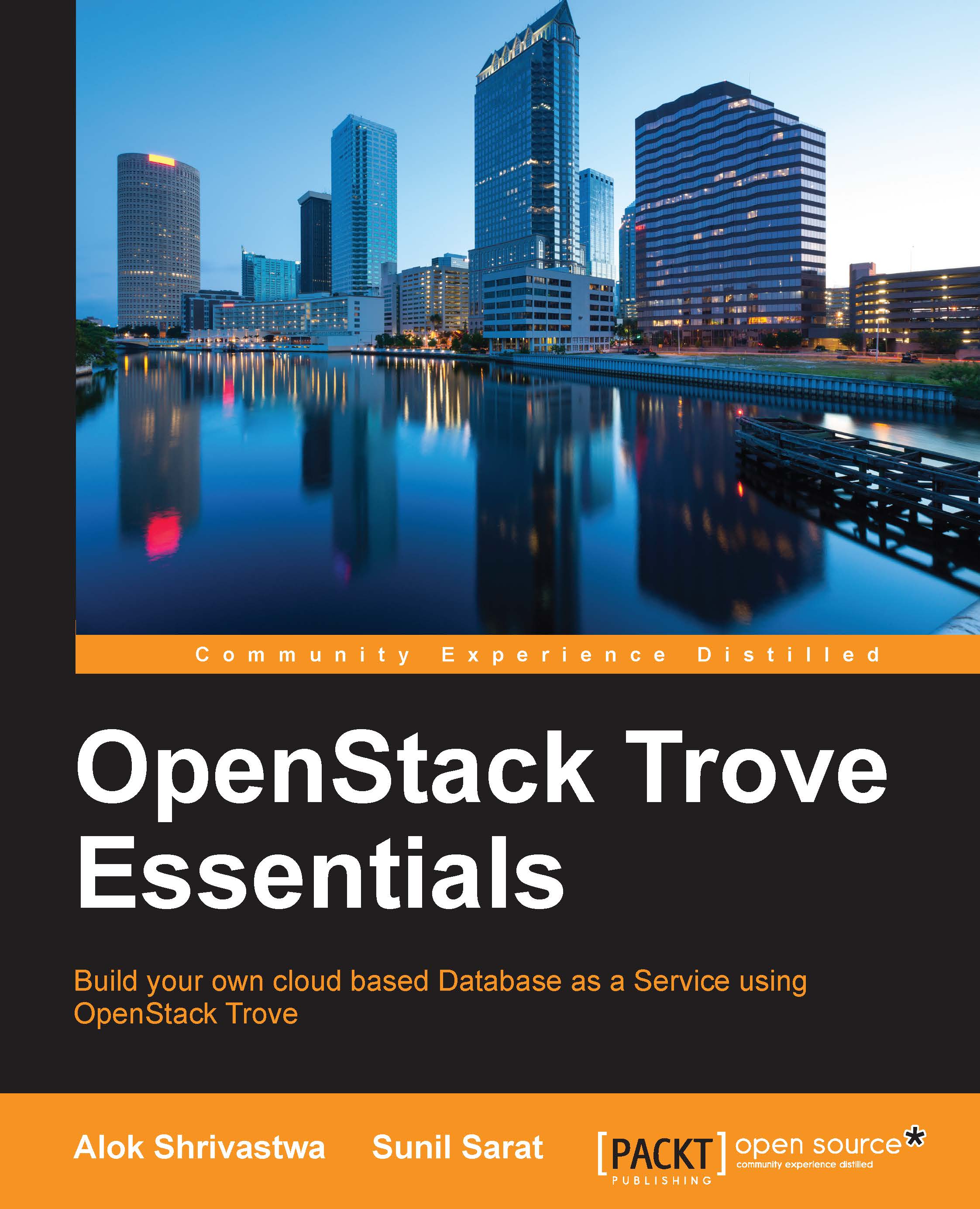
OpenStack Trove Essentials

OpenStack Trove Essentials: Build your own cloud based Database as a Service using OpenStack Trove

Arrow left icon
Profile Icon Alok Shrivastwa Profile Icon Doug Shelley Profile Icon Amrith Kumar Profile Icon Sarat
Arrow right icon
$38.99
Paperback Mar 2016 170 pages 1st Edition
eBook
$9.99 $29.99
Paperback
$38.99
Subscription
Free Trial
Renews at $19.99p/m
Arrow left icon
Profile Icon Alok Shrivastwa Profile Icon Doug Shelley Profile Icon Amrith Kumar Profile Icon Sarat
Arrow right icon
$38.99
Paperback Mar 2016 170 pages 1st Edition
eBook
$9.99 $29.99
Paperback
$38.99
Subscription
Free Trial
Renews at $19.99p/m
eBook
$9.99 $29.99
Paperback
$38.99
Subscription
Free Trial
Renews at $19.99p/m

What do you get with Print?

Product feature icon Instant access to your digital copy whilst your Print order is Shipped
Product feature icon Paperback book shipped to your preferred address
Product feature icon Redeem a companion digital copy on all Print orders
Product feature icon Access this title in our online reader with advanced features
Product feature icon DRM FREE - Read whenever, wherever and however you want
Modal Close icon
Payment Processing...
tick Completed

Shipping Address

Billing Address

Shipping Methods
Table of content icon View table of contents Preview book icon Preview Book

OpenStack Trove Essentials

Chapter 1. Introducing OpenStack Trove

OpenStack Trove truly and remarkably is a treasure or collection of valuable things, especially for open source lovers like us and, of course, it is an apt name for the Database as a Service (DBaaS) component of OpenStack. In this book, we shall see why this component shows the potential and is on its way to becoming one of the crucial components in the OpenStack world.

In this chapter, we will cover the following:

  • DBaaS and its advantages
  • An introduction to OpenStack's Trove project and its components

Database as a Service

Data is a key component in today's world, and what would applications do without data? Data is very critical, especially in the case of businesses such as the financial sector, social media, e-commerce, healthcare, and streaming media. Storing and retrieving data in a manageable way is absolutely key. Databases, as we all know, have been helping us manage data for quite some time now.

Databases form an integral part of any application. Also, the data-handling needs of different type of applications are different, which has given rise to an increase in the number of database types. As the overall complexity increases, it becomes increasingly challenging and difficult for the database administrators (DBAs) to manage them.

DBaaS is a cloud-based service-oriented approach to offering databases on demand for storing and managing data. DBaaS offers a flexible and scalable platform that is oriented towards self-service and easy management, particularly in terms of provisioning a business' environment using a database of choice in a matter of a few clicks and in minutes rather than waiting on it for days or even, in some cases, weeks.

The fundamental building block of any DBaaS is that it will be deployed over a cloud platform, be it public (AWS, Azure, and so on) or private (VMware, OpenStack, and so on). In our case, we are looking at a private cloud running OpenStack. So, to the extent necessary, you might come across references to OpenStack and its other services, on which Trove depends.

XaaS (short for Anything/Everything as a Service, of which DBaaS is one such service) is fast gaining momentum. In the cloud world, everything is offered as a service, be it infrastructure, software, or, in this case, databases. Amazon Web Services (AWS) offers various services around this: the Relational Database Service (RDS) for the RDBMS (short for relational database management system) kind of system; SimpleDB and DynamoDB for NoSQL databases; and Redshift for data warehousing needs.

The OpenStack world was also not untouched by the growing demand for DBaaS, not just by users but also by DBAs, and as a result, Trove made its debut with the OpenStack release Icehouse in April 2014 and since then is one of the most popular advanced services of OpenStack.

It supports several SQL and NoSQL databases and provides the full life cycle management of the databases.

Advantages

Now, you must be wondering why we must even consider DBaaS over traditional database management strategies. Here are a few points you might want to consider that might make it worth your time.

Reduced database management costs

In any organization, most of their DBAs' time is wasted in mundane tasks such as creating databases, creating instances, and so on. They are not able to concentrate on tasks such as fine-tuning SQL queries so that applications run faster, not to mention the time taken to do it all manually (or with a bunch of scripts that need to be fired manually), so this in effect is wasting resources in terms of both developers' and DBAs' time. This can be significantly reduced using a DBaaS.

Faster provisioning and standardization

With DBaaS, databases that are provisioned by the system will be compliant with standards as there is very little human intervention involved. This is especially helpful in the case of heavily regulated industries. As an example, let's look at members of the healthcare industry. They are bound by regulations such as HIPAA (short for Health Insurance Portability and Accountability Act of 1996), which enforces certain controls on how data is to be stored and managed. Given this scenario, DBaaS makes the database provisioning process easy and compliant as they only need to qualify the process once, and then every other database coming out of the automated provisioning system is then compliant with the standards or controls set.

Easier administration

Since DBaaS is cloud based, which means there will be a lot of automation, administration becomes that much more automated and easier. Some important administration tasks are backup/recovery and software upgrade/downgrade management. As an example, with most databases, we should be able to push configuration modifications within minutes to all the database instances that have been spun out by the DBaaS system. This ensures that any new standards being thought of can easily be implemented.

Scaling and efficiency

Scaling (up or down) becomes immensely easy, and this reduces resource hogging, which developers used as part of their planning for a rainy day, and in most cases, it never came. In the case of DBaaS, since you don't commit resources upfront and only scale up or down as and when necessary, resource utilization will be highly efficient.

These are some of the advantages available to organizations that use DBaaS. Some of the concerns and roadblocks for organizations in adopting DBaaS, especially in a public cloud model, are as follows:

  • Companies don't want to have sensitive data leave their premises.
  • Database access and speed are key to application performance. Not being able to manage the underlying infrastructure inhibits some organizations from going to a DBaaS model.

In contrast to public cloud-based DBaaS, concerns regarding data security, performance, and visibility reduce significantly in the case of private DBaaS systems such as Trove. In addition, the benefits of a cloud environment are not lost either.

Trove

OpenStack Trove, which was originally called Red Dwarf, is a project that was initiated by HP, and many others contributed to it later on, including Rackspace. The project was in incubation till the Havana release of OpenStack.

It was formally introduced in the Icehouse release in April 2014, and its mission is to provide scalable and reliable cloud DBaaS provisioning functionality for relational and non-relational database engines.

As of the Liberty release, Trove is considered as a big-tent service.

Big-tent is a new approach that allows projects to enter the OpenStack code namespace. In order for a service to be a big-tent service, it only needs to follow some basic rules, which are listed here. This allows the projects to have access to the shared teams in OpenStack, such as the infrastructure teams, release management teams, and documentation teams. The project should:

  • Align with the OpenStack mission
  • Subject itself to the rulings of the OpenStack Technical Committee
  • Support Keystone authentication
  • Be completely open source and open community based

At the time of writing this book, the adoption and maturity levels are as shown here:

Trove

The previous diagram shows that the Age of the project is just 2 YRS and it has a 27% Adoption rate, meaning 27 of 100 people running OpenStack also run Trove.

The maturity index is 1 on a scale of 1 to 5. It is derived from the following five aspects:

  • The presence of an installation guide
  • Whether the Adoption percentage is greater or lesser than 75
  • Stable branches of the project
  • Whether it supports seven or more SDKs
  • Corporate diversity in the team working on the project

Without further ado, let's take a look at the architecture that Trove implements in order to provide DBaaS.

Architecture

The trove project uses some shared components and some dedicated project-related components as mentioned in the following subsections.

Shared components

The Trove system shares two components with the other OpenStack projects: the backend database (MySQL/MariaDB), and the message bus.

The message bus

The AMQP (short for Advanced Message Queuing Protocol) message bus brokers the interactions between the task manager, API, guest agent, and conductor. This component ensures that Trove can be installed and configured as a distributed system.

MySQL/MariaDB

MySQL or MariaDB is used by Trove to store the state of the system.

API

This component is responsible for providing the RESTful API with JSON and XML support. This component can be called the face of Trove to the external world since all the other components talk to Trove using this. It talks to the task manager for complex tasks, but it can also talk to the guest agent directly to perform simple tasks, such as retrieving users.

The task manager

The task manager is the engine responsible for doing the majority of the work. It is responsible for provisioning instances, managing the life cycle, and performing different operations. The task manager normally sends common commands, which are of an abstract nature; it is the responsibility of the guest agent to read them and issue database-specific commands in order to execute them.

The guest agent

The guest agent runs inside the Nova instances that are used to run the database engines. The agent listens to the messaging bus for the topic and is responsible for actually translating and executing the commands that are sent to it by the task manager component for the particular datastore.

Let's also look at the different types of guest agents that are required depending on the database engine that needs to be supported. The different guest agents (for example, the MySQL and PostgreSQL guest agents) may even have different capabilities depending on what is supported on the particular database. This way, different datastores with different capabilities can be supported, and the system is kept extensible.

The conductor

The conductor component is responsible for updating the Trove backend database with the information that the guest agent sends regarding the instances. It eliminates the need for direct database access by all the guest agents for updating information. This is like the way the guest agent also listens to the topic on the messaging bus and performs its functions based on it.

The following diagram can be used to illustrate the different components of Trove and also their interaction with the dependent services:

The conductor

Terminology

Let's take a look at some of the terminology that Trove uses.

Datastore

Datastore is the term used for the RDBMS or NoSQL database that Trove can manage; it is nothing more than an abstraction of the underlying database engine, for example, MySQL, MongoDB, Percona, Couchbase, and so on.

Datastore version

This is linked to the datastore and defines a set of packages to be installed or already installed on an image. As an example, let's take MySQL 5.5. The datastore version will also link to a base image (operating system) that is stored in Glance.

The configuration parameters that can be modified are also dependent on the datastore and the datastore version.

Instance

An instance is an instantiation of a datastore version. It runs on OpenStack Nova and uses Cinder for persistent storage. It has a full OS and additionally has the guest agent of Trove.

Configuration group

A configuration group is a bunch of options that you can set. As an example, we can create a group and associate a number of instances to one configuration group, thereby maintaining the configurations in sync.

Flavor

The flavor is similar to the Nova machine flavor, but it is just a definition of memory and CPU requirements for the instance that will run and host the databases.

Normally, it's a good idea to have a high memory-to-CPU ratio as a flavor for running database instances.

Database

This is the actual database that the users consume. Several databases can run in a single Trove instance. This is where the actual users or applications connect with their database clients.

The following diagram shows these different terminologies, as a quick summary. Users or applications connect to databases, which reside in instances. The instances run in Nova but are instantiations of the Datastore version belonging to a Datastore. Just to explain this a little further, say we have two versions of MySQL that are being serviced. We will have one datastore but two datastore versions, and any instantiation of that will be called an instance, and the actual MySQL database that will be used by the application will be called the database (shown as DB in the diagram).

Database

A multi-datastore scenario

One of the important features of the Trove system is that it supports multiple databases to various degrees. In this subsection, we will see how Trove works with multiple Trove datastores.

In the following diagram, we have represented all the components of Trove (the API, task manager, and conductor) except the Guest Agent databases as Trove Controller. The Guest Agent code is different for every datastore that needs to be supported and the Guest Agent for that particular datastore is installed on the corresponding image of the datastore version.

A multi-datastore scenario

The guest agents by default have to implement some of the basic actions for the datastore, namely, create, resize, and delete, and individual guest agents have extensions that enable them to support additional features just for that datastore.

The following diagram should help us understand the command proxy function of the guest agent. Please note that the commands shown are only indicative, and the actual commands will vary.

A multi-datastore scenario

At the time of writing this book, Trove's guest agents are installable only on Linux; hence, only databases on Linux systems are supported. Feature requests (https://blueprints.launchpad.net/trove/+spec/mssql-server-db-support) were created for the ability to create a guest agent for Windows and support Microsoft SQL databases, but they have not yet been approved at the time of writing this and might be a remote possibility.

Database software distribution support

Trove supports various databases; the following table shows the databases supported by this service at the time of writing this. Automated installation is available for all the different databases, but there is some level of difference when it comes to the configuration capabilities of Trove with respect to different databases.

This has lot to do with the lack of a common configuration base among the different databases. At the time of writing this book, MySQL and MariaDB have the most configuration options available, as shown in this list:

Database

Version

MySQL

5.5, 5.6

Percona

5.5, 5.6

MariaDB

5.5, 10.0

Couchbase

2.2, 3.0

Cassandra

2.1

Redis

2.8

PostgreSQL

9.3, 9.4

MongoDB

2.6, 3.0

DB2 Expre

10.5

CouchDB

1.6

So, as you can see, almost all the major database applications that can run on Linux are already supported on Trove.

Putting it all together

Now that you have understood the architecture and terminologies, we will take a look at the general steps that are followed:

  1. Horizon/Trove CLI requests a new database instance and passes the datastore name and version, along with the flavor ID and volume size as mandatory parameters. Optional parameters such as the configuration group, AZ, replica-of, and so on can also be passed.
  2. The Trove API requests Nova for an instance with the particular image and a Cinder volume of a specific size to be added to the instance.
  3. The Nova instance boots and follows these steps:
    1. The cloud-init scripts are run (like all other Nova instances).
    2. The configuration files (for example, trove-guestagent.conf) are copied down to the instance.
    3. The guest agent is installed.
  4. The Trove API will also have sent the request to the task manager, which will then send the prepare call to the message bus topic.
  5. After booting, the guest agent listens to the message bus for any activities for it to do, and once it finds a message for itself, it processes the prepare command and performs the following functions:
    • Installing the database distribution (if not already installed on the image)
    • Creating the configuration file with the default configuration for the database engine (and any configuration from the configuration groups associated overriding the defaults)
    • Starting the database engine and enabling auto-start
    • Polling the database engine for availability (until the database engine is available or the timeout is reached)
    • Reporting the status back to the Trove backend using the Trove conductor
  6. The Trove manager reports back to the API and the status of the machine is changed.

Use cases

So, if you are wondering all the places where we can use Trove, it fits in rather nicely with the following use cases.

Dev/test databases

Dev/test databases are an absolute killer feature, and almost all companies that start using Trove will definitely use it for their dev/test environments. This provides developers with the ability to freely create and dispose of database instances at will. This ability helps them be more productive and removes any lag from when they want it to when they get it.

The capability of being able to take a backup, run a database, and restore the backup to another server is especially key when it comes to these kinds of workloads.

Web application databases

Trove is used in production for any database that supports low-risk applications, such as some web applications. With the introduction of different redundancy mechanisms, such as master-slave in MySQL, this is becoming more suited to many production environments.

Features

Trove is moving fast in terms of the features being added in the various releases. In this section, we will take a look at the features of three releases: the current release and the past two.

The Juno release

The Juno release saw a lot of features being added to the Trove system. Here is a non-exhaustive list:

  • Support for Neutron: Now we can use both Nova-network and Neutron for networking purposes.
  • Replication: MySQL master/slave replication was added. The API also allowed us to detach a slave for it to be promoted.
  • Clustering: MongoDB cluster support was added.
  • Configuration group improvements:
    • The functionality of using a default configuration group for a datastore version was added. This allows us to build the datastore version with a base configuration of your company standards.
    • Basic error checking was added to configuration groups.

The Kilo release

The Kilo release majorly worked on introducing a new datastore. The following is the list of major features that were introduced:

  • Support for the GTID (short for global transaction identifier) replication strategy
  • New datastores, namely Vertica, DB2, and CouchDB, are supported

The Liberty release

The Liberty release introduced the following features to Trove. This is a non-exhaustive list:

  • Configuration groups for Redis and MongoDB
  • Cluster support for Redis and MongoDB
  • Percona XtraDB cluster support
  • Backup and restore for a single instance of MongoDB
  • User and database management for MongoDB
  • Horizon support for database clusters
  • A management API for datastores and versions
  • The ability to deploy Trove instances in a single admin tenant so that the Nova instances are hidden from the user

Note

In order to see all the features introduced in the releases, please look at the release notes of the system, which can be found at these URLs:

Juno : https://wiki.openstack.org/wiki/ReleaseNotes/Juno

Kilo : https://wiki.openstack.org/wiki/ReleaseNotes/Kilo

Liberty : https://wiki.openstack.org/wiki/ReleaseNotes/Liberty

Summary

In this chapter, we were introduced to the basic concepts of DBaaS and how Trove can help with this. With several changes being introduced and a score of one on five with respect to maturity, it might seem as if it is too early to adopt Trove. However, a lot of companies are giving Trove a go in their dev/test environments as well as for some web databases in production, which is why the adoption percentage is steadily on the rise.

A few companies that are using Trove today are giants such as eBay, who run their dev/test Test databases on Trove; HP Helion Cloud, Rackspace Cloud, and Tesora (which is also one of the biggest contributors to the project) have DBaaS offerings based on the Trove component.

Trove is increasingly being used in various companies, and it is helping in reducing DBAs' mundane work and improving standardization. In the next chapter, we will see how to quickly set up Trove using DevStack scripts.

Left arrow icon Right arrow icon

Key benefits

  • Familiarize yourself with the concept of Database as a Service and make your existing system scalable and efficient with OpenStack Trove
  • Minimize the administrative tasks and complexities of managing your cloud infrastructure
  • This is a fast-paced guide to datastore management on the OpenStack platform using OpenStack Trove

Description

OpenStack has become an extremely popular solution to build public and private clouds with. Database as a Service (DBaaS) enables the delivery of more agile database services at lower costs. Some other benefits of DBaaS are secure database deployments and compliance to standards and best practices. Trove is a DBaaS built on OpenStack and is becoming more popular by the day. Since Trove is one of the most recent projects of OpenStack, DBAs and system administrators can find it difficult to set up and run a DBaaS using OpenStack Trove. This book helps DBAs make that step. We start by introducing you to the concepts of DBaaS and how is it implemented using OpenStack Trove. Following this, we look at implementing OpenStack and deploying Trove. Moving on, you will learn to create guest images to be used with Trove. We then look at how to provision databases in self-service mode, and how to perform administration tasks such as backup and recovery, and fine-tuning databases. At the end of the book, we will examine some advanced features of Trove such as replication.

Who is this book for?

If you are a DBA / system administrator / architect, or a student who wants to build a Database as a Service based on OpenStack, this book is for you. You should have a basic knowledge of OpenStack components, RDBMS/NoSQL, IaaS, and cloud computing.

What you will learn

  • * Get to grips with the basics of OpenStack and the prerequisites to install Trove
  • * Understand the expectations of DBaaS and how Trove can help you achieve them
  • * Set up a basic installation of DevStack (Development Stack) in a virtual box
  • * Install Trove and utilize its configuration groups to manage and tune databases
  • * Use Image builder to create guest images for Trove
  • * Utilize Trove to provision your first database instance
  • * Back up and restore your databases with the help of Trove
Estimated delivery fee Deliver to United States

Economy delivery 10 - 13 business days

Free $6.95

Premium delivery 6 - 9 business days

$21.95
(Includes tracking information)

Product Details

Country selected
Publication date, Length, Edition, Language, ISBN-13
Publication date : Mar 30, 2016
Length: 170 pages
Edition : 1st
Language : English
ISBN-13 : 9781785285615
Category :
Tools :

What do you get with Print?

Product feature icon Instant access to your digital copy whilst your Print order is Shipped
Product feature icon Paperback book shipped to your preferred address
Product feature icon Redeem a companion digital copy on all Print orders
Product feature icon Access this title in our online reader with advanced features
Product feature icon DRM FREE - Read whenever, wherever and however you want
Modal Close icon
Payment Processing...
tick Completed

Shipping Address

Billing Address

Shipping Methods
Estimated delivery fee Deliver to United States

Economy delivery 10 - 13 business days

Free $6.95

Premium delivery 6 - 9 business days

$21.95
(Includes tracking information)

Product Details

Publication date : Mar 30, 2016
Length: 170 pages
Edition : 1st
Language : English
ISBN-13 : 9781785285615
Category :
Tools :

Packt Subscriptions

See our plans and pricing
Modal Close icon
$19.99 billed monthly
Feature tick icon Unlimited access to Packt's library of 7,000+ practical books and videos
Feature tick icon Constantly refreshed with 50+ new titles a month
Feature tick icon Exclusive Early access to books as they're written
Feature tick icon Solve problems while you work with advanced search and reference features
Feature tick icon Offline reading on the mobile app
Feature tick icon Simple pricing, no contract
$199.99 billed annually
Feature tick icon Unlimited access to Packt's library of 7,000+ practical books and videos
Feature tick icon Constantly refreshed with 50+ new titles a month
Feature tick icon Exclusive Early access to books as they're written
Feature tick icon Solve problems while you work with advanced search and reference features
Feature tick icon Offline reading on the mobile app
Feature tick icon Choose a DRM-free eBook or Video every month to keep
Feature tick icon PLUS own as many other DRM-free eBooks or Videos as you like for just $5 each
Feature tick icon Exclusive print discounts
$279.99 billed in 18 months
Feature tick icon Unlimited access to Packt's library of 7,000+ practical books and videos
Feature tick icon Constantly refreshed with 50+ new titles a month
Feature tick icon Exclusive Early access to books as they're written
Feature tick icon Solve problems while you work with advanced search and reference features
Feature tick icon Offline reading on the mobile app
Feature tick icon Choose a DRM-free eBook or Video every month to keep
Feature tick icon PLUS own as many other DRM-free eBooks or Videos as you like for just $5 each
Feature tick icon Exclusive print discounts

Frequently bought together


Stars icon
Total $ 126.97
OpenStack for Architects
$43.99
OpenStack Trove Essentials
$38.99
OpenStack Orchestration
$43.99
Total $ 126.97 Stars icon

Table of Contents

9 Chapters
1. Introducing OpenStack Trove Chevron down icon Chevron up icon
2. Setting up Trove with DevStack in a Box Chevron down icon Chevron up icon
3. Installing Trove in an Existing OpenStack Environment Chevron down icon Chevron up icon
4. Preparing the Guest Images Chevron down icon Chevron up icon
5. Provisioning Database Instances Chevron down icon Chevron up icon
6. Configuring the Trove Instances Chevron down icon Chevron up icon
7. Database Backup and Restore Chevron down icon Chevron up icon
8. Advanced Database Features Chevron down icon Chevron up icon
Index Chevron down icon Chevron up icon
Get free access to Packt library with over 7500+ books and video courses for 7 days!
Start Free Trial

FAQs

What is the digital copy I get with my Print order? Chevron down icon Chevron up icon

When you buy any Print edition of our Books, you can redeem (for free) the eBook edition of the Print Book you’ve purchased. This gives you instant access to your book when you make an order via PDF, EPUB or our online Reader experience.

What is the delivery time and cost of print book? Chevron down icon Chevron up icon

Shipping Details

USA:

'

Economy: Delivery to most addresses in the US within 10-15 business days

Premium: Trackable Delivery to most addresses in the US within 3-8 business days

UK:

Economy: Delivery to most addresses in the U.K. within 7-9 business days.
Shipments are not trackable

Premium: Trackable delivery to most addresses in the U.K. within 3-4 business days!
Add one extra business day for deliveries to Northern Ireland and Scottish Highlands and islands

EU:

Premium: Trackable delivery to most EU destinations within 4-9 business days.

Australia:

Economy: Can deliver to P. O. Boxes and private residences.
Trackable service with delivery to addresses in Australia only.
Delivery time ranges from 7-9 business days for VIC and 8-10 business days for Interstate metro
Delivery time is up to 15 business days for remote areas of WA, NT & QLD.

Premium: Delivery to addresses in Australia only
Trackable delivery to most P. O. Boxes and private residences in Australia within 4-5 days based on the distance to a destination following dispatch.

India:

Premium: Delivery to most Indian addresses within 5-6 business days

Rest of the World:

Premium: Countries in the American continent: Trackable delivery to most countries within 4-7 business days

Asia:

Premium: Delivery to most Asian addresses within 5-9 business days

Disclaimer:
All orders received before 5 PM U.K time would start printing from the next business day. So the estimated delivery times start from the next day as well. Orders received after 5 PM U.K time (in our internal systems) on a business day or anytime on the weekend will begin printing the second to next business day. For example, an order placed at 11 AM today will begin printing tomorrow, whereas an order placed at 9 PM tonight will begin printing the day after tomorrow.


Unfortunately, due to several restrictions, we are unable to ship to the following countries:

  1. Afghanistan
  2. American Samoa
  3. Belarus
  4. Brunei Darussalam
  5. Central African Republic
  6. The Democratic Republic of Congo
  7. Eritrea
  8. Guinea-bissau
  9. Iran
  10. Lebanon
  11. Libiya Arab Jamahriya
  12. Somalia
  13. Sudan
  14. Russian Federation
  15. Syrian Arab Republic
  16. Ukraine
  17. Venezuela
What is custom duty/charge? Chevron down icon Chevron up icon

Customs duty are charges levied on goods when they cross international borders. It is a tax that is imposed on imported goods. These duties are charged by special authorities and bodies created by local governments and are meant to protect local industries, economies, and businesses.

Do I have to pay customs charges for the print book order? Chevron down icon Chevron up icon

The orders shipped to the countries that are listed under EU27 will not bear custom charges. They are paid by Packt as part of the order.

List of EU27 countries: www.gov.uk/eu-eea:

A custom duty or localized taxes may be applicable on the shipment and would be charged by the recipient country outside of the EU27 which should be paid by the customer and these duties are not included in the shipping charges been charged on the order.

How do I know my custom duty charges? Chevron down icon Chevron up icon

The amount of duty payable varies greatly depending on the imported goods, the country of origin and several other factors like the total invoice amount or dimensions like weight, and other such criteria applicable in your country.

For example:

  • If you live in Mexico, and the declared value of your ordered items is over $ 50, for you to receive a package, you will have to pay additional import tax of 19% which will be $ 9.50 to the courier service.
  • Whereas if you live in Turkey, and the declared value of your ordered items is over € 22, for you to receive a package, you will have to pay additional import tax of 18% which will be € 3.96 to the courier service.
How can I cancel my order? Chevron down icon Chevron up icon

Cancellation Policy for Published Printed Books:

You can cancel any order within 1 hour of placing the order. Simply contact customercare@packt.com with your order details or payment transaction id. If your order has already started the shipment process, we will do our best to stop it. However, if it is already on the way to you then when you receive it, you can contact us at customercare@packt.com using the returns and refund process.

Please understand that Packt Publishing cannot provide refunds or cancel any order except for the cases described in our Return Policy (i.e. Packt Publishing agrees to replace your printed book because it arrives damaged or material defect in book), Packt Publishing will not accept returns.

What is your returns and refunds policy? Chevron down icon Chevron up icon

Return Policy:

We want you to be happy with your purchase from Packtpub.com. We will not hassle you with returning print books to us. If the print book you receive from us is incorrect, damaged, doesn't work or is unacceptably late, please contact Customer Relations Team on customercare@packt.com with the order number and issue details as explained below:

  1. If you ordered (eBook, Video or Print Book) incorrectly or accidentally, please contact Customer Relations Team on customercare@packt.com within one hour of placing the order and we will replace/refund you the item cost.
  2. Sadly, if your eBook or Video file is faulty or a fault occurs during the eBook or Video being made available to you, i.e. during download then you should contact Customer Relations Team within 14 days of purchase on customercare@packt.com who will be able to resolve this issue for you.
  3. You will have a choice of replacement or refund of the problem items.(damaged, defective or incorrect)
  4. Once Customer Care Team confirms that you will be refunded, you should receive the refund within 10 to 12 working days.
  5. If you are only requesting a refund of one book from a multiple order, then we will refund you the appropriate single item.
  6. Where the items were shipped under a free shipping offer, there will be no shipping costs to refund.

On the off chance your printed book arrives damaged, with book material defect, contact our Customer Relation Team on customercare@packt.com within 14 days of receipt of the book with appropriate evidence of damage and we will work with you to secure a replacement copy, if necessary. Please note that each printed book you order from us is individually made by Packt's professional book-printing partner which is on a print-on-demand basis.

What tax is charged? Chevron down icon Chevron up icon

Currently, no tax is charged on the purchase of any print book (subject to change based on the laws and regulations). A localized VAT fee is charged only to our European and UK customers on eBooks, Video and subscriptions that they buy. GST is charged to Indian customers for eBooks and video purchases.

What payment methods can I use? Chevron down icon Chevron up icon

You can pay with the following card types:

  1. Visa Debit
  2. Visa Credit
  3. MasterCard
  4. PayPal
What is the delivery time and cost of print books? Chevron down icon Chevron up icon

Shipping Details

USA:

'

Economy: Delivery to most addresses in the US within 10-15 business days

Premium: Trackable Delivery to most addresses in the US within 3-8 business days

UK:

Economy: Delivery to most addresses in the U.K. within 7-9 business days.
Shipments are not trackable

Premium: Trackable delivery to most addresses in the U.K. within 3-4 business days!
Add one extra business day for deliveries to Northern Ireland and Scottish Highlands and islands

EU:

Premium: Trackable delivery to most EU destinations within 4-9 business days.

Australia:

Economy: Can deliver to P. O. Boxes and private residences.
Trackable service with delivery to addresses in Australia only.
Delivery time ranges from 7-9 business days for VIC and 8-10 business days for Interstate metro
Delivery time is up to 15 business days for remote areas of WA, NT & QLD.

Premium: Delivery to addresses in Australia only
Trackable delivery to most P. O. Boxes and private residences in Australia within 4-5 days based on the distance to a destination following dispatch.

India:

Premium: Delivery to most Indian addresses within 5-6 business days

Rest of the World:

Premium: Countries in the American continent: Trackable delivery to most countries within 4-7 business days

Asia:

Premium: Delivery to most Asian addresses within 5-9 business days

Disclaimer:
All orders received before 5 PM U.K time would start printing from the next business day. So the estimated delivery times start from the next day as well. Orders received after 5 PM U.K time (in our internal systems) on a business day or anytime on the weekend will begin printing the second to next business day. For example, an order placed at 11 AM today will begin printing tomorrow, whereas an order placed at 9 PM tonight will begin printing the day after tomorrow.


Unfortunately, due to several restrictions, we are unable to ship to the following countries:

  1. Afghanistan
  2. American Samoa
  3. Belarus
  4. Brunei Darussalam
  5. Central African Republic
  6. The Democratic Republic of Congo
  7. Eritrea
  8. Guinea-bissau
  9. Iran
  10. Lebanon
  11. Libiya Arab Jamahriya
  12. Somalia
  13. Sudan
  14. Russian Federation
  15. Syrian Arab Republic
  16. Ukraine
  17. Venezuela
Modal Close icon
Modal Close icon