Search icon CANCEL
Subscription
0
Cart icon
Your Cart (0 item)
Close icon
You have no products in your basket yet
Arrow left icon
Explore Products
Best Sellers
New Releases
Books
Events
Videos
Audiobooks
Packt Hub
Free Learning
Arrow right icon
timer SALE ENDS IN
0 Days
:
00 Hours
:
00 Minutes
:
00 Seconds
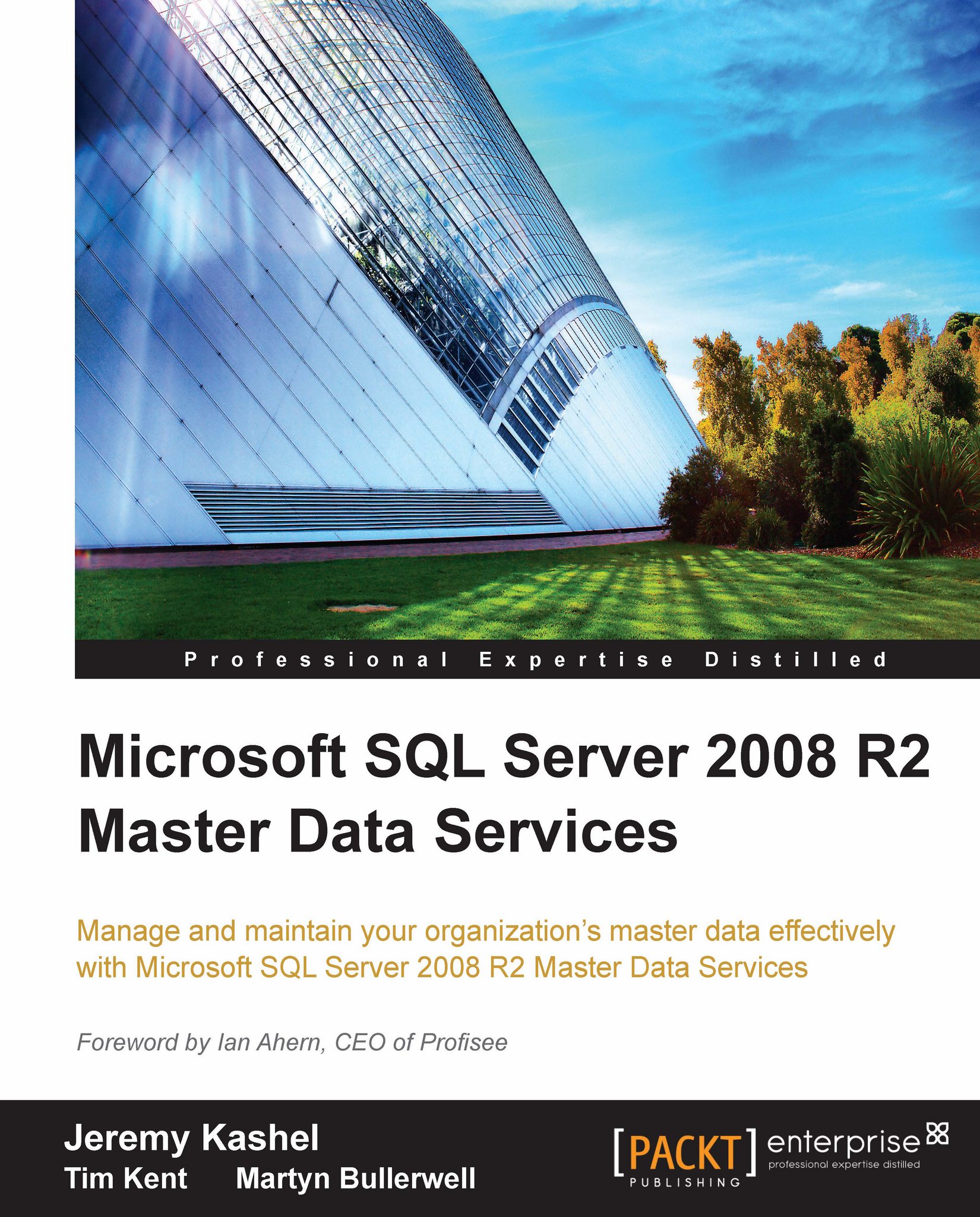
Microsoft SQL Server 2008 R2 Master Data Services

Microsoft SQL Server 2008 R2 Master Data Services: Written by two leading Microsoft SQL Server specialists, this book will empower you to manage and maintain the data used for critical business decisions through an understanding of Master Data Services. A comprehensive, totally practical tutorial.

Arrow left icon
Profile Icon Jeremy Kashel Profile Icon Tim Kent
Arrow right icon
$63.99
Full star icon Full star icon Full star icon Full star icon Half star icon 4.3 (4 Ratings)
Paperback Jul 2011 360 pages 1st Edition
eBook
$35.09 $38.99
Paperback
$63.99
Arrow left icon
Profile Icon Jeremy Kashel Profile Icon Tim Kent
Arrow right icon
$63.99
Full star icon Full star icon Full star icon Full star icon Half star icon 4.3 (4 Ratings)
Paperback Jul 2011 360 pages 1st Edition
eBook
$35.09 $38.99
Paperback
$63.99
eBook
$35.09 $38.99
Paperback
$63.99

What do you get with Print?

Product feature icon Instant access to your digital copy whilst your Print order is Shipped
Product feature icon Paperback book shipped to your preferred address
Product feature icon Redeem a companion digital copy on all Print orders
Product feature icon Access this title in our online reader with advanced features
Product feature icon DRM FREE - Read whenever, wherever and however you want
Modal Close icon
Payment Processing...
tick Completed

Shipping Address

Billing Address

Shipping Methods
Table of content icon View table of contents Preview book icon Preview Book

Microsoft SQL Server 2008 R2 Master Data Services

Chapter 1. Master Data Management

Before covering Master Data Services (MDS) itself, we will start off by covering what Master Data Management (MDM) actually is, and looking at why it can be of benefit to an organization. This includes an examination of the different approaches to MDM, as well as listing the various components that make up an MDM initiative.

This chapter is therefore the foundation of the whole book, and aims to be largely technology agnostic by explaining why MDM is needed and what is actually required in order to implement MDM.

In this chapter, we will cover the following topics:

  • Master data
  • The need for Master Data Management
  • Master Data Management overview
  • Data quality
  • Operational and analytical Master Data Management
  • Different approaches to Master Data Management
  • Data governance
  • Data stewardship
  • Politics and organizational changes

Master data

Before we start managing anything, we need to define what master data actually is. Master data can quite simply be thought of as electronic data that represents any noun belonging or related to the business.

Examples of these nouns are:

  • Products
  • Customers/clients
  • Projects
  • Employees
  • Properties
  • Accounts
  • Suppliers
  • Vendors
  • Stores

Looking at the aforementioned list, we're clearly not mentioning sales data, or inventory data, for example. Instead, master data is the non-transactional data that gives the transactional data some context. For example, our sales system records a transactional sales amount, but this sale is given context by the Product and Customer.

A subject area of master data, such as Customer or Product, is known as an entity. If we take Product as an example, we can derive a number of characteristics about the product, which are known as attributes of the entity. When we think of any average product, such as an item of clothing, that product will typically have a color, a size, a brand, and so on.

In fact, a product may actually have more attributes than you may think. A more complete picture of what a product entity and its attributes might look like is shown next:

Master data

The entity and its attributes define a clear and robust structure for our Product master data subject area. However, a structure is nothing without data itself. The data in the case of the Product entity comes from a collection of members, which can be thought of as the physical instances of a given entity.

Each member of the entity will be different from every other member in some sort of way. This is usually achieved through the use of a code or unique identifier (such as the Product's SKU—which stands for Stock Keeping Unit—a unique identifier for items that are for sale in a retail store or other business), but it could easily be from a combination of attributes. An example of the different members for the Product entity is as follows:

SKU

Description

Category

Sub Category

Color

J10001

Men's Regular Fit Jeans

Clothes

Jeans

Blue

J10002

Men's Loose Fit Jeans

Clothes

Jeans

Blue

J10003

Men's Loose Fit Jeans

Clothes

Jeans

Black

The above concepts of entities and attributes are very similar to dimensions, attributes, and members in dimensional data warehouse design and Online Analytical Processing (OLAP) systems, for readers familiar with these concepts.

The need for Master Data Management

Unfortunately, no business of any significant size can run on just one piece of software—businesses need different software to carry out specific tasks. There is never just one user interface and one database to deal with the different functions that need to be carried out.

Large enterprises will always have more than one of the following list of systems that will require the business master data in some way:

  • Financial / Accounting
  • Sales / e-commerce
  • Enterprise Resource Planning (ERP)
  • Customer Relationship Management (CRM)
  • Human Resources (HR)
  • Budgeting and Forecasting
  • Admin systems
  • Data warehouses

The problems, and the need for MDM, arise because all of the above systems need some or all of the business master data. As these systems generally aren’t explicitly linked, it means that each system normally maintains its own copy of master data in order to function correctly. All the systems have their own local database, each containing tables that hold the master data entities needed by the individual application. Therefore, separate copies of an organization's master data are scattered around the enterprise.

This creates a challenge as to how the master data can be passed from system to system. For example, if the Sales Order Processing system is the place where customers get created, then how are these customers made available to the CRM system, which needs to log new sales opportunities for existing customers? Furthermore, what if the CRM system needs to create its own set of potential customers? A situation could arise whereby the CRM creates a potential customer, who, after a few months, becomes a real customer. How is this new customer now entered into the sales system when they place an order? A likely scenario is that the new customer will simply be manually entered into the Sales Order Processing system, with different information than what was entered in the CRM system.

Situations like the one above can cause serious problems within an organization. We may now have a customer called 'Contoso' in our Sales Order Processing system, but our CRM system holds the very same customer as "Contoso Systems".

All this makes it very difficult to obtain a single version of the truth for customer data, meaning in this case that the analysis of the combined sale and cost of sale for reporting purposes will be difficult to obtain.

The overriding problem is that master data changes slowly over time. Inserts, updates and deletes should be applied across all systems at the same time, but due to the way that the individual systems were implemented this is not easily achieved, or in some cases it may actually not be possible. The result is that master data existing across disparate systems in the organization can very quickly become out of sync if not managed correctly. Further examples of how this can happen are as follows:

Manual updates

Sometimes master data can be initially fed from the original system of record to another system, but then no effort is made to keep the two systems automatically synchronized. This approach is typically used when the data that needs to be taken from the system of record is not volatile. An example of this is replicating Cost Centers from the Accounting system to the Budgeting and Planning system. The creation of a new Cost Center may be such an infrequent event that it's acceptable for the Planning administrator to manually re-create the cost center in the Budgeting and Planning system. Accountants and Planners tend to know the Cost Center codes well, meaning it's quite easy for them to make the change. The problem arises of course when other more subtle attributes of the Cost Center, such as perhaps the Cost Center category, get updated in the Accounting system; then the updates wouldn't be passed to the Budgeting and Planning system, which could cause problems.

Different descriptions for the same attributes

It's quite possible that different systems may need the same attributes of a given entity, but that there is no standardization of the possible attribute values across the different systems. For example, the sales system for a clothing company will have some sort of Product entity, which could have an attribute of Product Category. The sales system may hold the Product Categories of 'Jeans', 'Chinos', 'Sweatshirts', 'Belts', and so on. However, when the marketing system was implemented, the categories were slightly different, being entered as 'Casual Pants' instead of 'Jeans' and just 'Sweaters' for 'Sweatshirts'. When sales figures and marketing costs by Product Category are needed on the same report, there will be no alignment between the Categories of the products.

Mergers and acquisitions

If an organization has grown by mergers or acquisitions then there's a good chance that the once separate companies that now form a group all sell to the same customers. This means it's possible that one of the companies holds a customer called "Contoso USA" and that another company holds a customer called "Contoso North America", which in fact in the fictitious example happens to be exactly the same customer. They've both historically sold to the customer, but have just internally given the customer a different name and have probably assigned different attributes. The end result is that any group level reporting on customer data will not be accurate due to the duplicates that exist.

Master Data Management overview

So what is Master Data Management and how can it help with the problems that we've now seen?

Note

Master Data Management is a set of tools and processes that aim to deliver a single clean and consistent view of each master data entity that exists within the organization.

In other words, we want each system across the organization to use exactly the same set of master data, in terms of entities, attributes, and members, as long as of course the system actually needs them.

As you might expect, this is easier said than done. Each system will have its own local database, possibly different meanings for different entities or attributes, and its own set of users who are highly accustomed to seeing their data in a certain way.

In order to achieve the above, there is a high-level plan that can be followed for implementing an MDM program:

  • Getting executive sponsorship—You need to do this with any large IT project, but it's especially necessary with MDM. Someone will need to sell the benefits of MDM to the various group company heads or department heads who may prove to be an initial barrier to implementing MDM.
  • Defining the scope—Your MDM project needs to have a clearly defined scope so that you know how many systems currently use a given entity, what involvement you will have with these systems, and therefore defining the overall objectives of your MDM program.
  • Designing a solution—No IT project should ever just launch into the development stage, and the same applies for MDM. It is necessary to thoroughly analyze each source system, using data profiling amongst other techniques, in order to understand the behavior of each entity and attribute that is used.
  • Develop a model—A standardized model must be created per entity that is capable of housing the entity in the best possible way. This includes choosing the correct names and data types for attributes, all of which is driven by the analysis of the various data sources.
  • Extract data—Master data from the various legitimate sources must be extracted and loaded into the model. Whether or not this process also occurs on a continuous basis depends on the chosen MDM architecture, which is covered later in this chapter.
  • Publish data—Once the model has been populated, a method must be devised to allow systems to use data from the newly defined master data model. As with extracting data, how this actually happens depends on the architectural choices.

By going through these steps, each system that falls under the scope of the new MDM program will require some changes in one way or another. These changes may be at the data level, or they may even require architectural/code changes to the system. Given the potential scale of getting each system on board, a sensible approach is to tackle each system in turn, on a piecemeal basis, instead of attempting a big bang approach.

Data quality

If effort is going to be made to distribute a single copy of master data across the organization, then it stands to reason that the data should be of high quality.

It is the responsibility of the MDM solution to ensure data quality - it cannot simply be left to chance that data coming from multiple data sources, or even a single source, will be immediately fit for consumption. Instead, it is likely that one or more of the following problems will need to be corrected:

  • Lack of consistency—The existence of different attribute values across two or more members when the true attribute values are semantically the same. For example, the CRM could hold the Customer Genders as "Male" and "Female", whereas the ERP could hold the Genders as "M" and "F".
  • Incomplete data—NULL or blank data for a given entity attribute. For example, the Sales Order Processing system could hold the Customer's First Date of purchase. In some systems, this would be calculated and could therefore be relied upon without problems. However, if it's a manually entered field, then having it as NULL or blank would mean any systems that want to use that field for analytical purposes would not be able to do so.
  • Format issues—Data that is entered and stored in an incorrect format. For example, customer names being entered in upper case, rather than title case.
  • Out of range—Numerical attribute values that are outside the bounds of what the business deems acceptable. For example, a stationary manufacturer may sell pens between the range of $5 – $20. Therefore, if a product price of $500 is encountered for a pen, then it is definitely incorrect.
  • Complex data issues—A situation that can occur whereby an attribute value is correct by itself, but incorrect in the context of the member's other attribute values. For example, a Product Recommend Retail Price may well be correct at $1, but not if the Cost of Manufacture is $5.
  • Data duplication—The existence of duplicate members for a given entity. As we've seen in one of the previous examples, this can arise due to different systems holding the same information, resulting in us getting two customers with slightly different names that are in fact exactly the same customer.

Data cleansing should be applied to the data before it enters the MDM database, according to a set of pre-defined business rules that check for the specific problems that can occur with the data. The results of any data cleaning should be logged so that reports can be created in order to meet compliance or auditing requirements.

Prior to the development of the data cleansing routines, a detailed data analysis, known as data profiling, should be carried out on the source data to anticipate where the problems may lie. This should be combined with discussions with users and source system experts to understand any additional data quality issues not uncovered by the data profiling.

All the major vendors, such as Microsoft, IBM, and Oracle, produce ETL (Extract Transform Load) tools that contain functionality to assist with data cleaning and data profiling. In addition, there are some more specific tools on the market that are able to assist with the sometimes complex area of de-duplication, especially for areas such as Customer names and addresses.

Operational and analytical Master Data Management

If we think of the places across the organization that need master data, there will be two broad categories that spring to mind, namely:

  • Analytical systems, for example, Data Marts and Data Warehouses
  • Operational systems; for example, Sales Order Processing, Finance, ERP, and CRM to name a few

The tasks involved in delivering master data are fairly different for analytical systems versus operational systems. Due to the differences, there are two separate categories or uses for MDM, which are known as Analytical MDM and Operational MDM.

Analytical MDM

Analytical MDM is the focus of delivering clean, conformed and consistent master data to data warehouses, cubes, and other business intelligence applications. The process is to extract data from the various operational source systems, and integrate that data into the MDM master entities that have been defined. As with any robust form of data integration, rules are applied to only allow valid data to enter the MDM environment.

Once in the MDM environment, users may interact with the master data via a suitable front-end. One of the key analytical maintenance tasks that users may be required to do is to supply additional entity attribute values for reporting purposes. It's quite likely that if, for example, Customer data has been sourced from the ERP system, then the master data entity that gets populated will contain Customer attributes such as names, address and telephone numbers. But what about a customer attribute such as 'Industry Classification'? In our example, senior management wish to see a report of customer sales that must include Customer Industry Classification, but as it happens there is no such customer attribute in the ERP.

Forgetting MDM for the moment, and depending on how mature the organization's Business Intelligence actually is, Excel may currently be involved to solve the above problem. It's not unheard of for someone to take a data feed from somewhere, and then manually adjust in Excel before delivering some sort of manual excel dashboard to the executive in question.

Another solution to this problem could be to create a new attribute in the ERP. This may be a good choice, but it could take time to implement and could be technically difficult, depending on which ERP product the organization has implemented.

MDM tools can offer a quicker and more robust solution, as they're highly specialized to deal with this kind of situation. As each new customer is detected by the MDM tool, a user can be alerted, and then prompted to fill in the Industry Classification for the new Customer. As you would expect, it's also possible to alter the new attribute value for existing Customers as well.

Due to the huge data volumes involved in some data warehouses and BI tools, the delivery of master data to these systems tends to happen in batch, for example, over-night.

Operational MDM

Operational MDM is a little more complex than Analytical MDM. With Analytical MDM, the data travels one way, from the source, via MDM in the middle, into the data warehouse. Operational MDM is altogether different, as the members of the master data entities that are controlled and improved by the MDM process actually become the members that get used directly by the source systems.

By addressing the overall data quality in the operational systems via a central program, the issues outlined earlier in this chapter can be addressed. For example, a situation could occur whereby users of a marketing system need to send out a promotion to a group of existing customers. They take a feed of customer contacts from the Sales system, which to them seems sensible enough. However, the salespeople who frequently call a range of existing customer contacts have discovered that a few contacts have recently left. This means that the marketing users will be sending promotions to out-of-date contacts and is a waste.

With operational MDM in place, updates to a central repository of customers would ensure that the Marketing users in the example above can send their promotional advertising to a list of customers that will be more likely to respond.

Often, in order to prevent the kind of problems that can occur at the operational level, data needs to be made available to the operational systems in near real time. This is in stark contrast to the kind of latency that is often acceptable in a data warehouse. There are several architectural design patterns that can help address this situation, as we will see in the next section of this chapter.

A final point is that there is some debate on Operational versus Analytical MDM in the industry. This centers around the point that if an entity is to be managed by MDM, then all systems, whether they are analytical or operational, should be using the very same master data.

One thing is certain: the tasks involved getting the operational and analytical systems to participate in the MDM program are different. Operational MDM may need to operate in real time, in order to detect source system changes, deal with them, and then synchronize them back to get users using the correct data as soon as possible. The normally over-night batch loading of a data warehouse is easier to undertake, as no-one will be using the system, and the integration will likely happen into a set of de-normalized tables, which are easier to understand for a developer when compared to the entire normalized structure of an off-the-shelf ERP database, for example.

Different approaches to Master Data Management

As could be said for a lot of IT solutions, there are several different architectural approaches to choose from when implementing MDM: three to be exact, each with their own advantages and disadvantages.

The three approaches to choose from are:

  • Transaction Hub
  • Registry
  • Hybrid

Each approach is explained in turn next.

Transaction Hub

The Transaction Hub approach is the simplest of the three approaches to explain, but it's probably fair to say that it's probably the hardest to be able to implement.

The idea behind the Transaction Hub approach is to have a single repository of master data that all applications can connect to directly in order to retrieve the master data that's needed. A diagram of this approach is shown below:

Transaction Hub

Allowing each application to directly retrieve from a single database involves altering all applications to make their database connections to the central database. For example, the CRM application may be set up to take customer data (such as Full Name, Street Name, State, and other attributes) from a SQL table called 'Cust' in a database called 'CRM'. Implementing a Transaction Hub approach to MDM would mean that the application would have to take customer data in a potentially different structure (perhaps First Name and Surname instead of Full Name) from a table called 'Customer' in a Transaction Hub MDM repository database called 'MDM', for example.

Prior to the existence of the MDM program, the business applications would have been able to insert, update, and delete records as much as they wanted. This is still allowed with the Transaction Hub approach, with the original application user interface facilitating the change, but the data part of the change being sent to the central database. A locking strategy is often employed to ensure that users cannot update the same record at the same time.

The advantages and disadvantages of the Transaction Hub approach are immediately obvious. By forcing all systems to retrieve data from a single database, the problem of having duplicate entries across different databases is eradicated.

The problem with the Transaction Hub approach is that it is probably not going to be possible for most organizations to be able to alter the data tier level of their operational applications. Altering the database connection string is one thing, but having to alter the whole data tier of an off-the-shelf application is very difficult to achieve.

For these reasons, the Transaction Hub approach is seen more as an idealistic approach to MDM, whereas other methods are more realistic to achieve.

Registry

The Registry approach involves the creation of a single database that maintains a mapping system in order to return a single, unique view of a given master data entity. This can be used for reporting, or for any operational reasons that need to obtain a view of a master data entity, such as a mail shot to all customers. The solution typically includes some sort of front-end application that connects to the registry application in order to maintain the mapping.

For each entity that is managed by the Registry, the database holds the following information:

  • Member key/unique identifier
  • One or more corresponding source system keys
  • Optional metadata and business rules for survivorship

No additional attributes of the entities (for example, Name, Address in the case of a Customer) are held in the Registry system. Instead, these attributes are actually retrieved from the source systems directly, based on looking up the source system key value that is now held in the Registry. An example of how this would work for managing Customer master data derived from two Customer source systems is shown below:

Registry

When a given master data entity must be queried or extracted by a downstream system, a distributed query must be executed, which is initiated from the MDM database, as shown. This query must join each system together by using the unique member key that is maintained in the registry mapping.

Given that the non-key attributes of the entities reside in the original different line of business systems, the registry approach typically delivers a read-only master data solution. As it only maintains a mapping, there is no interface or mechanism for allowing a user to update a given attribute (such as a Product Category, for example), before distributing that update back to the source systems.

The fact that updates are not allowed simplifies the implementation of a Registry system, although the approach is not without complication. If we have two legitimate sources that update Customer data (such as the Sales Order Processing System and the CRM), then there is a possibility that we will encounter duplicates. A set of business rules should be set up to deal with this eventuality, by picking a single surviving record when a duplicate has been found. The survivorship process of removing the duplicates happens in the distributed query, which returns the single merged record, but there is no process of pushing the corrected changes back to the source systems.

The advantage to the registry approach is that it's possible to extract a real time view of a given master data entity without interfering with the various source systems. It's also relatively easy to set up, given that there are a variety of relational databases that are capable of issuing distributed queries.

The main problem with the registry approach is that the large, cross-database queries that are required in order to combine the data are often slow to execute, especially if the data sets are large.

In addition, any time a new system is created or purchased, the distributed queries will have to re-written to incorporate the new source.

Hybrid

The Hybrid is a blend of the other two architectural styles, including a separate database as per the Registry style, but also including all, or most, of an entity's attributes as seen with the Transaction Hub approach.

The aforementioned database is the core of the Hybrid solution, and contains the following data per entity that is to be managed:

  • Member Key/Unique Identifier
  • The full set of entity attributes that must be shared across different applications
  • Metadata and business rules for survivorship and data cleaning

The key concept behind the Hybrid model is that the line of business applications continue to connect directly to their original data stores, as they did before the MDM program existed. In some cases, the original applications update the local data stores directly; carrying out inserts updates and deletes for master data entities.

The role of the Hybrid MDM database is to connect to the individual application databases and to detect changes in the sources for the master data entities that are being managed. The changes that get detected are physically propagated to the MDM database, which maintains a separate, clean and conformed copy of the data.

Once data has been picked up from the application database, a number of operations may be applied to the data:

  • Data quality checks and business rules will be run on the data to correct any problems that can be automatically fixed
  • De-duplication and survivorship may occur so that an entity such as Customer gets conformed from multiple data sources
  • Nominated users may enrich the data to add additional attribute values that are not present in the original data source

At a high level, the above will ensure that the new MDM database now contains a clean set of members that meet the data quality and structure rules as defined by the business.

Now comes the task of distributing the data out to any system that needs it, which from an operational system perspective can be somewhat of a challenge. We know that with the Hybrid approach, all applications continue to connect to their own data sources. The complication arises if the source applications are continuing to insert and update data. It may be possible to prevent, or lock, users out of updating entities directly in the source applications, but this will not always be the case. Therefore, when data gets sent back to the source applications, updates to the source application master data must be made, with the understanding that update conflicts could occur.

An overview of the Hybrid approach is shown below:

Hybrid

New applications that get implemented can either source master data from the MDM database, usually via web services, or simply fit into the same synchronization approach that is indicated above. The choice of whether to connect a new application directly will largely depend on whether it is developed in-house or purchased.

The Analytical MDM scenario that was presented earlier in the chapter of adding an extra Customer attribute, namely Industry Classification is dealt with elegantly by the Hybrid approach. Attributes that are needed by the source systems are sent back to the source systems, whereas in this case the Industry Classification would only be sent to the data warehouse.

Incidentally, the Transaction Hub approach also deals with the "extra attribute problem", but is likely to be less appealing to most organizations when compared to the Hybrid approach. The Hybrid approach has its challenges, but they are around pushing data into source applications, rather than re-architecting those applications.

Data governance

As we've seen, an MDM solution can incorporate some sophisticated automated functions to assist in delivering master data to the business. However, technology alone cannot ensure the success of an MDM program. Processes must be followed in order to ensure that the MDM solution doesn't fall into the same trap that required its creation in the first place. Data Governance is the method for ensuring this—a framework that defines how master data can be used within the organization.

The idea behind using data governance for MDM is to ensure that the use of master data follows specific rules, policies, and procedures that tie in with the organization's overall strategic objectives. The rules that are set in place typically cover the following areas of the MDM program:

  • Data ownership—Defines who has overall responsibility for a given master data entity.
  • Change management—Defines the approval process for changes to the use of master data, or changes to the MDM technology solution itself.
  • Data access—Who can access the master data? This will include procedures for adding new users to the MDM solution.
  • Data modification—A set of rules that govern how inserts, updates and deletes can happen for master data. This may also dictate what is to happen in the event of an update conflict.
  • Data quality standards—Defines and monitors the overall data quality standards for the MDM program.
  • Disaster recovery—A set of procedures for defining how the master data repository is made available in the event of a disaster. As the MDM program gains traction in the organization, this is a key area to address, as the MDM solution itself becomes a key operational system.
  • Data privacy and retention—States how confidential and sensitive data is managed and how long data is retained.

The physical deliverable for data governance in MDM is a set of documents that clearly define the above rules and standards. These documents should be made available to the relevant people in the organization, according to the organization's standard document management policy, for example, SharePoint.

MDM policies and procedures are set up and enforced by a group within the organization known as the Data Governance Board. The Data Governance Board is working group within the organization that will meet on a regular basis to make decisions according to the policy. For example, the organization may be developing a new in-house Marketing system that will assist with campaign management. The stakeholders of this system wish to take a feed of Customer data from the MDM database, which must be approved via the Data Governance program.

Data stewardship

The Data Governance Board appoints one or more Data Stewards to implement the Data Governance policies. Each master data entity must have a data steward appointed, who is a subject domain expert responsible for maintaining the entity on a continuous basis.

The data stewards typically perform the following functions:

  • Respond to any alerts (for example, an automated e-mail) generated by the MDM system
  • Take corrective action on master data entities in order to over-ride the "best guess" made by the automated processes
  • Monitor and recognize data quality issues with a given entity
  • Continually improve an entity's data quality by suggesting enhancements to the data quality process

The data steward is typically a business user who possesses enough knowledge of the source data to make the important business decisions that ultimately result in the whole business consuming a given entity in one way as opposed to another. We can go back to earlier in the chapter to see a good example of this, where we had a Customer entity, sourced from the ERP, but the 'Industry Classification' attribute did not exist in the ERP, meaning it had to be added in the master data model. It would be the responsibility of a data steward to interpret the other Customer attributes, and then pick an appropriate Industry Classification. Although picking an Industry Classification is a simple task, the effect of getting it wrong could, for example, mean that any BI reports by Industry Classification would be incorrect.

Due to the important nature of ensuring high quality master data, the data stewardship process often involves workflow. In this situation, the data steward continues to maintain the master data entity, but certain actions may be pushed to another user to approve or reject the decision taken by the data steward.

Even though data stewards are typically business users, they will often have expert knowledge of the source data, as well as how to interpret it in a business context. This is often the case in businesses or departments where the production of reports is not from a central data warehouse, but through an expert user using Excel to arrange and clean the data. Given the data stewards, high level of knowledge, they should be involved in the requirements and design of any data capture processes in an MDM program right from the start.

Politics and organizational changes

Earlier in the chapter, we gave a one sentence definition of Master Data Management, which included the phrase 'tools and processes'.

The 'processes' part of MDM is a very key point. While this book is obviously about a technology product—you will not get far with implementing an MDM program by just focusing on MDS as a product. The same could probably be said to an extent for implementing any product, but it's particularly important when implementing Master Data Management.

The reason that the processes part of an MDM program are so important is due to the sheer number of systems and people that are used to interacting with the master data entities in the way that is relevant to their own need and use.

As we saw in the overall plan for an MDM program, one of the tasks is to produce a standardized entity model which will be initially fed from a number of different source systems. When this is carried out, the entities and the attributes will be conformed and standardized to mean the same thing. This could be for the actual names of entities and attributes, or for the actual attribute values. For example, the Customer entity may have an attribute of 'Industry' in one system, and this may be renamed in the new master data model as 'Market Segment'. Users who have been used to seeing an attribute called 'Industry' in their applications may not be happy with the renaming of the attribute. In a similar vein, the actual values of the attributes will be standardized, so users of the same application could see the segment of 'IT and Communications' change to a segment of 'IT', with a new segment added called 'Communications'.

As these issues have the potential to cause unrest in the organization, strong sponsorship at the executive level is needed to sell the benefits that an MDM program can bring.

Summary

In this chapter, we've learned the following key points:

  • Master data can quite simply be thought of as electronic data that represents any noun belonging to or interfacing with the business
  • Master Data Management is a set of tools and processes that aim to deliver a single clean and consistent view of each master data entity that exists within the organization
  • There are two difference uses for MDM in an organization—namely Analytical MDM and Operational MDM
  • There are three different architectural approaches to MDM, namely the Transaction Hub, Registry, and Hybrid approaches
  • Data governance is set up to provide control over the valuable master data asset, by defining a number of policies and procedures
  • Data stewards are subject domain experts who maintain the master data according to the practices set out by data governance
  • An MDM project needs strong leadership to ensure that the whole organization buys into the MDM program

In the next chapter, we will introduce SQL Server 2008 R2 Master Data Services itself, and take a high level look at the features it has to aid with an MDM initiative.

References

Loshin, D (2009). MDM Paradigms and Architectures. Master Data Management (pp 166-171). Burlington, MA, USA: Morgan Kaufmann Publishers.

Left arrow icon Right arrow icon

Description

Packed with templates, checklists, and real-life examples, this user-friendly guide will provide you with the insights and guidance of an expert consultant, for a fraction of the price. You’ll follow a clearly laid out path from Change Management novice to confident and prepared change manager. You’ll be introduced to the Five Pillars of Change: Sponsorship, Stakeholder Management, Communication, Training, and Organization Design.  You will work step-by-step through templates in each pillar to build and run a comprehensive Change Management plan tailor-made to your project and organization.

What you will learn

  • Understand the foundational concepts of Master Data Management and SQL Server Learn how to install and configure Master Data Services Create and populate your first Model Learn how to create and manage Hierarchies and Collections Extend your Models with User-defined Meta Data Control your Master Data Environment through the use of Versions and Flags Discover how to import data from a variety of source systems by using SQL Server Integration Services (SSIS) Extend your solution with business rules, e-mail notifications, and SharePoint workflow Create custom solutions by utilizing the Master Data Services API Feed different source systems by using Subscription Views and BizTalk Server Secure your Master Data Services Models with comprehensive MDS security
Estimated delivery fee Deliver to United States

Economy delivery 10 - 13 business days

Free $6.95

Premium delivery 6 - 9 business days

$21.95
(Includes tracking information)

Product Details

Country selected
Publication date, Length, Edition, Language, ISBN-13
Publication date : Jul 19, 2011
Length: 360 pages
Edition : 1st
Language : English
ISBN-13 : 9781849680509
Vendor :
Microsoft
Concepts :
Tools :

What do you get with Print?

Product feature icon Instant access to your digital copy whilst your Print order is Shipped
Product feature icon Paperback book shipped to your preferred address
Product feature icon Redeem a companion digital copy on all Print orders
Product feature icon Access this title in our online reader with advanced features
Product feature icon DRM FREE - Read whenever, wherever and however you want
Modal Close icon
Payment Processing...
tick Completed

Shipping Address

Billing Address

Shipping Methods
Estimated delivery fee Deliver to United States

Economy delivery 10 - 13 business days

Free $6.95

Premium delivery 6 - 9 business days

$21.95
(Includes tracking information)

Product Details

Publication date : Jul 19, 2011
Length: 360 pages
Edition : 1st
Language : English
ISBN-13 : 9781849680509
Vendor :
Microsoft
Concepts :
Tools :

Packt Subscriptions

See our plans and pricing
Modal Close icon
$19.99 billed monthly
Feature tick icon Unlimited access to Packt's library of 7,000+ practical books and videos
Feature tick icon Constantly refreshed with 50+ new titles a month
Feature tick icon Exclusive Early access to books as they're written
Feature tick icon Solve problems while you work with advanced search and reference features
Feature tick icon Offline reading on the mobile app
Feature tick icon Simple pricing, no contract
$199.99 billed annually
Feature tick icon Unlimited access to Packt's library of 7,000+ practical books and videos
Feature tick icon Constantly refreshed with 50+ new titles a month
Feature tick icon Exclusive Early access to books as they're written
Feature tick icon Solve problems while you work with advanced search and reference features
Feature tick icon Offline reading on the mobile app
Feature tick icon Choose a DRM-free eBook or Video every month to keep
Feature tick icon PLUS own as many other DRM-free eBooks or Videos as you like for just $5 each
Feature tick icon Exclusive print discounts
$279.99 billed in 18 months
Feature tick icon Unlimited access to Packt's library of 7,000+ practical books and videos
Feature tick icon Constantly refreshed with 50+ new titles a month
Feature tick icon Exclusive Early access to books as they're written
Feature tick icon Solve problems while you work with advanced search and reference features
Feature tick icon Offline reading on the mobile app
Feature tick icon Choose a DRM-free eBook or Video every month to keep
Feature tick icon PLUS own as many other DRM-free eBooks or Videos as you like for just $5 each
Feature tick icon Exclusive print discounts

Frequently bought together


Stars icon
Total $ 132.98
Microsoft SQL Server 2012 Performance Tuning Cookbook
$68.99
Microsoft SQL Server 2008 R2 Master Data Services
$63.99
Total $ 132.98 Stars icon

Table of Contents

11 Chapters
1. Master Data Management Chevron down icon Chevron up icon
2. Master Data Services Overview Chevron down icon Chevron up icon
3. Installing and Configuring Master Data Services Chevron down icon Chevron up icon
4. Creating and Using Models Chevron down icon Chevron up icon
5. Version Management Chevron down icon Chevron up icon
6. Importing Data into Master Data Services Chevron down icon Chevron up icon
7. Business Rules and Workflow Chevron down icon Chevron up icon
8. Extracting Data from Master Data Services Chevron down icon Chevron up icon
9. Application Programming Interface Chevron down icon Chevron up icon
10. Master Data Services Security Chevron down icon Chevron up icon
Index Chevron down icon Chevron up icon

Customer reviews

Rating distribution
Full star icon Full star icon Full star icon Full star icon Half star icon 4.3
(4 Ratings)
5 star 25%
4 star 75%
3 star 0%
2 star 0%
1 star 0%
Nicholas Barclay Sep 08, 2011
Full star icon Full star icon Full star icon Full star icon Full star icon 5
This is just what I look for when I want to get up and running with a new product. Jeremy, Tim and Martyn have written a book for getting up to speed on just about every aspect of MDS. Experienced users can use the book to ensure existing knowledge gaps are filled and experiment with more advanced functionality.I'm a big fan of technical books like this one: Explain the concept, take the reader through step-by-step instructions, build on what has been created in previous examples. By the time the reader has finished the book they have created a set of interrelated artifacts and performed tasks that touch almost all the major functional areas of the product.The authors didn't stop at the basic functionality of MDS, a significant portion of the book is dedicated to the more advanced aspects of the product. T-SQL / SSIS based data loads, integration with SharePoint workflows, BizTalk and the MDS API are all covered. Lots of useful sample code and reference material earns the book a place on the within-easy-reach shelf.Kudos to the authors for not making the book too heavy on the process rigor of master data management. They are careful to keep focus on setup, usage and extensibility of the product on which the book is based. Extra credit must also be given in that they managed to make the UI look simple and intuitive; the MDS web UI must be one of the clunkiest and difficult-to-use that I have had the displeasure to work with. The book makes it look easy. Hopefully MS is addressing this large shortfall in what is otherwise a pretty solid V1 product.My primary criticism is directed at the book's publisher, not its authors. Packt's layout formula does not recognize the importance of reference numbers and caption text beneath screenshots, tables and figures. In this day and age publishers are focusing more on delivering content digitally. The layout of digital publications is often performed dynamically on devices such as the Kindle or iPad, as a result what is considered "a page" is not necessarily the same because each reader's personal settings may differ. Text referring to "the screenshot above" or "the previous page" may not necessarily be accurate or helpful. Which page? Which screenshot? Annoying. What is so difficult about "refer to Figure 1.2", or "as listed in Table 3.4"?All in all this is a book well worth getting hold of if you want to get stuck into all aspects of MDS from installation to advanced usage.
Amazon Verified review Amazon
Marius Zaharia Oct 06, 2011
Full star icon Full star icon Full star icon Full star icon Empty star icon 4
[extract from my blog at [...]]I read recently a technical book - "Microsoft SQL Server 2008 R2 Master Data Services" (edited by Packt Publishing).For those not familiar with the Microsoft's homonymous product: Master Data Services - briefly named MDS from now - is the first step of Microsoft in the world of master data management. Coming from the earlier Stratature's acquisition, the product is the first generation of a new BI-related family formed around SQL Server 2008 R2 and which tends to add more value at the business level, together with other coming concepts in SQL Server Denali, like data quality services, "powerpoint" for data, and others.Now, as for the book's name, I have to say that having several books named around the product's name may become confusing and hard identifiable - so I may have chosen something a bit different; but let it be so, now.Having a pretty good knowledge of the product, I was curious how this book addressed a pretty narrow area - a niche one, I may say - knowing that it is difficult to choose the level you target in that case (expert - specialized/very small audience versus accessible-larger audience/boring/no added value). So first of all, it was pretty obvious that a decent database developer/specialist could easily start up on the knowledge of: master data management concepts; MDS overview; MDS installation and configuration; creating and using models etc. The tone "smoothly" changes when coming close to more specific concepts: version management, importing data and the staging process. I remarked that, for the ease of understanding, most of the tasks were explained from the eyes of a database guy - that is, what kind of DB operations are hidden behind the actions applied via the product's web UI (because, right, almost all engine and features are database-based, if I can say so).Where the things became really interesting was on the integration side. And I can tell you there is the one of the main tricks. Here's why: because in fact - even at this early stage of development - Master Data Services, while not exposing all the needed data integration features in an advanced mode, it still hides inside what Microsoft have done everywhere: integrating its various servers and technologies together and taking benefit from the dialog of all these structures. But - very few examples were available at that time - even I struggled a while and investigated a lot around the integration solutions we may have. And here is the surprise - from the book: *Input integration to the staging tables via SSIS (SQL Server Integration Services) *A large sub-chapter dedicated to the business rules workflow extension via SharePoint (a full project solution example) *Extracting data from MDS via subscription views and delivering master data via BizTalk Server (again, with sample databases, project/solution, schemas, map, ports etc.) *MDS Web Service API, data integration with SharePoint Web Parts, and, again, with SharePoint Workflow, this time on the way back to MDS for updating master data. I can tell you it is the only example I found until now of a full roundtrip between MDS and SharePoint workflow.What I found it's missing/could be better: *Some words about the deployment of a solution for Master data Services *A more detailed view on MDS security (the permissions propagation and deployment can be very tricky)With this, I found overall that it was a good occasion for me to start a series of technical book reviews - start with a good one :).
Amazon Verified review Amazon
Cooldudez Oct 13, 2011
Full star icon Full star icon Full star icon Full star icon Empty star icon 4
This is my first book review in this year, though it is a good experience in writing my first book on SQL Server technologies and here it goes:Book Title: Microsoft SQL Server 2008 R2 Master Data ServicesPublishers: Packt PublishersMaster Data Services (MDS) is one of the new features that are introduced in SQL Server 2008 R2 version, and Master Data Management (MDM) concept which is also one of the new learning for me when I started working on data platform related projects.Whenever you start reading a technical content book the first task is to check the table of contents and check what you will learn from the book. SQL Server 2008 R2 Master Data Services book suited for the users, professionals, business and systems analyst or DBA who wants to manage and maintain your business master data and improves data quality. This book is a comprehensive guide to MDS to facilitate end-to-end approach showing how to implement MDM on your data platform. The pragmatic approach and explanation from the authors emphasises the need of MDM which is an ideal methodology for analysts and developers.The book helps the professionals who are looking to understand the MDM concepts to develop the Master Data Services feature. Not only have the technical aspects around MDS, the book covered business rules and workflows that can be created within MDS that are dependent on various conditions that can help to make a flexible MDS solution on your data platform.The chapters are lined up systematically that introduces the need of Master Data Management (MDM) with a good example on Analytical MDM and Operational MDM. As a DBA & Data Architect there are certain chapters that I recommend, second chapter that overviews MDS architecture, sixth chapter importing data into MDS which highlights process and population of data, eighth chapter extracting data from MDS in delivering master data and ninth chapter that overviews application programming interface. No matter the level of knowledge that you may have about Master Data Management, this book delves into the concepts, development and implementation of Master-Data solution in your organisation using Microsoft SQL Server technologies.The authors are experienced professionals from Adatis, a UK based specializing in Microsoft Business Intelligence stack. The write up in the book shades author's experience, Jeremy Kashel, an experienced Business Intelligence professional has written majority of the chapters. Also Tim Kent, a QA specialist and Martyn Bullerwell, a project delivery specialist has co-authored this book.Finally if you are looking for practical ways to learning about Master Data Management concepts and SQL Server Master Data Services then this book is a good resource for you. Also the experienced users this is a good resource for your book shelf for quick reference in delivering Business Intelligence based Master Data Services solutions.To obtain the paperback and eBook version review and purchase from Packt_Publishers for other great resource of books on SQL Server technologies, also from Amazon (US & UK) websites.
Amazon Verified review Amazon
Daniele Tosatto Aug 25, 2011
Full star icon Full star icon Full star icon Full star icon Empty star icon 4
I spend many time on configuring and tuning SQL Server for best performance and reliability. This book give me the chance to know deeper Master Data Services: so thanks Packt Publishing for this opportunity.Authors, Jeremy Kashel, Tim Kent and Martyn Bullerwell, have over 10 years' experience in delivering SQL Server Business Intelligence proejcts and stack.The book starts introducing you what are Master Data Services (MDS),why MDS application is necessary and why it can be of benefit for an organization.It shows you how to install, configure and use MDS to centralize the management of key data within your organization: also, you can find out how to build an MDS model, establish hierarchies, govern data access, and enforce business rules.In short, it shows you the ideal path for taking your first steps with MDS giving you also an excellent coverage of Microsoft Sharepoint and BizTalk integration, security and API.This book is a good start about MDS if you are a newbie: ideally the book is written for the analyst or developer coming to MDS for first time.So,if you are looking for a book about MDS it is a good choice in my opinion: it is well-written and rich of examples (You can download example code files from Packt Publishing web sites) that guide you on create, manage and mantain your business master data.
Amazon Verified review Amazon
Get free access to Packt library with over 7500+ books and video courses for 7 days!
Start Free Trial

FAQs

What is the digital copy I get with my Print order? Chevron down icon Chevron up icon

When you buy any Print edition of our Books, you can redeem (for free) the eBook edition of the Print Book you’ve purchased. This gives you instant access to your book when you make an order via PDF, EPUB or our online Reader experience.

What is the delivery time and cost of print book? Chevron down icon Chevron up icon

Shipping Details

USA:

'

Economy: Delivery to most addresses in the US within 10-15 business days

Premium: Trackable Delivery to most addresses in the US within 3-8 business days

UK:

Economy: Delivery to most addresses in the U.K. within 7-9 business days.
Shipments are not trackable

Premium: Trackable delivery to most addresses in the U.K. within 3-4 business days!
Add one extra business day for deliveries to Northern Ireland and Scottish Highlands and islands

EU:

Premium: Trackable delivery to most EU destinations within 4-9 business days.

Australia:

Economy: Can deliver to P. O. Boxes and private residences.
Trackable service with delivery to addresses in Australia only.
Delivery time ranges from 7-9 business days for VIC and 8-10 business days for Interstate metro
Delivery time is up to 15 business days for remote areas of WA, NT & QLD.

Premium: Delivery to addresses in Australia only
Trackable delivery to most P. O. Boxes and private residences in Australia within 4-5 days based on the distance to a destination following dispatch.

India:

Premium: Delivery to most Indian addresses within 5-6 business days

Rest of the World:

Premium: Countries in the American continent: Trackable delivery to most countries within 4-7 business days

Asia:

Premium: Delivery to most Asian addresses within 5-9 business days

Disclaimer:
All orders received before 5 PM U.K time would start printing from the next business day. So the estimated delivery times start from the next day as well. Orders received after 5 PM U.K time (in our internal systems) on a business day or anytime on the weekend will begin printing the second to next business day. For example, an order placed at 11 AM today will begin printing tomorrow, whereas an order placed at 9 PM tonight will begin printing the day after tomorrow.


Unfortunately, due to several restrictions, we are unable to ship to the following countries:

  1. Afghanistan
  2. American Samoa
  3. Belarus
  4. Brunei Darussalam
  5. Central African Republic
  6. The Democratic Republic of Congo
  7. Eritrea
  8. Guinea-bissau
  9. Iran
  10. Lebanon
  11. Libiya Arab Jamahriya
  12. Somalia
  13. Sudan
  14. Russian Federation
  15. Syrian Arab Republic
  16. Ukraine
  17. Venezuela
What is custom duty/charge? Chevron down icon Chevron up icon

Customs duty are charges levied on goods when they cross international borders. It is a tax that is imposed on imported goods. These duties are charged by special authorities and bodies created by local governments and are meant to protect local industries, economies, and businesses.

Do I have to pay customs charges for the print book order? Chevron down icon Chevron up icon

The orders shipped to the countries that are listed under EU27 will not bear custom charges. They are paid by Packt as part of the order.

List of EU27 countries: www.gov.uk/eu-eea:

A custom duty or localized taxes may be applicable on the shipment and would be charged by the recipient country outside of the EU27 which should be paid by the customer and these duties are not included in the shipping charges been charged on the order.

How do I know my custom duty charges? Chevron down icon Chevron up icon

The amount of duty payable varies greatly depending on the imported goods, the country of origin and several other factors like the total invoice amount or dimensions like weight, and other such criteria applicable in your country.

For example:

  • If you live in Mexico, and the declared value of your ordered items is over $ 50, for you to receive a package, you will have to pay additional import tax of 19% which will be $ 9.50 to the courier service.
  • Whereas if you live in Turkey, and the declared value of your ordered items is over € 22, for you to receive a package, you will have to pay additional import tax of 18% which will be € 3.96 to the courier service.
How can I cancel my order? Chevron down icon Chevron up icon

Cancellation Policy for Published Printed Books:

You can cancel any order within 1 hour of placing the order. Simply contact customercare@packt.com with your order details or payment transaction id. If your order has already started the shipment process, we will do our best to stop it. However, if it is already on the way to you then when you receive it, you can contact us at customercare@packt.com using the returns and refund process.

Please understand that Packt Publishing cannot provide refunds or cancel any order except for the cases described in our Return Policy (i.e. Packt Publishing agrees to replace your printed book because it arrives damaged or material defect in book), Packt Publishing will not accept returns.

What is your returns and refunds policy? Chevron down icon Chevron up icon

Return Policy:

We want you to be happy with your purchase from Packtpub.com. We will not hassle you with returning print books to us. If the print book you receive from us is incorrect, damaged, doesn't work or is unacceptably late, please contact Customer Relations Team on customercare@packt.com with the order number and issue details as explained below:

  1. If you ordered (eBook, Video or Print Book) incorrectly or accidentally, please contact Customer Relations Team on customercare@packt.com within one hour of placing the order and we will replace/refund you the item cost.
  2. Sadly, if your eBook or Video file is faulty or a fault occurs during the eBook or Video being made available to you, i.e. during download then you should contact Customer Relations Team within 14 days of purchase on customercare@packt.com who will be able to resolve this issue for you.
  3. You will have a choice of replacement or refund of the problem items.(damaged, defective or incorrect)
  4. Once Customer Care Team confirms that you will be refunded, you should receive the refund within 10 to 12 working days.
  5. If you are only requesting a refund of one book from a multiple order, then we will refund you the appropriate single item.
  6. Where the items were shipped under a free shipping offer, there will be no shipping costs to refund.

On the off chance your printed book arrives damaged, with book material defect, contact our Customer Relation Team on customercare@packt.com within 14 days of receipt of the book with appropriate evidence of damage and we will work with you to secure a replacement copy, if necessary. Please note that each printed book you order from us is individually made by Packt's professional book-printing partner which is on a print-on-demand basis.

What tax is charged? Chevron down icon Chevron up icon

Currently, no tax is charged on the purchase of any print book (subject to change based on the laws and regulations). A localized VAT fee is charged only to our European and UK customers on eBooks, Video and subscriptions that they buy. GST is charged to Indian customers for eBooks and video purchases.

What payment methods can I use? Chevron down icon Chevron up icon

You can pay with the following card types:

  1. Visa Debit
  2. Visa Credit
  3. MasterCard
  4. PayPal
What is the delivery time and cost of print books? Chevron down icon Chevron up icon

Shipping Details

USA:

'

Economy: Delivery to most addresses in the US within 10-15 business days

Premium: Trackable Delivery to most addresses in the US within 3-8 business days

UK:

Economy: Delivery to most addresses in the U.K. within 7-9 business days.
Shipments are not trackable

Premium: Trackable delivery to most addresses in the U.K. within 3-4 business days!
Add one extra business day for deliveries to Northern Ireland and Scottish Highlands and islands

EU:

Premium: Trackable delivery to most EU destinations within 4-9 business days.

Australia:

Economy: Can deliver to P. O. Boxes and private residences.
Trackable service with delivery to addresses in Australia only.
Delivery time ranges from 7-9 business days for VIC and 8-10 business days for Interstate metro
Delivery time is up to 15 business days for remote areas of WA, NT & QLD.

Premium: Delivery to addresses in Australia only
Trackable delivery to most P. O. Boxes and private residences in Australia within 4-5 days based on the distance to a destination following dispatch.

India:

Premium: Delivery to most Indian addresses within 5-6 business days

Rest of the World:

Premium: Countries in the American continent: Trackable delivery to most countries within 4-7 business days

Asia:

Premium: Delivery to most Asian addresses within 5-9 business days

Disclaimer:
All orders received before 5 PM U.K time would start printing from the next business day. So the estimated delivery times start from the next day as well. Orders received after 5 PM U.K time (in our internal systems) on a business day or anytime on the weekend will begin printing the second to next business day. For example, an order placed at 11 AM today will begin printing tomorrow, whereas an order placed at 9 PM tonight will begin printing the day after tomorrow.


Unfortunately, due to several restrictions, we are unable to ship to the following countries:

  1. Afghanistan
  2. American Samoa
  3. Belarus
  4. Brunei Darussalam
  5. Central African Republic
  6. The Democratic Republic of Congo
  7. Eritrea
  8. Guinea-bissau
  9. Iran
  10. Lebanon
  11. Libiya Arab Jamahriya
  12. Somalia
  13. Sudan
  14. Russian Federation
  15. Syrian Arab Republic
  16. Ukraine
  17. Venezuela
Modal Close icon
Modal Close icon