Search icon CANCEL
Subscription
0
Cart icon
Your Cart (0 item)
Close icon
You have no products in your basket yet
Save more on your purchases! discount-offer-chevron-icon
Savings automatically calculated. No voucher code required.
Arrow left icon
Explore Products
Best Sellers
New Releases
Books
Videos
Audiobooks
Learning Hub
Newsletter Hub
Free Learning
Arrow right icon
timer SALE ENDS IN
0 Days
:
00 Hours
:
00 Minutes
:
00 Seconds
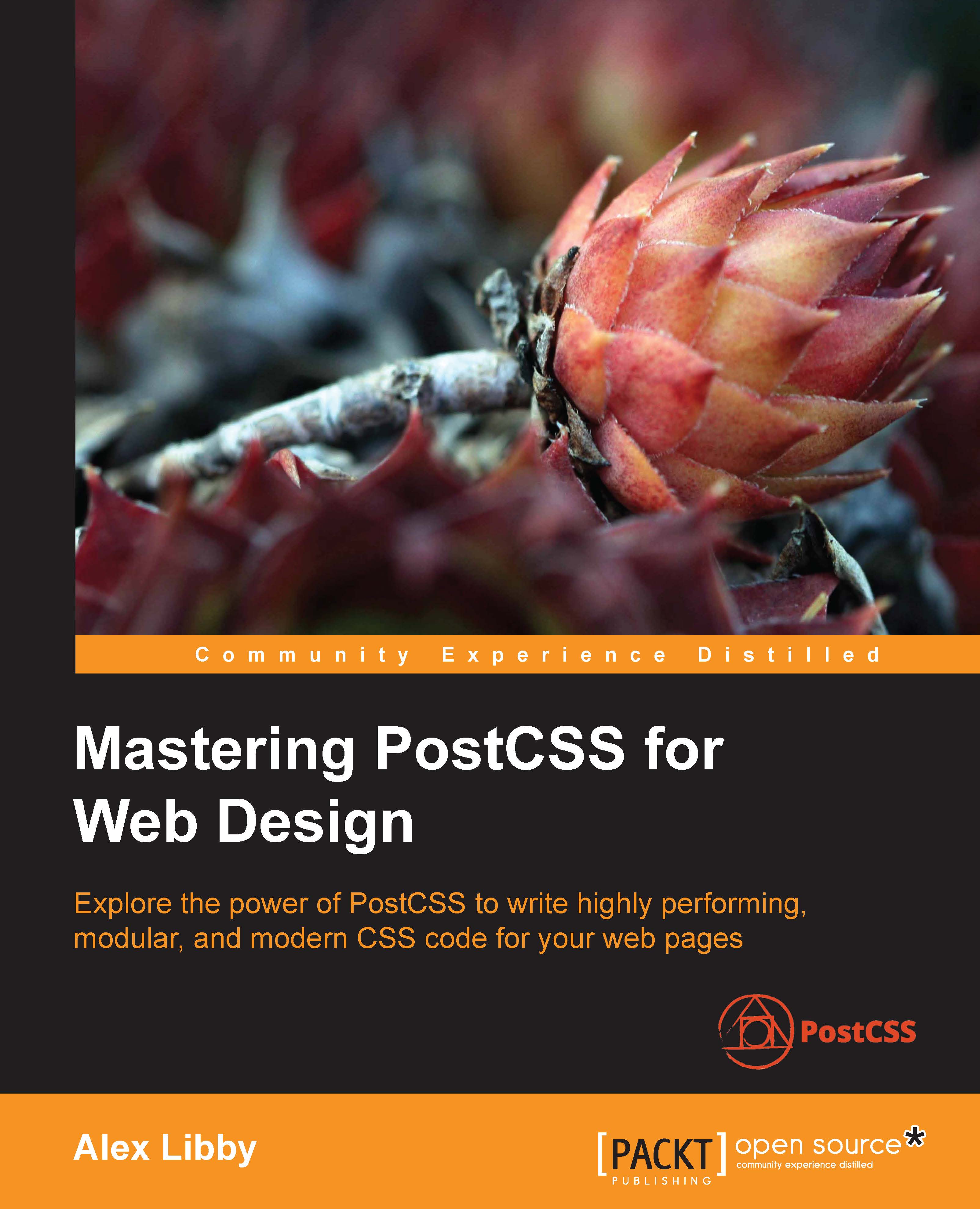
Mastering PostCSS for Web Design

Mastering PostCSS for Web Design: Explore the power of PostCSS to write highly performing, modular, and modern CSS code for your web pages

Arrow left icon
Profile Icon Alex Libby
Arrow right icon
$39.19 $48.99
Paperback Jun 2016 414 pages 1st Edition
eBook
$35.99 $39.99
Paperback
$39.19 $48.99
Subscription
Free Trial
Renews at $19.99p/m
Arrow left icon
Profile Icon Alex Libby
Arrow right icon
$39.19 $48.99
Paperback Jun 2016 414 pages 1st Edition
eBook
$35.99 $39.99
Paperback
$39.19 $48.99
Subscription
Free Trial
Renews at $19.99p/m
eBook
$35.99 $39.99
Paperback
$39.19 $48.99
Subscription
Free Trial
Renews at $19.99p/m

What do you get with Print?

Product feature icon Instant access to your digital copy whilst your Print order is Shipped
Product feature icon Paperback book shipped to your preferred address
Product feature icon Redeem a companion digital copy on all Print orders
Product feature icon Access this title in our online reader with advanced features
Product feature icon DRM FREE - Read whenever, wherever and however you want
Modal Close icon
Payment Processing...
tick Completed

Shipping Address

Billing Address

Shipping Methods
Table of content icon View table of contents Preview book icon Preview Book

Mastering PostCSS for Web Design

Chapter 1. Introducing PostCSS

A key part of any website is styling—it doesn't matter if this is for a simple element tag or a complex animation; a website is not a website without color and action. Building styles for any online presence takes time and effort—we can reduce development time by using a preprocessor to automate the creation of styles, automatically apply vendor prefixes and the like, but the extra dependency of a library can be like using a sledgehammer to crack a nut!

Enter PostCSS—its unique modular style allows us to create a leaner, faster CSS processor, with no external dependencies. In this chapter, we look at installing PostCSS, understanding its architecture, and learn how to use its speed and power to compile code into valid CSS. We will cover a number of topics throughout this chapter, which will include the following:

  • Considering the benefits of creating our own preprocessor
  • Introducing PostCSS and exploring its features
  • Setting up a development environment using PostCSS
  • Creating a simple example using PostCSS
  • Exploring how PostCSS works and its architecture

Let's make a start…!

Note

All of the exercises in this book are written for the Windows platform; please adjust accordingly if you use a different operating system.

Discovering the art of processing

A question: what do SASS, Stylus, Haml, and Less all have in common?

The answer is, they are all compilers, source to source compiling, or transpilers (to give them their official name), that have been around since the 1980s. They have appeared in many different formats, with Digital Research's XLT86 being one of the earliest versions, dating from 1981.

More recently, the well-known SASS processor arrived in 2006; this was followed by Less, created by Alexis Sellier in 2009. Both work in a similar fashion: they take a set of rules and compile it into valid CSS. We can extend CSS with all manner of features, such as variables, mixins, functions, and more. Although processors may not help cut down the physical number of lines we have to write, they help us reorganize code into more manageable blocks that we can reuse in future projects, which helps make CSS easier to maintain.

But, as is nearly always the case, there are some drawbacks to using processors:

  • There is nearly always a dependency involved, in some form or other—with SASS, it's Ruby; if you're using Less, it's a library, even though it is written in JavaScript
  • Our project may only use a small amount of preprocessed code, yet we are forced to rely on what can be a large library, such as SASS
  • Processing style sheets using a preprocessor is slow; it may only be a few seconds, but this builds up over time to become a significant amount of time spent waiting for processes to complete

Hmm, this doesn't make processing so attractive! But what if there were a way to alleviate all of these issues, and remove the need for dependencies at the same time?

Well, there is: let's build our own processor! Okay, this might sound a little crazy, but as someone once said, there is method in this madness, so bear with me while I explain why this may be a better option.

Introducing PostCSS

At the beginning of this chapter, I mentioned that we would focus on creating our own preprocessor, right? Well, I have a little confession to make: we're not. Hold on, what gives?

Well, we will create a preprocessor…but we will also create a postprocessor too. Let me explain why—our alternative "option" allows us to create both at the same time. Our alternative option is PostCSS, which can be downloaded from https://github.com/postcss/postcss. PostCSS is used by some major companies, such as Twitter, Google, Bootstrap and CodePen, and even WordPress (in a limited capacity).

PostCSS was built as a Node.js module, so will work with any number of the existing plugins already available for Node.js—we will be using a number of these plugins throughout the book. Let's take a moment to explore some of the benefits of this tool.

Exploring the benefits of using PostCSS

What do we mean by PostCSS? In a nutshell, it can be used to refer to one of two things—the PostCSS core tool or the plugin ecosystem that is powered by the tool. On its own, it doesn't actually do a lot; once we start adding plugins, we can achieve a great deal. Let's explore what this means in practice:

  • Its modular architecture means we can pick and choose what we use; this allows us to keep the size of the library very small and responsive.
  • Existing processors tend to fall into one of two camps—pre- or post-processing—which is a limiting factor when choosing which to use. PostCSS allows us to perform both operations within the same process, meaning we get the benefits of both worlds of processing!
  • PostCSS comes with seamless support for all of the common task runners such as Gulp, Grunt, or Broccoli; we can combine it with a number of other tasks that can be automated.
  • There are no dependencies for compiling, PostCSS is written entirely in JavaScript, so no need for Ruby, or libraries such as libsass, in order to compile code. The only dependency (as such) is Node.js—many developers will likely already have this installed.
  • There is no need to learn any new languages; every developer will be familiar with JavaScript, and use it in their development process.
  • We can change any plugin in use for something else when needed; we do not get this choice when using a larger library.
  • Its relatively low barrier of entry means we can create any plugins we need very easily, or potentially modify existing ones to better suit our needs.
  • PostCSS is quick—in a test using the postcss-benchmark plugin (available from https://github.com/postcss/benchmark), which contained parsed code, nested rules, mixins, variables, and math, PostCSS came out a clear winner:
    Exploring the benefits of using PostCSS
  • Perfect—no need to continually update SASS, or have to download a new version of the libsass library, right?

Considering some of the pitfalls

Well, there are some considerations to using a custom processor; the key thing to remember is that PostCSS is neither a pre- nor post-processor, but more of a Swiss Army Knife of a toolbox that we can use to process our CSS code. Let's take a look at some of these drawbacks:

  • Although we don't need to learn a new language in order to use PostCSS, creating a custom processor will add a layer of complexity to our development process.
  • Its flexible approach means some may treat PostCSS as either a preprocessor or a postprocessor; this short-sighted approach means that you will miss opportunities, so it is crucial to keep an open mind in terms of what PostCSS can offer your development process.
  • Converting code from an existing preprocessor to using PostCSS can be painful; this process only works if we don't try to convert explicitly, but use it as a basis for progressively moving to using PostCSS.
  • PostCSS requires syntactically correct CSS from the start; although we could use any syntax (as PostCSS files are just plain text), compilation can easily fail, even through use of a single line comment!
  • The real benefit of using PostCSS, though, is in its seamless integration into tools such as Gulp—imagine this scenario if you will:

You already develop sites using a preprocessor such as SASS. You can compile code using a standalone processor, but normally prefer to use Node.js and Gulp to complete the task. Sound about right? What about making the move to using PostCSS?

No problem, we can include a section for processing CSS files using PostCSS. The key here is to not use PostCSS to perform the initial compilation, but to perform the post-processing, such as adding vendor prefixes or minifying the results. Once this is established, we can start to incorporate some of the plugins available for PostCSS that allow us to replicate functionality, such as from within SASS. Once we've adjusted existing code to use the format required by the plugins, we can then switch to using PostCSS, and begin to remove our dependency on using SASS.

Clearing up some misconceptions

At this point, it is worth spending a few minutes to help clear up some common misconceptions about PostCSS, although many associate it as being a preprocessor, or even a postprocessor, this isn't what was intended:

  • Classing PostCSS as a postprocessor, as opposed to a preprocessor (such as Less or SASS) is misguided; PostCSS is capable of compiling in a variety of different use-case scenarios, working on code compiled using any preprocessor, or just plain CSS.
  • PostCSS should not be classed as a tool that should be tied in to any one process (such as writing SASS-based loops or conditionals). There are plugins available to do both, but this is just a small part of the role that PostCSS can play in your development workflow.
  • If you find yourself in a position where "PostCSS" doesn't appear to perform as expected, it is unlikely to be PostCSS itself, but more likely to be a plugin being used that is causing the issue. Although PostCSS is still relatively young, there are plenty of plugins available, so it is worth trying alternatives if you can as a first port of call.

Okay, let's move on, I think it's time for less chat and more action, right? Let's get stuck in to producing something; there's no better time than now to get PostCSS installed and ready for use.

Preparing for exercises in this book

Before we do so, we just need to cover a couple of requirements. First, we need to set up a local web server. It's not critical, but gives a better effect. I personally use WAMP Server (for PC, from http://www.wampserver.com/en), otherwise, Mac users can try MAMP (http://www.mamp.info/en), or the cross-platform Apache web server (from http://www.apachefriends.org). In each case, default settings should be sufficient.

The second requirement is to set up a project area; assuming you have set up a WAMP as a local web server, go ahead and set up a folder called postcss in c:\wamp\www, as shown in this screenshot:

Preparing for exercises in this book

Right, with that out of the way, let's make a start on getting PostCSS installed!

Setting up a development environment

The first step on our journey is to get PostCSS installed—this runs from Node.js; we can use any one of several task runner plugins to install it. For the purpose of the exercises throughout this book, we will use Gulp; if you prefer, alternatives such as Grunt or Broccoli can be used.

Note

When using Node.js, make sure you use the Node.js command prompt, and not node.exe; the exercises will not work when using the latter!

Let's make a start with installing Node and Gulp:

  1. We first need to install Node.js; this is available at http://nodejs.org. Make sure you select the right version that is appropriate for your platform:
    Setting up a development environment

    When installing, accept all defaults; this will be sufficient for the exercises throughout this book.

  2. Next, bring up a Node.js command prompt, enter the following command, and press Enter:
    node –v
    

    The output shown is the version of Node that is installed; this is a quick check to ensure Node.js has indeed been installed correctly:

    Setting up a development environment
  3. Now that Node is installed, we need to create a package.json file to store our dependencies for projects. Run this command at the command prompt, and press Enter:
    npm init
    
  4. Node will prompt for information when creating the package.json file; enter the details as shown in the screenshot, or press Enter to accept the given default (shown in brackets, after each question):
    Setting up a development environment

We now have Node configured and an empty package.json file in place, so let's add our dependencies. We will start by adding Gulp first:

  1. Revert back to the Node.js command prompt (or bring up a new one if you closed off the previous session).
  2. Go ahead and change the working directory to c:\wamp\www\postcss.
  3. At the command prompt, enter the following command, then press Enter. This installs Gulp globally and makes it available for use:
    npm install --global gulp
    
  4. Once done, we need to install Gulp for use in our project area—go ahead and run this command, which will add an entry to the package.json file we created earlier in step 3 and step 4:
    npm install --save-dev gulp
    

Once completed, Gulp is now ready for use; we can go ahead and install PostCSS.

Note

A small point on the use of --save-dev: this installs any dependencies required to develop using a specific plugin; if we simply need the dependencies for running the plugin (in a production environment), then we can simply use --save instead.

Installing PostCSS

We're at the interesting stage now—installing PostCSS. PostCSS is available from https://github.com/postcss/postcss, and can be installed into Node using a Gulp plugin. Let's do that now:

  1. We'll start by reverting back to the Node.js command prompt session we've just used (or a new one, if the previous one is closed).
  2. At the prompt, go ahead and enter this command, then press Enter:
    npm install --save-dev gulp-postcss
    

    If all is well, we should see something akin to this screenshot:

    Installing PostCSS

On its own, PostCSS doesn't do anything; to make it more useful, we are going to install three plugins. We will explore using plugins in greater detail later in the book, but for now, don't worry too much about what is happening:

  1. Enter these commands one by one on the Node.js command prompt, pressing Enter after each one:
    npm install --save-dev autoprefixer
    
  2. Let's check our package.json file; if all is well, we should see something akin to this screenshot:
    Installing PostCSS

    Tip

    To make it easier to view JSON files in Sublime Text, try installing and activating a custom theme, such as MonokaiJSON Plus, available to install from https://github.com/ColibriApps/MonokaiJsonPlus.

PostCSS is now installed for use, but if we try to use it, we probably won't get very far, as it needs to be configured for use! Let's take a look at doing that now, by creating a simple example that will add vendor prefixes to some sample CSS rules, and automatically minify the results.

Creating a simple example using PostCSS

PostCSS is a fascinating tool; its modular architecture leaves it wide open to being used in a variety of different use-case scenarios, or even a mix of several! Throughout this book, we'll touch on different uses, before bringing them all together to create a processor that can both pre- and post-process files within the same workflow.

To give you a taste of how well it works, we're going to build a simple processor now; this will automatically add vendor prefixes and spit out minified versions during compilation.

Let's make a start, we've installed the relevant plugins, so let's go create our Gulp task file:

  1. In a new file, add the following code, saving it as gulpfile.js at the root of our project area:
    Creating a simple example using PostCSS
  2. In the project area, create a folder called dest; other folders will be created, but these will be done automatically during compilation.
  3. In a new file, add the following code, saving it as example.css in the src folder of our project area:
    body {
      display: flex;
      background: green;
    }
  4. Revert back to the Node.js command prompt, then at the command prompt, enter the following command and press Enter:
    gulp styles
    

    Gulp will now process the instructions in gulpfile.js:

    Creating a simple example using PostCSS
  5. Within a matter of seconds (almost instantaneously), we should see a compiled example.css appear in the dest folder of our project area.
  6. We can prove PostCSS has done its job properly; go ahead and open up example.css in a text editor: if all is well, we should see this:
    Creating a simple example using PostCSS

Perfect, we now have a working PostCSS installation; any time we need to add vendor prefixes, we can just fire up our compilation process, and away we go…

Adding source map support

Or do we? Ah, there is much more to PostCSS than simply adding vendor prefixes! Remember how I mentioned that PostCSS is often (incorrectly) labelled as a pre- or post-processor?

Well, there is much more we can do; one of the key benefits of PostCSS is being selective about how we process our code. We're not forced to rely on dependencies (such as Ruby for SASS); we can instead produce something that is very light and quick. In our previous example, we created a task called styles; we'll change this to use the task name default, which will allow us to run multiple tasks from one command. This means we can simply call gulp, instead of needing to supply the task name.

Note

All of our examples from this point onwards will use this convention by default.

Let's put this to the test and start to expand on our compilation process by adding source map support—we'll use the source map plugin for Gulp by Florian Reiterer, available from https://github.com/floridoo/gulp-sourcemaps:

  1. We'll start, as always, by installing the plugin using Node—fire up a Node.js command prompt, then change to our project area.
  2. Next, enter this at the command line and press Enter:
    npm install --save-dev gulp-sourcemaps
    
  3. Open up the gulp file we created back in the Creating a simple example using PostCSS section, then add a reference to gulp-sourcemaps as a variable:
    var autoprefixer = require('autoprefixer');
    var sourcemaps = require('gulp-sourcemaps');
    
  4. We then need to add the commands to create the source maps—in the same file, alter the code as shown:
    .pipe(postcss([ autoprefixer ]))
    .pipe(sourcemaps.init())
    .pipe(sourcemaps.write('maps/'))
    .pipe(gulp.dest('dest/'));
  5. Save the results, then from the Node.js command prompt, run this command, and press Enter:
    gulp styles
    
  6. If all is well, we should see a new source map appear in the dest folder, under a subfolder called maps.

    We're a step further in the right direction; we now have a map file for our style sheet in the maps folder, created automatically during the compilation process.

    Note

    It's worth noting that we will make full use of this area—if you see any reference to project area throughout the book, this will be our given name for this folder.

    But, we can do more: although we only have a small CSS file here, it's still important to compress it to save on unnecessary bandwidth usage. We can easily fix that using PostCSS—let's take a look at how, using the cssnano plugin.

Creating minified style sheets

A key part of producing style sheets is minifying the output; this should feature as standard in any developer's workflow. Minifying the results will cut down on bandwidth usage. In an age of broadband or cable use, this is less critical for smaller sites, but should not attract any less importance than for larger sites!

Thankfully, minifying files is a cinch to achieve when working with PostCSS. For this next exercise, we will use the cssnano and gulp-rename plugins, available from http://cssnano.co/ and https://github.com/hparra/gulp-rename, respectively. Let's go ahead and get them installed:

  1. We'll start by firing up a Node.js command prompt, then entering the following and pressing Enter:
    npm install -–save-dev cssnano
    npm install -–save-dev gulp-rename
    

    Don't close the session window, we will use it later in this exercise.

  2. Switch to the gulpfile.js file we created earlier (it's stored at the root of our project folder), then add the following lines immediately after the last closing }) on or around line 12:
    gulp.task('rename', ['styles'], function () {
      return gulp.src('dest/example.css')
       .pipe(postcss([ cssnano ]))
       .pipe(rename('example.min.css'))
        .pipe(gulp.dest("dest/"));
    });
    
    gulp.task('default', ['styles', 'rename']);
  3. At the top of the file, we need to add two declarations, otherwise our code will fail; go ahead and add the following two lines, as highlighted:
    var sourcemaps = require('gulp-sourcemaps');
    var rename = require('gulp-rename');
    var cssnano = require('cssnano');
    
  4. Any sharp-eyed readers may now spot a problem—in the last line, we have a reference to styles, yet nothing is shown in the code for this! To fix it, we need to change our code. In line 8, change the line as shown:
    gulp.task('styles', function() {
  5. Save the file, then switch back to the Node.js command prompt window and enter this command, followed by Enter:
    gulp
    
  6. Gulp will now compile:
    Creating minified style sheets

    If all is well, we should see the compiled output appear in the dest folder of our project area:

    Creating minified style sheets

In our project area, we not only have the source map file created under maps, but now also have a minified style sheet, the latter created by renaming the output from cssnano (cssnano does not do this renaming natively, hence use of the rename plugin).

Unfortunately though, we still have one small issue—take a look at the contents of the maps folder: notice anything? Hopefully, you may spot that the source map file is there for the uncompressed version of our style sheet, but not the compressed one! Let's fix that now. To do so, we just need to use the rename task in our Gulp file, as shown:

    .pipe(rename('example.min.css'))
    .pipe(sourcemaps.init())
    .pipe(sourcemaps.write('maps/'))
    .pipe(gulp.dest("dest/"));

Try running Gulp now. If all is well we should see the source map appear for our minified style sheet:

Creating minified style sheets

Let's finish off our gulp file; the last stage is to add a watch facility, so that changes are compiled automatically as soon as files are modified.

Altering to compile automatically

Adding a watch facility is simple when using Gulp. It helps reduce the manual effort required when using Gulp, as we only need to fire off the Gulp task file once, and it will continue to apply the tasks each time files are changed.

Unlike other plugins, we don't need to install any plugins for this; simply add the highlighted lines from the following to the gulpfile.js file:

gulp.task('default', ['styles', 'rename', 'sourcemaps']);

var watcher = gulp.watch('src/*.css', ['default']);
watcher.on('change', function(event) {
  console.log('File ' + event.path + ' was ' + event.type + ',     running tasks...');
});

We can see the results of the addition to our gulp task file, and how it all comes together, in this screenshot:

Altering to compile automatically

At this point, we can save the file then re-run the gulp command as before; this time it will automatically recompile any file that has changed, from within the src folder. In this instance, we've added an event handler to log an indication into the session so we can tell what is happening; we can easily modify this if needed.

We now have a basic working system; we will begin to add to this over the next few chapters, toward building up our own processor. There is one small thing we should cover though: it's not essential, but a useful tip for developing with PostCSS. I'm talking about linting your code, to ensure it is valid; let's dive in and get this set up for use.

Linting code using plugins

It goes without saying that linting code should be part of any developer's workflow. There are lots of different ways to achieve this, depending on the tools you use. The beauty of PostCSS is that we can easily add a suitable linting capability to our processor, using the stylelint plugin for PostCSS (available from http://stylelint.io/).

Why would we do this? Easy: we can get a single consistent result throughout. This becomes essential if you work as part of a team; instead as different team members using inconsistent settings, we can set up a central point for processing, to retain a consistent output. Moving the linting process to our central workflow means the server can do the grunt work for us, and provide a consistent result anytime for anyone running the process.

With this in mind, let's take a look at how we can set up our linting capability:

  1. We start as always by installing our plugin. For this, fire up a Node.js command prompt, then change to the root of our project area.
  2. At the command prompt, enter this command, followed by Enter:
    npm install stylelint
    

    If all is well, we should see this appear at the prompt:

    Linting code using plugins
  3. Next up, we need to install a second plugin—there is a reporter function within stylelint that posts any messages to console (or in this case, screen). The plugin is postcss-reporter, and is available at https://github.com/postcss/postcss-reporter. We can install it thus:
    Linting code using plugins
  4. With the plugins installed, we need to update our gulp file; add the following lines immediately below the last var line shown:
    var cssnano = require('cssnano');
    var stylelint = require('stylelint');
    var reporter = require('postcss-reporter');
    
  5. Immediately, below the rename task in the Gulp file, add this task—this takes care of linting our code, and flagging any errors on-screen:
    gulp.task("lint-styles", function() {
      return gulp.src("src/*.css")
        .pipe(postcss([ stylelint({ 
          "rules": {
            "color-no-invalid-hex": 2,
            "declaration-colon-space-before": [2, "never"],
            "indentation": [2, 2],
            "number-leading-zero": [2, "always"]
          }
        }),
        reporter({
          clearMessages: true,
        })
      ]))
    });
  6. Open a copy of example.css from the root area of our project folder and change the color to #fff1az.
  7. Back in the Node.js command prompt, enter this command and press Enter:
    gulp
    
  8. Gulp will begin to process our code; if all is well, it should flag a warning:
    Linting code using plugins

It shouldn't take much effort to spot that #fff1az is clearly not a valid number! Stylelint has correctly identified it, using the highlighted rule from our configuration:

    .pipe(postcss([ stylelint({ 
        "rules": {
          "color-no-invalid-hex": true,
          …
        }
      }),

Let's explore how this plugin works for a moment—the great thing about it is that there are simply dozens of rules available (which you can see at https://cdn.rawgit.com/stylelint/stylelint/1.0.0/docs/rules.md). It works by concatenating together what is being checked (in this case, color) and the check being run against it (in our case, -no-invalid-hex, or checking for invalid hex numbers). We can apply any number of rules in our configuration object, to ensure that the output is consistent for all projects.

Tip

If you would like to get a feel for how the rules can be put together, then check out the user guide at https://cdn.rawgit.com/stylelint/stylelint/1.0.0/docs/user-guide.md, with more examples of rules available at https://cdn.rawgit.com/stylelint/stylelint/1.0.0/docs/rules.md.

Okay, let's move on: we will begin to look at compiling code in more detail from the next chapter, but for now, let's take a look at how PostCSS works in more detail, and how we can begin to make the move from our existing processor to PostCSS.

Exploring how PostCSS works

So far, we've covered the basics of setting up and using PostCSS. It's worth taking a moment to learn about how it works, to better understand how we can use it and develop our own plugins for the platform.

PostCSS is like me on a Saturday morning after a good night out: it does nothing! Yes, it's true, by itself, the application doesn't do anything at all; it's when we add plugins into the mix that it starts to become useful.

The key to PostCSS is treating it as an enabler, it is not meant as a direct replacement for your existing preprocessor, or even postprocessor, but to complement them. It works on the basis of parsing code, processing it with any assigned plugins, and rendering the results:

Exploring how PostCSS works

It works by parsing content into an Abstract Syntax Tree (or AST) with a series of nodes. Each node in the tree contains a symbolic representation of an element in your code. In other words, if you had a condition statement that pointed to three possible outcomes, then the AST would have a single node, with three branches representing the possible outcomes.

Note

For an example of an AST, take a look at http://jointjs.com/demos/javascript-ast, which shows the breakdown of a simple arithmetic function using plain JavaScript.

Our AST is then sent through one or more plugins (we must always use one plugin, but can have many in our gulp file). It then converts the code to a long string, before processing it through any assigned plugins and spitting out the result in the form of valid CSS. We can use this as a basis for creating our own plugins, using the boilerplate code and API that are both available from the main PostCSS site on GitHub.

The trick to the plugin stage is in the mix of plugins we must use to satisfy our needs; the better ones should only perform one role. Any that perform multiple tasks are less ideal, as they are likely to contain excess functionality that we don't need in our projects.

Making the move from SASS

Assuming we decided to use PostCSS, there is almost always one question at the top of everyone's mind: how do we make the move?

In short, the key here is not to simply assume existing code can be put through the PostCSS process, as it will likely not work. Instead, we should take an iterative process, and begin to convert low-hanging fruit to using PostCSS. The process will of course require some work, but there are tips on how we can reduce the pain involved in making the switch to PostCSS.

The key to making the transfer is to work out what functionality needs to be processed, then to create the initial framework for a build process (for example, a Gulp or Grunt task file), then to gradually add in plugin support one by one, until you have a fully working compiler.

We can take this a step further, and use plugins that replicate SASS code format into PostCSS; an ideal plugin to start with is Autoprefixer, followed by plugins such as postcss-mixins or postcss-partial-import. We will explore using SASS as a basis for a custom syntax in Chapter 11, Manipulating Custom Syntaxes, where we will use these two plugins, and more, to help make the transition process easier and help remove the dependencies on preprocessors such as SASS or Less. Oh, and above all, being based on JavaScript makes it portable; what more could a developer ask for, I wonder?

Note

Many of the SASS format plugins for PostCSS now come in the PreCSS pack. We will explore using this in Chapter 10, Building a Custom Preprocessor.

Okay, on we go. Over the course of the next few chapters, we will take a look at different processor elements that are commonly used to create build processors, such as variables or mixins. We'll see how they might typically be written in processors such as SASS or Less, then work on converting our code to use PostCSS equivalents before processing to produce valid CSS. We will then finish up with pulling everything together to build your own custom processor for use in future projects.

Summary

Writing valid CSS is an art that has been present since the dawn of the Internet; this takes skill, patience, and time to produce and perfect any masterpiece. Processors such as SASS or Less have helped to make the process more efficient, but are not without their drawbacks; PostCSS allows for a more customized approach, but without the extra baggage. We've covered a few key points around PostCSS throughout this chapter, so let's take a moment to review what we've learned.

We began with a brief look at the art of processing, before introducing PostCSS as a tool. We then explored some of the benefits and drawbacks of using it, and how it can fit in seamlessly with your existing development workflow, with a little careful planning.

Next up, we covered the installation of PostCSS along with Gulp as the task runner/host process, before embarking on a simple demo to introduce how the compilation process works, and that with the right choice of plugins, we can take out some of the manual grunt work required to manage our code (pun intended!). With our code compiling, we then turned our attention to adding a watch facility, and automatic support for linting our code, to ensure we maintain consistent standards.

We then rounded out the chapter with a look at how PostCSS works, and understanding something of its architecture, so that we can begin to make the move from using plain CSS or an existing preprocessor, to using PostCSS.

Phew, we've certainly covered a lot; it's time to really get stuck in now, and start to use PostCSS in earnest. Over the next few chapters, we will explore a number of different concepts that are common to existing preprocessors, and explore how we can benefit from making the transition to using PostCSS. We have to start somewhere, so we'll kick off with using variables, functions, and mixins in the next chapter, and see how we can use some of the techniques from processors, but without the associated baggage!

Left arrow icon Right arrow icon
Download code icon Download Code

Key benefits

  • Incorporate cutting-edge styles in your web pages with PostCSS
  • Simplify the process of writing CSS to a great extent using PostCSS shortcuts, fallbacks, and pack plugins
  • This in-depth, step-by-step guide will help you master PostCSS, to create amazing and responsive web designs

Description

PostCSS is a tool that has quickly emerged as the future of existing preprocessors such as SASS and Less, mainly because of its power, speed, and ease of use. This comprehensive guide offers in-depth guidance on incorporating cutting-edge styles into your web page and at the same time maintaining the performance and maintainability of your code. The book will show how you can take advantage of PostCSS to simplify the entire process of stylesheet authoring. It covers various techniques to add dynamic and modern styling features to your web pages. As the book progresses, you will learn how to make CSS code more maintainable by taking advantage of the modular architecture of PostCSS. By the end of this book, you would have mastered the art of adding modern CSS effects to web pages by authoring high performing, maintainable stylesheets.

Who is this book for?

This book is ideal for web developers and designers who are comfortable with HTML5 and CSS and now want to master PostCSS for web design. Web designers who have been using SASS or Less and now want to adopt PostCSS would also find this book useful.

What you will learn

  • * Add mixin and variable support to PostCSS along with conditional support
  • * Explore the different ways of nesting code such as BEM and standard nesting within PostCSS
  • * Optimize media queries built with PostCSS to get the best performance
  • * Add dynamic styling elements such as images, fonts, grids, and SVG and retina support using existing preprocessors as well as PostCSS
  • * Get familiar with using plugins, and extend PostCSS with the API
  • * Build a fully working custom preprocessor and test it on different sites such as WordPress
  • * Write a custom syntax in PostCSS while still using pre-built syntaxes such as Less, SASS, or Stylus
  • * Provide support for future CSS such as CSS4 using current CSS3 classes
Estimated delivery fee Deliver to United States

Economy delivery 10 - 13 business days

Free $6.95

Premium delivery 6 - 9 business days

$21.95
(Includes tracking information)

Product Details

Country selected
Publication date, Length, Edition, Language, ISBN-13
Publication date : Jun 30, 2016
Length: 414 pages
Edition : 1st
Language : English
ISBN-13 : 9781785885891
Concepts :
Tools :

What do you get with Print?

Product feature icon Instant access to your digital copy whilst your Print order is Shipped
Product feature icon Paperback book shipped to your preferred address
Product feature icon Redeem a companion digital copy on all Print orders
Product feature icon Access this title in our online reader with advanced features
Product feature icon DRM FREE - Read whenever, wherever and however you want
Modal Close icon
Payment Processing...
tick Completed

Shipping Address

Billing Address

Shipping Methods
Estimated delivery fee Deliver to United States

Economy delivery 10 - 13 business days

Free $6.95

Premium delivery 6 - 9 business days

$21.95
(Includes tracking information)

Product Details

Publication date : Jun 30, 2016
Length: 414 pages
Edition : 1st
Language : English
ISBN-13 : 9781785885891
Concepts :
Tools :

Packt Subscriptions

See our plans and pricing
Modal Close icon
$19.99 billed monthly
Feature tick icon Unlimited access to Packt's library of 7,000+ practical books and videos
Feature tick icon Constantly refreshed with 50+ new titles a month
Feature tick icon Exclusive Early access to books as they're written
Feature tick icon Solve problems while you work with advanced search and reference features
Feature tick icon Offline reading on the mobile app
Feature tick icon Simple pricing, no contract
$199.99 billed annually
Feature tick icon Unlimited access to Packt's library of 7,000+ practical books and videos
Feature tick icon Constantly refreshed with 50+ new titles a month
Feature tick icon Exclusive Early access to books as they're written
Feature tick icon Solve problems while you work with advanced search and reference features
Feature tick icon Offline reading on the mobile app
Feature tick icon Choose a DRM-free eBook or Video every month to keep
Feature tick icon PLUS own as many other DRM-free eBooks or Videos as you like for just $5 each
Feature tick icon Exclusive print discounts
$279.99 billed in 18 months
Feature tick icon Unlimited access to Packt's library of 7,000+ practical books and videos
Feature tick icon Constantly refreshed with 50+ new titles a month
Feature tick icon Exclusive Early access to books as they're written
Feature tick icon Solve problems while you work with advanced search and reference features
Feature tick icon Offline reading on the mobile app
Feature tick icon Choose a DRM-free eBook or Video every month to keep
Feature tick icon PLUS own as many other DRM-free eBooks or Videos as you like for just $5 each
Feature tick icon Exclusive print discounts

Frequently bought together


Stars icon
Total $ 113.57 141.97 28.40 saved
Professional CSS3
$39.19 $48.99
Mastering PostCSS for Web Design
$39.19 $48.99
Practical UX Design
$35.19 $43.99
Total $ 113.57 141.97 28.40 saved Stars icon

Table of Contents

15 Chapters
1. Introducing PostCSS Chevron down icon Chevron up icon
2. Creating Variables and Mixins Chevron down icon Chevron up icon
3. Nesting Rules Chevron down icon Chevron up icon
4. Building Media Queries Chevron down icon Chevron up icon
5. Managing Colors, Images, and Fonts Chevron down icon Chevron up icon
6. Creating Grids Chevron down icon Chevron up icon
7. Animating Elements Chevron down icon Chevron up icon
8. Creating PostCSS Plugins Chevron down icon Chevron up icon
9. Working with Shortcuts, Fallbacks, and Packs Chevron down icon Chevron up icon
10. Building a Custom Processor Chevron down icon Chevron up icon
11. Manipulating Custom Syntaxes Chevron down icon Chevron up icon
12. Mixing Preprocessors Chevron down icon Chevron up icon
13. Troubleshooting PostCSS Issues Chevron down icon Chevron up icon
14. Preparing for the Future Chevron down icon Chevron up icon
Index Chevron down icon Chevron up icon
Get free access to Packt library with over 7500+ books and video courses for 7 days!
Start Free Trial

FAQs

What is the digital copy I get with my Print order? Chevron down icon Chevron up icon

When you buy any Print edition of our Books, you can redeem (for free) the eBook edition of the Print Book you’ve purchased. This gives you instant access to your book when you make an order via PDF, EPUB or our online Reader experience.

What is the delivery time and cost of print book? Chevron down icon Chevron up icon

Shipping Details

USA:

'

Economy: Delivery to most addresses in the US within 10-15 business days

Premium: Trackable Delivery to most addresses in the US within 3-8 business days

UK:

Economy: Delivery to most addresses in the U.K. within 7-9 business days.
Shipments are not trackable

Premium: Trackable delivery to most addresses in the U.K. within 3-4 business days!
Add one extra business day for deliveries to Northern Ireland and Scottish Highlands and islands

EU:

Premium: Trackable delivery to most EU destinations within 4-9 business days.

Australia:

Economy: Can deliver to P. O. Boxes and private residences.
Trackable service with delivery to addresses in Australia only.
Delivery time ranges from 7-9 business days for VIC and 8-10 business days for Interstate metro
Delivery time is up to 15 business days for remote areas of WA, NT & QLD.

Premium: Delivery to addresses in Australia only
Trackable delivery to most P. O. Boxes and private residences in Australia within 4-5 days based on the distance to a destination following dispatch.

India:

Premium: Delivery to most Indian addresses within 5-6 business days

Rest of the World:

Premium: Countries in the American continent: Trackable delivery to most countries within 4-7 business days

Asia:

Premium: Delivery to most Asian addresses within 5-9 business days

Disclaimer:
All orders received before 5 PM U.K time would start printing from the next business day. So the estimated delivery times start from the next day as well. Orders received after 5 PM U.K time (in our internal systems) on a business day or anytime on the weekend will begin printing the second to next business day. For example, an order placed at 11 AM today will begin printing tomorrow, whereas an order placed at 9 PM tonight will begin printing the day after tomorrow.


Unfortunately, due to several restrictions, we are unable to ship to the following countries:

  1. Afghanistan
  2. American Samoa
  3. Belarus
  4. Brunei Darussalam
  5. Central African Republic
  6. The Democratic Republic of Congo
  7. Eritrea
  8. Guinea-bissau
  9. Iran
  10. Lebanon
  11. Libiya Arab Jamahriya
  12. Somalia
  13. Sudan
  14. Russian Federation
  15. Syrian Arab Republic
  16. Ukraine
  17. Venezuela
What is custom duty/charge? Chevron down icon Chevron up icon

Customs duty are charges levied on goods when they cross international borders. It is a tax that is imposed on imported goods. These duties are charged by special authorities and bodies created by local governments and are meant to protect local industries, economies, and businesses.

Do I have to pay customs charges for the print book order? Chevron down icon Chevron up icon

The orders shipped to the countries that are listed under EU27 will not bear custom charges. They are paid by Packt as part of the order.

List of EU27 countries: www.gov.uk/eu-eea:

A custom duty or localized taxes may be applicable on the shipment and would be charged by the recipient country outside of the EU27 which should be paid by the customer and these duties are not included in the shipping charges been charged on the order.

How do I know my custom duty charges? Chevron down icon Chevron up icon

The amount of duty payable varies greatly depending on the imported goods, the country of origin and several other factors like the total invoice amount or dimensions like weight, and other such criteria applicable in your country.

For example:

  • If you live in Mexico, and the declared value of your ordered items is over $ 50, for you to receive a package, you will have to pay additional import tax of 19% which will be $ 9.50 to the courier service.
  • Whereas if you live in Turkey, and the declared value of your ordered items is over € 22, for you to receive a package, you will have to pay additional import tax of 18% which will be € 3.96 to the courier service.
How can I cancel my order? Chevron down icon Chevron up icon

Cancellation Policy for Published Printed Books:

You can cancel any order within 1 hour of placing the order. Simply contact customercare@packt.com with your order details or payment transaction id. If your order has already started the shipment process, we will do our best to stop it. However, if it is already on the way to you then when you receive it, you can contact us at customercare@packt.com using the returns and refund process.

Please understand that Packt Publishing cannot provide refunds or cancel any order except for the cases described in our Return Policy (i.e. Packt Publishing agrees to replace your printed book because it arrives damaged or material defect in book), Packt Publishing will not accept returns.

What is your returns and refunds policy? Chevron down icon Chevron up icon

Return Policy:

We want you to be happy with your purchase from Packtpub.com. We will not hassle you with returning print books to us. If the print book you receive from us is incorrect, damaged, doesn't work or is unacceptably late, please contact Customer Relations Team on customercare@packt.com with the order number and issue details as explained below:

  1. If you ordered (eBook, Video or Print Book) incorrectly or accidentally, please contact Customer Relations Team on customercare@packt.com within one hour of placing the order and we will replace/refund you the item cost.
  2. Sadly, if your eBook or Video file is faulty or a fault occurs during the eBook or Video being made available to you, i.e. during download then you should contact Customer Relations Team within 14 days of purchase on customercare@packt.com who will be able to resolve this issue for you.
  3. You will have a choice of replacement or refund of the problem items.(damaged, defective or incorrect)
  4. Once Customer Care Team confirms that you will be refunded, you should receive the refund within 10 to 12 working days.
  5. If you are only requesting a refund of one book from a multiple order, then we will refund you the appropriate single item.
  6. Where the items were shipped under a free shipping offer, there will be no shipping costs to refund.

On the off chance your printed book arrives damaged, with book material defect, contact our Customer Relation Team on customercare@packt.com within 14 days of receipt of the book with appropriate evidence of damage and we will work with you to secure a replacement copy, if necessary. Please note that each printed book you order from us is individually made by Packt's professional book-printing partner which is on a print-on-demand basis.

What tax is charged? Chevron down icon Chevron up icon

Currently, no tax is charged on the purchase of any print book (subject to change based on the laws and regulations). A localized VAT fee is charged only to our European and UK customers on eBooks, Video and subscriptions that they buy. GST is charged to Indian customers for eBooks and video purchases.

What payment methods can I use? Chevron down icon Chevron up icon

You can pay with the following card types:

  1. Visa Debit
  2. Visa Credit
  3. MasterCard
  4. PayPal
What is the delivery time and cost of print books? Chevron down icon Chevron up icon

Shipping Details

USA:

'

Economy: Delivery to most addresses in the US within 10-15 business days

Premium: Trackable Delivery to most addresses in the US within 3-8 business days

UK:

Economy: Delivery to most addresses in the U.K. within 7-9 business days.
Shipments are not trackable

Premium: Trackable delivery to most addresses in the U.K. within 3-4 business days!
Add one extra business day for deliveries to Northern Ireland and Scottish Highlands and islands

EU:

Premium: Trackable delivery to most EU destinations within 4-9 business days.

Australia:

Economy: Can deliver to P. O. Boxes and private residences.
Trackable service with delivery to addresses in Australia only.
Delivery time ranges from 7-9 business days for VIC and 8-10 business days for Interstate metro
Delivery time is up to 15 business days for remote areas of WA, NT & QLD.

Premium: Delivery to addresses in Australia only
Trackable delivery to most P. O. Boxes and private residences in Australia within 4-5 days based on the distance to a destination following dispatch.

India:

Premium: Delivery to most Indian addresses within 5-6 business days

Rest of the World:

Premium: Countries in the American continent: Trackable delivery to most countries within 4-7 business days

Asia:

Premium: Delivery to most Asian addresses within 5-9 business days

Disclaimer:
All orders received before 5 PM U.K time would start printing from the next business day. So the estimated delivery times start from the next day as well. Orders received after 5 PM U.K time (in our internal systems) on a business day or anytime on the weekend will begin printing the second to next business day. For example, an order placed at 11 AM today will begin printing tomorrow, whereas an order placed at 9 PM tonight will begin printing the day after tomorrow.


Unfortunately, due to several restrictions, we are unable to ship to the following countries:

  1. Afghanistan
  2. American Samoa
  3. Belarus
  4. Brunei Darussalam
  5. Central African Republic
  6. The Democratic Republic of Congo
  7. Eritrea
  8. Guinea-bissau
  9. Iran
  10. Lebanon
  11. Libiya Arab Jamahriya
  12. Somalia
  13. Sudan
  14. Russian Federation
  15. Syrian Arab Republic
  16. Ukraine
  17. Venezuela
Modal Close icon
Modal Close icon