Search icon CANCEL
Subscription
0
Cart icon
Your Cart (0 item)
Close icon
You have no products in your basket yet
Save more on your purchases! discount-offer-chevron-icon
Savings automatically calculated. No voucher code required.
Arrow left icon
Explore Products
Best Sellers
New Releases
Books
Videos
Audiobooks
Learning Hub
Newsletter Hub
Free Learning
Arrow right icon
timer SALE ENDS IN
0 Days
:
00 Hours
:
00 Minutes
:
00 Seconds
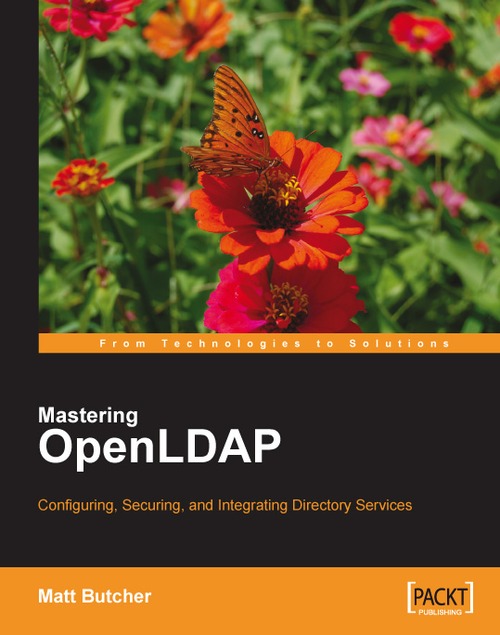
Mastering OpenLDAP: Configuring, Securing and Integrating Directory Services

Mastering OpenLDAP: Configuring, Securing and Integrating Directory Services: If you want to go beyond the fundamentals of OpenLDAP, this is the guide you need. Starting with the basics of installation, it progresses to sophisticated aspects of the server for web applications and services.

eBook
$29.69 $32.99
Paperback
$43.99 $54.99
Subscription
Free Trial
Renews at $19.99p/m

What do you get with Print?

Product feature icon Instant access to your digital copy whilst your Print order is Shipped
Product feature icon Paperback book shipped to your preferred address
Product feature icon Redeem a companion digital copy on all Print orders
Product feature icon Access this title in our online reader with advanced features
Product feature icon DRM FREE - Read whenever, wherever and however you want
Modal Close icon
Payment Processing...
tick Completed

Shipping Address

Billing Address

Shipping Methods
Table of content icon View table of contents Preview book icon Preview Book

Mastering OpenLDAP: Configuring, Securing and Integrating Directory Services

Chapter 2. Installation and Configuration

In this chapter we will walk through the process of installing and configuring the OpenLDAP suite of tools. Here we will only cover basic configuration of the SLAPD server. This will serve as a base for subsequent chapters (particularly Chapters 4 to 7), where we will explore advanced configuration options. The specific topics that we will cover include:

  • Installing binary OpenLDAP packages

  • Configuring the LDAP server with the slapd.conf file

  • Verifying the slapd.conf configuration with slaptest

  • Starting and stopping the server

  • Configuring client tools with the ldap.conf file

  • Fetching the root DSE entry from the directory with ldapsearch

Before Getting Started


OpenLDAP is maintained by the OpenLDAP Foundation. The foundation maintains a suite of tools that we will call as OpenLDAP suite. As we saw in Chapter 1, the OpenLDAP suite includes the following classes of tools:

  • Daemons (slapd and slurpd)

  • Libraries (notably libldap)

  • Client applications (ldapsearch, ldapadd, ldapmodify, and others)

  • Supporting utilities (slapcat, slapauth, and others)

The official OpenLDAP source distribution includes all of these in one download. Various binary versions however, may break these out into sub-packages. Commonly the suite is split into three packages: libraries, clients, and servers.

OpenLDAP compiles and runs on a wide variety of operating systems. However, the OpenLDAP project itself does not provide binary versions of their software. As a result, different vendors and operating system maintainers compile and provide their own binary versions. There are versions of OpenLDAP compiled for most UNIX variants (including Mac OS X), as well as...

Installation


In this section, we will walk through the process of installing on a system running Ubuntu Linux 7.04. Later, Ubuntu distributions will likely follow the same installation pattern.

Dependencies

The basic OpenLDAP configuration in Ubuntu requires a few extra libraries and packages. These are as follows:

  • The Berkeley Database (bdb4) version 4.2 (but not 4.3, which has stability issues): In the Ubuntu default configuration, OpenLDAP stores the directory inside a BDB database. The Berkeley Database is often simply called BDB.

  • The OpenSSL libraries: These provide SSL and TLS security. SSL and TLS provide encryption for network connections to the directory.

  • The Cyrus SASL library: This provides support for secure SASL authentication.

  • The Perl programming language: This can provide custom back-end scripting.

  • The iODBC database connectivity layer: OpenLDAP can store the directory in a relational database (RDBMS). The iODBC library is used to connect to the RDBMS.

OpenLDAP also relies on some...

Configuring the SLAPD Server


There are two daemons that come packaged with OpenLDAP: SLAPD server and SLURPD server. SLAPD, sometimes called the OpenLDAP server, handles client requests and directory management, while SLURPD manages replicating changes to other directories. SLURPD is now deprecated in favor of a newer, more robust replication process, and will be removed from future versions of OpenLDAP.

In the next chapter we will talk more about what these two daemons do. Right now we are only concerned with getting the SLAPD server up and running so we can start connecting to (and using) our directory.

SLAPD has one main configuration file and any number of auxiliary configuration files. In this section we are going to edit the main configuration file. It is called slapd.conf, and in Ubuntu's distribution it is located at /etc/ldap/ (if you built from source, the default location is /usr/local/etc/openldap/).

Tip

Use find . –type f –name slapd.conf or if the locate service is enabled, you...

Starting and Stopping the Server


At this point, we have configured our slapd.conf file. We are now ready to start our server. There are two different ways to run the SLAPD server: we can either use the init script provided with the distribution, or we can run the slapd command directly. Each way has its advantages, and we will look at both here.

Using the Init Script

The OpenLDAP packages that are installed with Ubuntu include a startup script that is located, along with other service startup scripts, in the /etc/init.d/ directory. The scripts in /etc/init.d/, usually referred to as the init scripts, are used to automatically start and stop services when the system run level changes (when the system boots, halts, or reboots), and by default, OpenLDAP should be configured to start when the server boots, and stop during halts and reboots.

The ldap init script provides a convenient way to start, stop, and restart the server. You can start it (if it is not already running) with the Ubuntu invoke...

Configuring the LDAP Clients


In the last couple of sections we have focused exclusively on the SLAPD server. Now that the server is running we need to get the client configuration so that we can make test connections to the server.

Fortunately all of the OpenLDAP client programs share one common configuration file, ldap.conf, which is located in Ubuntu at /etc/ldap/ldap.conf (if you build from source, according to Appendix A, the default location for this file is /usr/local/etc/openldap/ldap.conf).

Other programs, such as those that use the OpenLDAP client libraries (like the PHP and Python LDAP APIs, may also use the ldap.conf file as a default location to retrieve basic configuration information.

Tip

Too Many ldap.conf Files

Occasionally, some Linux distributions will create two different ldap.conf files—one for OpenLDAP, and one for the PAM or NSS LDAP tools. This can lead to confusion about which ldap.conf file is used for which process. Ubuntu, however, gives the other packages distinctly...

Testing the Server


At this point, we have a SLAPD server configured and running, and we have an ldap.conf file that specifies many of the defaults for our tools. Now we are going to query the directory and fetch some information.

We haven't actually put any entries in our database, though. So what will we query? SLAPD does provide directory-based access to certain information, including currently-loaded schemas and subschemas, configuration information, and a special record called the root DSE. The root DSE (DSA-Specific Entry, where DSA stands for Directory Service Agent—the technical term for an LDAP server) is a special entry that provides information about the server itself. Like all other entries in an LDAP, the root DSE has a DN. Unlike all other entries, the root DSE's DN is an empty string.

Why use an empty string for a DN? The answer is simple: any client can connect to the server and find out about what sorts of operations the server supports, and all of this can be done without...

Summary


The focus of this chapter has been on installing and configuring the OpenLDAP suite of tools. We installed OpenLDAP on an Ubuntu system, and then walked through the process of authoring a slapd.conf file. Once we had created and tested slapd.conf, we turned to the ldap.conf file, which contains settings and defaults used by the OpenLDAP clients. Finally, we used ldapsearch to request the root DSE record from the directory, verifying that we had both the client and the server configured.

In the next chapter, we will walk through the OpenLDAP utilities and client applications. In the process of doing this we will add some records to our directory.

Left arrow icon Right arrow icon

Key benefits

  • Up-to-date with the latest OpenLDAP release
  • Installing and configuring the OpenLDAP server
  • Synchronizing multiple OpenLDAP servers over the network
  • Creating custom LDAP schemas to model your own information
  • Integrating OpenLDAP with web applications

Description

This book is the ideal introduction to using OpenLDAP for Application Developers and will also benefit System Administrators running OpenLDAP. It prepares the reader to build a directory using OpenLDAP, and then employ this directory in the context of the network, taking a practical approach that emphasizes how to get things done. On occasion, it delves into theoretical aspects of LDAP, but only where understanding the theory helps to answer practical questions. The reader requires no knowledge of OpenLDAP, but even readers already familiar with the technology will find new things and techniques. This book is organized into three major sections: the first section covers the basics of LDAP directory services and the OpenLDAP server; the second focuses on building directory services with OpenLDAP; in the third section of the book, we look at how OpenLDAP is integrated with other applications and services on the network. This book not only demystifies OpenLDAP, but gives System Administrators and Application Developers a solid understanding of how to make use of OpenLDAP's directory services.The OpenLDAP directory server is a mature product that has been around (in one form or another) since 1995. It is an open-source server that provides network clients with directory services. All major Linux distributions include the OpenLDAP server, and many major applications, both open-source and proprietary, are directory aware and can make use of the services provided by OpenLDAP.The OpenLDAP directory server can be used to store organizational information in a centralized location, and make this information available to authorized applications. Client applications connect to OpenLDAP using the Lightweight Directory Access Protocol (LDAP) and can then search the directory and (if they have appropriate access) modify and manipulate records. LDAP servers are most frequently used to provide network-based authentication services for users; but there are many other uses for an LDAP server, including using the directory as an address book, a DNS database, an organizational tool, or even as a network object store for applications.

Who is this book for?

The target audience will require basic Linux system administration knowledge, but no prior knowledge of LDAP or OpenLDAP is assumed. If you are web savvy and are interested in using OpenLDAP for web applications and services like client interaction then this is the book for you.

What you will learn

  • Installing binary OpenLDAP packages and building from source
  • Configuring and verifying the LDAP server
  • Building an initial directory tree in an LDIF file
  • Loading, modifying, and searching directory records
  • Setting passwords and authenticating against the directory
  • Configuring Access Control Lists (ACLs)
  • Configuring multiple database back ends
  • Securing network-based directory connections with SSL and TLS
  • Advanced configurations and performance tuning settings
  • Creating and implementing LDAP schemas
  • Creating custom schemas and sophisticated ACLs
  • Using OpenLDAP as a proxy for other LDAP servers
  • Adding caching with the Proxy Cache overlay
  • Using the transparency overlay to create a hybrid cache
  • Installing and configuring a web-base LDAP administration suite
  • Keeping multiple directory servers synchronized with SyncRepl
  • Using OpenLDAP for Apache authentication
  • Chapter 1 constitutes the first section. In it we look at general concepts of directory servers and LDAP, cover the history of LDAP and the lineage of the OpenLDAP server, and finish up with a technical overview of OpenLDAP.The second section (comprising Chapters 2-7) focuses on building directory services with OpenLDAP. In this section, we take a close look at the OpenLDAP server. We begin in Chapter 2 with the process of installing OpenLDAP on a GNU/Linux server. Once we have the server installed, we do the basic post-installation configuration necessary to have the server running.In Chapter 3, we cover basic use of the OpenLDAP server. We use the OpenLDAP command-line tools to add records to our new directory, search the directory, and modify records. This chapter introduces many of the key concepts involved in working with LDAP data.Chapter 4 covers security, including handling authentication to the directory, configuring Access Control Lists (ACLs), and securing network-based directory connections with Secure Sockets Layer (SSL) and Transport Layer Security (TLS).In Chapter 5, we look at advanced configuration of the OpenLDAP server. Here, we take a close look at the various back-end database options and also look at performance tuning settings, as well as the recently introduced technology of directory overlays.The focus of Chapter 6 is extending the directory structure by creating and implementing LDAP schemas. Schemas provide a procedure for defining new attributes and structures to extend the directory and provide records tailor-made to your needs.Chapter 7 focuses on directory replication and different ways of getting directory servers to interoperate over a network. OpenLDAP can replicate its directory contents from a master server to any number of subordinate servers. In this chapter, we set up a replication process between two servers. In the third section of the book, we look at how OpenLDAP is integrated with other applications and services on the network. In Chapter 8, we look at configuring other tools to interoperate with OpenLDAP. We begin with the Apache Web server, using LDAP as a source of authentication and authorization. Next, we install phpLDAPadmin, a web-based program for managing directory servers. Then we look at the main features, and do some custom tuning.The appendices include a step-by-step guide to building OpenLDAP from source (Appendix A), a guide to using LDAP URLs (Appendix B), and a compendium of useful LDAP client commands (Appendix C).
Estimated delivery fee Deliver to United States

Economy delivery 10 - 13 business days

Free $6.95

Premium delivery 6 - 9 business days

$21.95
(Includes tracking information)

Product Details

Country selected
Publication date, Length, Edition, Language, ISBN-13
Publication date : Aug 31, 2007
Length: 484 pages
Edition : 1st
Language : English
ISBN-13 : 9781847191021
Languages :
Concepts :
Tools :

What do you get with Print?

Product feature icon Instant access to your digital copy whilst your Print order is Shipped
Product feature icon Paperback book shipped to your preferred address
Product feature icon Redeem a companion digital copy on all Print orders
Product feature icon Access this title in our online reader with advanced features
Product feature icon DRM FREE - Read whenever, wherever and however you want
Modal Close icon
Payment Processing...
tick Completed

Shipping Address

Billing Address

Shipping Methods
Estimated delivery fee Deliver to United States

Economy delivery 10 - 13 business days

Free $6.95

Premium delivery 6 - 9 business days

$21.95
(Includes tracking information)

Product Details

Publication date : Aug 31, 2007
Length: 484 pages
Edition : 1st
Language : English
ISBN-13 : 9781847191021
Languages :
Concepts :
Tools :

Packt Subscriptions

See our plans and pricing
Modal Close icon
$19.99 billed monthly
Feature tick icon Unlimited access to Packt's library of 7,000+ practical books and videos
Feature tick icon Constantly refreshed with 50+ new titles a month
Feature tick icon Exclusive Early access to books as they're written
Feature tick icon Solve problems while you work with advanced search and reference features
Feature tick icon Offline reading on the mobile app
Feature tick icon Simple pricing, no contract
$199.99 billed annually
Feature tick icon Unlimited access to Packt's library of 7,000+ practical books and videos
Feature tick icon Constantly refreshed with 50+ new titles a month
Feature tick icon Exclusive Early access to books as they're written
Feature tick icon Solve problems while you work with advanced search and reference features
Feature tick icon Offline reading on the mobile app
Feature tick icon Choose a DRM-free eBook or Video every month to keep
Feature tick icon PLUS own as many other DRM-free eBooks or Videos as you like for just $5 each
Feature tick icon Exclusive print discounts
$279.99 billed in 18 months
Feature tick icon Unlimited access to Packt's library of 7,000+ practical books and videos
Feature tick icon Constantly refreshed with 50+ new titles a month
Feature tick icon Exclusive Early access to books as they're written
Feature tick icon Solve problems while you work with advanced search and reference features
Feature tick icon Offline reading on the mobile app
Feature tick icon Choose a DRM-free eBook or Video every month to keep
Feature tick icon PLUS own as many other DRM-free eBooks or Videos as you like for just $5 each
Feature tick icon Exclusive print discounts

Frequently bought together


Stars icon
Total $ 127.17 158.97 31.80 saved
Mastering OpenLDAP: Configuring, Securing and Integrating Directory Services
$43.99 $54.99
FreeRADIUS Beginner's Guide
$39.19 $48.99
Implementing Samba 4
$43.99 $54.99
Total $ 127.17 158.97 31.80 saved Stars icon

Table of Contents

8 Chapters
Directory Servers and LDAP Chevron down icon Chevron up icon
Installation and Configuration Chevron down icon Chevron up icon
Using OpenLDAP Chevron down icon Chevron up icon
Securing OpenLDAP Chevron down icon Chevron up icon
Advanced Configuration Chevron down icon Chevron up icon
LDAP Schemas Chevron down icon Chevron up icon
Multiple Directories Chevron down icon Chevron up icon
LDAP and the Web Chevron down icon Chevron up icon

Customer reviews

Top Reviews
Rating distribution
Full star icon Full star icon Full star icon Full star icon Half star icon 4.3
(18 Ratings)
5 star 61.1%
4 star 16.7%
3 star 16.7%
2 star 5.6%
1 star 0%
Filter icon Filter
Top Reviews

Filter reviews by


Aamir Rashid Sep 10, 2014
Full star icon Full star icon Full star icon Full star icon Full star icon 5
Just what I wanted!
Amazon Verified review Amazon
J. Linoff Nov 14, 2011
Full star icon Full star icon Full star icon Full star icon Full star icon 5
This is a very well written technical book and it is well organized. The author does a great job of emphasizing important concepts and explains details that others authors sometimes leave out like the differences between Apache 2.0 and 2.2 configuration options. I also found the tips very helpful.I am a careful reader and really appreciated the attention to details. I found that I was able to follow the concepts at every step but, in some cases, I had to go over the material carefully. If you prefer to skim books your mileage may varyThe content was especially relevant to me because I am using OpenLDAP on Ubuntu with phpLDAPadmin. However, even if you are not using Ubuntu or Debian, you will still find this book invaluable. It covers all of the important concepts and describes the flows needed to put them to work. Most folks can figure out that they need to replace 'apt-get install ...' with 'yum install' so this will not be a handicap if you are using other distributions like Fedora, CentOS, Redhat or SUSE.I only found two mistakes. Both were minor PHP syntax errors. The first was on page 408 where the statement "'Last Name' = 'Butcher'" in the first example should have been "'Last Name' => 'Butcher'" and the second was on page 410 in the example second up from the bottom where there is an extra parenthesis, the statement "(,array('dc=example.com...'" should be ",array('dc=example.com...'"Some of the highlights for me were how to synchronize multiple directories (Chapter 7) and how to configure phpLDAPadmin (Chapter 8).If you are a newbie be prepared for chapters 3 and 4. They are very long but the material is well organized and important.I strongly recommend this book for anyone involved in LDAP administration on a linux system.I am rating this book five stars because this book delivers exactly what is promised.
Amazon Verified review Amazon
Tripurari Sharma Jul 12, 2015
Full star icon Full star icon Full star icon Full star icon Full star icon 5
Excellent book
Amazon Verified review Amazon
Helder Pereira Oct 16, 2014
Full star icon Full star icon Full star icon Full star icon Full star icon 5
O livro cobre praticamente todas as vertentes em relação a configuração de uma base LDAP, utilizando exemplo claro e ao mesmo tempo simulando cenários complexos como a configuração Multimaster e a construção de policys. Infelizmente a abordagem ainda é voltada para o padrão de configuração slapd.conf porém mesmo dada as devidas diferenças o material como um todo compensa isso.
Amazon Verified review Amazon
Firstclass Oct 04, 2013
Full star icon Full star icon Full star icon Full star icon Full star icon 5
Outstanding book.Best I have seen on this subject so far, crystal clear and explains everything I needed.Now I have a loadbalanced OpenLDAP deployment with TLS, Kerberos and GSSAPI working nicely.
Amazon Verified review Amazon
Get free access to Packt library with over 7500+ books and video courses for 7 days!
Start Free Trial

FAQs

What is the digital copy I get with my Print order? Chevron down icon Chevron up icon

When you buy any Print edition of our Books, you can redeem (for free) the eBook edition of the Print Book you’ve purchased. This gives you instant access to your book when you make an order via PDF, EPUB or our online Reader experience.

What is the delivery time and cost of print book? Chevron down icon Chevron up icon

Shipping Details

USA:

'

Economy: Delivery to most addresses in the US within 10-15 business days

Premium: Trackable Delivery to most addresses in the US within 3-8 business days

UK:

Economy: Delivery to most addresses in the U.K. within 7-9 business days.
Shipments are not trackable

Premium: Trackable delivery to most addresses in the U.K. within 3-4 business days!
Add one extra business day for deliveries to Northern Ireland and Scottish Highlands and islands

EU:

Premium: Trackable delivery to most EU destinations within 4-9 business days.

Australia:

Economy: Can deliver to P. O. Boxes and private residences.
Trackable service with delivery to addresses in Australia only.
Delivery time ranges from 7-9 business days for VIC and 8-10 business days for Interstate metro
Delivery time is up to 15 business days for remote areas of WA, NT & QLD.

Premium: Delivery to addresses in Australia only
Trackable delivery to most P. O. Boxes and private residences in Australia within 4-5 days based on the distance to a destination following dispatch.

India:

Premium: Delivery to most Indian addresses within 5-6 business days

Rest of the World:

Premium: Countries in the American continent: Trackable delivery to most countries within 4-7 business days

Asia:

Premium: Delivery to most Asian addresses within 5-9 business days

Disclaimer:
All orders received before 5 PM U.K time would start printing from the next business day. So the estimated delivery times start from the next day as well. Orders received after 5 PM U.K time (in our internal systems) on a business day or anytime on the weekend will begin printing the second to next business day. For example, an order placed at 11 AM today will begin printing tomorrow, whereas an order placed at 9 PM tonight will begin printing the day after tomorrow.


Unfortunately, due to several restrictions, we are unable to ship to the following countries:

  1. Afghanistan
  2. American Samoa
  3. Belarus
  4. Brunei Darussalam
  5. Central African Republic
  6. The Democratic Republic of Congo
  7. Eritrea
  8. Guinea-bissau
  9. Iran
  10. Lebanon
  11. Libiya Arab Jamahriya
  12. Somalia
  13. Sudan
  14. Russian Federation
  15. Syrian Arab Republic
  16. Ukraine
  17. Venezuela
What is custom duty/charge? Chevron down icon Chevron up icon

Customs duty are charges levied on goods when they cross international borders. It is a tax that is imposed on imported goods. These duties are charged by special authorities and bodies created by local governments and are meant to protect local industries, economies, and businesses.

Do I have to pay customs charges for the print book order? Chevron down icon Chevron up icon

The orders shipped to the countries that are listed under EU27 will not bear custom charges. They are paid by Packt as part of the order.

List of EU27 countries: www.gov.uk/eu-eea:

A custom duty or localized taxes may be applicable on the shipment and would be charged by the recipient country outside of the EU27 which should be paid by the customer and these duties are not included in the shipping charges been charged on the order.

How do I know my custom duty charges? Chevron down icon Chevron up icon

The amount of duty payable varies greatly depending on the imported goods, the country of origin and several other factors like the total invoice amount or dimensions like weight, and other such criteria applicable in your country.

For example:

  • If you live in Mexico, and the declared value of your ordered items is over $ 50, for you to receive a package, you will have to pay additional import tax of 19% which will be $ 9.50 to the courier service.
  • Whereas if you live in Turkey, and the declared value of your ordered items is over € 22, for you to receive a package, you will have to pay additional import tax of 18% which will be € 3.96 to the courier service.
How can I cancel my order? Chevron down icon Chevron up icon

Cancellation Policy for Published Printed Books:

You can cancel any order within 1 hour of placing the order. Simply contact customercare@packt.com with your order details or payment transaction id. If your order has already started the shipment process, we will do our best to stop it. However, if it is already on the way to you then when you receive it, you can contact us at customercare@packt.com using the returns and refund process.

Please understand that Packt Publishing cannot provide refunds or cancel any order except for the cases described in our Return Policy (i.e. Packt Publishing agrees to replace your printed book because it arrives damaged or material defect in book), Packt Publishing will not accept returns.

What is your returns and refunds policy? Chevron down icon Chevron up icon

Return Policy:

We want you to be happy with your purchase from Packtpub.com. We will not hassle you with returning print books to us. If the print book you receive from us is incorrect, damaged, doesn't work or is unacceptably late, please contact Customer Relations Team on customercare@packt.com with the order number and issue details as explained below:

  1. If you ordered (eBook, Video or Print Book) incorrectly or accidentally, please contact Customer Relations Team on customercare@packt.com within one hour of placing the order and we will replace/refund you the item cost.
  2. Sadly, if your eBook or Video file is faulty or a fault occurs during the eBook or Video being made available to you, i.e. during download then you should contact Customer Relations Team within 14 days of purchase on customercare@packt.com who will be able to resolve this issue for you.
  3. You will have a choice of replacement or refund of the problem items.(damaged, defective or incorrect)
  4. Once Customer Care Team confirms that you will be refunded, you should receive the refund within 10 to 12 working days.
  5. If you are only requesting a refund of one book from a multiple order, then we will refund you the appropriate single item.
  6. Where the items were shipped under a free shipping offer, there will be no shipping costs to refund.

On the off chance your printed book arrives damaged, with book material defect, contact our Customer Relation Team on customercare@packt.com within 14 days of receipt of the book with appropriate evidence of damage and we will work with you to secure a replacement copy, if necessary. Please note that each printed book you order from us is individually made by Packt's professional book-printing partner which is on a print-on-demand basis.

What tax is charged? Chevron down icon Chevron up icon

Currently, no tax is charged on the purchase of any print book (subject to change based on the laws and regulations). A localized VAT fee is charged only to our European and UK customers on eBooks, Video and subscriptions that they buy. GST is charged to Indian customers for eBooks and video purchases.

What payment methods can I use? Chevron down icon Chevron up icon

You can pay with the following card types:

  1. Visa Debit
  2. Visa Credit
  3. MasterCard
  4. PayPal
What is the delivery time and cost of print books? Chevron down icon Chevron up icon

Shipping Details

USA:

'

Economy: Delivery to most addresses in the US within 10-15 business days

Premium: Trackable Delivery to most addresses in the US within 3-8 business days

UK:

Economy: Delivery to most addresses in the U.K. within 7-9 business days.
Shipments are not trackable

Premium: Trackable delivery to most addresses in the U.K. within 3-4 business days!
Add one extra business day for deliveries to Northern Ireland and Scottish Highlands and islands

EU:

Premium: Trackable delivery to most EU destinations within 4-9 business days.

Australia:

Economy: Can deliver to P. O. Boxes and private residences.
Trackable service with delivery to addresses in Australia only.
Delivery time ranges from 7-9 business days for VIC and 8-10 business days for Interstate metro
Delivery time is up to 15 business days for remote areas of WA, NT & QLD.

Premium: Delivery to addresses in Australia only
Trackable delivery to most P. O. Boxes and private residences in Australia within 4-5 days based on the distance to a destination following dispatch.

India:

Premium: Delivery to most Indian addresses within 5-6 business days

Rest of the World:

Premium: Countries in the American continent: Trackable delivery to most countries within 4-7 business days

Asia:

Premium: Delivery to most Asian addresses within 5-9 business days

Disclaimer:
All orders received before 5 PM U.K time would start printing from the next business day. So the estimated delivery times start from the next day as well. Orders received after 5 PM U.K time (in our internal systems) on a business day or anytime on the weekend will begin printing the second to next business day. For example, an order placed at 11 AM today will begin printing tomorrow, whereas an order placed at 9 PM tonight will begin printing the day after tomorrow.


Unfortunately, due to several restrictions, we are unable to ship to the following countries:

  1. Afghanistan
  2. American Samoa
  3. Belarus
  4. Brunei Darussalam
  5. Central African Republic
  6. The Democratic Republic of Congo
  7. Eritrea
  8. Guinea-bissau
  9. Iran
  10. Lebanon
  11. Libiya Arab Jamahriya
  12. Somalia
  13. Sudan
  14. Russian Federation
  15. Syrian Arab Republic
  16. Ukraine
  17. Venezuela
Modal Close icon
Modal Close icon