Search icon CANCEL
Subscription
0
Cart icon
Your Cart (0 item)
Close icon
You have no products in your basket yet
Save more on your purchases! discount-offer-chevron-icon
Savings automatically calculated. No voucher code required.
Arrow left icon
Explore Products
Best Sellers
New Releases
Books
Videos
Audiobooks
Learning Hub
Newsletter Hub
Free Learning
Arrow right icon
timer SALE ENDS IN
0 Days
:
00 Hours
:
00 Minutes
:
00 Seconds
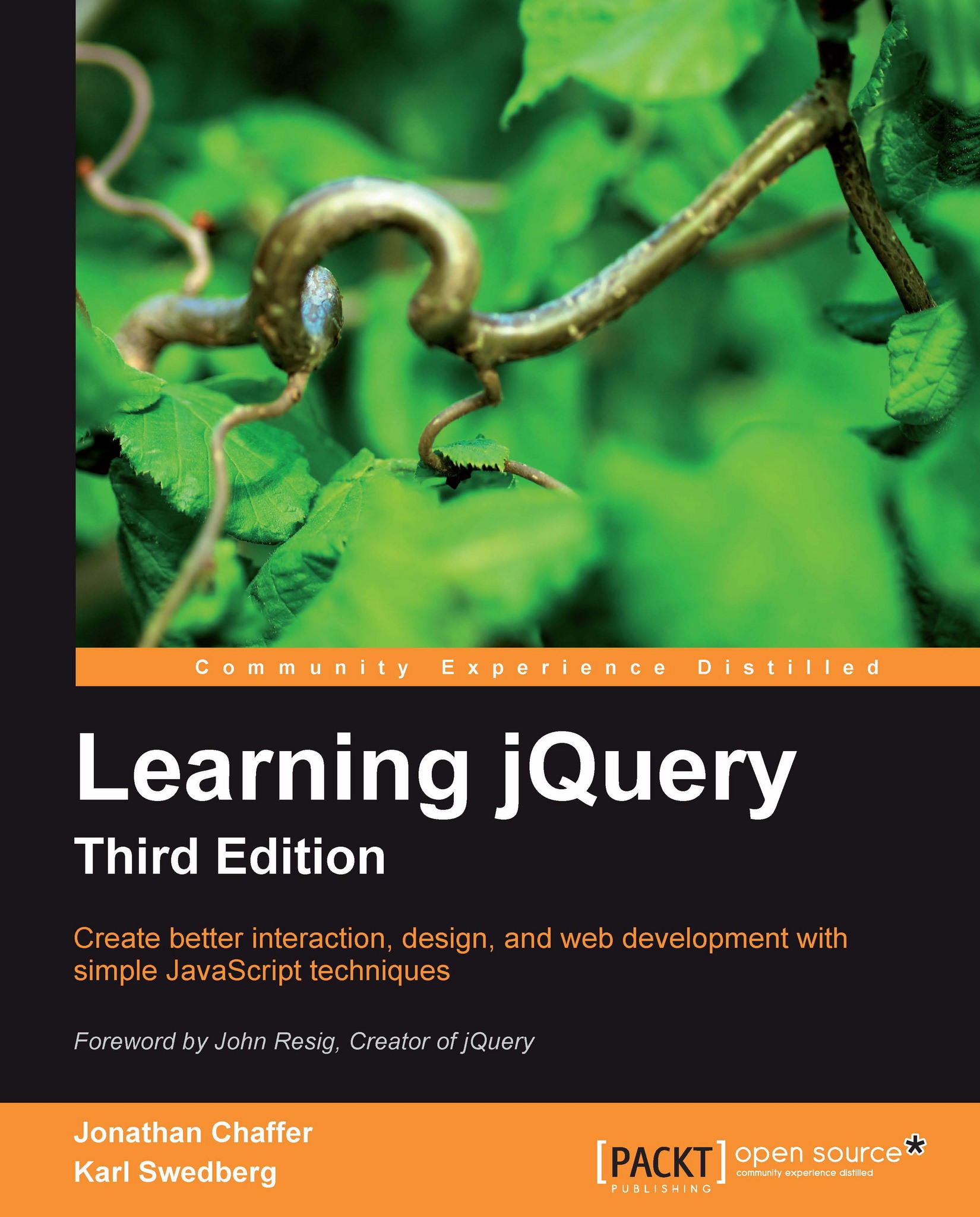
Learning jQuery, Third Edition

Learning jQuery, Third Edition: Create better interaction, design, and web development with simple JavaScript techniques

eBook
$23.39 $25.99
Paperback
$35.19 $43.99
Subscription
Free Trial
Renews at $19.99p/m

What do you get with Print?

Product feature icon Instant access to your digital copy whilst your Print order is Shipped
Product feature icon Paperback book shipped to your preferred address
Product feature icon Redeem a companion digital copy on all Print orders
Product feature icon Access this title in our online reader with advanced features
Product feature icon DRM FREE - Read whenever, wherever and however you want
Modal Close icon
Payment Processing...
tick Completed

Shipping Address

Billing Address

Shipping Methods
Table of content icon View table of contents Preview book icon Preview Book

Learning jQuery, Third Edition

Chapter 2. Selecting Elements

The jQuery library harnesses the power of Cascading Style Sheets (CSS) selectors to let us quickly and easily access elements or groups of elements in the Document Object Model (DOM). In this chapter, we will explore a few of these selectors, as well as jQuery's own custom selectors . We'll also look at jQuery's DOM traversal methods that provide even greater flexibility for getting what we want.

The Document Object Model


One of the most powerful aspects of jQuery is its ability to make selecting elements in the DOM easy. The Document Object Model serves as the interface between JavaScript and a web page; it provides a representation of the source HTML as a network of objects rather than as plain text.

This network takes the form of a "family tree" of elements on the page. When we refer to the relationships that elements have with one another, we use the same terminology that we use when referring to family relationships: parents, children, and so on. A simple example can help us understand how the family tree metaphor applies to a document, as follows:

<html>
  <head>
    <title>the title</title>
  </head>
  <body>
    <div>
      <p>This is a paragraph.</p>
      <p>This is another paragraph.</p>
      <p>This is yet another paragraph.</p>
    </div>
  </body>
</html>

Here, <html&gt...

The $() function


No matter which type of selector we want to use in jQuery, we always start with the same function: $(). This function typically accepts a CSS selector as its sole parameter, and serves as a factory, returning a new jQuery object pointing to the corresponding elements on the page. Just about anything that can be used in a stylesheet can also be passed as a string to this function, allowing us to apply jQuery methods to the matched set of elements.

Tip

Making jQuery play well with other JavaScript libraries

In jQuery, the dollar sign $ is simply an "alias" for jQuery. As a $() function is very common in JavaScript libraries, conflicts could arise if more than one of these libraries were being used in a given page. We can avoid such conflicts by replacing every instance of $ with jQuery in our custom jQuery code. Additional solutions to this problem are addressed in Chapter 10, Advanced Events.

The three primary building blocks of selectors are tag name , ID , and class . They...

CSS selectors


The jQuery library supports nearly all of the selectors included in CSS specifications 1 through 3, as outlined on the World Wide Web Consortium's site: http://www.w3.org/Style/CSS/specs. This support allows developers to enhance their websites without worrying about which browsers (particularly Internet Explorer 6) might not understand advanced selectors, as long as the browsers have JavaScript enabled.

Tip

Progressive enhancement

Responsible jQuery developers should always apply the concepts of progressive enhancement and graceful degradation to their code, ensuring that a page will render as accurately, even if not as beautifully, with JavaScript disabled as it does with JavaScript turned on. We will continue to explore these concepts throughout the book.

To begin learning how jQuery works with CSS selectors, we'll use a structure that appears on many websites, often for navigation: the nested, unordered list:

<ul id="selected-plays">
  <li>Comedies
    <ul...

Custom selectors


To the wide variety of CSS selectors, jQuery adds its own custom selectors. These custom selectors enhance the already impressive capabilities of CSS selectors to locate page elements in new ways.

Tip

Performance note

When possible, jQuery uses the native DOM selector engine of the browser to find elements. This extremely fast approach is not possible when custom jQuery selectors are used. For this reason, it is recommended to avoid frequent use of custom selectors when a native option is available and performance is very important.

Most of the custom selectors allow us to pick certain elements out of a line-up, so to speak. Typically used following a CSS selector, this kind of custom selector identifies elements based on their positions within the previously-selected group. The syntax is the same as the CSS pseudo-class syntax, where the selector starts with a colon (:). For example, to select the second item from a set of <div> elements with a class of horizontal,...

DOM traversal methods


The jQuery selectors that we have explored so far allow us to select a set of elements as we navigate across and down the DOM tree and filter the results. If this were the only way to select elements, then our options would be quite limited (although, frankly, the selector expressions are robust in their own right, especially when compared to the regular DOM scripting options). There are many occasions when selecting a parent or ancestor element is essential; that is where jQuery's DOM traversal methods come into play. With these methods at our disposal, we can go up, down, and all around the DOM tree with ease.

Some of the methods have a nearly identical counterpart among the selector expressions. For example, the line we first used to add the alt class, $('tr:even').addClass('alt'), could be rewritten with the .filter() method as follows:

$('tr').filter(':even').addClass('alt');

For the most part, however, the two ways of selecting elements complement each other. Furthermore...

Accessing DOM elements


Every selector expression and most jQuery methods return a jQuery object. This is almost always what we want, because of the implicit iteration and chaining capabilities that it affords.

Still, there may be points in our code when we need to access a DOM element directly. For example, we may need to make a resulting set of elements available to another JavaScript library. Additionally, we might need to access an element's tag name, which is available as a property of the DOM element. For these admittedly rare situations, jQuery provides the .get() method. To access the first DOM element referred to by a jQuery object, we would use .get(0). If the DOM element is needed within a loop, then we would use .get(index). So, if we want to know the tag name of an element with id="my-element", we would write the following code snippet:

var myTag = $('#my-element').get(0).tagName;

For even greater convenience, jQuery provides a shorthand for .get(). Instead of writing the preceding...

Summary


With the techniques that we have covered in this chapter, we should now be able to locate sets of elements on the page in a variety of ways. In particular, we learned how to style top-level and sub-level items in a nested list by using basic CSS selectors, apply different styles to different types of links by using attribute selectors, add rudimentary striping to a table by using either the custom jQuery selectors :odd and :even or the advanced CSS selector :nth-child(), and highlight text within certain table cells by chaining jQuery methods.

So far, we have been using the $(document).ready() method to add a class to a matched set of elements. In the next chapter, we'll explore ways in which to add a class in response to a variety of user-initiated events.

Further reading

The topic of selectors and traversal methods will be explored in more detail in Chapter 9. A complete list of jQuery's selectors and traversal methods is available in Appendix C of this book, in jQuery Reference Guide...

Exercises


To complete these exercises, you will need the index.html file for this chapter, as well as the finished JavaScript code as found in complete.j s. These files can be downloaded from the Packt Publishing web site at http://www.packtpub.com/support.

Challenge exercises may require use of the official jQuery documentation at http://api.jquery.com/.

  1. Add a class of special to all of the <li> elements at the second level of the nested list.

  2. Add a class of year to all of the table cells in the third column of a table.

  3. Add the class special to the first table row that has the word Tragedy in it.

  4. Challenge: Select all of the list items (<li>s) containing a link (<a>). Add the class afterlink to the sibling list items that follow the ones selected.

  5. Challenge: Add the class tragedy to the closest ancestor <ul> of any .pdf link.

Left arrow icon Right arrow icon

Key benefits

  • An introduction to jQuery that requires minimal programming experience
  • Detailed solutions to specific client-side problems
  • Revised and updated version of this popular jQuery book

Description

To build interesting, interactive sites, developers are turning to JavaScript libraries such as jQuery to automate common tasks and simplify complicated ones. Because many web developers have more experience with HTML and CSS than with JavaScript, the library's design lends itself to a quick start for designers with little programming experience. Experienced programmers will also be aided by its conceptual consistency.Learning jQuery Third Edition is revised and updated for version 1.6 of jQuery. You will learn the basics of jQuery for adding interactions and animations to your pages. Even if previous attempts at writing JavaScript have left you baffled, this book will guide you past the pitfalls associated with AJAX, events, effects, and advanced JavaScript language features.Starting with an introduction to jQuery, you will first be shown how to write a functioning jQuery program in just three lines of code. Learn how to add impact to your actions through a set of simple visual effects and to create, copy, reassemble, and embellish content using jQuery's DOM modification methods. The book will step you through many detailed, real-world examples, and even equip you to extend the jQuery library itself with your own plug-ins.

Who is this book for?

This book is for web designers who want to create interactive elements for their designs, and for developers who want to create the best user interface for their web applications. Basic JavaScript programming and knowledge of HTML and CSS is required. No knowledge of jQuery is assumed, nor is experience with any other JavaScript libraries.

What you will learn

  • Create interactive elements for your web designs
  • Learn how to create the best user interface for your web applications
  • Use selectors in a variety of ways to get anything you want from a page
  • Make things happen on your webpages with events
  • Add flair to your actions with a variety of animation effects
  • Discover the new features available in jQuery 1.6 in this third update of this popular jQuery book
Estimated delivery fee Deliver to United States

Economy delivery 10 - 13 business days

Free $6.95

Premium delivery 6 - 9 business days

$21.95
(Includes tracking information)

Product Details

Country selected
Publication date, Length, Edition, Language, ISBN-13
Publication date : Sep 22, 2011
Length: 428 pages
Edition : 1st
Language : English
ISBN-13 : 9781849516549
Tools :

What do you get with Print?

Product feature icon Instant access to your digital copy whilst your Print order is Shipped
Product feature icon Paperback book shipped to your preferred address
Product feature icon Redeem a companion digital copy on all Print orders
Product feature icon Access this title in our online reader with advanced features
Product feature icon DRM FREE - Read whenever, wherever and however you want
Modal Close icon
Payment Processing...
tick Completed

Shipping Address

Billing Address

Shipping Methods
Estimated delivery fee Deliver to United States

Economy delivery 10 - 13 business days

Free $6.95

Premium delivery 6 - 9 business days

$21.95
(Includes tracking information)

Product Details

Publication date : Sep 22, 2011
Length: 428 pages
Edition : 1st
Language : English
ISBN-13 : 9781849516549
Tools :

Packt Subscriptions

See our plans and pricing
Modal Close icon
$19.99 billed monthly
Feature tick icon Unlimited access to Packt's library of 7,000+ practical books and videos
Feature tick icon Constantly refreshed with 50+ new titles a month
Feature tick icon Exclusive Early access to books as they're written
Feature tick icon Solve problems while you work with advanced search and reference features
Feature tick icon Offline reading on the mobile app
Feature tick icon Simple pricing, no contract
$199.99 billed annually
Feature tick icon Unlimited access to Packt's library of 7,000+ practical books and videos
Feature tick icon Constantly refreshed with 50+ new titles a month
Feature tick icon Exclusive Early access to books as they're written
Feature tick icon Solve problems while you work with advanced search and reference features
Feature tick icon Offline reading on the mobile app
Feature tick icon Choose a DRM-free eBook or Video every month to keep
Feature tick icon PLUS own as many other DRM-free eBooks or Videos as you like for just $5 each
Feature tick icon Exclusive print discounts
$279.99 billed in 18 months
Feature tick icon Unlimited access to Packt's library of 7,000+ practical books and videos
Feature tick icon Constantly refreshed with 50+ new titles a month
Feature tick icon Exclusive Early access to books as they're written
Feature tick icon Solve problems while you work with advanced search and reference features
Feature tick icon Offline reading on the mobile app
Feature tick icon Choose a DRM-free eBook or Video every month to keep
Feature tick icon PLUS own as many other DRM-free eBooks or Videos as you like for just $5 each
Feature tick icon Exclusive print discounts

Frequently bought together


Stars icon
Total $ 70.38 87.98 17.60 saved
Learning jQuery, Third Edition
$35.19 $43.99
Responsive Web Design with HTML5 and CSS3
$35.19 $43.99
Total $ 70.38 87.98 17.60 saved Stars icon

Table of Contents

13 Chapters
Getting Started Chevron down icon Chevron up icon
Selecting Elements Chevron down icon Chevron up icon
Handling Events Chevron down icon Chevron up icon
Styling and Animating Chevron down icon Chevron up icon
Manipulating the DOM Chevron down icon Chevron up icon
Sending Data with Ajax Chevron down icon Chevron up icon
Using Plugins Chevron down icon Chevron up icon
Developing Plugins Chevron down icon Chevron up icon
Advanced Selectors and Traversing Chevron down icon Chevron up icon
Advanced Events Chevron down icon Chevron up icon
Advanced Effects Chevron down icon Chevron up icon
Advanced DOM Manipulation Chevron down icon Chevron up icon
Advanced Ajax Chevron down icon Chevron up icon

Customer reviews

Top Reviews
Rating distribution
Full star icon Full star icon Full star icon Full star icon Half star icon 4.4
(23 Ratings)
5 star 69.6%
4 star 13%
3 star 8.7%
2 star 8.7%
1 star 0%
Filter icon Filter
Top Reviews

Filter reviews by


Thomas Bennett Jun 02, 2017
Full star icon Full star icon Full star icon Full star icon Full star icon 5
Great book! A must have in the collection of any web developer
Amazon Verified review Amazon
Bethany Raymond Feb 04, 2013
Full star icon Full star icon Full star icon Full star icon Full star icon 5
Great overview of jQuery. Presents the material clearly with good examples. Would recommend as a great intro book to jQuery.
Amazon Verified review Amazon
Dick Dowdell Nov 23, 2012
Full star icon Full star icon Full star icon Full star icon Full star icon 5
This is the best JQuery tutorial I've read. It is clearly and concisely written and well organized. The book introduces each topic with appropriate descriptions, examples, and exercises. Later in the book these same topics are revisited in advanced mode, with clear descriptions of what else one can do with the technology or technique being described.Though I am not a JQuery beginner, I found the book to be an excellent refresher as well as a rich source of tools and techniques I had not yet used.I was particularly impressed with the author's ability to understand what my issues and questions might be. The book was obviously written by someone who's "been there, done that". I wish it had existed when I first began using JQuery.
Amazon Verified review Amazon
milo Mar 04, 2012
Full star icon Full star icon Full star icon Full star icon Full star icon 5
I have purchased and read three or four jQuery books and this is hands down the most complete.Other books step through simple examples of jQuery selectors, method syntax and usage. The authors of "Learning jQuery" take a different approach by building example pages up from bare html and adding and refining jQuery functionality as they go. For the most part this approach works for me. I can always look up specific jQuery methods elsewhere if I need another viewpoint or additional information.I changed my mind and rated the book at five stars vs four. Originally I was going to ding it a star for not being as comprehensive as the website. But you can't pack it all into a finite set of pages, and that in my mind is the one weakness (minor) of the approach the authors took. The jQuery website is the go to resource for a complete listing of jQuery functions. The book is an excellent companion to the website.
Amazon Verified review Amazon
Hiking Hacker Feb 02, 2013
Full star icon Full star icon Full star icon Full star icon Full star icon 5
This book is a good primer and go to reference for those who are both jQuery beginners to jQuery intermediates.
Amazon Verified review Amazon
Get free access to Packt library with over 7500+ books and video courses for 7 days!
Start Free Trial

FAQs

What is the digital copy I get with my Print order? Chevron down icon Chevron up icon

When you buy any Print edition of our Books, you can redeem (for free) the eBook edition of the Print Book you’ve purchased. This gives you instant access to your book when you make an order via PDF, EPUB or our online Reader experience.

What is the delivery time and cost of print book? Chevron down icon Chevron up icon

Shipping Details

USA:

'

Economy: Delivery to most addresses in the US within 10-15 business days

Premium: Trackable Delivery to most addresses in the US within 3-8 business days

UK:

Economy: Delivery to most addresses in the U.K. within 7-9 business days.
Shipments are not trackable

Premium: Trackable delivery to most addresses in the U.K. within 3-4 business days!
Add one extra business day for deliveries to Northern Ireland and Scottish Highlands and islands

EU:

Premium: Trackable delivery to most EU destinations within 4-9 business days.

Australia:

Economy: Can deliver to P. O. Boxes and private residences.
Trackable service with delivery to addresses in Australia only.
Delivery time ranges from 7-9 business days for VIC and 8-10 business days for Interstate metro
Delivery time is up to 15 business days for remote areas of WA, NT & QLD.

Premium: Delivery to addresses in Australia only
Trackable delivery to most P. O. Boxes and private residences in Australia within 4-5 days based on the distance to a destination following dispatch.

India:

Premium: Delivery to most Indian addresses within 5-6 business days

Rest of the World:

Premium: Countries in the American continent: Trackable delivery to most countries within 4-7 business days

Asia:

Premium: Delivery to most Asian addresses within 5-9 business days

Disclaimer:
All orders received before 5 PM U.K time would start printing from the next business day. So the estimated delivery times start from the next day as well. Orders received after 5 PM U.K time (in our internal systems) on a business day or anytime on the weekend will begin printing the second to next business day. For example, an order placed at 11 AM today will begin printing tomorrow, whereas an order placed at 9 PM tonight will begin printing the day after tomorrow.


Unfortunately, due to several restrictions, we are unable to ship to the following countries:

  1. Afghanistan
  2. American Samoa
  3. Belarus
  4. Brunei Darussalam
  5. Central African Republic
  6. The Democratic Republic of Congo
  7. Eritrea
  8. Guinea-bissau
  9. Iran
  10. Lebanon
  11. Libiya Arab Jamahriya
  12. Somalia
  13. Sudan
  14. Russian Federation
  15. Syrian Arab Republic
  16. Ukraine
  17. Venezuela
What is custom duty/charge? Chevron down icon Chevron up icon

Customs duty are charges levied on goods when they cross international borders. It is a tax that is imposed on imported goods. These duties are charged by special authorities and bodies created by local governments and are meant to protect local industries, economies, and businesses.

Do I have to pay customs charges for the print book order? Chevron down icon Chevron up icon

The orders shipped to the countries that are listed under EU27 will not bear custom charges. They are paid by Packt as part of the order.

List of EU27 countries: www.gov.uk/eu-eea:

A custom duty or localized taxes may be applicable on the shipment and would be charged by the recipient country outside of the EU27 which should be paid by the customer and these duties are not included in the shipping charges been charged on the order.

How do I know my custom duty charges? Chevron down icon Chevron up icon

The amount of duty payable varies greatly depending on the imported goods, the country of origin and several other factors like the total invoice amount or dimensions like weight, and other such criteria applicable in your country.

For example:

  • If you live in Mexico, and the declared value of your ordered items is over $ 50, for you to receive a package, you will have to pay additional import tax of 19% which will be $ 9.50 to the courier service.
  • Whereas if you live in Turkey, and the declared value of your ordered items is over € 22, for you to receive a package, you will have to pay additional import tax of 18% which will be € 3.96 to the courier service.
How can I cancel my order? Chevron down icon Chevron up icon

Cancellation Policy for Published Printed Books:

You can cancel any order within 1 hour of placing the order. Simply contact customercare@packt.com with your order details or payment transaction id. If your order has already started the shipment process, we will do our best to stop it. However, if it is already on the way to you then when you receive it, you can contact us at customercare@packt.com using the returns and refund process.

Please understand that Packt Publishing cannot provide refunds or cancel any order except for the cases described in our Return Policy (i.e. Packt Publishing agrees to replace your printed book because it arrives damaged or material defect in book), Packt Publishing will not accept returns.

What is your returns and refunds policy? Chevron down icon Chevron up icon

Return Policy:

We want you to be happy with your purchase from Packtpub.com. We will not hassle you with returning print books to us. If the print book you receive from us is incorrect, damaged, doesn't work or is unacceptably late, please contact Customer Relations Team on customercare@packt.com with the order number and issue details as explained below:

  1. If you ordered (eBook, Video or Print Book) incorrectly or accidentally, please contact Customer Relations Team on customercare@packt.com within one hour of placing the order and we will replace/refund you the item cost.
  2. Sadly, if your eBook or Video file is faulty or a fault occurs during the eBook or Video being made available to you, i.e. during download then you should contact Customer Relations Team within 14 days of purchase on customercare@packt.com who will be able to resolve this issue for you.
  3. You will have a choice of replacement or refund of the problem items.(damaged, defective or incorrect)
  4. Once Customer Care Team confirms that you will be refunded, you should receive the refund within 10 to 12 working days.
  5. If you are only requesting a refund of one book from a multiple order, then we will refund you the appropriate single item.
  6. Where the items were shipped under a free shipping offer, there will be no shipping costs to refund.

On the off chance your printed book arrives damaged, with book material defect, contact our Customer Relation Team on customercare@packt.com within 14 days of receipt of the book with appropriate evidence of damage and we will work with you to secure a replacement copy, if necessary. Please note that each printed book you order from us is individually made by Packt's professional book-printing partner which is on a print-on-demand basis.

What tax is charged? Chevron down icon Chevron up icon

Currently, no tax is charged on the purchase of any print book (subject to change based on the laws and regulations). A localized VAT fee is charged only to our European and UK customers on eBooks, Video and subscriptions that they buy. GST is charged to Indian customers for eBooks and video purchases.

What payment methods can I use? Chevron down icon Chevron up icon

You can pay with the following card types:

  1. Visa Debit
  2. Visa Credit
  3. MasterCard
  4. PayPal
What is the delivery time and cost of print books? Chevron down icon Chevron up icon

Shipping Details

USA:

'

Economy: Delivery to most addresses in the US within 10-15 business days

Premium: Trackable Delivery to most addresses in the US within 3-8 business days

UK:

Economy: Delivery to most addresses in the U.K. within 7-9 business days.
Shipments are not trackable

Premium: Trackable delivery to most addresses in the U.K. within 3-4 business days!
Add one extra business day for deliveries to Northern Ireland and Scottish Highlands and islands

EU:

Premium: Trackable delivery to most EU destinations within 4-9 business days.

Australia:

Economy: Can deliver to P. O. Boxes and private residences.
Trackable service with delivery to addresses in Australia only.
Delivery time ranges from 7-9 business days for VIC and 8-10 business days for Interstate metro
Delivery time is up to 15 business days for remote areas of WA, NT & QLD.

Premium: Delivery to addresses in Australia only
Trackable delivery to most P. O. Boxes and private residences in Australia within 4-5 days based on the distance to a destination following dispatch.

India:

Premium: Delivery to most Indian addresses within 5-6 business days

Rest of the World:

Premium: Countries in the American continent: Trackable delivery to most countries within 4-7 business days

Asia:

Premium: Delivery to most Asian addresses within 5-9 business days

Disclaimer:
All orders received before 5 PM U.K time would start printing from the next business day. So the estimated delivery times start from the next day as well. Orders received after 5 PM U.K time (in our internal systems) on a business day or anytime on the weekend will begin printing the second to next business day. For example, an order placed at 11 AM today will begin printing tomorrow, whereas an order placed at 9 PM tonight will begin printing the day after tomorrow.


Unfortunately, due to several restrictions, we are unable to ship to the following countries:

  1. Afghanistan
  2. American Samoa
  3. Belarus
  4. Brunei Darussalam
  5. Central African Republic
  6. The Democratic Republic of Congo
  7. Eritrea
  8. Guinea-bissau
  9. Iran
  10. Lebanon
  11. Libiya Arab Jamahriya
  12. Somalia
  13. Sudan
  14. Russian Federation
  15. Syrian Arab Republic
  16. Ukraine
  17. Venezuela
Modal Close icon
Modal Close icon