Search icon CANCEL
Subscription
0
Cart icon
Your Cart (0 item)
Close icon
You have no products in your basket yet
Save more on your purchases! discount-offer-chevron-icon
Savings automatically calculated. No voucher code required.
Arrow left icon
Explore Products
Best Sellers
New Releases
Books
Videos
Audiobooks
Learning Hub
Newsletter Hub
Free Learning
Arrow right icon
timer SALE ENDS IN
0 Days
:
00 Hours
:
00 Minutes
:
00 Seconds
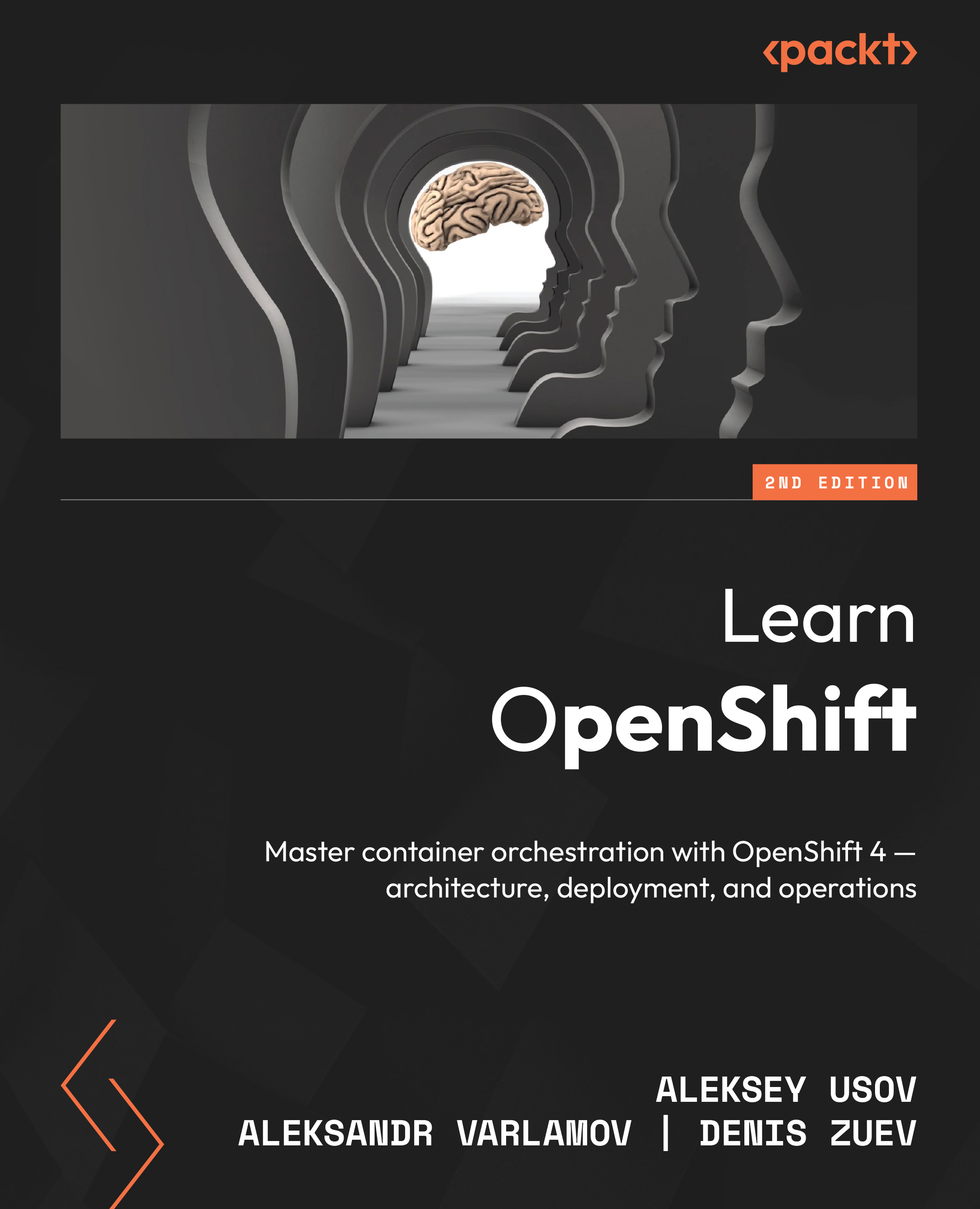
Learn OpenShift
Learn OpenShift

Learn OpenShift: Master container orchestration with OpenShift 4 – architecture, deployment, and operations , Second Edition

Arrow left icon
Profile Icon Aleksey Usov Profile Icon Denis Zuev Profile Icon Aleksandr Varlamov
Arrow right icon
$49.99
Paperback Jan 2026 708 pages 2nd Edition
eBook
$35.99 $39.99
Paperback
$49.99
Subscription
Free Trial
Renews at $19.99p/m
Arrow left icon
Profile Icon Aleksey Usov Profile Icon Denis Zuev Profile Icon Aleksandr Varlamov
Arrow right icon
$49.99
Paperback Jan 2026 708 pages 2nd Edition
eBook
$35.99 $39.99
Paperback
$49.99
Subscription
Free Trial
Renews at $19.99p/m
eBook
$35.99 $39.99
Paperback
$49.99
Subscription
Free Trial
Renews at $19.99p/m

What do you get with Print?

Product feature icon Instant access to your digital copy whilst your Print order is Shipped
Product feature icon Paperback book shipped to your preferred address
Product feature icon Redeem a companion digital copy on all Print orders
Product feature icon Access this title in our online reader with advanced features
Product feature icon DRM FREE - Read whenever, wherever and however you want
Modal Close icon
Payment Processing...
tick Completed

Shipping Address

Billing Address

Shipping Methods
Table of content icon View table of contents Preview book icon Preview Book

Learn OpenShift

Understanding Containers

Containers and virtualization have changed the way we think about running applications. They’ve made things faster, more efficient, and much easier to manage – especially as environments grow more complex. In this chapter, we’ll take a closer look at what containerization is, how it compares to virtualization, and why it’s become such a big deal in the world of modern infrastructure.

Containerization is a lightweight way to package and run software consistently across environments – from a laptop to production. Unlike virtual machines (VMs), which each run a full operating system, containers share the host’s kernel, making them faster and more efficient.

While both containers and VMs allow multiple apps on one machine, they use different approaches. That distinction affects performance, resource use, and deployment speed – topics we’ll break down with clear examples. It’s also worth noting...

Join our book community on Discord!

https://packt.link/mqfS2

Containers and virtualization have changed the way we think about running applications. They've made things faster, more efficient, and much easier to manage—especially as environments grow more complex. In this chapter, we'll take a closer look at what containerization is, how it compares to virtualization, and why it's become such a big deal in the world of modern infrastructure.Containerization is a lightweight way to package and run software consistently across environments—from a laptop to production. Unlike virtual machines, which each run a full operating system, containers share the host's kernel, making them faster and more efficient.While both containers and VMs allow multiple apps on one machine, they use different approaches. That distinction affects performance, resource use, and deployment speed—topics we'll break down with clear examples. It's also worth noting...

Technical requirements

In this chapter, you will need:

  • Internet Access
  • Shell Terminal and SSH Client
  • Running CentOS 9:
  • Based on Type 2 Hypervisor – VMWare Fusion or VirtualBox
  • Based in Private or Public Cloud
  • Firefox or another modern Web-browser

Benefits of Containerization

Containerization has reshaped the way we build, run, and manage applications. With tools like Docker, it's now easy to package an app—along with everything it needs—into a compact, portable container that runs anywhere.In the sections that follow, we'll look at the key benefits that have made containers such a vital part of modern software development.

  • Consistency and Portability: Inconsistencies between dev, test, and production are common and often cause problems. Containers solve this by packaging everything the app needs, so it runs the same everywhere—on your laptop, on-prem, or in the cloud. With Docker images, you build it once and run it anywhere with confidence.
  • Agility and Speed: Containers start fast and use less space because they share the host's operating system, unlike virtual machines that run a full OS. This makes development quicker, deployments faster, and updates easier.
  • Resource Efficiency and Density...

Containerization vs virtualization

While both containerization and virtualization aim to optimize resource utilization and easy application development and deployment, they operate at fundamentally different levels and have distinct use cases. Let's clarify the differences.

Virtualization

Virtualization uses software to let one physical machine run multiple virtual machines (VMs). Each VM has its own operating system and simulates full hardware like CPU, memory, and network. They main key points are:

  • Virtualization involves creating VMs on top of a physical server using a hypervisor. Each VM simulates complete hardware – CPU, memory, disk, and network interfaces – and runs its own isolated operating system and applications. All that hardware, albeit virtual, needs time to initialize. It is not uncommon to disable unnecessary devices, such as USB ports and a wireless card, on a VM to speed up startup time. However, this approach has limits.
  • VMs offer robust isolation...

Containers and microservices

Containerization took off alongside the move to microservices. Instead of building one big, all-in-one app, microservices break things down into smaller units that can be built, deployed, and updated on their own. Containers make this much easier — they're a great way to package and run each service separately. This setup comes with a bunch of advantages, like:

  • Granular Isolation and Deployment: Each microservice, with its specific dependencies, can reside within a dedicated container. This promotes isolated environments, preventing conflicts and allowing independent updates without impacting other components of an application.
  • Scalability by Design: Microservices work best when you need to scale specific functions of an application under load. Containers facilitate rapid scaling by quickly replicating instances of the microservice in question. Orchestration platforms like Kubernetes (on which OpenShift 4 is built) excel at managing these containerized...

Lab Environment

There's a saying "One good test is worth a thousand expert opinions". We follow the same principle in this book and whatever we talk we try to verify in the lab and urge you to follow the same advice. Trust but verify.In Chapters 1 and 2, we mainly use a single Instance of CentOS 9. In later chapters, we are going to utilize a mix of OpenShift Local and OpenShift 4 UPI (User Provided Infrastructure) multinode cluster built in a VMware vSphere environment. You don't need a dedicated server with a lot of resources to follow the labs in this book and can complete most of the tasks on your laptop that have enough CPU and RAM, but we encourage you to have your own dedicated servers to be able to run a full OpenShift 4 installation.

Lab Deployment options

There are multiple ways of bringing the same virtual environment we have in this book. If you are proficient with cloud or virtualized environments like VMware, Hyper-V or KVM, feel free to use those.We...

Podman overview

Containers are transforming software development. They package applications and their dependencies into portable units, ensuring they run the same way on any compatible system - be it your laptop or a massive cloud-based cluster. This streamlines deployment, promotes consistency, and empowers microservice architectures. Podman offers a unique way to harness the power of containers.

What is Podman?

Podman is a command-line tool designed for managing containers and related components: images, volumes, and even groups of containers known as 'pods'. Here's how it differs from Docker:

  • Daemonless Architecture: Unlike traditional container runtimes, Podman doesn't rely on a central, long-running background process (daemon). This translates into security advantages and sometimes better integration with system administration tools.
  • Kubernetes Compatibility: Podman closely aligns with Kubernetes concepts and can manipulate 'pods' directly. This is...

Podman vs Docker

The world of containerization often centers around Docker, the tool that brought containers into the mainstream. Podman, however, provides a good alternative that meets the demands of developers and administrators. Let's look at their core differences, advantages, and when to choose one over the other.

  • Docker's Daemon: In contrary to Podman, Docker relies on a central, long-running daemon process (dockerd). This daemon handles image management, launching containers, networking, and most interactions with the Docker command-line tool (docker).
  • Podman's Liberation: Podman eschews the daemon. Instead, it uses the fork/exec model: it spawns child processes when necessary for running containers and managing images.
Figure 1.6: Podman vs Docker

Security plays a huge role in the world of containers and while docker came as first comer, it couldn't address all the issues and demands of the real world needs as it evolved, this is where podman comes into...

Summary

In this chapter, we quickly went through what containerization is how it benefits the modern world by itself and it lives together and differs to virtualization.Most importantly we discussed how containers are working in OpenShift 4 as it is going to be the main product we are using in this book. This book is full of practical exercises, so we need to build multiple lab environments where one of the most simple and accessible ones is to run on the local laptop as a VM. You should have brought up a Linux VM and completed several practical tasks with Podman basics. We went over essential concepts such as Images, Containers and Pods and how they work together. From there we compared root vs rootless containers, their different implementation scenarios and outcomes.Finally, we did a comprehensive comparison of Docker vs Podman from different angles including architecture, security, development points of view.In the next Chapter, we will go into brief history of Kubernetes, how it...

Quiz

Test your understanding of Podman with this quick quiz. Remember, some questions may have more than one correct answer!

  1. Which of these statements accurately describe Podman's architecture?
    1. It relies on a long-running daemon process like Docker does.
    2. It utilizes a fork/exec model for managing containers and images.
    3. It requires root privileges for all container operations.
  2. If you are already familiar with Docker commands, you'll feel right at home with most of Podman's basic usage.
    1. True
    2. False
  3. Which of these tasks can Podman help you with? (Select all that apply)
    1. Building container images
    2. Inspecting container images stored in remote registries
    3. Orchestrating large-scale, multi-container applications across a cluster
    4. Running a containerized database server
  4. In a Podman context, what is a pod?
    1. A standalone container with its own network and storage resources.
    2. A group of closely related containers sharing a network namespace and potentially storage.
    3. A set of commands...

Answers

  1. B. Unlike Docker, which operates on a client-server basis, Podman launches a child process using fork() system call and then uses exec() to replace it with a container process, eliminating the need for a server and improving security.
  2. A. Most Podman's commands maintain backward compatibility with Docker, easing transition.
  3. A, B, and D. To manage a complex application that consists of many interacting microservices running in containers, you will need an orchestrating engine, like Kubernetes, or its derivatives (OpenShift being one of them).
  4. B. Each pod contains one or more containers that share Linux kernel namespaces, for example network, which means that processes inside the same pod can communicate with each other through local network (localhost).
  5. A. Due to its daemonless architecture and non-reliance on root access, Podman is a better choice when a better security posture is desired.
Left arrow icon Right arrow icon
Download code icon Download Code

Key benefits

  • Learn OpenShift 4 fundamentals and advanced concepts, including architecture, deployment, and operations
  • Build, secure, and manage scalable containerized applications for enterprise environments
  • Apply skills through expert-led tutorials, real-world projects, and hands-on labs for observability and more

Description

OpenShift is a powerful enterprise Kubernetes platform that simplifies the development, deployment, and management of containerized applications. Learn OpenShift is a comprehensive, hands-on guide designed for architects, DevOps engineers, SREs, and system administrators who want to take OpenShift 4 from architecture to production deployment. Drawing on the experience of seasoned architects who’ve worked on some of the world’s largest OpenShift projects, this book covers both fundamentals and advanced scenarios rarely discussed elsewhere. You’ll explore OpenShift 4 internals, understand its architecture, master cluster installation and upgrades, and gain deep insights into managing applications, configuring security, application builds, observability, and service mesh. With practical examples and real-world guidance, you’ll confidently deploy OpenShift on bare metal, virtualization, and cloud environments, and learn how to extend, maintain, and operate clusters at scale. By the end of this book, you’ll be able to install, secure, and operate OpenShift 4 clusters in enterprise production environments, deploy containerized applications at scale, and troubleshoot real-world issues with confidence.

Who is this book for?

This book is for DevOps engineers, architects, SREs, and sysadmins with a foundational understanding of Linux and Kubernetes who want to master OpenShift 4 in enterprise environments. Whether you're migrating from OpenShift 3 or starting from scratch, you’ll gain practical skills for real-world production deployments.

What you will learn

  • Understand the key differences between Kubernetes and OpenShift 4
  • Set up OpenShift clusters on cloud, on-prem, and virtualized platforms
  • Secure and manage apps with projects, quotas, network policies, and SCCs
  • Implement GitOps workflows and build applications
  • Monitor and trace services with Service Mesh and observability tools
  • Deploy advanced services such as Data Foundation and Windows Containers
  • Extend OpenShift with custom Operators, upgrade clusters, and troubleshoot issues
Estimated delivery fee Deliver to United States

Economy delivery 10 - 13 business days

Free $6.95

Premium delivery 6 - 9 business days

$21.95
(Includes tracking information)

Product Details

Country selected
Publication date, Length, Edition, Language, ISBN-13
Publication date : Jan 30, 2026
Length: 708 pages
Edition : 2nd
Language : English
ISBN-13 : 9781835882405
Tools :

What do you get with Print?

Product feature icon Instant access to your digital copy whilst your Print order is Shipped
Product feature icon Paperback book shipped to your preferred address
Product feature icon Redeem a companion digital copy on all Print orders
Product feature icon Access this title in our online reader with advanced features
Product feature icon DRM FREE - Read whenever, wherever and however you want
Modal Close icon
Payment Processing...
tick Completed

Shipping Address

Billing Address

Shipping Methods
Estimated delivery fee Deliver to United States

Economy delivery 10 - 13 business days

Free $6.95

Premium delivery 6 - 9 business days

$21.95
(Includes tracking information)

Product Details

Publication date : Jan 30, 2026
Length: 708 pages
Edition : 2nd
Language : English
ISBN-13 : 9781835882405
Tools :

Packt Subscriptions

See our plans and pricing
Modal Close icon
$19.99 billed monthly
Feature tick icon Unlimited access to Packt's library of 7,000+ practical books and videos
Feature tick icon Constantly refreshed with 50+ new titles a month
Feature tick icon Exclusive Early access to books as they're written
Feature tick icon Solve problems while you work with advanced search and reference features
Feature tick icon Offline reading on the mobile app
Feature tick icon Simple pricing, no contract
$199.99 billed annually
Feature tick icon Unlimited access to Packt's library of 7,000+ practical books and videos
Feature tick icon Constantly refreshed with 50+ new titles a month
Feature tick icon Exclusive Early access to books as they're written
Feature tick icon Solve problems while you work with advanced search and reference features
Feature tick icon Offline reading on the mobile app
Feature tick icon Choose a DRM-free eBook or Video every month to keep
Feature tick icon PLUS own as many other DRM-free eBooks or Videos as you like for just $5 each
Feature tick icon Exclusive print discounts
$279.99 billed in 18 months
Feature tick icon Unlimited access to Packt's library of 7,000+ practical books and videos
Feature tick icon Constantly refreshed with 50+ new titles a month
Feature tick icon Exclusive Early access to books as they're written
Feature tick icon Solve problems while you work with advanced search and reference features
Feature tick icon Offline reading on the mobile app
Feature tick icon Choose a DRM-free eBook or Video every month to keep
Feature tick icon PLUS own as many other DRM-free eBooks or Videos as you like for just $5 each
Feature tick icon Exclusive print discounts

Table of Contents

25 Chapters
Part 1: The Basics and Installation Chevron down icon Chevron up icon
Understanding Containers Chevron down icon Chevron up icon
Kubernetes and OpenShift Chevron down icon Chevron up icon
Getting Started with OpenShift Chevron down icon Chevron up icon
Part 2: Post-Installation, Configuration, and Application Deployment Chevron down icon Chevron up icon
Post-Install Configuration Chevron down icon Chevron up icon
Navigating Authentication and Authorization Chevron down icon Chevron up icon
Exploring Scalability with OpenShift Chevron down icon Chevron up icon
Application Security and Isolation Chevron down icon Chevron up icon
Working with Persistent Storage Chevron down icon Chevron up icon
Developing for OpenShift Chevron down icon Chevron up icon
Deployment to OpenShift Chevron down icon Chevron up icon
Deploying Applications with Helm and Kustomize Chevron down icon Chevron up icon
Part 3: Logging, Monitoring, Observability, and Advanced OpenShift Services Chevron down icon Chevron up icon
Logging in OpenShift Chevron down icon Chevron up icon
Monitoring in OpenShift Chevron down icon Chevron up icon
Understanding Service Mesh and Distributed Tracing Chevron down icon Chevron up icon
Exploring Additional Services in OpenShift Chevron down icon Chevron up icon
Part 4: Extending, Maintaining, and Upgrading OpenShift Chevron down icon Chevron up icon
Understanding Operators and the Operator Framework Chevron down icon Chevron up icon
Upgrading OpenShift Chevron down icon Chevron up icon
Troubleshooting and Maintenance Chevron down icon Chevron up icon
Unlock Your Exclusive Benefits Chevron down icon Chevron up icon
Other Books You May Enjoy Chevron down icon Chevron up icon
Index Chevron down icon Chevron up icon
Get free access to Packt library with over 7500+ books and video courses for 7 days!
Start Free Trial

FAQs

What is the digital copy I get with my Print order? Chevron down icon Chevron up icon

When you buy any Print edition of our Books, you can redeem (for free) the eBook edition of the Print Book you’ve purchased. This gives you instant access to your book when you make an order via PDF, EPUB or our online Reader experience.

What is the delivery time and cost of print book? Chevron down icon Chevron up icon

Shipping Details

USA:

'

Economy: Delivery to most addresses in the US within 10-15 business days

Premium: Trackable Delivery to most addresses in the US within 3-8 business days

UK:

Economy: Delivery to most addresses in the U.K. within 7-9 business days.
Shipments are not trackable

Premium: Trackable delivery to most addresses in the U.K. within 3-4 business days!
Add one extra business day for deliveries to Northern Ireland and Scottish Highlands and islands

EU:

Premium: Trackable delivery to most EU destinations within 4-9 business days.

Australia:

Economy: Can deliver to P. O. Boxes and private residences.
Trackable service with delivery to addresses in Australia only.
Delivery time ranges from 7-9 business days for VIC and 8-10 business days for Interstate metro
Delivery time is up to 15 business days for remote areas of WA, NT & QLD.

Premium: Delivery to addresses in Australia only
Trackable delivery to most P. O. Boxes and private residences in Australia within 4-5 days based on the distance to a destination following dispatch.

India:

Premium: Delivery to most Indian addresses within 5-6 business days

Rest of the World:

Premium: Countries in the American continent: Trackable delivery to most countries within 4-7 business days

Asia:

Premium: Delivery to most Asian addresses within 5-9 business days

Disclaimer:
All orders received before 5 PM U.K time would start printing from the next business day. So the estimated delivery times start from the next day as well. Orders received after 5 PM U.K time (in our internal systems) on a business day or anytime on the weekend will begin printing the second to next business day. For example, an order placed at 11 AM today will begin printing tomorrow, whereas an order placed at 9 PM tonight will begin printing the day after tomorrow.


Unfortunately, due to several restrictions, we are unable to ship to the following countries:

  1. Afghanistan
  2. American Samoa
  3. Belarus
  4. Brunei Darussalam
  5. Central African Republic
  6. The Democratic Republic of Congo
  7. Eritrea
  8. Guinea-bissau
  9. Iran
  10. Lebanon
  11. Libiya Arab Jamahriya
  12. Somalia
  13. Sudan
  14. Russian Federation
  15. Syrian Arab Republic
  16. Ukraine
  17. Venezuela
What is custom duty/charge? Chevron down icon Chevron up icon

Customs duty are charges levied on goods when they cross international borders. It is a tax that is imposed on imported goods. These duties are charged by special authorities and bodies created by local governments and are meant to protect local industries, economies, and businesses.

Do I have to pay customs charges for the print book order? Chevron down icon Chevron up icon

The orders shipped to the countries that are listed under EU27 will not bear custom charges. They are paid by Packt as part of the order.

List of EU27 countries: www.gov.uk/eu-eea:

A custom duty or localized taxes may be applicable on the shipment and would be charged by the recipient country outside of the EU27 which should be paid by the customer and these duties are not included in the shipping charges been charged on the order.

How do I know my custom duty charges? Chevron down icon Chevron up icon

The amount of duty payable varies greatly depending on the imported goods, the country of origin and several other factors like the total invoice amount or dimensions like weight, and other such criteria applicable in your country.

For example:

  • If you live in Mexico, and the declared value of your ordered items is over $ 50, for you to receive a package, you will have to pay additional import tax of 19% which will be $ 9.50 to the courier service.
  • Whereas if you live in Turkey, and the declared value of your ordered items is over € 22, for you to receive a package, you will have to pay additional import tax of 18% which will be € 3.96 to the courier service.
How can I cancel my order? Chevron down icon Chevron up icon

Cancellation Policy for Published Printed Books:

You can cancel any order within 1 hour of placing the order. Simply contact customercare@packt.com with your order details or payment transaction id. If your order has already started the shipment process, we will do our best to stop it. However, if it is already on the way to you then when you receive it, you can contact us at customercare@packt.com using the returns and refund process.

Please understand that Packt Publishing cannot provide refunds or cancel any order except for the cases described in our Return Policy (i.e. Packt Publishing agrees to replace your printed book because it arrives damaged or material defect in book), Packt Publishing will not accept returns.

What is your returns and refunds policy? Chevron down icon Chevron up icon

Return Policy:

We want you to be happy with your purchase from Packtpub.com. We will not hassle you with returning print books to us. If the print book you receive from us is incorrect, damaged, doesn't work or is unacceptably late, please contact Customer Relations Team on customercare@packt.com with the order number and issue details as explained below:

  1. If you ordered (eBook, Video or Print Book) incorrectly or accidentally, please contact Customer Relations Team on customercare@packt.com within one hour of placing the order and we will replace/refund you the item cost.
  2. Sadly, if your eBook or Video file is faulty or a fault occurs during the eBook or Video being made available to you, i.e. during download then you should contact Customer Relations Team within 14 days of purchase on customercare@packt.com who will be able to resolve this issue for you.
  3. You will have a choice of replacement or refund of the problem items.(damaged, defective or incorrect)
  4. Once Customer Care Team confirms that you will be refunded, you should receive the refund within 10 to 12 working days.
  5. If you are only requesting a refund of one book from a multiple order, then we will refund you the appropriate single item.
  6. Where the items were shipped under a free shipping offer, there will be no shipping costs to refund.

On the off chance your printed book arrives damaged, with book material defect, contact our Customer Relation Team on customercare@packt.com within 14 days of receipt of the book with appropriate evidence of damage and we will work with you to secure a replacement copy, if necessary. Please note that each printed book you order from us is individually made by Packt's professional book-printing partner which is on a print-on-demand basis.

What tax is charged? Chevron down icon Chevron up icon

Currently, no tax is charged on the purchase of any print book (subject to change based on the laws and regulations). A localized VAT fee is charged only to our European and UK customers on eBooks, Video and subscriptions that they buy. GST is charged to Indian customers for eBooks and video purchases.

What payment methods can I use? Chevron down icon Chevron up icon

You can pay with the following card types:

  1. Visa Debit
  2. Visa Credit
  3. MasterCard
  4. PayPal
What is the delivery time and cost of print books? Chevron down icon Chevron up icon

Shipping Details

USA:

'

Economy: Delivery to most addresses in the US within 10-15 business days

Premium: Trackable Delivery to most addresses in the US within 3-8 business days

UK:

Economy: Delivery to most addresses in the U.K. within 7-9 business days.
Shipments are not trackable

Premium: Trackable delivery to most addresses in the U.K. within 3-4 business days!
Add one extra business day for deliveries to Northern Ireland and Scottish Highlands and islands

EU:

Premium: Trackable delivery to most EU destinations within 4-9 business days.

Australia:

Economy: Can deliver to P. O. Boxes and private residences.
Trackable service with delivery to addresses in Australia only.
Delivery time ranges from 7-9 business days for VIC and 8-10 business days for Interstate metro
Delivery time is up to 15 business days for remote areas of WA, NT & QLD.

Premium: Delivery to addresses in Australia only
Trackable delivery to most P. O. Boxes and private residences in Australia within 4-5 days based on the distance to a destination following dispatch.

India:

Premium: Delivery to most Indian addresses within 5-6 business days

Rest of the World:

Premium: Countries in the American continent: Trackable delivery to most countries within 4-7 business days

Asia:

Premium: Delivery to most Asian addresses within 5-9 business days

Disclaimer:
All orders received before 5 PM U.K time would start printing from the next business day. So the estimated delivery times start from the next day as well. Orders received after 5 PM U.K time (in our internal systems) on a business day or anytime on the weekend will begin printing the second to next business day. For example, an order placed at 11 AM today will begin printing tomorrow, whereas an order placed at 9 PM tonight will begin printing the day after tomorrow.


Unfortunately, due to several restrictions, we are unable to ship to the following countries:

  1. Afghanistan
  2. American Samoa
  3. Belarus
  4. Brunei Darussalam
  5. Central African Republic
  6. The Democratic Republic of Congo
  7. Eritrea
  8. Guinea-bissau
  9. Iran
  10. Lebanon
  11. Libiya Arab Jamahriya
  12. Somalia
  13. Sudan
  14. Russian Federation
  15. Syrian Arab Republic
  16. Ukraine
  17. Venezuela
Modal Close icon
Modal Close icon