Search icon CANCEL
Subscription
0
Cart icon
Your Cart (0 item)
Close icon
You have no products in your basket yet
Arrow left icon
Explore Products
Best Sellers
New Releases
Books
Events
Videos
Audiobooks
Packt Hub
Free Learning
Arrow right icon
timer SALE ENDS IN
0 Days
:
00 Hours
:
00 Minutes
:
00 Seconds
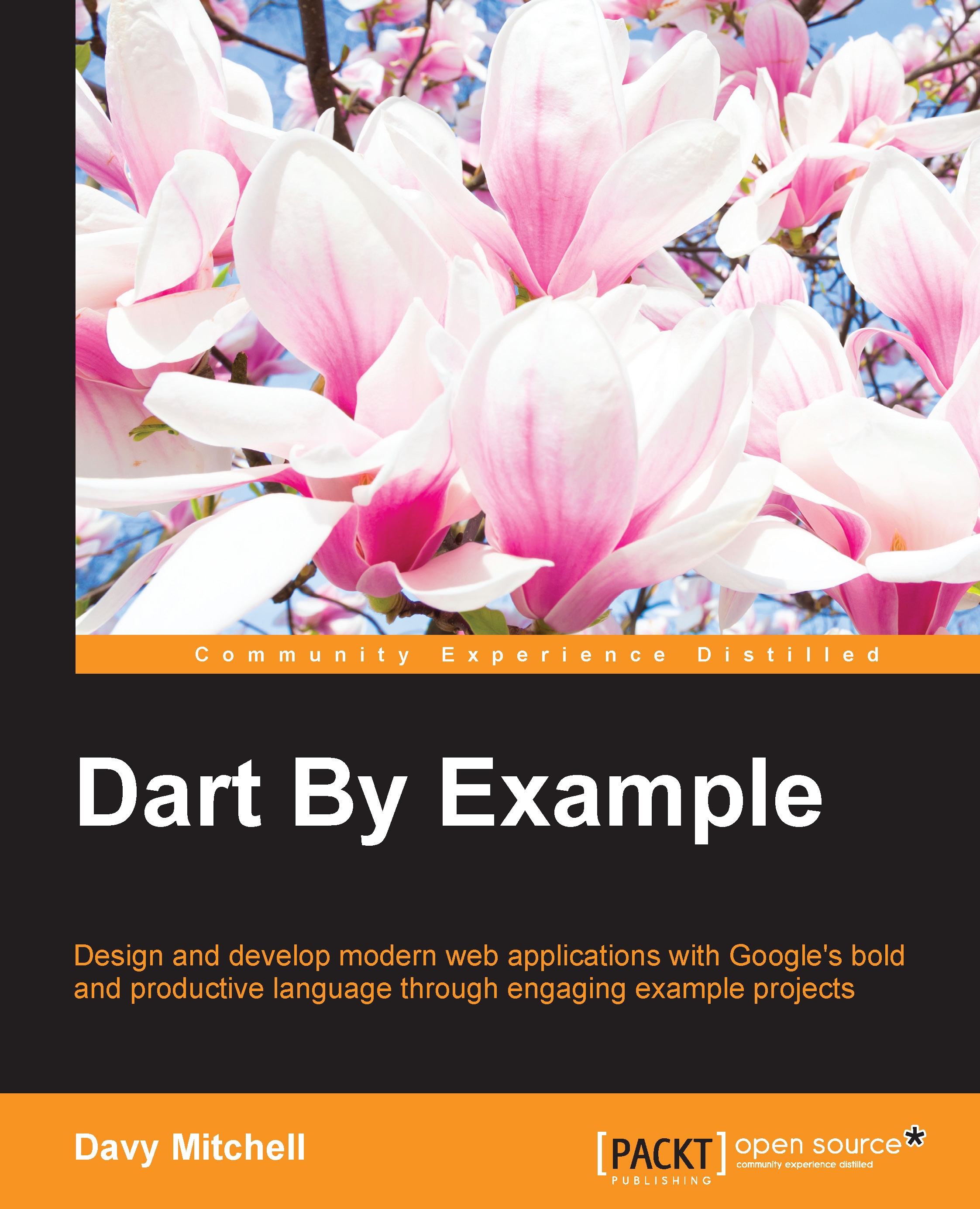
Dart By Example
Dart By Example

Dart By Example:

Arrow left icon
Profile Icon David Mitchell
Arrow right icon
$50.99
Full star icon Full star icon Full star icon Empty star icon Empty star icon 3 (2 Ratings)
Paperback Sep 2015 250 pages 1st Edition
eBook
$37.79 $41.99
Paperback
$50.99
Arrow left icon
Profile Icon David Mitchell
Arrow right icon
$50.99
Full star icon Full star icon Full star icon Empty star icon Empty star icon 3 (2 Ratings)
Paperback Sep 2015 250 pages 1st Edition
eBook
$37.79 $41.99
Paperback
$50.99
eBook
$37.79 $41.99
Paperback
$50.99

What do you get with Print?

Product feature icon Instant access to your digital copy whilst your Print order is Shipped
Product feature icon Paperback book shipped to your preferred address
Product feature icon Redeem a companion digital copy on all Print orders
Product feature icon Access this title in our online reader with advanced features
Product feature icon DRM FREE - Read whenever, wherever and however you want
Modal Close icon
Payment Processing...
tick Completed

Shipping Address

Billing Address

Shipping Methods
Table of content icon View table of contents Preview book icon Preview Book

Dart By Example

Chapter 1. Starting the Text Editor


The rung of a ladder was never meant to rest upon, but only to hold a man's foot long enough to enable him to put the other somewhat higher.

 
 --Thomas Huxley

Defining Dart

Dart is a language and platform for modern web applications that can run both in the web browser and on the server. The Dart language, tools, and API allow innovative, productive, enlightened, and talented developers (that's you!) to write scalable web applications that make the best of the modern Web.

With Dart, you can take a leap forward in web development and tooling. It is a clean, modern, yet familiar language syntax that runs on a platform created by the world's leading virtual machine experts.

Dart is run as an open source project with a defined process for enhancement proposals. It has flexible libraries with common documentation packaging, unit testing, and dependency resolution. The language became an ECMA standard in July of 2014, and does not require any plugin for end users to run as it is compiled to JavaScript.

If that is not enough, you can bring your existing HTML, CSS, JavaScript skills, and even code along for the ride—Dart plays nicely with others!

History of Web scripting

The high sophistication of current web pages with animations, dynamic content, fades, 3D effects, responsive designs, and clever navigation make it easy to forget that the early web was mostly textual pages, dumb forms, and images that often took a while to load. Then, along came JavaScript, in the form of a script interpreter built into the browser, providing form data validation, news ticker moving displays, animation, and games. For small projects, it succeeded in spicing up static websites without requiring server-side CGI scripts.

Developers enjoyed the near instant edit and refresh cycle—changing a line of code and hitting F5 (refresh) in the browser to see the result. JavaScript did not stay in the browser and was soon found on the server side of web applications. It also became a general purpose script for use outside the browser.

Note

Fun fact: JavaScript was written in just ten days by Brendan Eich for the Netscape browser and was originally called LiveScript. Dart has been renamed too—originally, it was called Dash.

Considering the timescale it was written under, JavaScript is a great technical achievement, but in 20 years it has not advanced very much, while web applications have rapidly progressed. Web applications can contain thousands of lines of JavaScript code. Outside of very simple pages, plain JavaScript is not enough anymore, as evidenced by the number of tools and libraries that have sprung up to assist development.

Many of these solutions are created to fix problems with JavaScript, ranging from syntax and features to design and productivity. The language simply was not designed for the type of web application that the modern web requires.

Recent advances in JavaScript engines have produced great leaps forward in performance. The V8 engine that powers the Chrome browser and Node.js has shown great improvement in making new kinds of applications viable. However, the returns from JavaScript virtual machine optimizations have been diminishing over time.

The origins of Dart

Google has a lot of experience with both large web applications and writing web browsers. They clearly have a strong self-interest in a better web platform (so people search more) and an improved developer productivity (to stay ahead of the competition). It is mentioned in Google presentations that a single code change in their Gmail web application takes around 20 minutes to rebuild the site for the developer to test it out.

This harks back to software build times decades ago. The project to fix this problem was started, and Google wanted to share and work with the development community as an open source project.

The origins of Dart

In 2011, at the GOTO conference, the Dart language and virtual machine was unveiled to the world. Dart is designed to be a "batteries included" project—a complete stack for writing, compiling, testing, documenting, and deploying web applications.

Developed by the Chrome team, the project was founded by Lars Bak (the developer of the Java HotSpot VM and JavaScript V8 Engine) and Kasper Lund (a V8 developer). The aim was both to improve the open web platform by opening up new avenues for high performance client web applications and to improve developer productivity.

The upstart language was designed to have a familiar 'curly brackets' syntax similar to Java, C-sharp, and JavaScript, run on both the client and the server, and to support the full range of modern web browsers by being able to compile to regular JavaScript. New language features were only added to Dart if they could be compiled satisfactorily to JavaScript.

Dart is often referred to as DartLang to avoid confusion with other "darts." Keep this in mind when searching the Web for better results. The Dart language, like JavaScript, is not only meant for the web browser; it is also available for server applications and command-line applications. Future targets are mobile applications on iOS and Android.

That is the history, the challenge, and the reaction of the biggest Internet company in the world. So, what is Dart all about, then? The remainder of this chapter will compare and contrast Dart and JavaScript and take you into building your first Dart application so that you can see for yourself.

The rest of this book will take you on a tour of Dart through a set of interesting projects, exploring all of Dart's habitats. We will be building useful applications straight away and using increasingly powerful features.

Downloading the tools

Let's get started by installing a complete Dart development environment on your computer. The home of Dart on the Internet is https://www.dartlang.org, which contains the software, a wealth of documentation, and links to the online Dart community.

I would strongly recommend signing up for the e-mail lists on this site to keep up with Dart, and also the Dartisans Google+ community (http://g.co/dartisans). The number of daily messages can be overwhelming at first, but there are some great discussions and information sharing. It is also a great opportunity to interact with Dart's creators.

Tip

It is recommended that you use the Stable channel. This version updates roughly every few months via a built-in update tool. There is also a Dev (development) channel that updates once or twice a week with the very latest code from the Dart developers. This is great for seeing new features early, but it is not as polished or reliable as the Stable releases.

The downloads for all supported platforms (Linux, Mac, and Windows) are available at https://www.dartlang.org/tools/download.html. The same location provides information regarding building from source. Ensure that you download both the SDK and Dartium (a specialist browser).

It is recommended that Mac users use the Homebrew system to manage the installation and updates of Dart. Linux users can use a .deb if that format is supported on their distribution, with ZIP archives being the alternative. Windows versions are also supplied as ZIP archives.

Windows users can download, install, and update the SDK and Dartium using the Chocolatey installation system that is built on nuget and Powershell.

Note

See http://chocolatey.org for more information.

The Dart packages are called dart-sdk and dartium.

Introducing the WebStorm IDE

WebStorm is the premiere development environment for Dart and was created by JetBrains, which also publishes IntelliJ IDEA for Java and ReSharper for .Net.

WebStorm is a commercial package available at https://www.jetbrains.com/. There are free licenses available for many and deep discounts for individuals. It supports a range of languages and development platforms and Dart support is provided via a plug-in. The plugin comes pre-installed with the IDE.

Download the installation file and follow the installation steps on screen:

Introducing the WebStorm IDE

WebStorm has a number of powerful features to help write our web applications:

  • Auto-completion of code: properties and methods are listed as you type
  • A static analyzer that scans as you type for possible problems
  • Refactoring tools to help rename entities and extract methods
  • Quick fixes to correct common errors easily
  • Navigation via a code tree and finding usages of a function
  • A code reformatter to keep the source code in a tidy format
  • A powerful debugger

Alternative development environments

If you wish to use another IDE, there are plugins for IntelliJ IDEA and Eclipse. If you prefer a simple text editor, there are plugins for Sublime, Emacs, and Vim. These are all listed on the DartLang download page.

If you are an avid Visual Studio user, there is a community project underway to bring Dart to that environment. DartVS can be downloaded from the Visual Studio Gallery. It directly uses the DartAnalyzer from the SDK to report errors, warnings, and hints inside the IDE. Support for intellisense and other features is underway, too.

The Atom Editor (https://atom.io/) is an alternative for those who prefer a lightweight editor to a fully fledged development environment. The plugin, named dartlang (https://atom.io/packages/dartlang) provides code-completion, syntax highlighting, and access to some pub commands.

Help starting a project

To help create your new project, Dart has a tool called Stagehand that creates the scaffolding from a high quality project template of your choice. It takes care of common tasks such as folder structure, common libraries, and style sheets. It even has its own website (http://stagehand.pub/).

In WebStorm, creating a new project presents you with a range of powerful options, allowing you to set the locations of the Dart SDK and choose a project type for sample content. The project type gives a range of skeleton applications and is powered by the Stagehand application that is part of the SDK:

Help starting a project

Stagehand can also be run from the command line, with the first step being to install it as a command:

pub global activate stagehand

This step installs the stagehand command from the stagehand package:

mkdir aproject
cd aproject
stagehand web-full

This will create a folder of sample content based on the web-full template.

Note

For full details of the current templates, see

https://pub.dartlang.org/packages/stagehand.

Elsewhere in the SDK

The download also includes a set of command-line tools, which can be found under the dart-sdk/bin path.

Tool

Description

dart

The standalone Dart Virtual Machine itself.

dart2js

The tool that converts Dart into JavaScript so that it can run on any modern browser.

Dartanalyzer

Analyzes the Dart source code for errors and suggestions. This is also used by development environments to provide feedback to users.

Dartdocgen

The documentation generator that works directly on Dart code.

Dartfmt

The intelligent code formatter that makes your code tidy and consistent.

pub

The package management and application deployment tool.

Tip

You may wish to place these tools on the system PATH so that you can call them from anywhere on the command line. This is optional as WebStorm provides an easy interface to these tools; however, many developers find it essential to a good workflow.

For more detailed information on the installation and configuration of pub, see

https://www.dartlang.org/tools/pub/installing.html

Also in this location is a snapshots folder. Most of the tools are written in Dart itself; when they are started up and initialized, a binary image of the initialized state can be stored and used for future executions of the program.

The snapshots are generated using the Dart executable and are mostly intended for frequently used command-line applications in deployment.

Building your first application

Starting simple is a good idea, but we also want to start with something useful that can be expanded as we explore Dart.

In day-to-day software development, the text editor is where gigantic, world-changing software often starts. We are going to build a multi-purpose web-based text editor to use as a scratchpad for snippets of code, a to-do list, or stripping formatting from copied text—immensely handy. For added realism, there will be an imaginary customer along the way asking for new features.

In the next chapter, we will build on this foundation for some flashier features and graphical displays.

Tip

Downloading the example code

You can download the example code files for all Packt books you have purchased from your account at http://www.packtpub.com. If you purchased this book elsewhere, you can visit http://www.packtpub.com/support and register to have the files e-mailed directly to you.

Exploring the Web project structure

Go to the WebStorm welcome page and click on Open. Select the folder where you extracted the sample code and choose the Chapter One folder, then the sub-folder named Start.

A good first step when opening any Dart project is to ensure all dependencies are present and up to date. To achieve this, select pubspec.yaml and right-click to show the context menu. Click on the Pub: Get Dependencies item. The dependencies will then be resolved and fetched if required.

File / Folder

Description

packages

A link to the packages (or libraries) that are being used by this project. In this case, you will see the 'browser' package.

pubspec.lock

Controls the specific version of the packages being used.

pubspec.yaml

Meta information on our project (name, description, and so on) and a list of packages being used.

web/styles/main.css

The standard cascading style sheet file.

web/index.html

The entry point for our web application.

main.dart

Last but not least, a Dart file!

Unwrapping packages

From the preceding list, there is clearly a lot of structure and meta files for packages in even a simple Dart project. The philosophy of the language is that libraries are small, focused, and likely to be from different sources. They are also numerous and update on different schedules, so version controls are important—dependencies are hungry and must be fed.

You want your team members to be able to build and use your new Uber package without dependency horrors! Likewise, you want the package you download off the Internet to "just work" and reduce the effort required to write your application.

To look after all these packages, Dart has a tool called pub. This is a Swiss Army knife tool that helps create, manage, and deploy your programs and packages. The main home for Dart packages is the website https://pub.dartlang.org, where numerous open source libraries are published.

Tip

If you are curious to know the origin of the name, "pub" is British slang for a bar where people drink and play a game of darts.

A look at Pubspec

The pubspec.yaml has a curious file extension—YAML stands for Yet Another Markup Language:.

name: 'TextEditor'
version: 0.0.1
description: A web based text editor.
environment:
  sdk: '>=1.0.0 <2.0.0'
dependencies:
  browser: any

From this, it is clear to see pubspec.yaml is Dart's equivalent of a project or solution file. This holds the typical dependency details and meta-information. The Pubspec file is fully detailed at https://www.dartlang.org/tools/pub/pubspec.html. Although it is an extensive and powerful file, the main interaction you will probably have with it is adding new dependencies.

Putting Dart into the web page

The file index.html is a regular web page. The rest of the file consists of a few simple <div> elements and, as you might expect, a <textarea> tag:

<!DOCTYPE html>
<html>
<head>
    <title>TextEditor</title>
    <link rel="stylesheet" href="styles/main.css">
</head>

<body>
<div id="output">

    <div id="toolbar">
    TextOnTheWeb
    </div>

    <textarea id="editor" cols="80" autofocus>
    </textarea>

</div>
<script type="application/dart" src="main.dart"></script>
<script data-pub-inline src="packages/browser/dart.js"></script>
</body>
</html>

The foot of this page is where the initial Dart file is specified. The main.dart file is loaded and the entry point, the first function to be run, is the main() function.

Tip

If you have programmed in C/C++, C#, or Java, main is a familiar starting or entry point to an application. The concept is identical in Dart.

Let's work through the main.dart file section one at a time and discover some Dart features along the way.

Importing packages

Dart features a keyword, import, to use other packages and classes in our current code context. In this case, both are prefixed with dart: to signify they are from the SDK:

import 'dart:html';
import 'dart:convert' show JSON;

The keyword show modifies the second import to only make the JSON property sections of the dart:convert package. This limits the classes in the current namespace and therefore helps avoid name clashes and developer confusion.

Variable declarations

The TextArea is central to our editor and will be referenced multiple times; therefore, we will use a specific type for it rather than var. In contrast, JavaScript declares variables with the all-encompassing var keyword.

TextAreaElement theEditor;

This declares a new variable called theEditor and declares it as the type TextAreaElement. The dart:HTML package contains classes to cover the DOM and the TextArea input element.

Dart has an optional type system, so it would be possible to declare var theEditor and the program would still run successfully. By being specific with the type, we gain clarity in the source code and we provide more detailed information to developer tools, such as code editors and documentation generators:

void main() {
  theEditor = querySelector("#editor");
  theEditor
      ..onKeyUp.listen(handleKeyPress)
      ..text = loadDocument();
}

In the main function, we use the querySelector method from dart:HTML to connect to the TextArea control (with the ID attribute set to editor) on the web page. Once we have a reference to the control, we want to a) connect an event handler so that we know when the user has typed something, and b) load any existing text and display it.

Because we are using the same object, we can use the cascade operator (..), which helps us write very readable and flowing code. The preceding can be written as:

      theEditor.onKeyUp.listen(handleKeyPress);
      theEditor.text = loadDocument();

The more properties we set, the more we have theEditor cluttering up the code. With the cascade operator, we can replace the object name with (..), and call the method/set a property as before. One important point with the cascade operator is that only the final use has a semi-colon at the end of the line.

Writing the event handler

The editor's TextArea KeyUp event has been connected to this short handler function:

void handleKeyPress(KeyboardEvent event) {
  saveDocument();
}

In contrast to JavaScript, there is no function keyword and we have void before the function. The void keyword just means that this function does not return anything when it is finished; it can be any class or type. As Dart is optionally typed, we could omit void altogether.

Just a minute! Where are we going to be storing this text? After all, we have only written a single HTML page and do not have a database connection or web service to take care of the persistence. Fortunately, HTML5 has a simple key/value based built-in storage feature called Local Storage that is well-supported by modern web browsers. This operates in a similar fashion to a dictionary (sometimes called a map) data structure.

In the next two functions, we will look at loading and saving from localStorage.

Note

The HTML5 feature window.localStorage persistently stores data with the client's browser. Unlike data stored in cookies, it does not expire based on a date. The data is not lost when the browser window is closed or the computer is switched off.

The amount of storage can vary per browser and according to user settings, but the typical default value is 5 MB. This is plenty for our text editor and many other types of applications.

Loading the saved text

The loadDocument function lets the world know it will be returning a String object:

String loadDocument() {
  String readings = "";
  String jsonString = window.localStorage["MyTextEditor"];
  if (jsonString != null && jsonString.length > 0)
    readings = JSON.decode(jsonString);
  return readings;
}

We will store the text under the key MyTextEditor. The first time the user loads up this page, there will be nothing in the local storage for our web page, so we will check if it is empty or null before putting the value into the readings string variable.

Note

JSON (JavaScript Object Notation) is an ECMA standard data format that is based on a subset of JavaScript and is an alternative to XML.

For example:

{
  "Name": "Davy Mitchell",
  "LuckyNumber": 123,
  "CarModel": null,
  "Language": "English"
}

Saving the text

The format we are using to save the text is JSON—JavaScript Object Notation—which is a common standard in web pages. The package dart:convert gives us both the encode and decode functions:

void saveDocument() {
  window.localStorage["MyTextEditor"] = JSON.encode(theEditor.value);
}

Finally, the saved document uses the local storage to keep our text safe. This time, we are encoding the data into the JSON format.

Running in the browser

We are now finally ready to actually run the text editor in the target environment. How is a browser going to execute a .dart file? Internet Explorer, Chrome, and Firefox don't speak Dart.

Running in the browser

Dartium is a special build of the Chromium browser (the open source project behind Google's Chrome browser) that contains the Dart virtual machine. Though not recommended for day-to-day browsing, it is a full powerful modern browser to use while developing Dart applications. As shown in the screenshot, it looks just like (a very plain) Google Chrome.

Tip

If you are running on Ubuntu and receive a start up error mentioning libudev.so.0, run the following command in a terminal to resolve it:

sudo ln -s /lib/x86_64-linux-gnu/libudev.so.1 /lib/x86_64-linux-gnu/libudev.so.0

For more information, see https://github.com/dart-lang/sdk/issues/12325

In WebStorm, right-click on the index.html file to bring up the context menu and select the run index.html. This will start a local HTTP server for your application.

Once the application is running, type some text into the editor, and then close the browser window. Then, run the program again and you should see your text reappear once the page has loaded.

Editing and reloading

A new requirement has arrived from our customer. The title of the application, "TextOnTheWeb", is not to their liking, so we will have to change it.

By this point, Dart should be looking a lot more familiar to you if you have written JavaScript. The workflow is similar, too. Let's make a change to the executing code so that we can see the edit and reload cycle in effect.

This will be achieved in the main function so, while keeping Dartium open, open the main.dart file again in WebStorm, and locate the main function.

Add the following code snippet to start of the function:

  DivElement apptitle = querySelector("#toolbar");
  apptitle.text = "TextEditor";

Once you have made the change, save the file and switch back to Dartium. Refresh the page and the new version of the main function will run and the new title will be displayed.

Extending the interface

Our customer has asked for a button to clear the editing area. This is a reasonable request and should not take too long to code with the productivity of Dart.

Firstly, we will open the index.html and add an input button to the page underneath the TextArea control:

 <input type="button" id="btnClearText" value="Clear" />

Open main.dart and in the main function, connect up an event handler:

ButtonInputElement btnClear = querySelector("#btnClearText");
  btnClear.onClick.listen(clearEditor);

As with JavaScript, it is very easy to pass functions around as parameters. Move the cursor over the text clearEditor and a lightbulb will appear. This offers the keyboard shortcut of Alt and the Enter/Return key, or you can click on the lightbulb icon.

Extending the interface

The implementation of the function is straightforward. Notice that we receive a properly typed MouseEvent object as part of the event:

void clearEditor(MouseEvent event) {
  theEditor.text = "";
  saveDocument();
}

Refresh the page and click the button to clear the existing text. One happy customer and we hardly broke a sweat!

The WebStorm Dart plugin has a number of quick fixes to aid your productivity and help avoid coding errors in the first place. They also encourage good design and keeping to Dart conventions.

Using the CSS editor

Keep the text editor running for the moment and switch back to WebStorm. Go to the Project tab and in the TextEditor folder, open the web/styles/main.css file.

This is going to be your editor, too, so it is important that it is your favorite color—perhaps you would like a thinner border or are not too fond of my chosen gray palette.

Make some changes to the color classes and save the file.

The WebStorm CSS editor is powerful and shows previews of colors. If you switch back to Dartium and click reload, the text editor should now reflect your chromatic preferences.

Debugging a Dart application

A good debugger is a key part of a productive development system. Let's step through our code so that we can look closely at what is going on.

To debug an application running in Dartium from WebStorm, we need to install a small browser extension to act as a bridge between the two applications.

Note

Follow the guide from JetBrains at the following web page:

https://www.jetbrains.com/webstorm/help/using-jetbrains-chrome-extension.html

The main section to be concerned with is the "Installing the JetBrains Chrome extension" section. This only has to be done once.

  1. Click on the first line of the loadDocument function.
  2. Next, open the Run menu and choose Toggle Line Breakpoint. A red circle will appear to the right of the line:
    Debugging a Dart application
  3. Select index.html in the Project tab, then open the Run menu and choose the Debug index.html menu.
  4. Once Dartium opens, the loadDocument function should run and the breakpoint should hit. The Debugger tab will appear in WebStorm.
  5. The Debugger tab shows the call stack and values of current variables. Under the Run menu and on the toolbar, the usual debug operations of Step Into, Step Over, and return are available.
  6. Before we take any steps, hover the pointer over the return statement line. A tool-tip will appear to show that the string variable readings is currently set to null.
  7. Choose Step Over and the execution will move onto the next line.
  8. Move the pointer over the return statement again, and the readings variable is shown to be an empty string object.
  9. Step Over until the end of the function, and the return variable will be set to the text retrieved from local storage.
  10. To get the application running again, use the Resume Program menu option from the Run menu, or to stop it from running, select the Terminate menu option.

Working in harmony with JavaScript

The clear button on the editor is a bit dangerous as it may wipe out some vital notes. We will provide the user with a simple Are you sure? prompt so that they have a chance to back out of the operation.

You are probably thinking that we could use the Dart equivalent of window.confirm to carry it out. We certainly could, but to demonstrate the ability to call JavaScript, we will use the non-Dart version to display a prompt to the user.

Open main.dart and add the following import to the top of the file:

import 'dart:js';

In the Dart Analysis tab directly below the Dart code editor window, you will see a warning that we have an unused import. This can be a useful tip once a project has grown and code has been moved around into separate packages and classes. Import lists can soon acquire clutter.

To call the JavaScript confirm dialog, we use the context object from dart:js in the button click event handler. The context object is a reference to JavaScript's global object:

void clearEditor(MouseEvent event) {
  var result = context.callMethod('confirm',
      ['Are you sure you want to clear the text?']);
  if (result == true) {
    theEditor.text = "";
    saveDocument();
  }
}

The callMethod method can be used to call any JavaScript function available in the scope of the page—not just built in objects. In this case, the first parameter is the name of the function we wish to call and the second parameter is the list of arguments for that method.

Commenting in the code

Our text editor foundation is looking complete at this point, but there is one important element that is missing from the main.dart file—code comments.

Dart uses the following familiar commenting syntax:

Comment Syntax

Description

// Your comment here.

A single line comment

/**

Your comment here.

*/

A multiple line comment

/// Your comment here.

A doc comment (the preferred method because it is more compact)

In mentioning an identifier, place square brackets around the name. For example:

/// Returns double of [a] input.
int doubleANumber(int a){
    //Assumes parameter valid.
     return a * 2;
}

Take a short time to comment each function with the above style. Use a sentence format and punctuation.

Tip

For more information on comment style and other coding conventions, see the guidelines for Doc comments: https://www.dartlang.org/articles/doc-comment-guidelines/, and the Dart coding style guide: https://www.dartlang.org/articles/style-guide/

Summary

This chapter was focused on giving you the background story of Dart and getting to work with the SDK to produce a useful application.

We have discovered how the JavaScript language and its development limits, leading to the creation of the Dart open source project (centered around the https://www.dartlang.org website), which is being developed as an ECMA standard and can be used to write a range of application types from client to server and command line.

We have seen that Dart has a familiar syntax and powerful package management tool called pub. WebStorm can be used to create, launch, and debug different types of applications, and other IDEs and text editors have Dart language support, too.

We have worked through setting up a Dart development environment and wrote our first application using HTML5 features. We saw how to navigate the structure of a client-side web project and carry out debugging and development.

I am certain that the simple text editor that we have created is firing off ideas in your mind of what to do next! In the next chapter, we will continue to look at client-side Dart and add more features to the text editor, including some that will help us write more, and better, Dart code.

Left arrow icon Right arrow icon

Description

Designed to create next generation apps, Google’s Dart offers a much more robust framework and also supersedes JavaScript in several aspects. Familiar yet innovative, compact yet scalable, it blows away the accumulated JavaScript legacy limitations. Dart was designed for great tool-ability and developer productivity, allowing you to create better application faster than before. Google chose it for their billion dollar advertising business and you have its power for your projects too. This book will introduce you the Dart language starting from its conception to its current form, and where it headed is through engaging substantial practical projects. You will be taken through building typical applications and exploring the exciting new technologies of HTML5. With example code projects such as a live data monitoring and viewing system, a blogging system, a slides presentation application, and more, then this book will walk you through step by step through building data-driven web applications with ease and speed.

Who is this book for?

If you are a front- or back-end web developer who is looking to build complex full-featured web applications without the quagmire of disconnected JavaScript frameworks, this book is a practical walkthrough of substantial applications that will have you and your team coding Dart in a productive manner.

What you will learn

  • Master the core Dart language, type system, and key development tools
  • Connect to existing web services, process JSON, and create your own framework for the data display
  • Run and debug the Dart server and web applications and compile them in JavaScript
  • Handle form data and encryption
  • Build and deploy server applications on the major OSes and implement the REST API
  • Work with PostgreSQL?an industry standard relational database system
  • Create robust applications with unit tests, documentation, and diagnostic logging
  • Develop commandline applications, and explore the key data structures and libraries
Estimated delivery fee Deliver to United States

Economy delivery 10 - 13 business days

Free $6.95

Premium delivery 6 - 9 business days

$21.95
(Includes tracking information)

Product Details

Country selected
Publication date, Length, Edition, Language, ISBN-13
Publication date : Sep 25, 2015
Length: 250 pages
Edition : 1st
Language : English
ISBN-13 : 9781785282478
Vendor :
Google
Category :
Languages :

What do you get with Print?

Product feature icon Instant access to your digital copy whilst your Print order is Shipped
Product feature icon Paperback book shipped to your preferred address
Product feature icon Redeem a companion digital copy on all Print orders
Product feature icon Access this title in our online reader with advanced features
Product feature icon DRM FREE - Read whenever, wherever and however you want
Modal Close icon
Payment Processing...
tick Completed

Shipping Address

Billing Address

Shipping Methods
Estimated delivery fee Deliver to United States

Economy delivery 10 - 13 business days

Free $6.95

Premium delivery 6 - 9 business days

$21.95
(Includes tracking information)

Product Details

Publication date : Sep 25, 2015
Length: 250 pages
Edition : 1st
Language : English
ISBN-13 : 9781785282478
Vendor :
Google
Category :
Languages :

Packt Subscriptions

See our plans and pricing
Modal Close icon
$19.99 billed monthly
Feature tick icon Unlimited access to Packt's library of 7,000+ practical books and videos
Feature tick icon Constantly refreshed with 50+ new titles a month
Feature tick icon Exclusive Early access to books as they're written
Feature tick icon Solve problems while you work with advanced search and reference features
Feature tick icon Offline reading on the mobile app
Feature tick icon Simple pricing, no contract
$199.99 billed annually
Feature tick icon Unlimited access to Packt's library of 7,000+ practical books and videos
Feature tick icon Constantly refreshed with 50+ new titles a month
Feature tick icon Exclusive Early access to books as they're written
Feature tick icon Solve problems while you work with advanced search and reference features
Feature tick icon Offline reading on the mobile app
Feature tick icon Choose a DRM-free eBook or Video every month to keep
Feature tick icon PLUS own as many other DRM-free eBooks or Videos as you like for just $5 each
Feature tick icon Exclusive print discounts
$279.99 billed in 18 months
Feature tick icon Unlimited access to Packt's library of 7,000+ practical books and videos
Feature tick icon Constantly refreshed with 50+ new titles a month
Feature tick icon Exclusive Early access to books as they're written
Feature tick icon Solve problems while you work with advanced search and reference features
Feature tick icon Offline reading on the mobile app
Feature tick icon Choose a DRM-free eBook or Video every month to keep
Feature tick icon PLUS own as many other DRM-free eBooks or Videos as you like for just $5 each
Feature tick icon Exclusive print discounts

Frequently bought together


Stars icon
Total $ 165.97
Dart By Example
$50.99
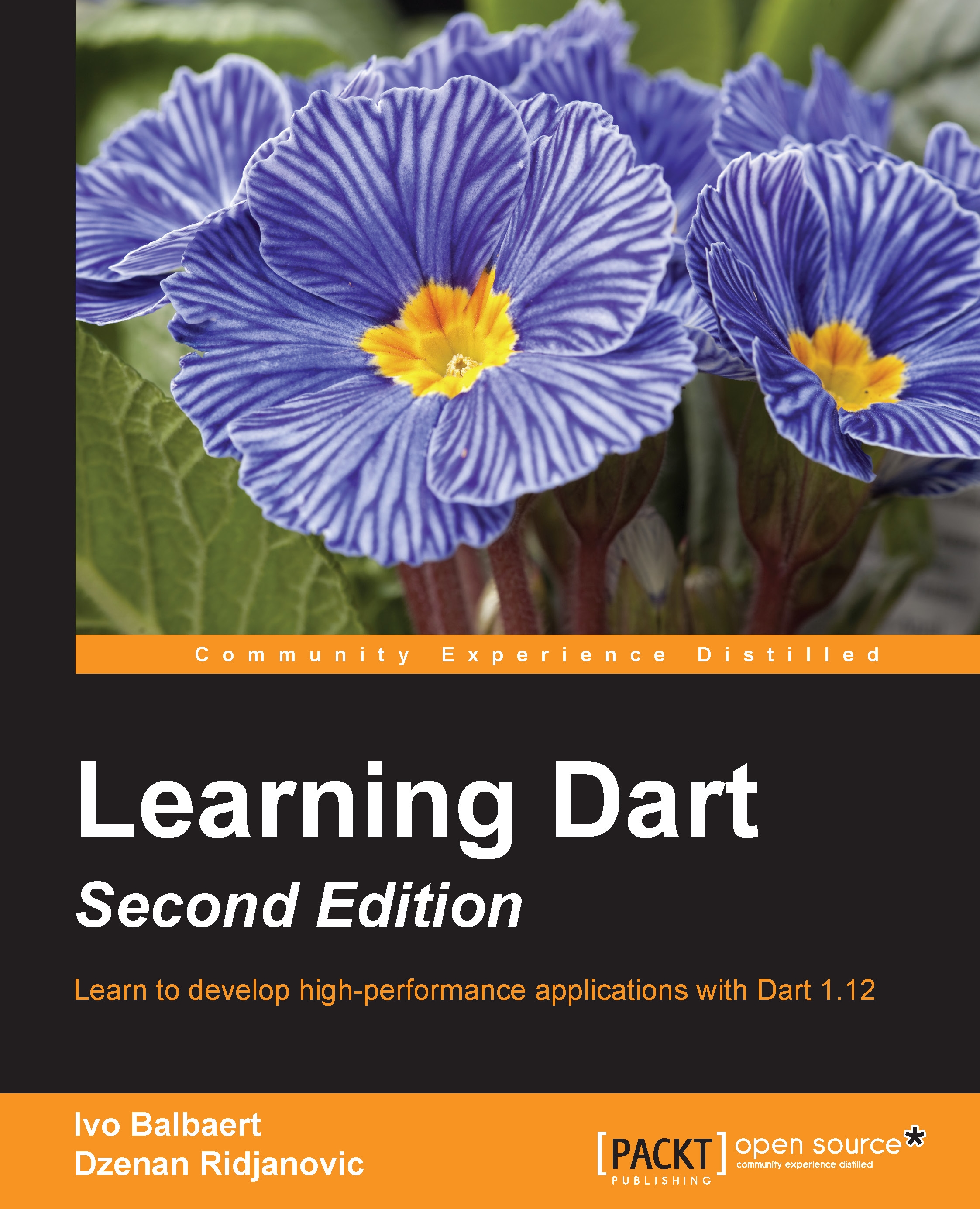
Learning Dart, Second Edition
$63.99
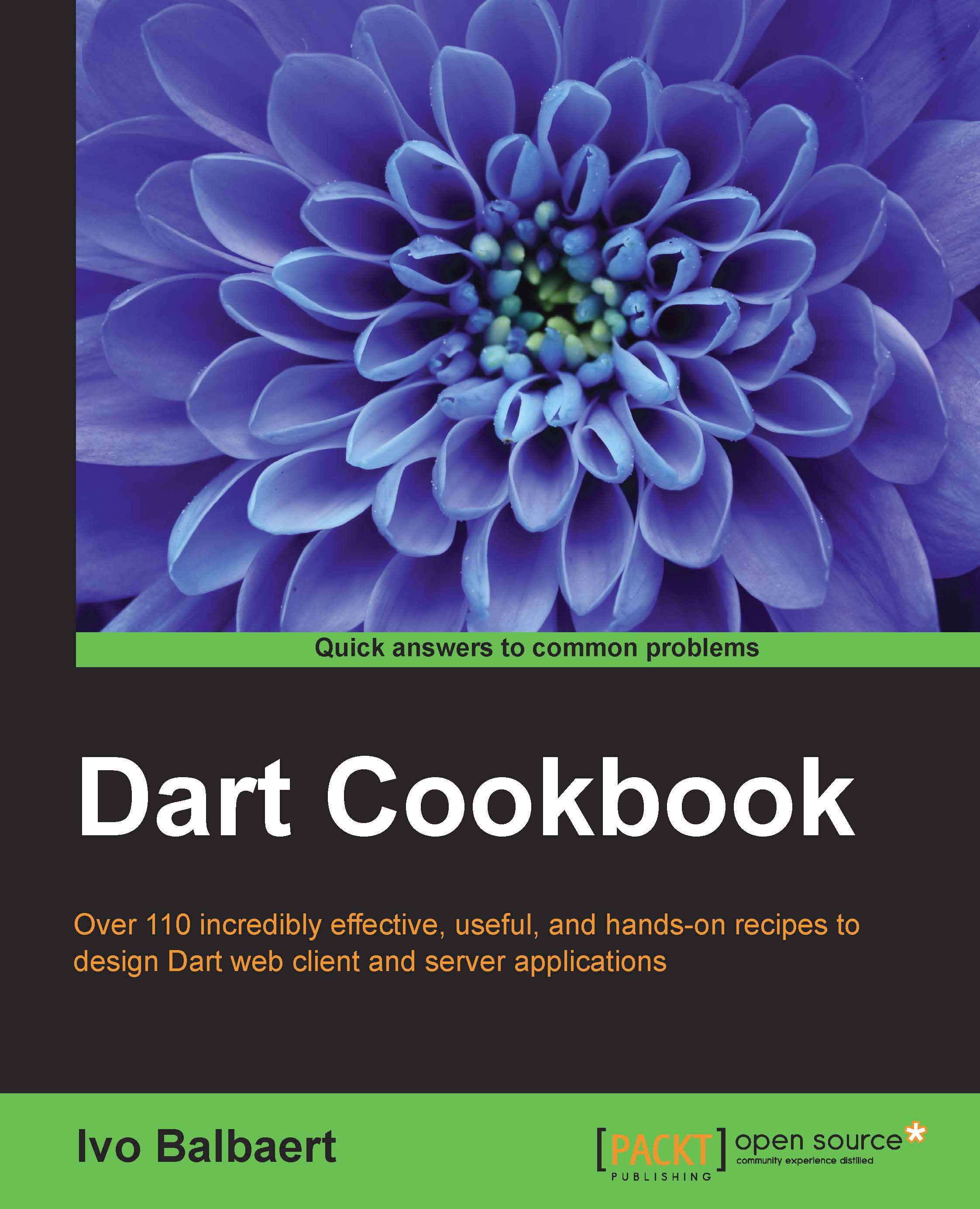
DART Cookbook
$50.99
Total $ 165.97 Stars icon

Table of Contents

11 Chapters
1. Starting the Text Editor Chevron down icon Chevron up icon
2. Advancing the Editor Chevron down icon Chevron up icon
3. Slideshow Presentations Chevron down icon Chevron up icon
4. Language, Motion, and Sound Chevron down icon Chevron up icon
5. A Blog Server Chevron down icon Chevron up icon
6. Blog Server Advanced Chevron down icon Chevron up icon
7. Live Data Collection Chevron down icon Chevron up icon
8. Live Data and a Web Service Chevron down icon Chevron up icon
9. A Real-Time Visualization Chevron down icon Chevron up icon
10. Reports and an API Chevron down icon Chevron up icon
Index Chevron down icon Chevron up icon

Customer reviews

Rating distribution
Full star icon Full star icon Full star icon Empty star icon Empty star icon 3
(2 Ratings)
5 star 0%
4 star 50%
3 star 0%
2 star 50%
1 star 0%
Giovanni Laquidara Nov 28, 2015
Full star icon Full star icon Full star icon Full star icon Empty star icon 4
This book it's one of the best to learn Dart (www.dartlang.org). It takes the reader into real-world application sample using Dart. It's a nice book to have, to read from the beginning to end or to consult everytime you need a patter to create a web-app with Dart. It covers many cool aspects of Dart programming language from IDE settings, to test and deploy. If you need samples while you are learning Dart be careful to check this book.Must-have!
Amazon Verified review Amazon
Ulrich Sinn Dec 22, 2019
Full star icon Full star icon Empty star icon Empty star icon Empty star icon 2
Unfortunately very much outdated: piecing together how the code is supposed to look in 2019 is making life very hard for a complete beginner with Dart. While it looks like a great book back then, I wish they would at least keep the downloaded code up to date.
Amazon Verified review Amazon
Get free access to Packt library with over 7500+ books and video courses for 7 days!
Start Free Trial

FAQs

What is the digital copy I get with my Print order? Chevron down icon Chevron up icon

When you buy any Print edition of our Books, you can redeem (for free) the eBook edition of the Print Book you’ve purchased. This gives you instant access to your book when you make an order via PDF, EPUB or our online Reader experience.

What is the delivery time and cost of print book? Chevron down icon Chevron up icon

Shipping Details

USA:

'

Economy: Delivery to most addresses in the US within 10-15 business days

Premium: Trackable Delivery to most addresses in the US within 3-8 business days

UK:

Economy: Delivery to most addresses in the U.K. within 7-9 business days.
Shipments are not trackable

Premium: Trackable delivery to most addresses in the U.K. within 3-4 business days!
Add one extra business day for deliveries to Northern Ireland and Scottish Highlands and islands

EU:

Premium: Trackable delivery to most EU destinations within 4-9 business days.

Australia:

Economy: Can deliver to P. O. Boxes and private residences.
Trackable service with delivery to addresses in Australia only.
Delivery time ranges from 7-9 business days for VIC and 8-10 business days for Interstate metro
Delivery time is up to 15 business days for remote areas of WA, NT & QLD.

Premium: Delivery to addresses in Australia only
Trackable delivery to most P. O. Boxes and private residences in Australia within 4-5 days based on the distance to a destination following dispatch.

India:

Premium: Delivery to most Indian addresses within 5-6 business days

Rest of the World:

Premium: Countries in the American continent: Trackable delivery to most countries within 4-7 business days

Asia:

Premium: Delivery to most Asian addresses within 5-9 business days

Disclaimer:
All orders received before 5 PM U.K time would start printing from the next business day. So the estimated delivery times start from the next day as well. Orders received after 5 PM U.K time (in our internal systems) on a business day or anytime on the weekend will begin printing the second to next business day. For example, an order placed at 11 AM today will begin printing tomorrow, whereas an order placed at 9 PM tonight will begin printing the day after tomorrow.


Unfortunately, due to several restrictions, we are unable to ship to the following countries:

  1. Afghanistan
  2. American Samoa
  3. Belarus
  4. Brunei Darussalam
  5. Central African Republic
  6. The Democratic Republic of Congo
  7. Eritrea
  8. Guinea-bissau
  9. Iran
  10. Lebanon
  11. Libiya Arab Jamahriya
  12. Somalia
  13. Sudan
  14. Russian Federation
  15. Syrian Arab Republic
  16. Ukraine
  17. Venezuela
What is custom duty/charge? Chevron down icon Chevron up icon

Customs duty are charges levied on goods when they cross international borders. It is a tax that is imposed on imported goods. These duties are charged by special authorities and bodies created by local governments and are meant to protect local industries, economies, and businesses.

Do I have to pay customs charges for the print book order? Chevron down icon Chevron up icon

The orders shipped to the countries that are listed under EU27 will not bear custom charges. They are paid by Packt as part of the order.

List of EU27 countries: www.gov.uk/eu-eea:

A custom duty or localized taxes may be applicable on the shipment and would be charged by the recipient country outside of the EU27 which should be paid by the customer and these duties are not included in the shipping charges been charged on the order.

How do I know my custom duty charges? Chevron down icon Chevron up icon

The amount of duty payable varies greatly depending on the imported goods, the country of origin and several other factors like the total invoice amount or dimensions like weight, and other such criteria applicable in your country.

For example:

  • If you live in Mexico, and the declared value of your ordered items is over $ 50, for you to receive a package, you will have to pay additional import tax of 19% which will be $ 9.50 to the courier service.
  • Whereas if you live in Turkey, and the declared value of your ordered items is over € 22, for you to receive a package, you will have to pay additional import tax of 18% which will be € 3.96 to the courier service.
How can I cancel my order? Chevron down icon Chevron up icon

Cancellation Policy for Published Printed Books:

You can cancel any order within 1 hour of placing the order. Simply contact customercare@packt.com with your order details or payment transaction id. If your order has already started the shipment process, we will do our best to stop it. However, if it is already on the way to you then when you receive it, you can contact us at customercare@packt.com using the returns and refund process.

Please understand that Packt Publishing cannot provide refunds or cancel any order except for the cases described in our Return Policy (i.e. Packt Publishing agrees to replace your printed book because it arrives damaged or material defect in book), Packt Publishing will not accept returns.

What is your returns and refunds policy? Chevron down icon Chevron up icon

Return Policy:

We want you to be happy with your purchase from Packtpub.com. We will not hassle you with returning print books to us. If the print book you receive from us is incorrect, damaged, doesn't work or is unacceptably late, please contact Customer Relations Team on customercare@packt.com with the order number and issue details as explained below:

  1. If you ordered (eBook, Video or Print Book) incorrectly or accidentally, please contact Customer Relations Team on customercare@packt.com within one hour of placing the order and we will replace/refund you the item cost.
  2. Sadly, if your eBook or Video file is faulty or a fault occurs during the eBook or Video being made available to you, i.e. during download then you should contact Customer Relations Team within 14 days of purchase on customercare@packt.com who will be able to resolve this issue for you.
  3. You will have a choice of replacement or refund of the problem items.(damaged, defective or incorrect)
  4. Once Customer Care Team confirms that you will be refunded, you should receive the refund within 10 to 12 working days.
  5. If you are only requesting a refund of one book from a multiple order, then we will refund you the appropriate single item.
  6. Where the items were shipped under a free shipping offer, there will be no shipping costs to refund.

On the off chance your printed book arrives damaged, with book material defect, contact our Customer Relation Team on customercare@packt.com within 14 days of receipt of the book with appropriate evidence of damage and we will work with you to secure a replacement copy, if necessary. Please note that each printed book you order from us is individually made by Packt's professional book-printing partner which is on a print-on-demand basis.

What tax is charged? Chevron down icon Chevron up icon

Currently, no tax is charged on the purchase of any print book (subject to change based on the laws and regulations). A localized VAT fee is charged only to our European and UK customers on eBooks, Video and subscriptions that they buy. GST is charged to Indian customers for eBooks and video purchases.

What payment methods can I use? Chevron down icon Chevron up icon

You can pay with the following card types:

  1. Visa Debit
  2. Visa Credit
  3. MasterCard
  4. PayPal
What is the delivery time and cost of print books? Chevron down icon Chevron up icon

Shipping Details

USA:

'

Economy: Delivery to most addresses in the US within 10-15 business days

Premium: Trackable Delivery to most addresses in the US within 3-8 business days

UK:

Economy: Delivery to most addresses in the U.K. within 7-9 business days.
Shipments are not trackable

Premium: Trackable delivery to most addresses in the U.K. within 3-4 business days!
Add one extra business day for deliveries to Northern Ireland and Scottish Highlands and islands

EU:

Premium: Trackable delivery to most EU destinations within 4-9 business days.

Australia:

Economy: Can deliver to P. O. Boxes and private residences.
Trackable service with delivery to addresses in Australia only.
Delivery time ranges from 7-9 business days for VIC and 8-10 business days for Interstate metro
Delivery time is up to 15 business days for remote areas of WA, NT & QLD.

Premium: Delivery to addresses in Australia only
Trackable delivery to most P. O. Boxes and private residences in Australia within 4-5 days based on the distance to a destination following dispatch.

India:

Premium: Delivery to most Indian addresses within 5-6 business days

Rest of the World:

Premium: Countries in the American continent: Trackable delivery to most countries within 4-7 business days

Asia:

Premium: Delivery to most Asian addresses within 5-9 business days

Disclaimer:
All orders received before 5 PM U.K time would start printing from the next business day. So the estimated delivery times start from the next day as well. Orders received after 5 PM U.K time (in our internal systems) on a business day or anytime on the weekend will begin printing the second to next business day. For example, an order placed at 11 AM today will begin printing tomorrow, whereas an order placed at 9 PM tonight will begin printing the day after tomorrow.


Unfortunately, due to several restrictions, we are unable to ship to the following countries:

  1. Afghanistan
  2. American Samoa
  3. Belarus
  4. Brunei Darussalam
  5. Central African Republic
  6. The Democratic Republic of Congo
  7. Eritrea
  8. Guinea-bissau
  9. Iran
  10. Lebanon
  11. Libiya Arab Jamahriya
  12. Somalia
  13. Sudan
  14. Russian Federation
  15. Syrian Arab Republic
  16. Ukraine
  17. Venezuela
Modal Close icon
Modal Close icon