Search icon CANCEL
Subscription
0
Cart icon
Your Cart (0 item)
Close icon
You have no products in your basket yet
Save more on your purchases! discount-offer-chevron-icon
Savings automatically calculated. No voucher code required.
Arrow left icon
Explore Products
Best Sellers
New Releases
Books
Videos
Audiobooks
Learning Hub
Newsletter Hub
Free Learning
Arrow right icon
timer SALE ENDS IN
0 Days
:
00 Hours
:
00 Minutes
:
00 Seconds
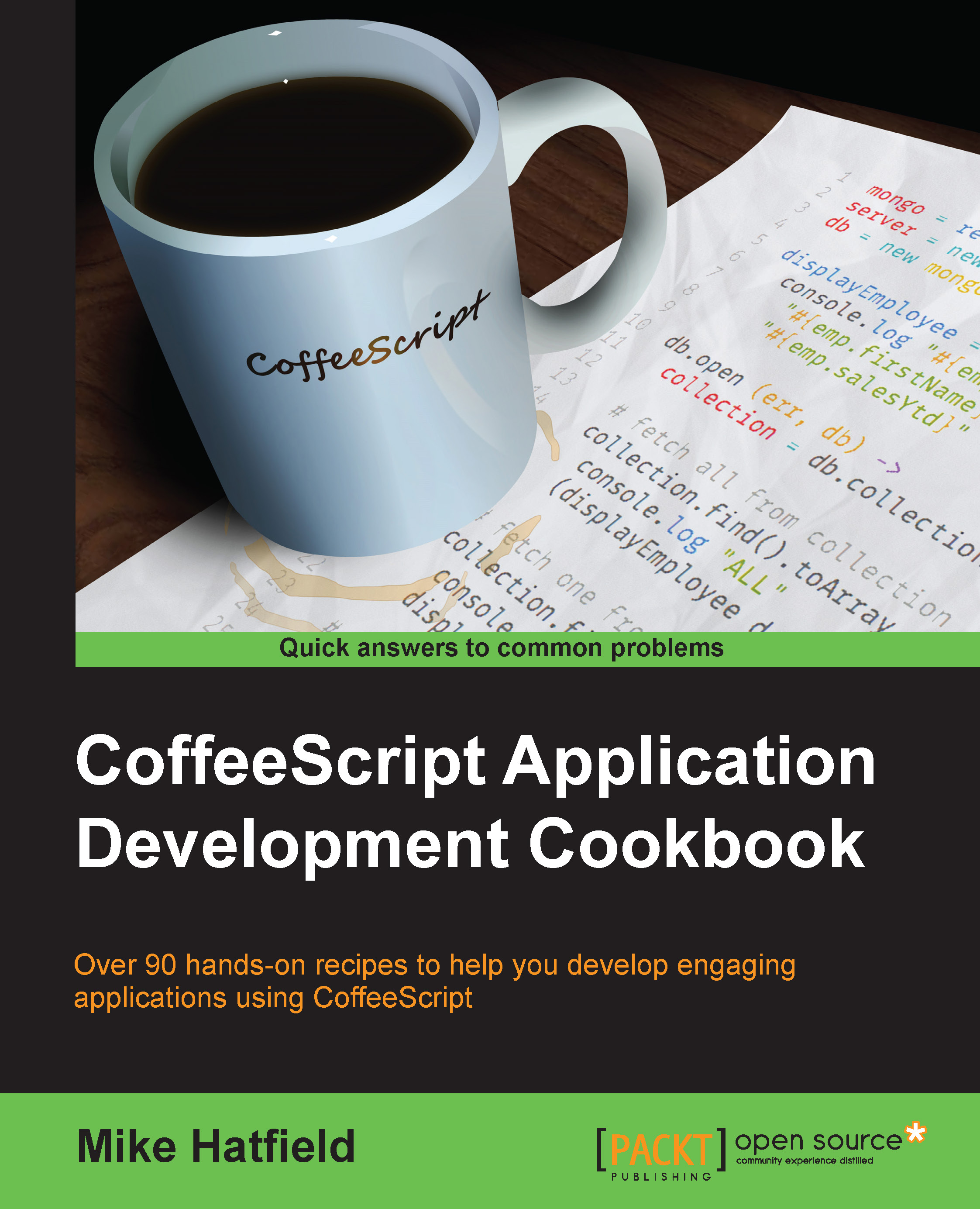
Coffeescript Application Development Cookbook

Coffeescript Application Development Cookbook: Over 90 hands-on recipes to help you develop engaging applications using CoffeeScript

eBook
$9.99 $43.99
Paperback
$54.99
Subscription
Free Trial
Renews at $19.99p/m

What do you get with Print?

Product feature icon Instant access to your digital copy whilst your Print order is Shipped
Product feature icon Paperback book shipped to your preferred address
Product feature icon Redeem a companion digital copy on all Print orders
Product feature icon Access this title in our online reader with advanced features
Product feature icon DRM FREE - Read whenever, wherever and however you want
Modal Close icon
Payment Processing...
tick Completed

Shipping Address

Billing Address

Shipping Methods
Table of content icon View table of contents Preview book icon Preview Book

Coffeescript Application Development Cookbook

Chapter 1. Getting Ready

In this chapter, we will cover the following topics:

  • Configuring your environment and tools
  • Configuring Sublime Text
  • Configuring Visual Studio
  • A quick dive into CoffeeScript
  • Debugging CoffeeScript using source maps
  • Debugging CoffeeScript with Node Inspector

Introduction

We are living in a time where JavaScript is becoming the most widely-used programming language in the world, even though it is not a language without its faults.

With its rise in popularity, JavaScript has become a legitimate option to develop all aspects of modern applications, applications that comprise a rich HTML/CSS/JavaScript client that communicates with backend services via AJAX. These applications can be run on desktops and mobile platforms as websites, mobile web, or hybrid applications using a native wrapper such as Apache Cordova / Adobe PhoneGap.

Node.js has helped JavaScript reach well beyond the boundaries of the web browser and into our operating systems themselves.

Tip

You might be surprised to know that Microsoft Windows has shipped with a JavaScript execution engine called Windows Script Host since Windows 98.

JavaScript, though very successful, can be a difficult language to work with. JavaScript was designed by Brendan Eich in a mere 10 days in 1995 while working at Netscape. As a result, some might claim that JavaScript is not as well rounded as some other languages, a point well illustrated by Douglas Crockford in his book titled JavaScript: The Good Parts, O'Reilly Media.

These pitfalls found in the JavaScript language led Jeremy Ashkenas to create CoffeeScript, a language that attempts to expose the good parts of JavaScript in a simple way. CoffeeScript compiles into JavaScript and helps us avoid the bad parts of JavaScript.

There are many reasons to use CoffeeScript as your development language of choice. Some of these reasons include:

  • CoffeeScript helps protect us from the bad parts of JavaScript by creating function closures that isolate our code from the global namespace by reducing the curly braces and semicolon clutter and by helping tame JavaScript's notorious this keyword
  • CoffeeScript helps us be more productive by providing features such as list comprehensions, classes with inheritance, and many others
  • Properly written CoffeeScript also helps us write code that is more readable and can be more easily maintained

As Jeremy Ashkenas says:

"CoffeeScript is just JavaScript."

We can use CoffeeScript when working with the large ecosystem of JavaScript libraries and frameworks on all aspects of our applications, including those listed in the following table:

Part

Some options

User interfaces

UI frameworks including jQuery, Backbone.js, AngularJS, and Kendo UI

Databases

Node.js drivers to access SQLite, Redis, MongoDB, and CouchDB

Internal/external services

Node.js with Node Package Manager (NPM) packages to create internal services and interfacing with external services

Testing

Unit and end-to-end testing with Jasmine, Qunit, integration testing with Zombie, and mocking with Persona

Hosting

Easy API and application hosting with Heroku and Windows Azure

Tooling

Create scripts to automate routine tasks and using Grunt

We will look at each of these in depth throughout this book.

Configuring your environment and tools

One significant aspect to being a productive CoffeeScript developer is having a proper development environment. This environment typically consists of the following:

  • Node.js and the NPM
  • CoffeeScript
  • Code editor
  • Debugger

In this recipe, we will look at installing and configuring the base components and tools necessary to develop CoffeeScript applications.

Getting ready

In this section, we will install the software necessary to develop applications with CoffeeScript.

One of the appealing aspects of developing applications using CoffeeScript is that it is well supported on Mac, Windows, and Linux machines. To get started, you need only a PC and an Internet connection.

How to do it...

CoffeeScript runs on top of Node.js—the event-driven, non-blocking I/O platform built on Chrome's JavaScript runtime. If you do not have Node.js installed, you can download an installation package for your Mac OS X, Linux, and Windows machines from the start page of the Node.js website (http://nodejs.org/).

To begin, install Node.js using an official prebuilt installer; it will also install the NPM.

Next, we will use NPM to install CoffeeScript. Open a terminal or command window and enter the following command:

npm install -g coffee-script

This will install the necessary files needed to work with CoffeeScript, including the coffee command that provides an interactive Read Evaluate Print Loop (REPL)—a command to execute CoffeeScript files and a compiler to generate JavaScript.

It is important to use the -g option when installing CoffeeScript, as this installs the CoffeeScript package as a global NPM module. This will add the necessary commands to our path.

Tip

On some Windows machines, you might need to add the NPM binary directory to your path. You can do this by editing the environment variables and appending ;%APPDATA%\npm to the end of the system's PATH variable.

Configuring Sublime Text

What you use to edit code can be a very personal choice, as you, like countless others, might use the tools dictated by your team or manager. Fortunately, most popular editing tools either support CoffeeScript out of the box or can be easily extended by installing add-ons, packages, or extensions.

In this recipe, we will look at adding CoffeeScript support to Sublime Text and Visual Studio.

Getting ready

This section assumes that you have Sublime Text or Visual Studio installed.

Sublime Text is a very popular text editor that is geared to working with code and projects. You can download a fully functional evaluation version from http://www.sublimetext.com. If you find it useful and decide to continue to use it, you will be encouraged to purchase a license, but there is currently no enforced time limit.

How to do it...

Sublime Text does not support CoffeeScript out of the box. Thankfully, a package manager exists for Sublime Text; this package manager provides access to hundreds of extension packages, including ones that provide helpful and productive tools to work with CoffeeScript.

Tip

Sublime Text does not come with this package manager, but it can be easily added by following the instructions on the Package Control website at https://sublime.wbond.net/installation.

With Package Control installed, you can easily install the CoffeeScript packages that are available using the Package Control option under the Preferences menu. Select the Install Package option.

Tip

You can also access this command by pressing Ctrl + Shift + P, and in the command list that appears, start typing install. This will help you find the Install Package command quickly.

To install the CoffeeScript package, open the Install Package window and enter CoffeeScript. This will display the CoffeeScript-related packages. We will use the Better CoffeeScript package:

How to do it...

As you can see, the CoffeeScript package includes syntax highlighting, commands, shortcuts, snippets, and compilation.

How it works...

In this section, we will explain the different keyboard shortcuts and code snippets available with the Better CoffeeScript package for Sublime.

Commands

You can run the desired command by entering the command into the Sublime command pallet or by pressing the related keyboard shortcut. Remember to press Ctrl + Shift + P to display the command pallet window. Some useful CoffeeScript commands include the following:

Command

Keyboard shortcut

Description

Coffee: Check Syntax

Alt + Shift + S

This checks the syntax of the file you are editing or the currently selected code. The result will display in the status bar at the bottom.

Coffee: Compile File

Alt + Shift + C

This compiles the file being edited into JavaScript.

Coffee: Run Script

Alt + Shift + R

This executes the selected code and displays a buffer of the output.

Tip

The keyboard shortcuts are associated with the file type. If you are editing a new CoffeeScript file that has not been saved yet, you can specify the file type by choosing CoffeeScript in the list of file types in the bottom-left corner of the screen.

Snippets

Snippets allow you to use short tokens that are recognized by Sublime Text. When you enter the code and press the Tab key, Sublime Text will automatically expand the snippet into the full form. Some useful CoffeeScript code snippets include the following:

Token

Expands to

log[Tab]

console.log

cla

class Name

constructor: (arguments) ->

# ...

forin

for i in array

# ...

if

if condition

# ...

ifel

if condition

# ...

else

# ...

swi

switch object

when value

# ...

try

try

# ...

catch e

# ...

Tip

The snippets are associated with the file type. If you are editing a new CoffeeScript file that has not been saved yet, you can specify the file type by selecting CoffeeScript in the list of file types in the bottom-left corner of the screen.

Configuring Visual Studio

In this recipe, we will demonstrate how to add CoffeeScript support to Visual Studio.

Getting ready

If you are on the Windows platform, you can use Microsoft's Visual Studio software. You can download Microsoft's free Express edition (Express 2013 for Web) from http://www.microsoft.com/express.

How to do it...

If you are a Visual Studio user, Version 2010 and above can work quite effectively with CoffeeScript through the use of Visual Studio extensions.

If you are doing any form of web development with Visual Studio, the Web Essentials extension is a must-have.

To install Web Essentials, perform the following steps:

  1. Launch Visual Studio.
  2. Click on the Tools menu and select the Extensions and Updates menu option. This will display the Extensions and Updates window (shown in the next screenshot).
  3. Select Online in the tree on the left-hand side to display the most popular downloads.
  4. Select Web Essentials 2012 from the list of available packages and then click on the Download button. This will download the package and install it automatically.
  5. Once the installation is finished, restart Visual Studio by clicking on the Restart Now button.

    Tip

    You will likely find Web Essentials 2012 ranked highly in the list of Most Popular packages. If you do not see it, you can search for Web Essentials using the Search box in the top-right corner of the window.

    How to do it...

Once installed, the Web Essentials package provides many web development productivity features, including CSS helpers, tools to work with Less CSS, enhancements to work with JavaScript, and, of course, a set of CoffeeScript helpers.

To add a new CoffeeScript file to your project, you can navigate to File | New Item or press Ctrl + Shift + A. This will display the Add New Item dialog, as seen in the following screenshot. Under the Web templates, you will see a new CoffeeScript File option. Select this option and give it a filename, as shown here:

How to do it...

When we have our CoffeeScript file open, Web Essentials will display the file in a split-screen editor. We can edit our code in the left-hand pane, while Web Essentials displays a live preview of the JavaScript code that will be generated for us.

The Web Essentials CoffeeScript compiler will create two JavaScript files each time we save our CoffeeScript file: a basic JavaScript file and a minified version. For example, if we save a CoffeeScript file named employee.coffee, the compiler will create employee.js and employee.min.js files.

Tip

Though I have only described two editors to work with CoffeeScript files, there are CoffeeScript packages and plugins for most popular text editors, including Emacs, Vim, TextMate, and WebMatrix.

A quick dive into CoffeeScript

In this recipe, we will take a quick look at the CoffeeScript language and command line.

How to do it...

CoffeeScript is a highly expressive programming language that does away with much of the ceremony required by JavaScript. It uses whitespace to define blocks of code and provides shortcuts for many of the programming constructs found in JavaScript.

For example, we can declare variables and functions without the var keyword:

firstName = 'Mike'

We can define functions using the following syntax:

multiply = (a, b) ->
  a * b

Here, we defined a function named multiply. It takes two arguments, a and b. Inside the function, we multiplied the two values. Note that there is no return statement. CoffeeScript will always return the value of the last expression that is evaluated inside a function.

The preceding function is equivalent to the following JavaScript snippet:

var multiply = function(a, b) {
  return a * b;
};

It's worth noting that the CoffeeScript code is only 28 characters long, whereas the JavaScript code is 50 characters long; that's 44 percent less code.

We can call our multiply function in the following way:

result = multiply 4, 7

In CoffeeScript, using parenthesis is optional when calling a function with parameters, as you can see in our function call. However, note that parenthesis are required when executing a function without parameters, as shown in the following example:

displayGreeting = ->
  console.log 'Hello, world!'
  
displayGreeting()

In this example, we must call the displayGreeting() function with parenthesis.

Tip

You might also wish to use parenthesis to make your code more readable. Just because they are optional, it doesn't mean you should sacrifice the readability of your code to save a couple of keystrokes. For example, in the following code, we used parenthesis even though they are not required:

$('div.menu-item').removeClass 'selected'

Like functions, we can define JavaScript literal objects without the need for curly braces, as seen in the following employee object:

employee =
  firstName: 'Mike'
  lastName: 'Hatfield'
  salesYtd: 13204.65

Notice that in our object definition, we also did not need to use a comma to separate our properties.

CoffeeScript supports the common if conditional as well as an unless conditional inspired by the Ruby language. Like Ruby, CoffeeScript also provides English keywords for logical operations such as is, isnt, or, and and. The following example demonstrates the use of these keywords:

isEven = (value) ->
  if value % 2 is 0
    'is'
  else
    'is not'

console.log '3 ' + isEven(3) + ' even'

In the preceding code, we have an if statement to determine whether a value is even or not. If the value is even, the remainder of value % 2 will be 0. We used the is keyword to make this determination.

Tip

JavaScript has a nasty behavior when determining equality between two values. In other languages, the double equal sign is used, such as value == 0. In JavaScript, the double equal operator will use type coercion when making this determination. This means that 0 == '0'; in fact, 0 == '' is also true.

CoffeeScript avoids this using JavaScript's triple equals (===) operator. This evaluation compares value and type such that 0 === '0' will be false.

We can use if and unless as expression modifiers as well. They allow us to tack if and unless at the end of a statement to make simple one-liners.

For example, we can so something like the following:

console.log 'Value is even' if value % 2 is 0

Alternatively, we can have something like this:

console.log 'Value is odd' unless value % 2 is 0

We can also use the if...then combination for a one-liner if statement, as shown in the following code:

if value % 2 is 0 then console.log 'Value is even'

CoffeeScript has a switch control statement that performs certain actions based on a list of possible values. The following lines of code show a simple switch statement with four branching conditions:

switch task
  when 1
    console.log 'Case 1'
  when 2
    console.log 'Case 2'
  when 3, 4, 5
    console.log 'Case 3, 4, 5'
  else
    console.log 'Default case'

In this sample, if the value of a task is 1, case 1 will be displayed. If the value of a task is 3, 4, or 5, then case 3, 4, or 5 is displayed, respectively. If there are no matching values, we can use an optional else condition to handle any exceptions.

If your switch statements have short operations, you can turn them into one-liners, as shown in the following code:

switch value
  when 1 then console.log 'Case 1'
  when 2 then console.log 'Case 2'
  when 3, 4, 5 then console.log 'Case 3, 4, 5'
  else console.log 'Default case'

CoffeeScript has a number of other productive shortcuts that we will cover in depth in Chapter 2, Starting with the Basics.

Tip

CoffeeScript provides a number of syntactic shortcuts to help us be more productive while writing more expressive code. Some people have claimed that this can sometimes make our applications more difficult to read, which will, in turn, make our code less maintainable. The key to highly readable and maintainable code is to use a consistent style when coding. I recommend that you follow the guidance provided by Polar in their CoffeeScript style guide at http://github.com/polarmobile/coffeescript-style-guide.

There's more...

With CoffeeScript installed, you can use the coffee command-line utility to execute CoffeeScript files, compile CoffeeScript files into JavaScript, or run an interactive CoffeeScript command shell.

In this section, we will look at the various options available when using the CoffeeScript command-line utility.

We can see a list of available commands by executing the following command in a command or terminal window:

coffee --help

This will produce the following output:

There's more...

As you can see, the coffee command-line utility provides a number of options. Of these, the most common ones include the following:

Option

Argument

Example

Description

None

None

coffee

This launches the REPL-interactive shell.

None

Filename

coffee sample.coffee

This command will execute the CoffeeScript file.

-c, --compile

Filename

coffee -c sample.coffee

This command will compile the CoffeeScript file into a JavaScript file with the same base name,; sample.js, as in our example.

-i, --interactive


coffee -i

This command will also launch the REPL-interactive shell.

-m, --map

Filename

coffee--m sample.coffee

This command generates a source map with the same base name, sample.js.map, as in our example.

-p, --print

Filename

coffee -p sample.coffee

This command will display the compiled output or compile errors to the terminal window.

-v, --version

None

coffee -v

This command will display the correct version of CoffeeScript.

-w, --watch

Filename

coffee -w -c sample.coffee

This command will watch for file changes, and with each change, the requested action will be performed. In our example, our sample.coffee file will be compiled each time we save it.

The CoffeeScript REPL

As we have been, CoffeeScript has an interactive shell that allows us to execute CoffeeScript commands. In this section, we will learn how to use the REPL shell. The REPL shell can be an excellent way to get familiar with CoffeeScript.

To launch the CoffeeScript REPL, open a command window and execute the coffee command.

This will start the interactive shell and display the following prompt:

The CoffeeScript REPL

In the coffee> prompt, we can assign values to variables, create functions, and evaluate results.

When we enter an expression and press the return key, it is immediately evaluated and the value is displayed.

For example, if we enter the expression x = 4 and press return, we would see what is shown in the following screenshot:

The CoffeeScript REPL

This did two things. First, it created a new variable named x and assigned the value of 4 to it. Second, it displayed the result of the command.

Next, enter timesSeven = (value) -> value * 7 and press return:

The CoffeeScript REPL

You can see that the result of this line was the creation of a new function named timesSeven().

We can call our new function now:

The CoffeeScript REPL

By default, the REPL shell will evaluate each expression when you press the return key. What if we want to create a function or expression that spans multiple lines? We can enter the REPL multiline mode by pressing Ctrl + V. This will change our coffee> prompt to a ------> prompt. This allows us to enter an expression that spans multiple lines, such as the following function:

The CoffeeScript REPL

When we are finished with our multiline expression, press Ctrl + V again to have the expression evaluated. We can then call our new function:

The CoffeeScript REPL

The CoffeeScript REPL offers some handy helpers such as expression history and tab completion.

Pressing the up arrow key on your keyboard will circulate through the expressions we previously entered.

Using the Tab key will autocomplete our function or variable name. For example, with the isEvenOrOdd() function, we can enter isEven and press Tab to have the REPL complete the function name for us.

Debugging CoffeeScript using source maps

If you have spent any time in the JavaScript community, you would have, no doubt, seen some discussions or rants regarding the weak debugging story for CoffeeScript. In fact, this is often a top argument some give for not using CoffeeScript at all. In this recipe, we will examine how to debug our CoffeeScript application using source maps.

Getting ready

The problem in debugging CoffeeScript stems from the fact that CoffeeScript compiles into JavaScript which is what the browser executes. If an error arises, the line that has caused the error sometimes cannot be traced back to the CoffeeScript source file very easily. Also, the error message is sometimes confusing, making troubleshooting that much more difficult.

Recent developments in the web development community have helped improve the debugging experience for CoffeeScript by making use of a concept known as a source map. In this section, we will demonstrate how to generate and use source maps to help make our CoffeeScript debugging easier.

To use source maps, you need only a base installation of CoffeeScript.

How to do it...

You can generate a source map for your CoffeeScript code using the -m option on the CoffeeScript command:

coffee -m -c employee.coffee

How it works...

Source maps provide information used by browsers such as Google Chrome that tell the browser how to map a line from the compiled JavaScript code back to its origin in the CoffeeScript file.

Source maps allow you to place breakpoints in your CoffeeScript file and analyze variables and execute functions in your CoffeeScript module. This creates a JavaScript file called employee.js and a source map called employee.js.map.

If you look at the last line of the generated employee.js file, you will see the reference to the source map:

//# sourceMappingURL=employee.js.map

Google Chrome uses this JavaScript comment to load the source map.

The following screenshot demonstrates an active breakpoint and console in Goggle Chrome:

How it works...

Debugging CoffeeScript using Node Inspector

Source maps and Chrome's developer tools can help troubleshoot our CoffeeScript that is destined for the Web. In this recipe, we will demonstrate how to debug CoffeeScript that is designed to run on the server.

Getting ready

Begin by installing the Node Inspector NPM module with the following command:

npm install -g node-inspector

How to do it...

To use Node Inspector, we will use the coffee command to compile the CoffeeScript code we wish to debug and generate the source map.

In our example, we will use the following simple source code in a file named counting.coffee:

for i in [1..10]
  if i % 2 is 0
    console.log "#{i} is even!"
  else
    console.log "#{i} is odd!"

To use Node Inspector, we will compile our file and use the source map parameter with the following command:

coffee -c -m counting.coffee

Next, we will launch Node Inspector with the following command:

node-debug counting.js

How it works...

When we run Node Inspector, it does two things.

First, it launches the Node debugger. This is a debugging service that allows us to step through code, hit line breaks, and evaluate variables. This is a built-in service that comes with Node. Second, it launches an HTTP handler and opens a browser that allows us to use Chrome's built-in debugging tools to use break points, step over and into code, and evaluate variables.

Node Inspector works well using source maps. This allows us to see our native CoffeeScript code and is an effective tool to debug server-side code.

The following screenshot displays our Chrome window with an active break point. In the local variables tool window on the right-hand side, you can see that the current value of i is 2:

How it works...

The highlighted line in the preceding screenshot depicts the log message.

Left arrow icon Right arrow icon

Description

If you are interested in developing modern applications, this book will help you leverage the vast JavaScript ecosystem while using an elegant language, helping you avoid the shortcomings of JavaScript.

Who is this book for?

If you are interested in developing modern applications, this book will help you leverage the vast JavaScript ecosystem while using an elegant language, helping you avoid the shortcomings of JavaScript.

What you will learn

  • Create user interfaces with jQuery, Backbone, AngularJS, and Kendo.UI
  • Develop RESTful services using Node and Express
  • Read and write data using SQLite, Redis, MongoDB, CouchDB, and Microsoft SQL Server
  • Interface with external services to send emails, SMS text messages, and use cloud storage services such as DropBox and S3
  • Test your code using Jasmine, QUnit, Zombie, Persona, and Mocha with Chai
  • Work with a variety of hosts such as Heroku, Azure, and Amazon Web Services
  • Use CoffeeScript for DevOps tasks such as managing files and directories, and parsing CSV and fixedwidth files
Estimated delivery fee Deliver to United States

Economy delivery 10 - 13 business days

Free $6.95

Premium delivery 6 - 9 business days

$21.95
(Includes tracking information)

Product Details

Country selected
Publication date, Length, Edition, Language, ISBN-13
Publication date : Mar 31, 2015
Length: 368 pages
Edition : 1st
Language : English
ISBN-13 : 9781783289691
Category :
Languages :
Tools :

What do you get with Print?

Product feature icon Instant access to your digital copy whilst your Print order is Shipped
Product feature icon Paperback book shipped to your preferred address
Product feature icon Redeem a companion digital copy on all Print orders
Product feature icon Access this title in our online reader with advanced features
Product feature icon DRM FREE - Read whenever, wherever and however you want
Modal Close icon
Payment Processing...
tick Completed

Shipping Address

Billing Address

Shipping Methods
Estimated delivery fee Deliver to United States

Economy delivery 10 - 13 business days

Free $6.95

Premium delivery 6 - 9 business days

$21.95
(Includes tracking information)

Product Details

Publication date : Mar 31, 2015
Length: 368 pages
Edition : 1st
Language : English
ISBN-13 : 9781783289691
Category :
Languages :
Tools :

Packt Subscriptions

See our plans and pricing
Modal Close icon
$19.99 billed monthly
Feature tick icon Unlimited access to Packt's library of 7,000+ practical books and videos
Feature tick icon Constantly refreshed with 50+ new titles a month
Feature tick icon Exclusive Early access to books as they're written
Feature tick icon Solve problems while you work with advanced search and reference features
Feature tick icon Offline reading on the mobile app
Feature tick icon Simple pricing, no contract
$199.99 billed annually
Feature tick icon Unlimited access to Packt's library of 7,000+ practical books and videos
Feature tick icon Constantly refreshed with 50+ new titles a month
Feature tick icon Exclusive Early access to books as they're written
Feature tick icon Solve problems while you work with advanced search and reference features
Feature tick icon Offline reading on the mobile app
Feature tick icon Choose a DRM-free eBook or Video every month to keep
Feature tick icon PLUS own as many other DRM-free eBooks or Videos as you like for just $5 each
Feature tick icon Exclusive print discounts
$279.99 billed in 18 months
Feature tick icon Unlimited access to Packt's library of 7,000+ practical books and videos
Feature tick icon Constantly refreshed with 50+ new titles a month
Feature tick icon Exclusive Early access to books as they're written
Feature tick icon Solve problems while you work with advanced search and reference features
Feature tick icon Offline reading on the mobile app
Feature tick icon Choose a DRM-free eBook or Video every month to keep
Feature tick icon PLUS own as many other DRM-free eBooks or Videos as you like for just $5 each
Feature tick icon Exclusive print discounts

Frequently bought together


Stars icon
Total $ 158.97
Coffeescript Application Development Cookbook
$54.99
AngularJS Web application development Cookbook
$54.99
CoffeeScript Application Development
$48.99
Total $ 158.97 Stars icon

Table of Contents

12 Chapters
1. Getting Ready Chevron down icon Chevron up icon
2. Starting with the Basics Chevron down icon Chevron up icon
3. Creating Client Applications Chevron down icon Chevron up icon
4. Using Kendo UI for Desktop and Mobile Applications Chevron down icon Chevron up icon
5. Going Native with Cordova Chevron down icon Chevron up icon
6. Working with Databases Chevron down icon Chevron up icon
7. Building Application Services Chevron down icon Chevron up icon
8. Using External Services Chevron down icon Chevron up icon
9. Testing Our Applications Chevron down icon Chevron up icon
10. Hosting Our Web Applications Chevron down icon Chevron up icon
11. Scripting for DevOps Chevron down icon Chevron up icon
Index Chevron down icon Chevron up icon

Customer reviews

Rating distribution
Full star icon Full star icon Full star icon Full star icon Half star icon 4.6
(5 Ratings)
5 star 60%
4 star 40%
3 star 0%
2 star 0%
1 star 0%
Anirudh Prabhu May 25, 2015
Full star icon Full star icon Full star icon Full star icon Full star icon 5
CoffeeScript is a programming language that transcompiles to JavaScript. It adds syntactic sugar inspired by Ruby, Python and Haskell[1] to enhance JavaScript's brevity and readability. CoffeeScript is an attempt to expose the good parts of JavaScript in a simple way. The compiled output is readable and pretty-printed, will work in every JavaScript runtime, and tends to run as fast or faster than the equivalent handwritten JavaScript.Mike Hatfield has over 25 years of experience in developing custom business solutions for a variety of clients and industries, with this book helps us understand how CoffeeScript provides us with a better approach to develop our applications that not only helps us to avoid these pitfalls, but also allows us to be more productive while still being able to take advantage of the large JavaScript ecosystem.This book is a practical guide, filled with many step-by-step examples of using CoffeeScript for all aspects of building our software.This book begins by looking at the fundamentals and getting our tools ready to be productive CoffeeScript developers. Next, it will demonstrate how to use CoffeeScript to create our application layers, including the user interface, database, and backend services layer, followed by investigating various options to test and host our applications. Finally, we will look at ways CoffeeScript can be used by the DevOps to help automate their day-to-day tasks.If you like developing applications that can be run on desktop, tablet, and mobile devices without learning platform-specific languages, this is the book for you.
Amazon Verified review Amazon
Winston May 26, 2015
Full star icon Full star icon Full star icon Full star icon Full star icon 5
Coffee Script Application Development shows the reader the importance of not only the importance of CoffeeScript but the importance hear and now in the future. The author does a wonderful job of guiding the reader through such tasks such as managing files and and parsing CSV. For the longest time I needed a better way of parsing CSV files. Now I have it. Many thanks to the author for such clear explanations and guidance.
Amazon Verified review Amazon
Charriere May 27, 2015
Full star icon Full star icon Full star icon Full star icon Full star icon 5
Classes are coming to JavaScript with ECMAScript 2015, but they are already here with CoffeeScript, and other good practices (as fat arrow). And, as Jeremy Ashkenas says: “CoffeeScript is just JavaScript” ;)You should know that “transpiled” CoffeeScript code and “transpiled” ECMAScript 2015 code are very similar, and thanks to this it is nice to work with coffeescript. And it’s a good reason to learn CoffeeScript : ECMAScript 2015 is inspired by it, so CoffeeScript is a serious language, and it already runs everywhere (browser, server, …).The book “CoffeeScript Application Development Cookbook” is probably the most complete book about this subject. Indeed, it deals with:- front-side development : CoffeeScript is framework agnostic, so you can use it with jQuery, Angular, Backbone and even Kendo UI.- server-side development with Nodejs : you’ll find paragraphs about working with Redis, MongoDB, CouchDB and even SQLite, RESTful webservices with Express and CoffeeScript, ...This book deals with many other subjects (Testing, Hosting, Shell, …). It’s really complete, especially if you want to get an overall view of the subject and all its aspects.
Amazon Verified review Amazon
Michael Joseph Kramer Jun 03, 2015
Full star icon Full star icon Full star icon Full star icon Empty star icon 4
The CoffeeScript Application Development Cookbook is a broad survey of the current JavaScript development landscape, and is a great starting point for an experienced developer without much exposure to JavaScript or CoffeeScript, or for less experienced developers. The focus on tasks and working with frameworks and tools in a real-world manner sets it apart from a simple CoffeeScript syntax tutorial.The book begins with some environment setup information and then spends some time introducing CoffeeScript syntax and idioms. After that, the book's chapters each serve as a mini-tutorial either detailing a library or framework like Cordova, or outlining a specific task, like testing or building a CoffeeScript application for deployment. For the most part, each of these chapters can be read independently as "Getting Started" for the subject matter. The book also, however, provides a high-level look at the tasks and capabilities of CoffeeScript/JavaScript if read cover to cover, which is a feature not often present in books labeled as "Cookbooks".The text is well written, and the explanations and examples are easy to follow and well thought out. Each individual chapter can generally be read without the preceding ones to mix and match with current interests.Experienced CoffeeScript or JavaScript developers may not find the depth or complexity that typically accompanies a cookbook-type book, but some of the tasks covered are more advanced tasks and the text is enough to introduce the subject. Also, while the books examples are in CoffeeScript, the concepts and library introductions are just as applicable to JavaScript.I think if you're interested in CoffeeScript or popular tools and frameworks that JavaScript and CoffeeScript developers are using, then I think you'll be happy with CoffeeScript Application Development.*Note: I received a complimentary copy of the book from the publisher.
Amazon Verified review Amazon
Dustin Marx Jun 09, 2015
Full star icon Full star icon Full star icon Full star icon Empty star icon 4
"CoffeeScript Application Development Cookbook" uses over 90 recipes to explain and illustrate development of CoffeeScript-based web applications. The book provides an introduction to CoffeeScript and its syntax, explains who one might choose CoffeeScript rather than direct JavaScript, and then several of the book's chapters and recipes cover the broader range of JavaScript-based libraries and frameworks that can be used with CoffeeScript. These recipes discuss and demonstrate integrating these JavaScript libraries and frameworks with CoffeeScript. I also like that "CoffeeScript Application Development Cookbook" has chapters with recipes on debugging and unit testing CoffeeScript code.The text in "CoffeeScript Application Development Cookbook" is generally easy to read and flows well. There are a few typos, but most of them are easy to see what was intended and don't detract from understanding the content being presented. The book's screen snapshots illustrate the concepts well. The code listings tend to be short and focused on the recipe at hand. They are black text on white background with no color syntax and no line numbers in the electronic version of the book I reviewed.I enjoyed reading the PDF version of "CoffeeScript Application Development Cookbook" that Packt Publishing provided for my review. It seems especially well-suited for the web developer who has some (even minor) experience in JavaScript and wants to understand why CoffeeScript may be preferable to JavaScript for his or her situation and how one can go about using CoffeeScript to develop applications that take advantage of the numerous libraries, tools, and frameworks that are available to JavaScript developers.
Amazon Verified review Amazon
Get free access to Packt library with over 7500+ books and video courses for 7 days!
Start Free Trial

FAQs

What is the digital copy I get with my Print order? Chevron down icon Chevron up icon

When you buy any Print edition of our Books, you can redeem (for free) the eBook edition of the Print Book you’ve purchased. This gives you instant access to your book when you make an order via PDF, EPUB or our online Reader experience.

What is the delivery time and cost of print book? Chevron down icon Chevron up icon

Shipping Details

USA:

'

Economy: Delivery to most addresses in the US within 10-15 business days

Premium: Trackable Delivery to most addresses in the US within 3-8 business days

UK:

Economy: Delivery to most addresses in the U.K. within 7-9 business days.
Shipments are not trackable

Premium: Trackable delivery to most addresses in the U.K. within 3-4 business days!
Add one extra business day for deliveries to Northern Ireland and Scottish Highlands and islands

EU:

Premium: Trackable delivery to most EU destinations within 4-9 business days.

Australia:

Economy: Can deliver to P. O. Boxes and private residences.
Trackable service with delivery to addresses in Australia only.
Delivery time ranges from 7-9 business days for VIC and 8-10 business days for Interstate metro
Delivery time is up to 15 business days for remote areas of WA, NT & QLD.

Premium: Delivery to addresses in Australia only
Trackable delivery to most P. O. Boxes and private residences in Australia within 4-5 days based on the distance to a destination following dispatch.

India:

Premium: Delivery to most Indian addresses within 5-6 business days

Rest of the World:

Premium: Countries in the American continent: Trackable delivery to most countries within 4-7 business days

Asia:

Premium: Delivery to most Asian addresses within 5-9 business days

Disclaimer:
All orders received before 5 PM U.K time would start printing from the next business day. So the estimated delivery times start from the next day as well. Orders received after 5 PM U.K time (in our internal systems) on a business day or anytime on the weekend will begin printing the second to next business day. For example, an order placed at 11 AM today will begin printing tomorrow, whereas an order placed at 9 PM tonight will begin printing the day after tomorrow.


Unfortunately, due to several restrictions, we are unable to ship to the following countries:

  1. Afghanistan
  2. American Samoa
  3. Belarus
  4. Brunei Darussalam
  5. Central African Republic
  6. The Democratic Republic of Congo
  7. Eritrea
  8. Guinea-bissau
  9. Iran
  10. Lebanon
  11. Libiya Arab Jamahriya
  12. Somalia
  13. Sudan
  14. Russian Federation
  15. Syrian Arab Republic
  16. Ukraine
  17. Venezuela
What is custom duty/charge? Chevron down icon Chevron up icon

Customs duty are charges levied on goods when they cross international borders. It is a tax that is imposed on imported goods. These duties are charged by special authorities and bodies created by local governments and are meant to protect local industries, economies, and businesses.

Do I have to pay customs charges for the print book order? Chevron down icon Chevron up icon

The orders shipped to the countries that are listed under EU27 will not bear custom charges. They are paid by Packt as part of the order.

List of EU27 countries: www.gov.uk/eu-eea:

A custom duty or localized taxes may be applicable on the shipment and would be charged by the recipient country outside of the EU27 which should be paid by the customer and these duties are not included in the shipping charges been charged on the order.

How do I know my custom duty charges? Chevron down icon Chevron up icon

The amount of duty payable varies greatly depending on the imported goods, the country of origin and several other factors like the total invoice amount or dimensions like weight, and other such criteria applicable in your country.

For example:

  • If you live in Mexico, and the declared value of your ordered items is over $ 50, for you to receive a package, you will have to pay additional import tax of 19% which will be $ 9.50 to the courier service.
  • Whereas if you live in Turkey, and the declared value of your ordered items is over € 22, for you to receive a package, you will have to pay additional import tax of 18% which will be € 3.96 to the courier service.
How can I cancel my order? Chevron down icon Chevron up icon

Cancellation Policy for Published Printed Books:

You can cancel any order within 1 hour of placing the order. Simply contact customercare@packt.com with your order details or payment transaction id. If your order has already started the shipment process, we will do our best to stop it. However, if it is already on the way to you then when you receive it, you can contact us at customercare@packt.com using the returns and refund process.

Please understand that Packt Publishing cannot provide refunds or cancel any order except for the cases described in our Return Policy (i.e. Packt Publishing agrees to replace your printed book because it arrives damaged or material defect in book), Packt Publishing will not accept returns.

What is your returns and refunds policy? Chevron down icon Chevron up icon

Return Policy:

We want you to be happy with your purchase from Packtpub.com. We will not hassle you with returning print books to us. If the print book you receive from us is incorrect, damaged, doesn't work or is unacceptably late, please contact Customer Relations Team on customercare@packt.com with the order number and issue details as explained below:

  1. If you ordered (eBook, Video or Print Book) incorrectly or accidentally, please contact Customer Relations Team on customercare@packt.com within one hour of placing the order and we will replace/refund you the item cost.
  2. Sadly, if your eBook or Video file is faulty or a fault occurs during the eBook or Video being made available to you, i.e. during download then you should contact Customer Relations Team within 14 days of purchase on customercare@packt.com who will be able to resolve this issue for you.
  3. You will have a choice of replacement or refund of the problem items.(damaged, defective or incorrect)
  4. Once Customer Care Team confirms that you will be refunded, you should receive the refund within 10 to 12 working days.
  5. If you are only requesting a refund of one book from a multiple order, then we will refund you the appropriate single item.
  6. Where the items were shipped under a free shipping offer, there will be no shipping costs to refund.

On the off chance your printed book arrives damaged, with book material defect, contact our Customer Relation Team on customercare@packt.com within 14 days of receipt of the book with appropriate evidence of damage and we will work with you to secure a replacement copy, if necessary. Please note that each printed book you order from us is individually made by Packt's professional book-printing partner which is on a print-on-demand basis.

What tax is charged? Chevron down icon Chevron up icon

Currently, no tax is charged on the purchase of any print book (subject to change based on the laws and regulations). A localized VAT fee is charged only to our European and UK customers on eBooks, Video and subscriptions that they buy. GST is charged to Indian customers for eBooks and video purchases.

What payment methods can I use? Chevron down icon Chevron up icon

You can pay with the following card types:

  1. Visa Debit
  2. Visa Credit
  3. MasterCard
  4. PayPal
What is the delivery time and cost of print books? Chevron down icon Chevron up icon

Shipping Details

USA:

'

Economy: Delivery to most addresses in the US within 10-15 business days

Premium: Trackable Delivery to most addresses in the US within 3-8 business days

UK:

Economy: Delivery to most addresses in the U.K. within 7-9 business days.
Shipments are not trackable

Premium: Trackable delivery to most addresses in the U.K. within 3-4 business days!
Add one extra business day for deliveries to Northern Ireland and Scottish Highlands and islands

EU:

Premium: Trackable delivery to most EU destinations within 4-9 business days.

Australia:

Economy: Can deliver to P. O. Boxes and private residences.
Trackable service with delivery to addresses in Australia only.
Delivery time ranges from 7-9 business days for VIC and 8-10 business days for Interstate metro
Delivery time is up to 15 business days for remote areas of WA, NT & QLD.

Premium: Delivery to addresses in Australia only
Trackable delivery to most P. O. Boxes and private residences in Australia within 4-5 days based on the distance to a destination following dispatch.

India:

Premium: Delivery to most Indian addresses within 5-6 business days

Rest of the World:

Premium: Countries in the American continent: Trackable delivery to most countries within 4-7 business days

Asia:

Premium: Delivery to most Asian addresses within 5-9 business days

Disclaimer:
All orders received before 5 PM U.K time would start printing from the next business day. So the estimated delivery times start from the next day as well. Orders received after 5 PM U.K time (in our internal systems) on a business day or anytime on the weekend will begin printing the second to next business day. For example, an order placed at 11 AM today will begin printing tomorrow, whereas an order placed at 9 PM tonight will begin printing the day after tomorrow.


Unfortunately, due to several restrictions, we are unable to ship to the following countries:

  1. Afghanistan
  2. American Samoa
  3. Belarus
  4. Brunei Darussalam
  5. Central African Republic
  6. The Democratic Republic of Congo
  7. Eritrea
  8. Guinea-bissau
  9. Iran
  10. Lebanon
  11. Libiya Arab Jamahriya
  12. Somalia
  13. Sudan
  14. Russian Federation
  15. Syrian Arab Republic
  16. Ukraine
  17. Venezuela
Modal Close icon
Modal Close icon