Search icon CANCEL
Subscription
0
Cart icon
Your Cart (0 item)
Close icon
You have no products in your basket yet
Save more on your purchases! discount-offer-chevron-icon
Savings automatically calculated. No voucher code required.
Arrow left icon
Explore Products
Best Sellers
New Releases
Books
Videos
Audiobooks
Learning Hub
Newsletter Hub
Free Learning
Arrow right icon
timer SALE ENDS IN
0 Days
:
00 Hours
:
00 Minutes
:
00 Seconds
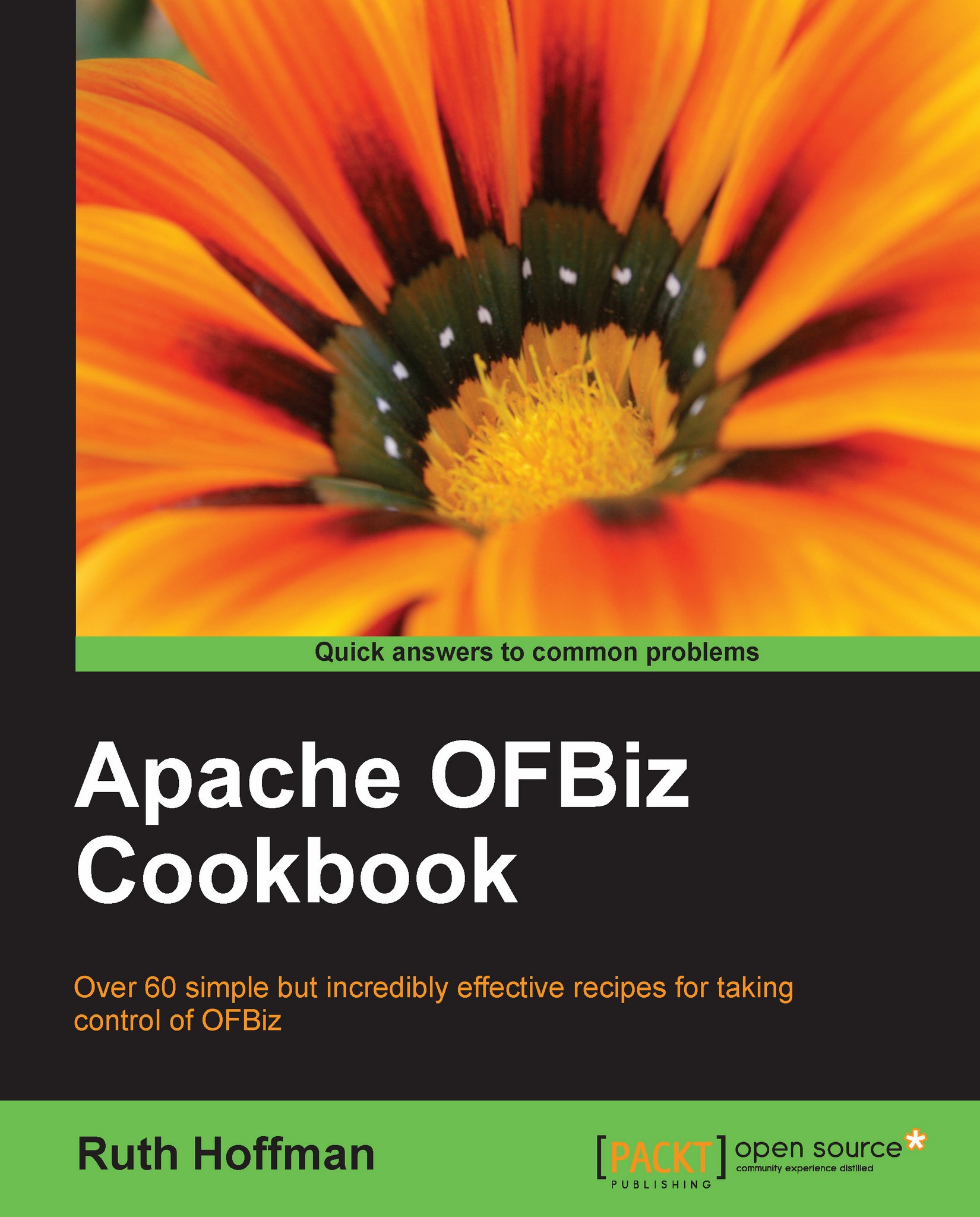
Apache OfBiz Cookbook

Apache OfBiz Cookbook: Over 60 simple but incredibly effective recipes for taking control of OFBiz

eBook
$26.09 $28.99
Paperback
$48.99
Subscription
Free Trial
Renews at $19.99p/m

What do you get with Print?

Product feature icon Instant access to your digital copy whilst your Print order is Shipped
Product feature icon Paperback book shipped to your preferred address
Product feature icon Redeem a companion digital copy on all Print orders
Product feature icon Access this title in our online reader with advanced features
Product feature icon DRM FREE - Read whenever, wherever and however you want
Modal Close icon
Payment Processing...
tick Completed

Shipping Address

Billing Address

Shipping Methods
Table of content icon View table of contents Preview book icon Preview Book

Apache OfBiz Cookbook

Chapter 2. Java Development

In this chapter, we will cover

  • CLASSPATH basics

  • Java file naming conventions

  • Creating OFBiz Java Events

  • Creating OFBiz Java Services

  • Debugging

  • Calling an OFBiz Service from a Java program

  • Java programs and request parameters

  • Error messages: best practices

  • Using properties files

  • Sending e-mail

  • Manipulating XML files

Note

Note: This chapter is not intended to instruct Java developers planning to commit code back to the OFBiz project. Such code is subject to the OFBiz Contributors Best Practices document found at:

http://cwiki.apache.org/confluence/x/JIB2

Introduction

Before you can write effective OFBiz Java code, you need to understand some basics about the environment in which OFBiz operates. In the previous chapter, we learned that OFBiz executes within a JVM. That JVM, in turn, hosts a Java servlet container. The servlet container provides all the basic programming infrastructure necessary to build and run OFBiz web applications (sometimes referred to as "webapps").

Note

Out...

Introduction


Before you can write effective OFBiz Java code, you need to understand some basics about the environment in which OFBiz operates. In the previous chapter, we learned that OFBiz executes within a JVM. That JVM, in turn, hosts a Java servlet container. The servlet container provides all the basic programming infrastructure necessary to build and run OFBiz web applications (sometimes referred to as "webapps").

Note

Out-of-the-box, bundled with the distribution, OFBiz embeds the Tomcat servlet container, http://apache.tomcat.org. It is possible to implement other servlet containers as well as run OFBiz within a Java application server such as JBoss, WebSphere®, or WebLogic®.

In this book, we first describe what it takes to develop OFBiz webapps. Traditionally, writing Java web applications has meant writing entire servlets. When writing OFBiz webapps, you typically do not write an entire servlet. Instead, you create one or more Java methods that are invoked by the OFBiz controller...

Java runtime CLASSPATH


The Java CLASSPATH is an environment variable containing a list of resources (for example: Java class files, JAR and ZIP archive files) used during program execution. Within the OFBiz environment, the CLASSPATH may become quite complex with hundreds of entries. Therefore, it is comforting to know that OFBiz makes it easy for us to manipulate the CLASSPATH and add new resources.

How to do it...

Resources can be added to the runtime CLASSPATH by following these steps:

  1. 1. Put that resource in any directory that is already listed in the CLASSPATH. Examples of default CLASSPATH directory locations include:

    ~framework/base/lib
    

    or

    ~framework/webapp/lib
    
  2. (Where "~" represents the fully qualified directory path of the OFBiz installation root location.)

  3. 2. Restart OFBiz.

How it works...

OFBiz bootstraps itself by loading Java class files for execution based on initial CLASSPATH entries. As it starts up, it traverses each Component, building out the CLASSPATH and dynamically loading...

Java compile time CLASSPATH


The Java compiler uses information on the CLASSPATH to resolve references to Java classes that are present within your OFBiz program. Since there may be many class references within your Java code, OFBiz makes it easy to add classes and JAR files to the compile time CLASSPATH by providing the ANT tool.

Getting ready

Open the build.xml file in the Component that contains your Java source.

How to do it...

To add classes and JAR files to the compile time CLASSPATH, do as follows:

  1. 1. Locate the section within the build.xml file named local.class.path

  2. 2. Add your new JAR file or Java class file location within the path directive as shown in the following:

  1. 3. Save and close the file.

  2. 4. Invoke ANT to build your program with the new CLASSPATH entries.

How it works...

OFBiz provides a convenient tool in a pre-configured ANT build.xml file to manage the OFBiz compile time CLASSPATH. To add new compile time entries, simply modify the ANT build.xml file.

Naming conventions


Just as there are OFBiz conventions that cover Component and Application, directory and file layout, Java file-naming best practices have been established to help organize and locate resources.

How to do it...

The following are the OFBiz naming conventions:

  • Use Java CamelCase when picking a name for your Java class file or your method. CamelCase names are names in which compound words, such as "My Application", are joined together without spaces to form "MyApplication".

  • Class files that contain OFBiz Services have a suffix of "Services.java". For example, a Java class file containing Services could be called "MyServices.java". Only place OFBiz Services inside a file with the "Services.java" suffix.

  • Class files that contain OFBiz Events have a suffix of "Events.java". Only place OFBiz Events inside a file with the "Events.java" suffix.

  • Other Java class files that you may see have suffixes such as "Worker.java" or "Helper.Java". These files should not contain OFBiz Events or...

Writing OFBiz Java Events


Writing an OFBiz Java Event is as simple as writing a Java method and then configuring OFBiz to be able to find the Event on the Java CLASSPATH. When would you want to write a Java Event? Any time you want to process input from a web application, such as the submission of an HTML form entry or as a result of a URL request, an Event may be coded to accept the HTTP/HTTPS request and return a response object to the browser.

When writing your first Event, it is often easier to add your Event's method to an existing Java class file. Any existing class file will work. Remember that the OFBiz convention is to add an "Events.java" suffix to class files containing Events.

Getting ready

To start writing Events, the following have to be taken care of:

  1. 1. Decide which Component you want your OFBiz Event to run in.

  2. 2. Check for Java build/compile dependencies in the build.xml file for every Component you selected in step 1.

  3. 3. Create your controller.xml file request-mapping entry...

Writing OFBiz Java Services


OFBiz "Services" are reusable code snippets implemented as Java methods. What makes using OFBiz Services so compelling? Unlike OFBiz Events or servlets, the Service context is controlled by OFBiz, thus relieving the programmer from having to do such mundane tasks as managing transactions, handling retries, and validating input and output values. Once written, a Service may be invoked as many times and by as many Service consumers as required.

Getting ready

To start writing Services, we must first perform the following:

  1. 1. Navigate to the Component's source directory containing the Java class file to be used for the new Service method.

  2. 2. Check for any Java class or JAR file dependencies in the build.xml file.

  3. 3. To test your Service, create a web page with a form to call the new Service.

  4. 4. Create an entry in the controller.xml file to allow access to your Service.

  5. 5. Navigate to the OFBiz Component where the Java class file containing the source for your Event exists...

Debugging using the logfile


A handy debugging technique available to any OFBiz Java programmer at any time is to write messages to the OFBiz console log from within your program.

Getting ready

Firstly, ensure the following:

  1. 1. Make sure to import the OFBiz org.ofbiz.base.util.Debug utility into your Java program.

  2. 2. To ensure that your logfile entry is properly marked with the class name and line number from where it was called, check that the Java constant named module is defined within your class file as shown below:

    public static final String module = MyClass.class.getName();
    
  3. 3. If you have turned off console window logging (the default out-of-the-box setting), make sure to return the startup file to its original setting to allow logging to the console window.

How to do it...

To always write to the console window, call the OFBiz Debug utility as shown:

import org.ofbiz.base.util.Debug;
// Code intentionally left out
Debug.log("This is an error message", module);
//Or, if you don't want to write...

Calling OFBiz Services from a Java program


Calling an existing OFBiz Service from another OFBiz method is very simple.

Getting ready

Prepare any necessary context parameters. To call an OFBiz Service, you may need to pass one or more parameters (called "IN" or "INOUT" parameters) using a Java Map structure. Consult the WebTools Service List for more information on any particular Service’s required and optional input and/or output parameters.

How to do it...

The following code snippet highlights the necessary Java code to call Services synchronously, asynchronously, and as scheduled processes:

Note: Only enough code necessary to illustrate Service invocation is shown.

import org.ofbiz.service.DispatchContext;
import org.ofbiz.service.GenericServiceException;
import org.ofbiz.service.LocalDispatcher;
import org.ofbiz.service.ServiceUtil;
// For an OFBiz Service, get the service dispatcher as follows
LocalDispatcher dispatcher = dctx.getDispatcher();
// For an OFBiz Event, get the service dispatcher...

Getting and validating request parameters (Events)


Very often, you write OFBiz Events so as to have complete control over HTTP/HTTPS request parameters. Getting those parameters out of the HttpServletRequest object and into your program is simplified when using OFBiz tools.

How to do it...

The following code snippet demonstrates taking HttpServletRequest object request parameters from the request and placing them in local variables for processing:

import javax.servlet.http.HttpServletRequest;
import javax.servlet.http.HttpServletResponse;
import org.ofbiz.base.util.UtilHttp;
import org.ofbiz.base.util.UtilValidate
public static String myEvent(HttpServletRequest request,
HttpServletResponse response) {
// Some code up here
Map httpParams = UtilHttp.getParameterMap(request);
// use the OFBiz utility to make this easy
String param1 = (String) httpParams.get("param1");
// Some Validation Examples follow
if(UtilValidate.isEmpty((String) httpParams.get("param2")) {
return "error";
}
if(UtilValidate...

Getting and validating request parameters (Services)


The following Java code snippet demonstrates first retrieving two request parameters (param1 and param2) from the context Map passed to every OFBiz Service. Note that all request parameters start out life as strings of characters. The OFBiz Service engine will automatically convert request values to the appropriate type based on Service definition configuration.

How to do it...

The following code shows you how to retrieve parameters:

import java.util.*;
import org.ofbiz.service.ServiceUtil;
import org.ofbiz.base.util.UtilHttp;
import org.ofbiz.base.util.UtilValidate
public static Map myService(DispatchContext dctx, Map context){
// Some code here
// First, just get a request parameter from the context
// Note: this must already be configured as part of the
// Service definitions INPUT parameters
String param1 = (String) context.get("param1");
Integer param2 = (Integer) context.get("param2);
// You may use the UtilValidate methods to validate...

Managing error messages


HttpServletRequest object's attributes are used to pass error messages from Java programs to other OFBiz resources, including web pages. By convention, error messages are passed as either a single HttpServletRequest attribute name/value pair (where the name is _ERROR_MESSAGE_) or as a list of messages (where the name of the list is _ERROR_MESSAGE_LIST_). All HttpServletRequest object attributes are assumed to be Java Strings.

How to do it...

While you may pass error messages in any fashion you like, the consolidation of error messages and message lists for consumption by other OFBiz resources is made easier if you follow some simple rules:

  1. 1. From within an Event, set the appropriate HttpServletRequest attribute as shown:

    request.setAttribute("_ERROR_MESSAGE_",
    "Error: This is an error message");
    // Or pass a list of error messages
    List myErrors = UtilMisc.toList("This is an error message",
    "This is another error message");
    request.setAttribute("_ERROR_MESSAGE_LIST_...

Using Java properties files


Java properties files are a native Java mechanism for maintaining a set of persistent values, called "properties", across invocations of the JVM. They are typically files that are persistent to the local file system.

Properties files consist of one or more key/value pairs, very much like a Java Map structure.

How to do it...

The following code snippet demonstrates finding the value for the CommonDatabaseProblem key from the CommonUiLabels Java property file:

import org.ofbiz.base.util.UtilProperties;
errMsg = UtilProperties.getMessage("CommonUiLabels",
"CommonDatabaseProblem", messageMap, locale);

How it works...

OFBiz makes using Java properties files convenient and easy by loading them as resources on the Java CLASSPATH and providing several utility methods to access file contents.

See also

Please see the OFBiz UtilProperties API:

http://ci.apache.org/projects/ofbiz/site/javadocs/

Sending e-mail from an OFBiz Event or Service


If you ever need to send an e-mail programmatically, OFBiz provides a number of Services that simplify the process. In this section, we look at an example of using the basic OFBiz sendMail Service.

Getting ready

Using the OFBiz WebTools Service Manager utility, we can see at a glance that there are many input and output parameters that the sendMail Service may take. The only required input parameters, however, are:

Parameter name

Notes

body

This is the content of the e-mail (not an attachment).

sendTo

Valid e-mail address. This is the recipient of this e-mail.

subject

E-mail header subject.

How to do it...

The follow example demonstrates calling the sendMail Service from an OFBiz Event. Calling the sendMail Service from another Java program such as a servlet or Service works the same way.

Note

Note: The following program is for demonstration purposes only. It will compile and run within an OFBiz instance. However, much of the logic...

Handling XML files


If you ever have a requirement to manipulate XML files, whether it be as a result of an incoming XML-RPC or a need to process a local file system XML document, OFBiz has a number of tools that you may find useful. The following program demonstrates just some of the many options available.

Getting ready

To use the OFBiz XML utilities, import the org.ofbiz.base.util* package.

How to do it...

The following program demonstrates creating, writing to, and reading from an XML document using OFBiz utilities.

Note

Note: The following program is for demonstration purposes only. It will compile and run within an OFBiz instance. However, much of the logic is hardcoded. This is intentional. Only enough code is shown to illustrate the handling of XML files.

/* Don't forget to
import org.w3c.dom.Document;
import org.w3c.dom.Element;
import org.xml.sax.SAXException;
import org.ofbiz.base.util.*;
*/
public static String basicXmlExamples(HttpServletRequest
request, HttpServletResponse response...
Left arrow icon Right arrow icon

Key benefits

  • Optimize your OFBiz experience and save hours of frustration with this timesaving collection of practical recipes covering a wide range of OFBiz topics.
  • Get answers to the most commonly asked OFBiz questions in an easy-to-digest reference style of presentation.
  • Discover insights into OFBiz design, implementation, and best practices by exploring real-life solutions.
  • Each recipe in this Cookbook is crafted to describe not only "how" to accomplish a specific task, but also "why" the technique works to ensure you get the most out of your OFBiz implementation.

Description

Apache Open For Business (OFBiz) is an enterprise resource planning (ERP) system that provides a common data model and an extensive set of business processes. But without proper guidance on developing performance-critical applications, it is easy to make the wrong design and technology decisions. The power and promise of Apache OFBiz is comprehensively revealed in a collection of self-contained, quick, practical recipes in this Cookbook. This book covers a range of topics from initial system setup to web application and HTML page creation, Java development, and data maintenance tasks. Focusing on a series of the most commonly performed OFBiz tasks, it provides clear, cogent, and easy-to-follow instructions designed to make the most of your OFBiz experience. Let this book be your guide to enhancing your OFBiz productivity by saving you valuable time. Written specifically to give clear and straightforward answers to the most commonly asked OFBiz questions, this compendium of OFBiz recipes will show you everything you need to know to get things done in OFBiz. Whether you are new to OFBiz or an old pro, you are sure to find many useful hints and handy tips here. Topics range from getting started to configuration and system setup, security and database management through the final stages of developing and testing new OFBiz applications.

Who is this book for?

If you are an OFBiz user who has some familiarity with enterprise software systems, and perhaps more importantly, Internet and Web exposure, you will be able to glean useful information from this book. You will need only basic knowledge of modern browser behavior (for example: how to click a mouse button) to follow some recipes, while others assume a passing familiarity with a text-editor and XML documents. If you are a software developer looking for Java and/or Groovy examples, this book also includes a chapter on Java software development.

What you will learn

  • Learn OFBiz artifact organization and effective (OFBiz) project navigation skills
  • Configure OFBiz web applications and framework settings using various WebTools
  • Access and manage one or more database(s) using the OFBiz Entity engine
  • Create Java programs that call other OFBiz Services and utilities
  • Use Groovy to prepare data for web page presentation
  • Enhance existing OFBiz applications or create new ones, by implementing OFBiz Screen, Form, Tree, and Menu Widgets
  • Create and deploy OFBiz Events and Services
  • Make administrative changes easily from the command-line
  • Add web service client(s) and service provider features to your OFBiz instance
  • Minimize frustration and wasted time with straightforward recipes designed to get you up and running quickly
Estimated delivery fee Deliver to United States

Economy delivery 10 - 13 business days

Free $6.95

Premium delivery 6 - 9 business days

$21.95
(Includes tracking information)

Product Details

Country selected
Publication date, Length, Edition, Language, ISBN-13
Publication date : Sep 07, 2010
Length: 300 pages
Edition : 1st
Language : English
ISBN-13 : 9781847199188
Vendor :
Apache
Category :

What do you get with Print?

Product feature icon Instant access to your digital copy whilst your Print order is Shipped
Product feature icon Paperback book shipped to your preferred address
Product feature icon Redeem a companion digital copy on all Print orders
Product feature icon Access this title in our online reader with advanced features
Product feature icon DRM FREE - Read whenever, wherever and however you want
Modal Close icon
Payment Processing...
tick Completed

Shipping Address

Billing Address

Shipping Methods
Estimated delivery fee Deliver to United States

Economy delivery 10 - 13 business days

Free $6.95

Premium delivery 6 - 9 business days

$21.95
(Includes tracking information)

Product Details

Publication date : Sep 07, 2010
Length: 300 pages
Edition : 1st
Language : English
ISBN-13 : 9781847199188
Vendor :
Apache
Category :

Packt Subscriptions

See our plans and pricing
Modal Close icon
$19.99 billed monthly
Feature tick icon Unlimited access to Packt's library of 7,000+ practical books and videos
Feature tick icon Constantly refreshed with 50+ new titles a month
Feature tick icon Exclusive Early access to books as they're written
Feature tick icon Solve problems while you work with advanced search and reference features
Feature tick icon Offline reading on the mobile app
Feature tick icon Simple pricing, no contract
$199.99 billed annually
Feature tick icon Unlimited access to Packt's library of 7,000+ practical books and videos
Feature tick icon Constantly refreshed with 50+ new titles a month
Feature tick icon Exclusive Early access to books as they're written
Feature tick icon Solve problems while you work with advanced search and reference features
Feature tick icon Offline reading on the mobile app
Feature tick icon Choose a DRM-free eBook or Video every month to keep
Feature tick icon PLUS own as many other DRM-free eBooks or Videos as you like for just $5 each
Feature tick icon Exclusive print discounts
$279.99 billed in 18 months
Feature tick icon Unlimited access to Packt's library of 7,000+ practical books and videos
Feature tick icon Constantly refreshed with 50+ new titles a month
Feature tick icon Exclusive Early access to books as they're written
Feature tick icon Solve problems while you work with advanced search and reference features
Feature tick icon Offline reading on the mobile app
Feature tick icon Choose a DRM-free eBook or Video every month to keep
Feature tick icon PLUS own as many other DRM-free eBooks or Videos as you like for just $5 each
Feature tick icon Exclusive print discounts

Frequently bought together


Stars icon
Total $ 103.98
Java for Data Science
$54.99
Apache OfBiz Cookbook
$48.99
Total $ 103.98 Stars icon

Table of Contents

9 Chapters
Getting Started Chevron down icon Chevron up icon
Java Development Chevron down icon Chevron up icon
The User Interface Chevron down icon Chevron up icon
OFBiz Services Chevron down icon Chevron up icon
The OFBiz Entity Engine Chevron down icon Chevron up icon
OFBiz Security Chevron down icon Chevron up icon
WebTools Chevron down icon Chevron up icon
Web Services Chevron down icon Chevron up icon
OFBiz Tips and Tricks Chevron down icon Chevron up icon

Customer reviews

Rating distribution
Full star icon Full star icon Full star icon Full star icon Empty star icon 4
(2 Ratings)
5 star 50%
4 star 0%
3 star 50%
2 star 0%
1 star 0%
R. Ray Mar 05, 2013
Full star icon Full star icon Full star icon Full star icon Full star icon 5
OFBiz is a large system, difficult to learn, and there is very little good material available to help teach the concepts of the system. This cookbook reference is excellent to have around, it gives good examples, and is really an excellent tutorial as well. I finally figured out how OFBiz services work by reading this book. I highly recommend it, I use it all the time now. If you plan on doing any kind of development work with OFBiz this is a must have reference. It will save you lots of time and frustration.
Amazon Verified review Amazon
RBJ Oct 26, 2013
Full star icon Full star icon Full star icon Empty star icon Empty star icon 3
It has lots of examples but there is no thread to the book that helps you understand Ofbiz as a concept, all you get is lots of bits of code and functions. This is good if you understand the concept, but not that great if you are starting from noting and trying to get to grips with Ofbiz.
Amazon Verified review Amazon
Get free access to Packt library with over 7500+ books and video courses for 7 days!
Start Free Trial

FAQs

What is the digital copy I get with my Print order? Chevron down icon Chevron up icon

When you buy any Print edition of our Books, you can redeem (for free) the eBook edition of the Print Book you’ve purchased. This gives you instant access to your book when you make an order via PDF, EPUB or our online Reader experience.

What is the delivery time and cost of print book? Chevron down icon Chevron up icon

Shipping Details

USA:

'

Economy: Delivery to most addresses in the US within 10-15 business days

Premium: Trackable Delivery to most addresses in the US within 3-8 business days

UK:

Economy: Delivery to most addresses in the U.K. within 7-9 business days.
Shipments are not trackable

Premium: Trackable delivery to most addresses in the U.K. within 3-4 business days!
Add one extra business day for deliveries to Northern Ireland and Scottish Highlands and islands

EU:

Premium: Trackable delivery to most EU destinations within 4-9 business days.

Australia:

Economy: Can deliver to P. O. Boxes and private residences.
Trackable service with delivery to addresses in Australia only.
Delivery time ranges from 7-9 business days for VIC and 8-10 business days for Interstate metro
Delivery time is up to 15 business days for remote areas of WA, NT & QLD.

Premium: Delivery to addresses in Australia only
Trackable delivery to most P. O. Boxes and private residences in Australia within 4-5 days based on the distance to a destination following dispatch.

India:

Premium: Delivery to most Indian addresses within 5-6 business days

Rest of the World:

Premium: Countries in the American continent: Trackable delivery to most countries within 4-7 business days

Asia:

Premium: Delivery to most Asian addresses within 5-9 business days

Disclaimer:
All orders received before 5 PM U.K time would start printing from the next business day. So the estimated delivery times start from the next day as well. Orders received after 5 PM U.K time (in our internal systems) on a business day or anytime on the weekend will begin printing the second to next business day. For example, an order placed at 11 AM today will begin printing tomorrow, whereas an order placed at 9 PM tonight will begin printing the day after tomorrow.


Unfortunately, due to several restrictions, we are unable to ship to the following countries:

  1. Afghanistan
  2. American Samoa
  3. Belarus
  4. Brunei Darussalam
  5. Central African Republic
  6. The Democratic Republic of Congo
  7. Eritrea
  8. Guinea-bissau
  9. Iran
  10. Lebanon
  11. Libiya Arab Jamahriya
  12. Somalia
  13. Sudan
  14. Russian Federation
  15. Syrian Arab Republic
  16. Ukraine
  17. Venezuela
What is custom duty/charge? Chevron down icon Chevron up icon

Customs duty are charges levied on goods when they cross international borders. It is a tax that is imposed on imported goods. These duties are charged by special authorities and bodies created by local governments and are meant to protect local industries, economies, and businesses.

Do I have to pay customs charges for the print book order? Chevron down icon Chevron up icon

The orders shipped to the countries that are listed under EU27 will not bear custom charges. They are paid by Packt as part of the order.

List of EU27 countries: www.gov.uk/eu-eea:

A custom duty or localized taxes may be applicable on the shipment and would be charged by the recipient country outside of the EU27 which should be paid by the customer and these duties are not included in the shipping charges been charged on the order.

How do I know my custom duty charges? Chevron down icon Chevron up icon

The amount of duty payable varies greatly depending on the imported goods, the country of origin and several other factors like the total invoice amount or dimensions like weight, and other such criteria applicable in your country.

For example:

  • If you live in Mexico, and the declared value of your ordered items is over $ 50, for you to receive a package, you will have to pay additional import tax of 19% which will be $ 9.50 to the courier service.
  • Whereas if you live in Turkey, and the declared value of your ordered items is over € 22, for you to receive a package, you will have to pay additional import tax of 18% which will be € 3.96 to the courier service.
How can I cancel my order? Chevron down icon Chevron up icon

Cancellation Policy for Published Printed Books:

You can cancel any order within 1 hour of placing the order. Simply contact customercare@packt.com with your order details or payment transaction id. If your order has already started the shipment process, we will do our best to stop it. However, if it is already on the way to you then when you receive it, you can contact us at customercare@packt.com using the returns and refund process.

Please understand that Packt Publishing cannot provide refunds or cancel any order except for the cases described in our Return Policy (i.e. Packt Publishing agrees to replace your printed book because it arrives damaged or material defect in book), Packt Publishing will not accept returns.

What is your returns and refunds policy? Chevron down icon Chevron up icon

Return Policy:

We want you to be happy with your purchase from Packtpub.com. We will not hassle you with returning print books to us. If the print book you receive from us is incorrect, damaged, doesn't work or is unacceptably late, please contact Customer Relations Team on customercare@packt.com with the order number and issue details as explained below:

  1. If you ordered (eBook, Video or Print Book) incorrectly or accidentally, please contact Customer Relations Team on customercare@packt.com within one hour of placing the order and we will replace/refund you the item cost.
  2. Sadly, if your eBook or Video file is faulty or a fault occurs during the eBook or Video being made available to you, i.e. during download then you should contact Customer Relations Team within 14 days of purchase on customercare@packt.com who will be able to resolve this issue for you.
  3. You will have a choice of replacement or refund of the problem items.(damaged, defective or incorrect)
  4. Once Customer Care Team confirms that you will be refunded, you should receive the refund within 10 to 12 working days.
  5. If you are only requesting a refund of one book from a multiple order, then we will refund you the appropriate single item.
  6. Where the items were shipped under a free shipping offer, there will be no shipping costs to refund.

On the off chance your printed book arrives damaged, with book material defect, contact our Customer Relation Team on customercare@packt.com within 14 days of receipt of the book with appropriate evidence of damage and we will work with you to secure a replacement copy, if necessary. Please note that each printed book you order from us is individually made by Packt's professional book-printing partner which is on a print-on-demand basis.

What tax is charged? Chevron down icon Chevron up icon

Currently, no tax is charged on the purchase of any print book (subject to change based on the laws and regulations). A localized VAT fee is charged only to our European and UK customers on eBooks, Video and subscriptions that they buy. GST is charged to Indian customers for eBooks and video purchases.

What payment methods can I use? Chevron down icon Chevron up icon

You can pay with the following card types:

  1. Visa Debit
  2. Visa Credit
  3. MasterCard
  4. PayPal
What is the delivery time and cost of print books? Chevron down icon Chevron up icon

Shipping Details

USA:

'

Economy: Delivery to most addresses in the US within 10-15 business days

Premium: Trackable Delivery to most addresses in the US within 3-8 business days

UK:

Economy: Delivery to most addresses in the U.K. within 7-9 business days.
Shipments are not trackable

Premium: Trackable delivery to most addresses in the U.K. within 3-4 business days!
Add one extra business day for deliveries to Northern Ireland and Scottish Highlands and islands

EU:

Premium: Trackable delivery to most EU destinations within 4-9 business days.

Australia:

Economy: Can deliver to P. O. Boxes and private residences.
Trackable service with delivery to addresses in Australia only.
Delivery time ranges from 7-9 business days for VIC and 8-10 business days for Interstate metro
Delivery time is up to 15 business days for remote areas of WA, NT & QLD.

Premium: Delivery to addresses in Australia only
Trackable delivery to most P. O. Boxes and private residences in Australia within 4-5 days based on the distance to a destination following dispatch.

India:

Premium: Delivery to most Indian addresses within 5-6 business days

Rest of the World:

Premium: Countries in the American continent: Trackable delivery to most countries within 4-7 business days

Asia:

Premium: Delivery to most Asian addresses within 5-9 business days

Disclaimer:
All orders received before 5 PM U.K time would start printing from the next business day. So the estimated delivery times start from the next day as well. Orders received after 5 PM U.K time (in our internal systems) on a business day or anytime on the weekend will begin printing the second to next business day. For example, an order placed at 11 AM today will begin printing tomorrow, whereas an order placed at 9 PM tonight will begin printing the day after tomorrow.


Unfortunately, due to several restrictions, we are unable to ship to the following countries:

  1. Afghanistan
  2. American Samoa
  3. Belarus
  4. Brunei Darussalam
  5. Central African Republic
  6. The Democratic Republic of Congo
  7. Eritrea
  8. Guinea-bissau
  9. Iran
  10. Lebanon
  11. Libiya Arab Jamahriya
  12. Somalia
  13. Sudan
  14. Russian Federation
  15. Syrian Arab Republic
  16. Ukraine
  17. Venezuela
Modal Close icon
Modal Close icon