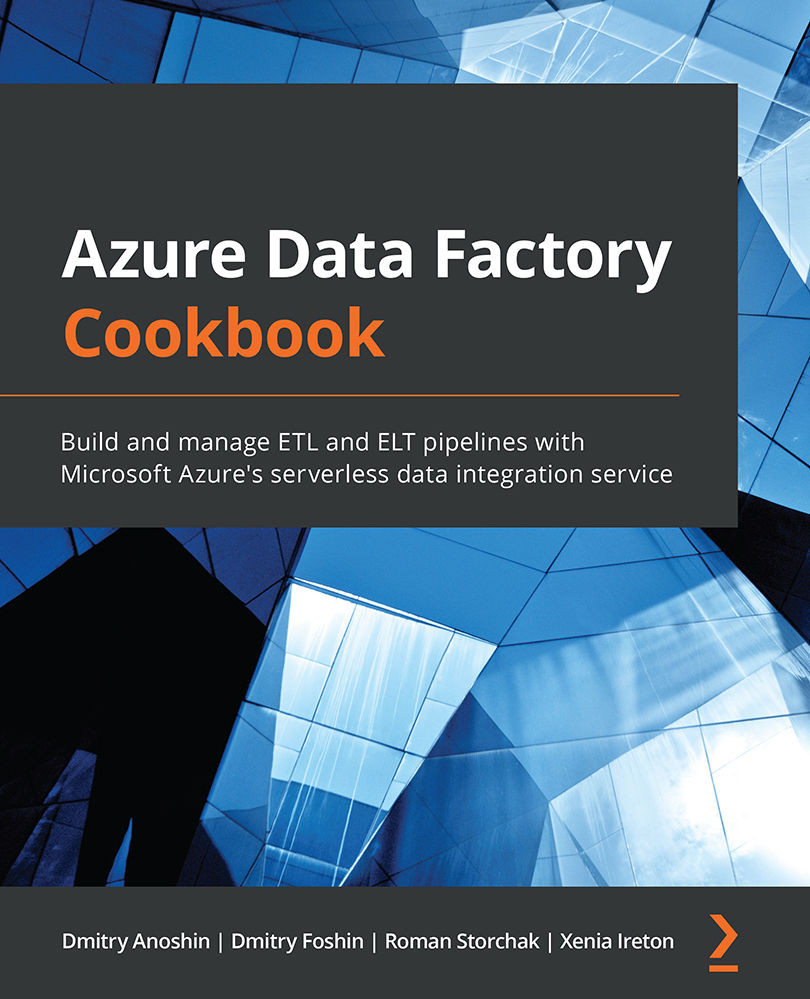
Learn how to load and transform data from various sources, both on-premises and on cloud
Use Azure Data Factory’s visual environment to build and manage hybrid ETL pipelines
Discover how to prepare, transform, process, and enrich data to generate key insights
Description
Azure Data Factory (ADF) is a modern data integration tool available on Microsoft Azure. This Azure Data Factory Cookbook helps you get up and running by showing you how to create and execute your first job in ADF. You’ll learn how to branch and chain activities, create custom activities, and schedule pipelines. This book will help you to discover the benefits of cloud data warehousing, Azure Synapse Analytics, and Azure Data Lake Gen2 Storage, which are frequently used for big data analytics. With practical recipes, you’ll learn how to actively engage with analytical tools from Azure Data Services and leverage your on-premise infrastructure with cloud-native tools to get relevant business insights. As you advance, you’ll be able to integrate the most commonly used Azure Services into ADF and understand how Azure services can be useful in designing ETL pipelines. The book will take you through the common errors that you may encounter while working with ADF and show you how to use the Azure portal to monitor pipelines. You’ll also understand error messages and resolve problems in connectors and data flows with the debugging capabilities of ADF.
By the end of this book, you’ll be able to use ADF as the main ETL and orchestration tool for your data warehouse or data platform projects.
Who is this book for?
This book is for ETL developers, data warehouse and ETL architects, software professionals, and anyone who wants to learn about the common and not-so-common challenges faced while developing traditional and hybrid ETL solutions using Microsoft's Azure Data Factory. You’ll also find this book useful if you are looking for recipes to improve or enhance your existing ETL pipelines. Basic knowledge of data warehousing is expected.
What you will learn
Create an orchestration and transformation job in ADF
Develop, execute, and monitor data flows using Azure Synapse
Create big data pipelines using Azure Data Lake and ADF
Build a machine learning app with Apache Spark and ADF
Migrate on-premises SSIS jobs to ADF
Integrate ADF with commonly used Azure services such as Azure ML, Azure Logic Apps, and Azure Functions
Run big data compute jobs within HDInsight and Azure Databricks
Copy data from AWS S3 and Google Cloud Storage to Azure Storage using ADF s built-in connectors
I loved the book as it brings many screenshots and recipe-like instructions with the steps to do any task.The book brings information from creating the first job, going through big data, Databricks , and deployment.
Amazon Verified review
ArdenMar 03, 2024
5
Azure, data bricks, and fabric everything rolled in one! Everything u can ask for in one thing excellent resource must read!
Amazon Verified review
Souvik RoyMar 01, 2024
5
The book is great to start with for people who are transitioning into data engineering and cloud computing. I am using it in my academics to understand the essence of data engineering and trying to implement it in real-world projects. I would recommend people who want to study data engineering from scratch and also Azure details are quite good for beginners.
Amazon Verified review
Vivek VermaMay 10, 2024
5
This book covers a lot of topics. Given the title of the book was about ADF, I was really suprised to see the breadth of topics that were covered. The subtitle is A data engineer's guide to building and managing ETL and ELT pipelines with data integration. And that gives a clue to the fact that the coverage is much, much broader than ADF.I was surprised to see so much coverage of pipelines in other places like Synapse Analytics, Fabric, etc. but more surprised to see coverage of HDInsight and big data concepts. I can't remember the last time I saw anyone using HDInsight. I always thought it was seriously over-hyped while it was being promoted, and still think the same way.It made more sense to see a bunch of coverage of Databricks, delta tables and integrating ADF with Azure Machine Learning, Azure Logic Apps, Azure Functions and more. They are relatively common areas of integration for ADF, along with migrating on-premises SSIS packages to ADF.
Amazon Verified review
Steven FernandesMar 02, 2024
5
This guide is a valuable resource for data engineers and architects exploring Azure's data processing capabilities, covering Azure Data Factory, Synapse, Databricks, Delta tables, and more. It offers insights into big data handling, migration of SSIS jobs to ADF, and integration with Azure services like ML and Logic Apps. However, its effectiveness is slightly marred by a confusing table of contents with sections like "Getting Read," "How to Do It...," and "How It Works...". A clearer, more intuitive organization would enhance its utility, making it easier for readers to navigate and locate specific information. Despite this, the book remains an indispensable tool for professionals aiming to build comprehensive data solutions in Azure.
Dmitry Anoshin is a data-centric technologist and a recognized expert in building and implementing big data and analytics solutions. He has a successful track record when it comes to implementing business and digital intelligence projects in numerous industries, including retail, finance, marketing, and e-commerce. Dmitry possesses in-depth knowledge of digital/business intelligence, ETL, data warehousing, and big data technologies. He has extensive experience in the data integration process and is proficient in using various data warehousing methodologies. Dmitry has constantly exceeded project expectations when he has worked in the financial, machine tool, and retail industries. He has completed a number of multinational full BI/DI solution life cycle implementation projects. With expertise in data modeling, Dmitry also has a background and business experience in multiple relation databases, OLAP systems, and NoSQL databases. He is also an active speaker at data conferences and helps people to adopt cloud analytics.
Dmitry Foshin is a business intelligence team leader, whose main goals are delivering business insights to the management team through data engineering, analytics, and visualization. He has led and executed complex full-stack BI solutions (from ETL processes to building DWH and reporting) using Azure technologies, Data Lake, Data Factory, Data Bricks, MS Office 365, PowerBI, and Tableau. He has also successfully launched numerous data analytics projects – both on-premises and cloud – that help achieve corporate goals in international FMCG companies, banking, and manufacturing industries.
Roman Storchak is a PhD, and is a chief data officer whose main interest lies in building data-driven cultures through making analytics easy. He has led teams that have built ETL-heavy products in AdTech and retail and often uses Azure Stack, PowerBI, and Data Factory.
Xenia Ireton is a Senior Software Engineer at Microsoft. She has extensive knowledge in building distributed services, data pipelines and data warehouses.
Where there is an eBook version of a title available, you can buy it from the book details for that title. Add either the standalone eBook or the eBook and print book bundle to your shopping cart. Your eBook will show in your cart as a product on its own. After completing checkout and payment in the normal way, you will receive your receipt on the screen containing a link to a personalised PDF download file. This link will remain active for 30 days. You can download backup copies of the file by logging in to your account at any time.
If you already have Adobe reader installed, then clicking on the link will download and open the PDF file directly. If you don't, then save the PDF file on your machine and download the Reader to view it.
Please Note: Packt eBooks are non-returnable and non-refundable.
Packt eBook and Licensing When you buy an eBook from Packt Publishing, completing your purchase means you accept the terms of our licence agreement. Please read the full text of the agreement. In it we have tried to balance the need for the ebook to be usable for you the reader with our needs to protect the rights of us as Publishers and of our authors. In summary, the agreement says:
You may make copies of your eBook for your own use onto any machine
You may not pass copies of the eBook on to anyone else
How can I make a purchase on your website?
If you want to purchase a video course, eBook or Bundle (Print+eBook) please follow below steps:
Register on our website using your email address and the password.
Search for the title by name or ISBN using the search option.
Select the title you want to purchase.
Choose the format you wish to purchase the title in; if you order the Print Book, you get a free eBook copy of the same title.
Proceed with the checkout process (payment to be made using Credit Card, Debit Cart, or PayPal)
Where can I access support around an eBook?
If you experience a problem with using or installing Adobe Reader, the contact Adobe directly.
To view the errata for the book, see www.packtpub.com/support and view the pages for the title you have.
To view your account details or to download a new copy of the book go to www.packtpub.com/account
Our eBooks are currently available in a variety of formats such as PDF and ePubs. In the future, this may well change with trends and development in technology, but please note that our PDFs are not Adobe eBook Reader format, which has greater restrictions on security.
You will need to use Adobe Reader v9 or later in order to read Packt's PDF eBooks.
What are the benefits of eBooks?
You can get the information you need immediately
You can easily take them with you on a laptop
You can download them an unlimited number of times
You can print them out
They are copy-paste enabled
They are searchable
There is no password protection
They are lower price than print
They save resources and space
What is an eBook?
Packt eBooks are a complete electronic version of the print edition, available in PDF and ePub formats. Every piece of content down to the page numbering is the same. Because we save the costs of printing and shipping the book to you, we are able to offer eBooks at a lower cost than print editions.
When you have purchased an eBook, simply login to your account and click on the link in Your Download Area. We recommend you saving the file to your hard drive before opening it.
For optimal viewing of our eBooks, we recommend you download and install the free Adobe Reader version 9.


 United States

 Great Britain
 India
India
 Germany
 France
 Canada
 Russia
 Spain
Spain
 Brazil
 Australia
 Singapore
 Canary Islands
 Hungary
 Ukraine
 Luxembourg
 Estonia
 Lithuania
 South Korea
 Turkey
 Switzerland
 Colombia
 Taiwan
 Chile
Chile
 Norway
 Ecuador
 Indonesia
 New Zealand
 Cyprus
 Denmark
 Finland
 Poland
 Malta
Malta
 Czechia
 Austria
 Sweden
 Italy
Italy
 Egypt
Egypt
 Belgium
 Portugal
 Slovenia
 Ireland
 Romania
 Greece
 Argentina
 Netherlands
 Bulgaria
 Latvia
 South Africa
 Malaysia
 Japan
Japan
 Slovakia
 Philippines
 Mexico
 Thailand












 Filter