Search icon CANCEL
Subscription
0
Cart icon
Your Cart (0 item)
Close icon
You have no products in your basket yet
Arrow left icon
Explore Products
Best Sellers
New Releases
Books
Events
Videos
Audiobooks
Packt Hub
Free Learning
Arrow right icon
timer SALE ENDS IN
0 Days
:
00 Hours
:
00 Minutes
:
00 Seconds
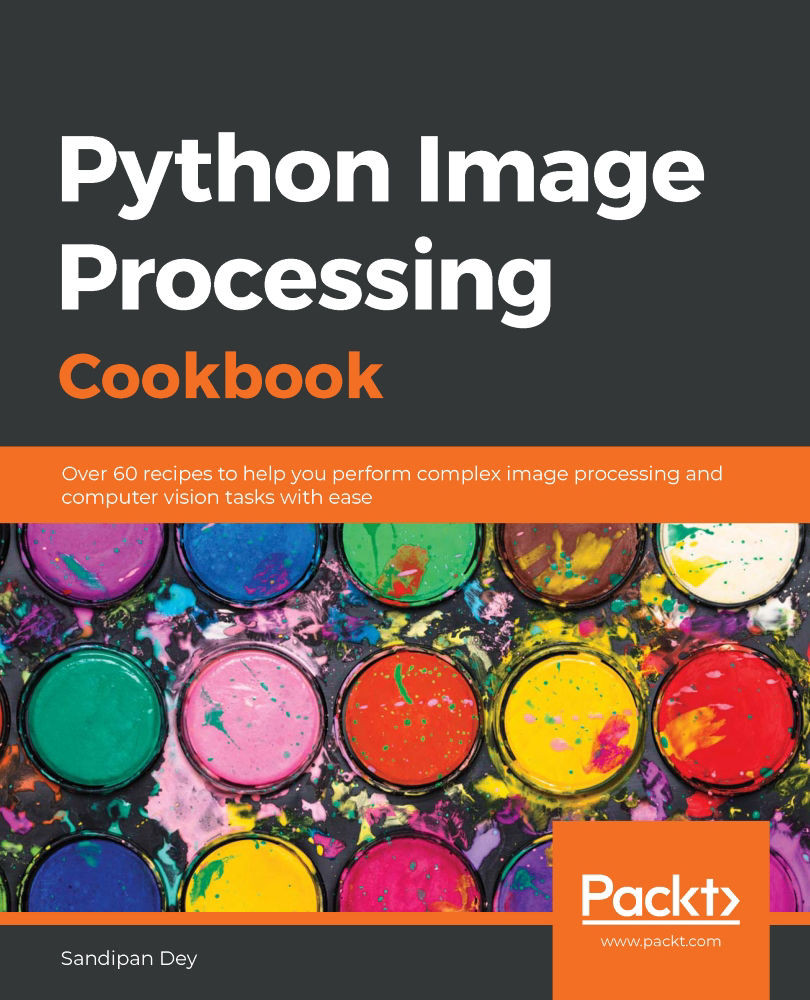
Python Image Processing Cookbook

Python Image Processing Cookbook: Over 60 recipes to help you perform complex image processing and computer vision tasks with ease

Arrow left icon
Profile Icon Sandipan Dey
Arrow right icon
$50.99
Full star icon Full star icon Empty star icon Empty star icon Empty star icon 2 (2 Ratings)
Paperback Apr 2020 438 pages 1st Edition
eBook
$34.19 $37.99
Paperback
$50.99
Arrow left icon
Profile Icon Sandipan Dey
Arrow right icon
$50.99
Full star icon Full star icon Empty star icon Empty star icon Empty star icon 2 (2 Ratings)
Paperback Apr 2020 438 pages 1st Edition
eBook
$34.19 $37.99
Paperback
$50.99
eBook
$34.19 $37.99
Paperback
$50.99

What do you get with Print?

Product feature icon Instant access to your digital copy whilst your Print order is Shipped
Product feature icon Paperback book shipped to your preferred address
Product feature icon Redeem a companion digital copy on all Print orders
Product feature icon Access this title in our online reader with advanced features
Product feature icon DRM FREE - Read whenever, wherever and however you want
Product feature icon AI Assistant (beta) to help accelerate your learning
Modal Close icon
Payment Processing...
tick Completed

Shipping Address

Billing Address

Shipping Methods
Table of content icon View table of contents Preview book icon Preview Book

Python Image Processing Cookbook

Image Enhancement

The objective of image enhancement is to improve the quality of an image or make particular features appear more prominent. The techniques used are often more general-purpose techniques and a strong model of the degradation process is not assumed (unlike image restoration, which we will see in the next chapter). Some examples of image enhancement techniques are denoising/smoothing (using different classical image processing, unsupervised machine learning, and deep learning techniques), contrast improvement, and sharpening.

In this chapter, we will cover the following recipes for image enhancement (and their implementations using Python libraries):

  • Applying filters to denoise different types of noise in an image
  • Image denoising with a denoising autoencoder
  • Image denoising with PCA/DFT/DWT
  • Image denoising with anisotropic diffusion
  • Improving image contrast with histogram equalization
  • Implementing histogram matching
  • Performing gradient blending
  • Edge detection with Canny, LoG/zero-crossing, and wavelets

Applying filters to denoise different types of noise in an image

Noise represents random variations of image intensity that cause image quality to deteriorate. Noise can be introduced when the image is captured or transmitted. Image denoising (noise removal) is a vital image processing task that must be done for most of the image processing applications. In this recipe, we will discuss different types of noise with different distributions, such as Gaussian, Salt and Pepper, Speckle, Poisson, and exponential, and image denoising performed for different noise types with a couple of popular filtering techniques (mean and median filters), using the ndimage module from SciPy. The results will be compared for all types of noise.

Getting ready

We will be using the Lena grayscale image and adding different types of random noise (by drawing random samples from different distributions) to the original image. We will apply a popular linear (mean) and a popular non-linear (median) filter to the noisy images obtained. We will also compare the performance of the filters by computing the peak signal-to-noise ratio (PSNR).

Let's start by loading the requisite libraries with the following code:

%matplotlib inline
from skimage.io import imread
from skimage.util import random_noise
from skimage.color import rgb2gray
from skimage.measure import compare_psnr
from scipy.ndimage import uniform_filter, median_filter
import numpy as np
import matplotlib.pylab as plt

How to do it...

Denoising different types of noises in an image is done with the following steps:

  1. Define the plt_hist() function to plot the histogram of the noise added to the image:
def plt_hist(noise, bins=None):
plt.grid()
plt.hist(np.ravel(noise), bins=bins, alpha=0.5, color='green')
plt.tick_params(labelsize=15)
plt.title('Noise Historgram', size=25)
  1. Next, define the plt_images() function to plot all the images, that is, the original, noisy and denoised images, using the mean/median filters, and plot the noise histogram by calling the plt_hist() function defined previously. Also, compare the quality of the images denoised using the filters with the PSNR:
def plt_images(im, im_noisy, noise, noise_type, i):
im_denoised_mean = uniform_filter(im_noisy, 5)
im_denoised_median = median_filter(im_noisy, 5)
plt.subplot(7,4,i), plt.imshow(im_noisy), \
plt.title('Noisy ({}), PSNR={}'.format(noise_type, \
np.round(compare_psnr(im, im_noisy),3)), size=25), \
plt.axis('off')
plt.subplot(7,4,i+1), plt.imshow(im_denoised_mean), \
plt.title('Denoised (mean), PSNR={}'.format(np.round\
(compare_psnr(im, im_denoised_mean),3)), size=25), \
plt.axis('off')
plt.subplot(7,4,i+2), plt.imshow(im_denoised_median), \
plt.title('Denoised (median), PSNR={}'.format(np.round\
(compare_psnr(im, im_denoised_median),3)), size=25), \
plt.axis('off')
plt.subplot(7,4,i+3), plt_hist(noise)
  1. Load the original Lena RGB color image and convert it to a grayscale image:
im = rgb2gray(imread('images/lena.png'))
  1. Now, add random noise to the original image by drawing samples from different distributions, along with appropriate parameters—one for each of the noise distributions. After this, call the plt_images() function defined earlier to plot the images and the noise distributions:
im1 = random_noise(im, 'gaussian', var=0.15**2)
plt_images(im, im1, im1-im, 'Gaussian', 1)

im1 = random_noise(im, 's&p', amount=0.15)
plt_images(im, im1, im1[((im1==0)|(im1==1))&((im!=0)&(im!=1))], 'Impulse', 5)

noise = np.random.poisson(lam=int(np.mean(255*im)), size=im.shape)/255 - np.mean(im)
im1 = np.clip(im + noise, 0, 1)
plt_images(im, im1, noise, 'Poisson', 9)

im1 = random_noise(im, 'speckle', var=0.15**2)
plt_images(im, im1, im1-im, 'Speckle', 13)

noise = np.random.rayleigh(scale=0.15, size=im.shape) - 0.15
im1 = np.clip(im + noise, 0, 1)
plt_images(im, im1, noise, 'Rayleigh', 17)

noise = np.random.exponential(scale=0.15, size=im.shape) - 0.15
im1 = np.clip(im + noise, 0, 1)
plt_images(im, im1, noise, 'Exponential', 21)

noise = np.random.uniform(0, 0.5, size=im.shape) - 0.25
im1 = np.clip(im + noise, 0, 1)
plt_images(im, im1, noise, 'Uniform', 25)

How it works...

We started by applying the mean filter to the noisy images with the uniform_filter() function from the scipy.ndimage module. Then, we applied the median filter to the noisy images with median_filer() from the same module. For both the filters, the filter size used was 5, in order to apply a 5 x 5 convolution with the box kernel.

The compare_psnr() function from the skimage.measure module was used to compare the quality of the images denoised using the filters.

The imread() function from the scikit-image.io module was used to read the Lena RGB image and the rgb2gray() function from the scikit-image.color module was used to convert the image to grayscale.

We used either the random_noise() function from the scikit-image.util module, or used the corresponding distribution functions from the random module of NumPy (for example, np.random.possion()) to draw random noise samples from different distributions (for example, Gaussian, Poisson, and exponential), along with appropriate parameters (for example, mean, μ, and variance, σ2, for Gaussian noise, and mean, λ, for Poisson noise) for each of the noise distributions.

The plt_images() function accepts three arguments, the first one being the original image, the second being the noisy image, and the third being the noise added. Notice that for the impulse (s&p) noise, in order to compute the noise matrix, we had to find the locations where the pixel value switched from 0 to 1 (salt) or 1 to 0 (pepper) in the original image.

The following screenshot is part of the output you should get after running the code in step 4:

As seen from the last output, the median filter does particularly well for impulse (salt and pepper) noise and also does better jobs for Speckle, Poisson, and Rayleigh random noise, whereas for the other types of noise distributions, the mean filter performs well for this image. Also, notice how the shape of the random noise histograms change for each distribution (and they resemble the shape of the density functions).

There's more...

You could also use scikit-image implementations of the mean (for example, rank.mean(), rank.mean_percentile(), and rank.mean_bilateral()) and median filters (filters.median()). Try these functions on your own on the noisy images and compute the PSNR values of the denoised images.

Image denoising with a denoising autoencoder

An autoencoder is a neural network often used to learn an efficient representation of input data (typically in a reduced dimension) in an unsupervised way. A denoising autoencoder is a stochastic version of an autoencoder that takes (similar) inputs corrupted by noise and is trained to recover the original inputs (typically using some deep learning library functions) in order to obtain a good representation. We can use denoising autoencoders to learn robust representations from a set of similar input images (corrupted with noise) and then generate the denoised images.

Getting ready

We will be using the labeled faces in the wild (lfw) face dataset from scikit-learn (it contains face images of seven very famous politicians). We will add some random noise to these face images, use them as inputs to the autoencoder, and train it to learn to remove the noise. We will use PyTorch library functions for deep learning. As usual, let's start by importing the required libraries:

import os
import numpy as np
import matplotlib.pylab as plt
import torch
from torch import nn
from torch.autograd import Variable
from torch.utils.data import DataLoader
from torchvision import transforms
from torchvision.utils import save_image
from sklearn.datasets import fetch_lfw_people

How to do it...

We can now denoise using the denoising autoencoder in the following steps:

  1. Define the to_img() and plot_sample_img() functions to convert a PyTorch tensor to an image from the lfw dataset (each grayscale image has a size of 50 x 37) and to save the image to disk, respectively:
def to_img(x):
x = x.view(x.size(0), 1, 50, 37)
return x

def plot_sample_img(img, name):
img = img.view(1, 50, 37)
save_image(img, './sample_{}.png'.format(name))
  1. Define the add_noise() function to add random Gaussian noise to an image:
def add_noise(img):
noise = torch.randn(img.size()) * 0.2
noisy_img = img + noise
return noisy_img
  1. Implement the min_max_normalization() and tensor_round() preprocessing functions to normalize and round a tensor, respectively. Also, create a transformation pipeline with the functions defined:
def min_max_normalization(tensor, min_value, max_value):
min_tensor = tensor.min()
tensor = (tensor - min_tensor)
max_tensor = tensor.max()
tensor = tensor / max_tensor
tensor = tensor * (max_value - min_value) + min_value
return tensor

def tensor_round(tensor):
return torch.round(tensor)

img_transform = transforms.Compose([
transforms.ToTensor(),
transforms.Lambda(lambda tensor:min_max_normalization(tensor, \
0, 1)),
transforms.Lambda(lambda tensor:tensor_round(tensor))
])
  1. Download the lfw dataset and create a dataloader with a batch size of 8:
batch_size = 8 # 16
dataset = fetch_lfw_people(min_faces_per_person=70, \
resize=0.4).images / 255
dataloader = DataLoader(dataset, batch_size=batch_size, \
shuffle=True)
  1. Now, implement the autoencoder class, the encoder and decoder members, and the forward() method of the class:
class autoencoder(nn.Module):
def __init__(self):
super(autoencoder, self).__init__()
self.encoder = nn.Sequential(
nn.Linear(50 * 37, 512),
nn.ReLU(True),
nn.Linear(512, 128),
nn.ReLU(True))
self.decoder = nn.Sequential(
nn.Linear(128, 512),
nn.ReLU(True),
nn.Linear(512, 50 * 37),
nn.Sigmoid())

def forward(self, x):
x = self.encoder(x)
x = self.decoder(x)
return x
  1. Instantiate the autoencoder class, and then define the loss function as binary cross-entropy (BCE) loss and the optimizer as the Adam optimizer using the following code snippet:
learning_rate = 1e-3
cuda = False #True
model = autoencoder()
if cuda:
model = model.cuda()
criterion = nn.BCELoss()
optimizer = torch.optim.Adam(model.parameters(), \
lr=learning_rate, weight_decay=1e-5)
  1. Train the autoencoder for 100 epochs. In every epoch, use forward propagation for autoencoder prediction (and loss function computation) and backpropagation to update the weights in different layers:
num_epochs = 100 
for epoch in range(1, num_epochs+1):
for data in dataloader:
img = data
#...
if cuda: noisy_img = noisy_img.cuda()
img = Variable(img)
if cuda: img = img.cuda()
output = model(noisy_img) # forward-prop
loss = criterion(output, img)
MSE_loss = nn.MSELoss()(output, img)
optimizer.zero_grad()
loss.backward() # back-prop
optimizer.step()
print('epoch [{}/{}], loss:{:.4f}, MSE_loss:{:.4f}'
.format(epoch, num_epochs, loss.data.item(), MSE_loss.data.item()))
if epoch % 10 == 0:
x = to_img(img.cpu().data)
x_hat = to_img(output.cpu().data)
x_noisy = to_img(noisy_img.cpu().data)
weights = to_img(model.encoder[0].weight.cpu().data)
  1. Print the model to see the net architecture:
print(model)
# autoencoder( # (encoder): Sequential( # (0): Linear(in_features=1850, out_features=512, bias=True) # (1): ReLU(inplace) # (2): Linear(in_features=512, out_features=128, bias=True) # (3): ReLU(inplace) # ) # (decoder): Sequential( # (0): Linear(in_features=128, out_features=512, bias=True) # (1): ReLU(inplace) # (2): Linear(in_features=512, out_features=1850, bias=True) # (3): Sigmoid() # ) #)

The following diagram shows the structure of the network and how the preceding denoising autoencoder works with the lfw faces dataset:

How it works...

We used nn.Sequential() from PyTorch to build the autoencoder by sequentially specifying the building blocks (nn.Module). Each pixel from a noisy image forms an input node, hence the input has 50*37 nodes. The output also has the same number of nodes.

A fully connected layer of size 1,850 x 512 was instantiated with nn.Linear(50*37, 512). nn.ReLU(True) was used to apply in-place ReLU non-linearity in between the input/hidden layers and nn.Sigmoid() before the final layer to apply the sigmoid function at the output layer. Binary cross-entropy loss was used with nn.BCEloss(). The backward() function was used to backpropagate and recompute the weights in the neural net.

We can run the code on a GPU by setting cuda = True to run it much faster.

The following screenshot shows the original image, the noisy image, the reconstructed output image with the autoencoder, and a few learned features in the first hidden layer of the encoder at the end of two different epochs:

As you can see in the following screenshot, with more epochs, the denoised images generated as output by the autoencoder become more and more similar to the corresponding original image:

There's more...

Repeat the preceding denoising process with colored images (pass color=True to the fetch_lfw_people() function). Train an overcomplete autoencoder (where the number of hidden layer nodes is greater than the number of input nodes, with a single hidden layer) using the noisy images. What happens if you train this with the original images both at input and output? Now, train a sparse overcomplete autoencoder with original images both at input and output, but using an L1 regularizer at the hidden layer.

See also

Image denoising with PCA/DFT/DWT

Principal component analysis (PCA), discrete Fourier transform (DFT), and discrete wavelet transform (DWT) are traditional machine learning techniques that can be used to denoise images as well. Each of these techniques will learn a representation (an approximation) of the image space and will retain mostly the information content in the images and remove the noise.

Getting ready

We will use the Olivetti faces dataset for this recipe. The dataset contains a total of 400 grayscale face images (each of size 64 x 64), 10 per each of the 40 objects. As usual, let's start by importing the required libraries:

import numpy as np
from numpy.random import RandomState
import matplotlib.pyplot as plt
from sklearn.datasets import fetch_olivetti_faces
from sklearn import decomposition
from skimage.util import random_noise
from skimage import img_as_float
from time import time
import scipy.fftpack as fp
import pywt

How to do it...

Perform the following steps to implement the filters:

  1. Download the faces data first:
dataset = fetch_olivetti_faces(shuffle=True, random_state=rng)
original = img_as_float(dataset.data)
faces = original.copy()
print(faces.shape)
# (400, 4096)
  1. Add random Gaussian noise to the image with a variance of 0.005:
image_shape = (64, 64)
rng = RandomState(0)
n_samples, n_features = faces.shape
faces = random_noise(faces, var=0.005)
  1. Use PCA and reconstruct the images using only 50 dominant principal components:
n_components = 50 # 256
estimator = decomposition.PCA(n_components=n_components, svd_solver='randomized', whiten=True)
print("Extracting the top %d PCs..." % (n_components))
t0 = time()
faces_recons = estimator.inverse_transform(estimator.fit_transform(faces)) #.T #+ mean_face #.T
train_time = (time() - t0)
print("done in %0.3fs" % train_time)
  1. Randomly select five image indices and display the original image, the noisy image, and the PCA reconstructions:
indices = np.random.choice(n_samples, 5, replace=False)
plt.figure(figsize=(20,4))
for i in range(len(indices)):
plt.subplot(1,5,i+1), plt.imshow(np.reshape(faces_recons[indices[i],:], image_shape)), plt.axis('off')
plt.suptitle('PCA reconstruction with {} components (eigenfaces)'.format(n_components), size=25)
plt.show()
  1. Use FFT lowpass filter (LPF) by discarding all but the thirty lowest-frequency components and reconstruct a noisy image with these basis vectors. Display the reconstructed images:
n_components = 30 
plt.figure(figsize=(20,4))
for i in range(len(indices)):
freq = fp.fftshift(fp.fft2((np.reshape(faces[indices[i],:], image_shape)).astype(float)))
freq[:freq.shape[0]//2 - n_components//2,:] = freq[freq.shape[0]//2 + n_components//2:,:] = 0
freq[:,:freq.shape[1]//2 - n_components//2] = freq[:, freq.shape[1]//2 + n_components//2:] = 0
plt.subplot(1,5,i+1), plt.imshow(fp.ifft2(fp.ifftshift(freq)).real), plt.axis('off')
plt.suptitle('FFT LPF reconstruction with {} basis vectors'.format(n_components), size=25)
plt.show()
  1. Use DWT and discard the seventh band to reconstruct an image. Display the reconstructed images:
plt.figure(figsize=(20,4))
wavelet = pywt.Wavelet('haar')
for i in range(len(indices)):
wavelet_coeffs = pywt.wavedec2((np.reshape(faces[indices[i],:], image_shape)).astype(float), wavelet)
plt.subplot(1,5,i+1), plt.imshow(pywt.waverec2(wavelet_coeffs[:-1], wavelet)), plt.axis('off')
plt.suptitle('Wavelet reconstruction with {} subbands'.format(len(wavelet_coeffs)-1), size=25)
plt.show()

How it works...

The decomposition.PCA() function from scikit-learn was used to instantiate a PCA object. The fit_transform() function was first used to project the images to a lower dimension (from 4096 to 50 dimensions), and then the inverse_transform() function was used to reconstruct the images from the lower-dimensional representations.

The fft2() function of scipy.fftpack was used to transform an image from the spatial to the frequency domain by forcing all the high-frequency basis vectors to be zero (except the lowest thirty basis vectors) and then the image was reconstructed with ifft2().

Finally, the pywt.Wavelet('haar') function was used to instantiate a Haar wavelet object. The pywt.wavedec2() function was used to get all the wavelet coefficients, and then pywt.waverec2() was used to reconstruct the image from the coefficients by discarding the last band.

If you run the preceding code blocks, you will obtain an output along the lines of the following:

As can be seen from the preceding screenshot, PCA seems to do the best job in terms of reconstruction here.

There's more...

Try to implement PCA yourself using SVD and then project an image on the dominant singular vectors (you may use the TruncatedSVD() function from scikit-learn too). Use PSNR values to compare the output (denoised) image quality for different techniques.

See also

Image denoising with anisotropic diffusion

In this recipe, you will learn how to use the anisotropic (heat) diffusion equation to denoise an image preserving the edges by using a medpy library function. Isotropic diffusion, on the other hand, is identical to applying a Gaussian filter, which does not preserve the edges in an image, as we have already seen.

Getting ready

In this recipe, we will use the cameraman grayscale image. As usual, let's start by importing the required libraries:

from medpy.filter.smoothing import anisotropic_diffusion
from skimage.util import random_noise
from skimage.io import imread
from skimage import img_as_float
import matplotlib.pylab as plt
import numpyp as np

How to do it...

Perform the following steps to denoise an image with the implementation of Perona-Malik anisotropic diffusion:

  1. First, read the cameraman grayscale image from disk and add random Gaussian noise (with a variance of 0.025) to it. Clip the noisy image to have values strictly between 0 and 1 (inclusive):
img = img_as_float(imread('images/cameraman.png'))
noisy = random_noise(img, var=0.005)
noisy = np.clip(noisy, 0, 1)
  1. Plot the original and noisy images:
plt.figure(figsize=(15,18))
plt.gray()
plt.subplots_adjust(0,0,1,1,0.05,0.05)
plt.subplot(221), plt.imshow(img), plt.axis('off'), plt.title('Original', size=20)
plt.subplot(222), plt.imshow(noisy), plt.axis('off'), plt.title('Noisy', size=20)
  1. Apply anisotropic diffusion (according to Perona-Malik equation 1) with parameters of kappa=20 and niter=20 to denoise the noisy image. Plot the smoothed image:
diff_out = anisotropic_diffusion(noisy, niter=20, kappa=20, option=1)
plt.subplot(223), plt.imshow(diff_out), plt.axis('off'), \
plt.title(r'Anisotropic Diffusion (Perona Malik eq 1, \
iter=20, $\kappa=20$)', size=20)
  1. Again, apply anisotropic diffusion (according to Perona-Malik equation 2 this time), with parameters of kappa=50 and niter=50 to denoise the noisy image. Plot the smoothed image:
diff_out = anisotropic_diffusion(noisy, niter=50, kappa=50, option=2)
plt.subplot(224), plt.imshow(diff_out), plt.axis('off'), \
plt.title(r'Anisotropic Diffusion (Perona Malik eq 2, \
iter=50, $\kappa=50$)', size=20)
plt.show()

If you run the preceding code snippets, you will get a diagram along the lines of the following:

You can see from the preceding output that, as the kappa value and the number of iterations are increased, the image becomes more blurry.

How it works...

Anisotropic diffusion was used to smooth (denoise) an image by keeping the edges mostly unchanged (even sharpened). In the anisotropic diffusion process (which is an iterative process), the Gaussian kernel is used as a conductivity function (c), according to Perona-Malik equation 1, as shown in the following screenshot:

The anisotropic_diffusion() function from the filter.smoothing module in the medpy library was used to implement the diffusion process. The niter parameter to this function represents the number of iterations on which the diffusion process is to be run. The kappa (Κ) parameter is an integer representing the conduction coefficient (for example, with values between 20 – 100). Κ controls the conduction, which is a function of the gradient. When Κ is small, the conduction and the diffusion across steep edges will be blocked. A higher Κ value decreases the impact of intensity gradients on conduction. The gamma parameter controls the speed of diffusion, and a gamma value of ≤ 0.25 should be used for stability.

There's more...

Compare the denoised image obtained using anisotropic diffusion with the one obtained by a convolution with a Gaussian kernel (also known as isotropic diffusion). Use PSNR to compare the quality. Try to implement the anisotropic diffusion on your own (refer to the second link given in the following See also section).

See also

Improving image contrast with histogram equalization

In Chapter 1, Image Manipulation and Transformation, we saw how the contrast stretching operation can be used to increase the contrast of an image. However, it is just a linear scaling function that is applied to image pixel values, and hence the image enhancement is less drastic than its more sophisticated counterpart, histogram equalization. This recipe will show how to implement contrast stretching using the histogram equalization. It is also a point transform that uses a non-linear mapping that reassigns the pixel intensity values in the input image in such a way that the output image has a uniform distribution of intensities (a flat histogram), and thereby enhances the contrast of the image.

Getting ready

In this recipe, we will implement histogram equalization with our own function, and also use scikit-image's global and local (adaptive) histogram equalization functions, starting with an RGB image. As usual, let's start by importing the required libraries:

import numpy as np
import matplotlib.pylab as plt
from skimage.io import imread
from skimage.exposure import equalize_hist, equalize_adapthist

How to do it...

To execute this recipe, perform the following steps:

  1. Define the plot_image() and plot_hist() functions to display an image and return its cumulative distribution function (cdf), respectively:
def plot_image(image, title):
plt.imshow(image)
plt.title(title, size=20)
plt.axis('off')

def plot_hist(img):
colors = ['r', 'g', 'b']
cdf = np.zeros((256,3))
for i in range(3):
hist, bins = np.histogram(img[...,i].flatten(),256,[0,256], \
normed=True)
cdf[...,i] = hist.cumsum()
cdf_normalized = cdf[...,i] * hist.max() / cdf.max()
plt.plot(cdf_normalized, color = colors[i], \
label='cdf ({})'.format(colors[i]))
binWidth = bins[1] - bins[0]
plt.bar(bins[:-1], hist*binWidth, binWidth,
label='hist ({})'.format(colors[i]))
plt.xlim([0,256])
plt.legend(loc = 'upper left')
return cdf
  1. Implement the histogram equalization by reassigning the pixel values with the corresponding cdf value for that pixel using the following code:
img = imread('images/train.png')
cdf = plot_hist(img)
img2 = np.copy(img)
for i in range(3):
cdf_m = np.ma.masked_equal(cdf[...,i],0)
cdf_m = (cdf_m - cdf_m.min())*255/(cdf_m.max()-cdf_m.min())
# min-max normalize
cdf2 = np.ma.filled(cdf_m,0).astype('uint8')
img2[...,i] = cdf2[img[...,i]]
  1. Perform histogram equalization with the same input image using scikit-image library functions that implement global and adaptive histogram equalization:
equ1 = (255*equalize_hist(img)).astype(np.uint8)
equ2 = (255*equalize_adapthist(img)).astype(np.uint8)

How it works...

For each image channel, each pixel value needs to be reassigned to the corresponding cdf value for the pixel, as shown in the following diagram:

The equalize_hist() and equalize_adapthist() functions from the scikit-image.exposure module were used to get the globally and locally contrast-enhanced images, respectively.

If you run the preceding code and plot the input and output images along with the corresponding histograms and cdfs, you will get the following output (the screenshot is just some part of the output):

There's more...

Use the createCLAHE() function from OpenCV-Python to perform adaptive histogram equalization. Compare the quality of the output results obtained using different implementations. Also, run with a few different low-contrast images.

Implementing histogram matching

Histogram matching is an image processing task where an image is altered in such a way that its histogram matches the histogram of another reference (template) image's histogram. The algorithm is described as follows:

  1. Compute the cumulative histogram for each image.
  2. For any given pixel value, xi, in the input image, find the corresponding pixel value, xj, in the output image by matching the input image's histogram with the template image's histogram (G(xi)=H(xj), as shown in the following diagram.
  3. Replace pixel xi in the input with xj as shown in the following diagram:

In this recipe, we will implement histogram matching for colored images on our own.

Getting ready

As usual, let's start by importing the required libraries:

from skimage.exposure import cumulative_distribution
from skimage.color import rgb2gray
import matplotlib.pylab as plt
import numpy as np

How to do it...

Perform the following steps to implement histogram matching:

  1. Let's implement the histogram-matching algorithm with the hist_matching() function, which accepts the original and the template image's cdf along with the original image:
def hist_matching(c, c_t, im):
b = np.interp(c, c_t, np.arange(256))
# find closest matches to b_t
pix_repl = {i:b[i] for i in range(256)}
# dictionary to replace the pixels
mp = np.arange(0,256)
for (k, v) in pix_repl.items():
mp[k] = v
s = im.shape
im = np.reshape(mp[im.ravel()], im.shape)
im = np.reshape(im, s)
return im
  1. Compute cdf of an image with the following function:
def cdf(im):
c, b = cumulative_distribution(im)
for i in range(b[0]):
c = np.insert(c, 0, 0)
for i in range(b[-1]+1, 256):
c = np.append(c, 1)
return c

  1. Finally, read the input and template images, compute their cdfs, and create the output image with the hist_matching() function. Plot the input, template, and output images by running the following code:
im = imread('images/goddess.png').astype(np.uint8)
im_t = imread('images/leaves.png')

im1 = np.zeros(im.shape).astype(np.uint8)
for i in range(3):
c = cdf(im[...,i])
c_t = cdf(im_t[...,i])
im1[...,i] = hist_matching(c, c_t, im[...,i])

plt.figure(figsize=(20,17))
plt.subplots_adjust(left=0, top=0.95, right=1, bottom=0, \
wspace=0.05, hspace=0.05)
plt.subplot(221), plt.imshow(im), plt.axis('off'), \
plt.title('Input Image', size=25)
plt.subplot(222), plt.imshow(im_t), plt.axis('off'), \
plt.title('Template Image', size=25)
plt.subplot(223), plt.imshow(im1[...,:3]), plt.axis('off'), \
plt.title('Output Image', size=25)
plt.show()

How it works...

The cumulative_distribution() function from the scikit-image.exposure module was used to compute the cdf of an image.

Note that the cumulative_distribution() function returns the bins in increasing order of consecutive pixel values, starting from the minimum pixel value present in the image up to the maximum pixel value present.

Since we needed all the pixel values starting from 0 to 255, we used np.insert() with an appropriate cdf value (0 for all the smaller pixel values and 1 for higher pixel values not present).

For each of the color channels, cdf was computed separately for the input and the template images using the cdf() function, and then the hist_matching() function was invoked with these values along with the input image to construct the corresponding color channel in the output image.

The following diagram shows the output image generated for these given input and template images:

There's more...

You can use histogram matching to change an image taken in daylight to a night-vision image using an appropriate template image. The next example shows a similar fun application of histogram matching:

See also

Performing gradient blending

The goal of Poisson image editing is to perform seamless (gradient) blending (cloning) of an object or a texture from a source image (captured by a mask image) with a target image. We want to create a photomontage by pasting an image region onto a new background using Poisson image editing. The idea is from the SIGGRAPH 2003 paper, Poisson Image Editing, by Perez et al., which shows that blending using the image gradients produces much more realistic results.

The gradient of the source and output images in the masked region will be the same after seamless cloning is done. Moreover, the intensity of the target image and the output image at the masked region boundary will be the same. The following diagram shows how a source image patch g is integrated seamlessly with a target image f* (over the region Ω), with a new image patch f (over the region Ω) obtained as a solution with a Poisson solver:

In this recipe, we will demonstrate seamless cloning with OpenCV-Python.

Getting ready

We will use an image of the Statue of Liberty as a source and an image of the Victoria Memorial Hall as the destination image. Let's start by importing the libraries. Make sure that the major version of OpenCV-Python is at least 3:

import cv2
import numpy as np
print(cv2.__version__)
# 3.4.2

How to do it...

The steps for this recipe are as follows:

  1. Read the source, destination, and mask images:
src = cv2.imread("images/liberty.png")
dst = cv2.imread("images/victoria.png")
src_mask = cv2.imread("images/cmask.png")
print(src.shape, dst.shape, src_mask.shape)
# (480, 698, 3) (576, 768, 3) (480, 698, 3)
  1. Run seamless cloning to blend the masked source around a center in the destination image and save the output image:
center = (275,250)
output = cv2.seamlessClone(src, dst, src_mask, center, \
cv2.MIXED_CLONE)
cv2.imwrite("images/liberty_victoria.png", output)

How it works...

The following screenshot shows the input and mask images used for gradient blending:

The cv2.seamlessClone() function was used with the flags parameter value as cv2.MIXED_CLONE, which is a classic method. This function implements Poisson image editing, using a Poisson solver to solve a system of (Poisson) equations, by keeping the gradients only at the edge locations (as Dirichlet boundary conditions).

You will get an output image along the lines of the following if you run the preceding code snippets:

Edge detection with Canny, LoG/zero-crossing, and wavelets

Edge detection is a preprocessing technique where the input is typically a two-dimensional (grayscale) image and the output is a set of curves (that are called the edges). The pixels that construct the edges in an image are the ones where there are sudden rapid changes (discontinuities) in the image intensity function, and the goal of edge detection is to identify these changes. Edges are typically detected by finding the local extrema of the first derivative (gradient) or by finding the zero-crossings of the second derivative (Laplacian) of the image. In this recipe, we will first implement two very popular edge detection techniques, namely, Canny and Marr-Hildreth (LoG with Zero crossings). Then, we will implement wavelet-based edge detection.

Getting ready

As usual, let's start by importing the required libraries:

import numpy as np
from scipy import ndimage, misc
import matplotlib.pyplot as plt
from skimage.color import rgb2gray
from skimage.filters import threshold_otsu
import pywt
import SimpleITK as sitk

How to do it...

Let's first start with the most popular edge detector, which is the Canny edge detector. We will use SimpleITK's implementation of the Canny edge detector for images that are scalar-valued (for example, grayscale images). This implementation uses second directional derivatives and zero crossings to find edges.

Canny/hysteresis thresholding

Perform the following steps to implement edge detection with Canny using SimpleItk library functions:

  1. Read the input grayscale image and convert it to the float64 datatype:
image = sitk.ReadImage('images/cameraman.png') 
# 8-bit cameraman grayscale image
image = sitk.Cast(image, sitk.sitkFloat64)
  1. Compute the Canny filter for two values of σ of the Gaussian blur (1 and 3) with the same hysteresis thresholds:
edges1 = sitk.CannyEdgeDetection(image, lowerThreshold=5, \
upperThreshold=10, variance=[1, 1])
edges2 = sitk.CannyEdgeDetection(image, lowerThreshold=5, \
upperThreshold=10, variance=[3, 3])
  1. Convert the output to the NumPy array for display:
image = sitk.GetArrayFromImage(image)
edges1 = sitk.GetArrayFromImage(edges1)
edges2 = sitk.GetArrayFromImage(edges2)
  1. Display the input and edge images:
fig = plt.figure(figsize=(20, 6))
plt.subplot(131), plt.imshow(image, cmap=plt.cm.gray), \
plt.axis('off')
plt.title('Input image', fontsize=20)
plt.subplot(132), plt.imshow(edges1, cmap=plt.cm.gray), \
plt.axis('off')
plt.title('Canny filter, $\sigma=1$', fontsize=20)
plt.subplot(133), plt.imshow(edges2, cmap=plt.cm.gray), \
plt.axis('off')
plt.title('Canny filter, $\sigma=3$', fontsize=20)
fig.tight_layout()
plt.show()

If you run the preceding code snippet, you will get an output similar to the following:

As you can see from the preceding image, a lower value of σ for the Gaussian blur outputs more detailed edges, whereas the higher value generates more prominent edges.

Next, let's implement edge detection with another popular algorithm known as the Marr-Hildret algorithm, for which we need to compute the zero-crossings in the Laplacian of Gaussian (LoG)-convolved image. The edge pixels can be identified by treating the LoG-smoothed image as a binary image and then determining the sign of the pixels.

LoG/zero-crossing

Perform the following steps to implement edge detection with LoG and zero-crossing:

  1. First, let's define the any_neighbor_zero() function that takes a pixel in an image as input and returns True if any of the pixel's (8-connected) neighbors are zero:
def any_neighbor_zero(img, i, j):
for k in range(-1,2):
for l in range(-1,2):
if k == 0 and l == 0: continue # skip the input pixel
if img[i+k, j+k] == 0:
return True
return False

  1. Next, let's define the zero_crossing() function:
def zero_crossing(img):
img[img > 0] = 1
img[img < 0] = 0
out_img = np.zeros(img.shape)
for i in range(1,img.shape[0]-1):
for j in range(1,img.shape[1]-1):
if img[i,j] > 0 and any_neighbor_zero(img, i, j):
out_img[i,j] = 255
return out_img
  1. Finally, invoke the zero_crossing() function on the LoG-convolved input image and plot the output:
img = rgb2gray(misc.imread('images/tiger.png'))
fig = plt.figure(figsize=(25,15))
plt.gray() # show the filtered result in grayscale
for sigma in range(2,10, 2):
plt.subplot(2,2,sigma/2)
result = ndimage.gaussian_laplace(img, sigma=sigma)
result = zero_crossing(result)
plt.imshow(result)
plt.axis('off')
plt.title('LoG with zero-crossing, sigma=' + str(sigma), size=30)
plt.tight_layout()
plt.show()

The following diagram shows the input image used for edge detection:

If you run the preceding code snippet, you will get an output similar to the following (using the preceding input image):

Wavelets

Perform the following steps to implement edge detection with wavelets using pywt library functions:

  1. Load the input image and convert it to grayscale:
original = rgb2gray(imread('images/bird.png'))
  1. Apply 2D-DWT to the image with a haar wavelet on the grayscale image. This will return the wavelet coefficients:
coeffs2 = pywt.dwt2(original, 'haar')
  1. Extract the approximation image along with the horizontal, vertical, and diagonal details (edges), respectively, using the following code:
titles = ['Approximation', ' Horizontal detail', 'Vertical detail', \
'Diagonal detail']
LL, (LH, HL, HH) = coeffs2

  1. Plot the approximation image and the horizontal, vertical, and diagonal edges (details) detected:
fig = plt.figure(figsize=(15, 20))
for i, a in enumerate([LL, LH, HL, HH]):
ax = fig.add_subplot(2, 2, i + 1)
a = abs(a)
if i > 0:
th = threshold_otsu(a)
a[a > th] = 1
a[a <= th] = 0
ax.imshow(a, interpolation="nearest", cmap=plt.cm.gray)
ax.set_title(titles[i], fontsize=20)
ax.set_xticks([])
ax.set_yticks([])
fig.tight_layout()
plt.show()

The following image shows the original input image:

The following image shows the output you will get if you run the preceding code:

How it works...

The algorithm for edge detection using the CannyEdgeDetection() function from SimpleITK is listed as follows:

  1. Smooth with a Gaussian filter (that is, remove the noise, since edge detection is sensitive to noise). The variance parameter for this function is used in the Gaussian smoothing.
  2. Compute the second (directional) derivative of the image obtained from the preceding step.
  3. Apply non-maximum suppression (to thin the edges and remove unwanted pixels), find the zero-crossings of the second derivatives, and find the correct extrema using the sign of the third derivative.

  1. Apply the hysteresis thresholding to the gradient magnitude (multiplied by zero-crossings) to find and link the edges. The lowerThreshold and upperThreshold parameters to the function are the hysterisis thresholds. Sure edges are the ones that have an intensity gradient value higher than the upperThreshold parameter. Sure non-edges have an intensity gradient value below the lowerThreshold parameter. The edges for which the intensity gradient values fall in between the hysteresis thresholds are classified as edges or non-edges, depending on whether or not they are connected to the sure-edge pixels.

The scipy ndimage module's gaussian_laplace() function (which accepts σ as a parameter for the Gaussian smoothing) was used to apply LoG convolution to the input image.

The algorithm to compute zero-crossing (implemented with the zero_crossing() function) is as follows:

  1. Create a binary image from the LoG-convolved image: replace the positive and negative pixel values with ones and zeros, respectively.
  2. Consider the direct neighbors of the non-zero pixels in the binary image obtained to compute the zero-crossing pixels.
  3. Mark the boundaries by finding any non-zero pixel having an immediate zero neighbor.
  4. Summarizing, for each non-zero pixel in the binary image, check whether any of its (eight) neighboring pixels is zero and, if so, identify the (center) pixel as an edge pixel—this is implemented using the any_neighbor_zero() function.

The pywt library's dwt2() function was used to implement DWT. The wavelet object passed as a parameter is a HAAR family wavelet.

The threshold_otsu() function from the scikit-image.filters module was used to binarize the edge (details) images obtained using DWT.

There's more...

Try using different wavelet objects (db, sym, bior, and so on) from different wavelet families to extract edges (you can define your custom wavelets too). Implement a Difference of Gaussian (DoG) operation to approximate LoG for edge detection and compare the results (in terms of speed and quality). Use anisotropic diffusion to find edges in an image and compare the result with Canny (you will get a diagram along the lines of the following with anisotropic diffusion):

See also

Left arrow icon Right arrow icon
Download code icon Download Code

Key benefits

  • Discover solutions to complex image processing tasks using Python tools such as scikit-image and Keras
  • Learn popular concepts such as machine learning, deep learning, and neural networks for image processing
  • Explore common and not-so-common challenges faced in image processing

Description

With the advancements in wireless devices and mobile technology, there's increasing demand for people with digital image processing skills in order to extract useful information from the ever-growing volume of images. This book provides comprehensive coverage of the relevant tools and algorithms, and guides you through analysis and visualization for image processing. With the help of over 60 cutting-edge recipes, you'll address common challenges in image processing and learn how to perform complex tasks such as object detection, image segmentation, and image reconstruction using large hybrid datasets. Dedicated sections will also take you through implementing various image enhancement and image restoration techniques, such as cartooning, gradient blending, and sparse dictionary learning. As you advance, you'll get to grips with face morphing and image segmentation techniques. With an emphasis on practical solutions, this book will help you apply deep learning techniques such as transfer learning and fine-tuning to solve real-world problems. By the end of this book, you'll be proficient in utilizing the capabilities of the Python ecosystem to implement various image processing techniques effectively.

Who is this book for?

This book is for image processing engineers, computer vision engineers, software developers, machine learning engineers, or anyone who wants to become well-versed with image processing techniques and methods using a recipe-based approach. Although no image processing knowledge is expected, prior Python coding experience is necessary to understand key concepts covered in the book.

What you will learn

  • Implement supervised and unsupervised machine learning algorithms for image processing
  • Use deep neural network models for advanced image processing tasks
  • Perform image classification, object detection, and face recognition
  • Apply image segmentation and registration techniques on medical images to assist doctors
  • Use classical image processing and deep learning methods for image restoration
  • Implement text detection in images using Tesseract, the optical character recognition (OCR) engine
  • Understand image enhancement techniques such as gradient blending
Estimated delivery fee Deliver to Ukraine

Economy delivery 10 - 13 business days

$6.95

Premium delivery 6 - 9 business days

$21.95
(Includes tracking information)

Product Details

Country selected
Publication date, Length, Edition, Language, ISBN-13
Publication date : Apr 17, 2020
Length: 438 pages
Edition : 1st
Language : English
ISBN-13 : 9781789537147
Category :
Languages :
Tools :

What do you get with Print?

Product feature icon Instant access to your digital copy whilst your Print order is Shipped
Product feature icon Paperback book shipped to your preferred address
Product feature icon Redeem a companion digital copy on all Print orders
Product feature icon Access this title in our online reader with advanced features
Product feature icon DRM FREE - Read whenever, wherever and however you want
Product feature icon AI Assistant (beta) to help accelerate your learning
Modal Close icon
Payment Processing...
tick Completed

Shipping Address

Billing Address

Shipping Methods
Estimated delivery fee Deliver to Ukraine

Economy delivery 10 - 13 business days

$6.95

Premium delivery 6 - 9 business days

$21.95
(Includes tracking information)

Product Details

Publication date : Apr 17, 2020
Length: 438 pages
Edition : 1st
Language : English
ISBN-13 : 9781789537147
Category :
Languages :
Tools :

Packt Subscriptions

See our plans and pricing
Modal Close icon
$19.99 billed monthly
Feature tick icon Unlimited access to Packt's library of 7,000+ practical books and videos
Feature tick icon Constantly refreshed with 50+ new titles a month
Feature tick icon Exclusive Early access to books as they're written
Feature tick icon Solve problems while you work with advanced search and reference features
Feature tick icon Offline reading on the mobile app
Feature tick icon Simple pricing, no contract
$199.99 billed annually
Feature tick icon Unlimited access to Packt's library of 7,000+ practical books and videos
Feature tick icon Constantly refreshed with 50+ new titles a month
Feature tick icon Exclusive Early access to books as they're written
Feature tick icon Solve problems while you work with advanced search and reference features
Feature tick icon Offline reading on the mobile app
Feature tick icon Choose a DRM-free eBook or Video every month to keep
Feature tick icon PLUS own as many other DRM-free eBooks or Videos as you like for just $5 each
Feature tick icon Exclusive print discounts
$279.99 billed in 18 months
Feature tick icon Unlimited access to Packt's library of 7,000+ practical books and videos
Feature tick icon Constantly refreshed with 50+ new titles a month
Feature tick icon Exclusive Early access to books as they're written
Feature tick icon Solve problems while you work with advanced search and reference features
Feature tick icon Offline reading on the mobile app
Feature tick icon Choose a DRM-free eBook or Video every month to keep
Feature tick icon PLUS own as many other DRM-free eBooks or Videos as you like for just $5 each
Feature tick icon Exclusive print discounts

Frequently bought together


Stars icon
Total $ 193.97
The Computer Vision Workshop
$91.99
Python Image Processing Cookbook
$50.99
Hands-On Image Processing with Python
$50.99
Total $ 193.97 Stars icon

Table of Contents

10 Chapters
Image Manipulation and Transformation Chevron down icon Chevron up icon
Image Enhancement Chevron down icon Chevron up icon
Image Restoration Chevron down icon Chevron up icon
Binary Image Processing Chevron down icon Chevron up icon
Image Registration Chevron down icon Chevron up icon
Image Segmentation Chevron down icon Chevron up icon
Image Classification Chevron down icon Chevron up icon
Object Detection in Images Chevron down icon Chevron up icon
Face Recognition, Image Captioning, and More Chevron down icon Chevron up icon
Other Books You May Enjoy Chevron down icon Chevron up icon

Customer reviews

Rating distribution
Full star icon Full star icon Empty star icon Empty star icon Empty star icon 2
(2 Ratings)
5 star 0%
4 star 0%
3 star 50%
2 star 0%
1 star 50%
Guilherme Alessandri Alvim Miotto Jul 22, 2021
Full star icon Full star icon Full star icon Empty star icon Empty star icon 3
The recipes are cool, but the book has a poor graphical quality.The images are black and white and at very low resolution. Many of them are just useless, because they are so bad that it is not possible to appreciate the effect of the processing technique being demonstrated.Another serious problem are with the equations. They are not properly type-setted (e.g. with LaTeX) but instead they are printed as images, and since images are really bad in this book, the equations are sometimes unreadable.Now, one could say that the image quality is poor to keep the price of the book low. OK, fair enough. However, there is no excuse to not typeset the equations using a decent tool. This is just disregard with quality.
Amazon Verified review Amazon
Jan Feb 20, 2021
Full star icon Empty star icon Empty star icon Empty star icon Empty star icon 1
As a engineer I was looking for a collection of algorithms for computer vision. The table of content has promissing chapters, but stays far behind its depth. The book is only a cookbook which does not go on any details.Pros+ clearly structured content+ compact chaptersCons- Lots of different framework- aweful printing quality (As a book for vision, the picture have not enough resolution to see all or even any details of the algorithm output)- Huge font size (distracting and just lengthens the page numbers)- unexplained figures which just fell that they fill the pages- the "How it works" does not explain the algorithms -> It just rexplains what was done- no colored figures (Can be downloaded form https://static.packt-cdn.com/downloads/9781789537147_ColorImages.pdf)- does not compare the results of different algorithms- does not explain when to use or not to use a certain algorithms- uses a lot of signal procssing terms without giving any backgroundI overall do not recommend to buy the book as a printed format. I will use this book as a refence for quickly finding a python implementation of image processing tool and to see whichs algorithms are available. For a deeper understanding and testing, you have to look somewhere else.
Amazon Verified review Amazon
Get free access to Packt library with over 7500+ books and video courses for 7 days!
Start Free Trial

FAQs

What is the digital copy I get with my Print order? Chevron down icon Chevron up icon

When you buy any Print edition of our Books, you can redeem (for free) the eBook edition of the Print Book you’ve purchased. This gives you instant access to your book when you make an order via PDF, EPUB or our online Reader experience.

What is the delivery time and cost of print book? Chevron down icon Chevron up icon

Shipping Details

USA:

'

Economy: Delivery to most addresses in the US within 10-15 business days

Premium: Trackable Delivery to most addresses in the US within 3-8 business days

UK:

Economy: Delivery to most addresses in the U.K. within 7-9 business days.
Shipments are not trackable

Premium: Trackable delivery to most addresses in the U.K. within 3-4 business days!
Add one extra business day for deliveries to Northern Ireland and Scottish Highlands and islands

EU:

Premium: Trackable delivery to most EU destinations within 4-9 business days.

Australia:

Economy: Can deliver to P. O. Boxes and private residences.

Trackable service with delivery to addresses in Australia only.
Delivery time ranges from 7-9 business days for VIC and 8-10 business days for Interstate metro
Delivery time is up to 15 business days for remote areas of WA, NT & QLD.

Premium: Delivery to addresses in Australia only
Trackable delivery to most P. O. Boxes and private residences in Australia within 4-5 days based on the distance to a destination following dispatch.

India:

Premium: Delivery to most Indian addresses within 5-6 business days

Rest of the World:

Premium: Countries in the American continent: Trackable delivery to most countries within 4-7 business days

Asia:

Premium: Delivery to most Asian addresses within 5-9 business days

Disclaimer:
All orders received before 5 PM U.K time would start printing from the next business day. So the estimated delivery times start from the next day as well. Orders received after 5 PM U.K time (in our internal systems) on a business day or anytime on the weekend will begin printing the second to next business day. For example, an order placed at 11 AM today will begin printing tomorrow, whereas an order placed at 9 PM tonight will begin printing the day after tomorrow.


Unfortunately, due to several restrictions, we are unable to ship to the following countries:

  1. Afghanistan
  2. American Samoa
  3. Belarus
  4. Brunei Darussalam
  5. Central African Republic
  6. The Democratic Republic of Congo
  7. Eritrea
  8. Guinea-bissau
  9. Iran
  10. Lebanon
  11. Libiya Arab Jamahriya
  12. Somalia
  13. Sudan
  14. Russian Federation
  15. Syrian Arab Republic
  16. Ukraine
  17. Venezuela
What is custom duty/charge? Chevron down icon Chevron up icon

Customs duty are charges levied on goods when they cross international borders. It is a tax that is imposed on imported goods. These duties are charged by special authorities and bodies created by local governments and are meant to protect local industries, economies, and businesses.

Do I have to pay customs charges for the print book order? Chevron down icon Chevron up icon

The orders shipped to the countries that are listed under EU27 will not bear custom charges. They are paid by Packt as part of the order.

List of EU27 countries: www.gov.uk/eu-eea:

A custom duty or localized taxes may be applicable on the shipment and would be charged by the recipient country outside of the EU27 which should be paid by the customer and these duties are not included in the shipping charges been charged on the order.

How do I know my custom duty charges? Chevron down icon Chevron up icon

The amount of duty payable varies greatly depending on the imported goods, the country of origin and several other factors like the total invoice amount or dimensions like weight, and other such criteria applicable in your country.

For example:

  • If you live in Mexico, and the declared value of your ordered items is over $ 50, for you to receive a package, you will have to pay additional import tax of 19% which will be $ 9.50 to the courier service.
  • Whereas if you live in Turkey, and the declared value of your ordered items is over € 22, for you to receive a package, you will have to pay additional import tax of 18% which will be € 3.96 to the courier service.
How can I cancel my order? Chevron down icon Chevron up icon

Cancellation Policy for Published Printed Books:

You can cancel any order within 1 hour of placing the order. Simply contact customercare@packt.com with your order details or payment transaction id. If your order has already started the shipment process, we will do our best to stop it. However, if it is already on the way to you then when you receive it, you can contact us at customercare@packt.com using the returns and refund process.

Please understand that Packt Publishing cannot provide refunds or cancel any order except for the cases described in our Return Policy (i.e. Packt Publishing agrees to replace your printed book because it arrives damaged or material defect in book), Packt Publishing will not accept returns.

What is your returns and refunds policy? Chevron down icon Chevron up icon

Return Policy:

We want you to be happy with your purchase from Packtpub.com. We will not hassle you with returning print books to us. If the print book you receive from us is incorrect, damaged, doesn't work or is unacceptably late, please contact Customer Relations Team on customercare@packt.com with the order number and issue details as explained below:

  1. If you ordered (eBook, Video or Print Book) incorrectly or accidentally, please contact Customer Relations Team on customercare@packt.com within one hour of placing the order and we will replace/refund you the item cost.
  2. Sadly, if your eBook or Video file is faulty or a fault occurs during the eBook or Video being made available to you, i.e. during download then you should contact Customer Relations Team within 14 days of purchase on customercare@packt.com who will be able to resolve this issue for you.
  3. You will have a choice of replacement or refund of the problem items.(damaged, defective or incorrect)
  4. Once Customer Care Team confirms that you will be refunded, you should receive the refund within 10 to 12 working days.
  5. If you are only requesting a refund of one book from a multiple order, then we will refund you the appropriate single item.
  6. Where the items were shipped under a free shipping offer, there will be no shipping costs to refund.

On the off chance your printed book arrives damaged, with book material defect, contact our Customer Relation Team on customercare@packt.com within 14 days of receipt of the book with appropriate evidence of damage and we will work with you to secure a replacement copy, if necessary. Please note that each printed book you order from us is individually made by Packt's professional book-printing partner which is on a print-on-demand basis.

What tax is charged? Chevron down icon Chevron up icon

Currently, no tax is charged on the purchase of any print book (subject to change based on the laws and regulations). A localized VAT fee is charged only to our European and UK customers on eBooks, Video and subscriptions that they buy. GST is charged to Indian customers for eBooks and video purchases.

What payment methods can I use? Chevron down icon Chevron up icon

You can pay with the following card types:

  1. Visa Debit
  2. Visa Credit
  3. MasterCard
  4. PayPal
What is the delivery time and cost of print books? Chevron down icon Chevron up icon

Shipping Details

USA:

'

Economy: Delivery to most addresses in the US within 10-15 business days

Premium: Trackable Delivery to most addresses in the US within 3-8 business days

UK:

Economy: Delivery to most addresses in the U.K. within 7-9 business days.
Shipments are not trackable

Premium: Trackable delivery to most addresses in the U.K. within 3-4 business days!
Add one extra business day for deliveries to Northern Ireland and Scottish Highlands and islands

EU:

Premium: Trackable delivery to most EU destinations within 4-9 business days.

Australia:

Economy: Can deliver to P. O. Boxes and private residences.
Trackable service with delivery to addresses in Australia only.
Delivery time ranges from 7-9 business days for VIC and 8-10 business days for Interstate metro
Delivery time is up to 15 business days for remote areas of WA, NT & QLD.

Premium: Delivery to addresses in Australia only
Trackable delivery to most P. O. Boxes and private residences in Australia within 4-5 days based on the distance to a destination following dispatch.

India:

Premium: Delivery to most Indian addresses within 5-6 business days

Rest of the World:

Premium: Countries in the American continent: Trackable delivery to most countries within 4-7 business days

Asia:

Premium: Delivery to most Asian addresses within 5-9 business days

Disclaimer:
All orders received before 5 PM U.K time would start printing from the next business day. So the estimated delivery times start from the next day as well. Orders received after 5 PM U.K time (in our internal systems) on a business day or anytime on the weekend will begin printing the second to next business day. For example, an order placed at 11 AM today will begin printing tomorrow, whereas an order placed at 9 PM tonight will begin printing the day after tomorrow.


Unfortunately, due to several restrictions, we are unable to ship to the following countries:

  1. Afghanistan
  2. American Samoa
  3. Belarus
  4. Brunei Darussalam
  5. Central African Republic
  6. The Democratic Republic of Congo
  7. Eritrea
  8. Guinea-bissau
  9. Iran
  10. Lebanon
  11. Libiya Arab Jamahriya
  12. Somalia
  13. Sudan
  14. Russian Federation
  15. Syrian Arab Republic
  16. Ukraine
  17. Venezuela
Modal Close icon
Modal Close icon