Search icon CANCEL
Subscription
0
Cart icon
Your Cart (0 item)
Close icon
You have no products in your basket yet
Save more on your purchases! discount-offer-chevron-icon
Savings automatically calculated. No voucher code required.
Arrow left icon
Explore Products
Best Sellers
New Releases
Books
Events
Videos
Audiobooks
Packt Hub
Free Learning
Arrow right icon
timer SALE ENDS IN
0 Days
:
00 Hours
:
00 Minutes
:
00 Seconds
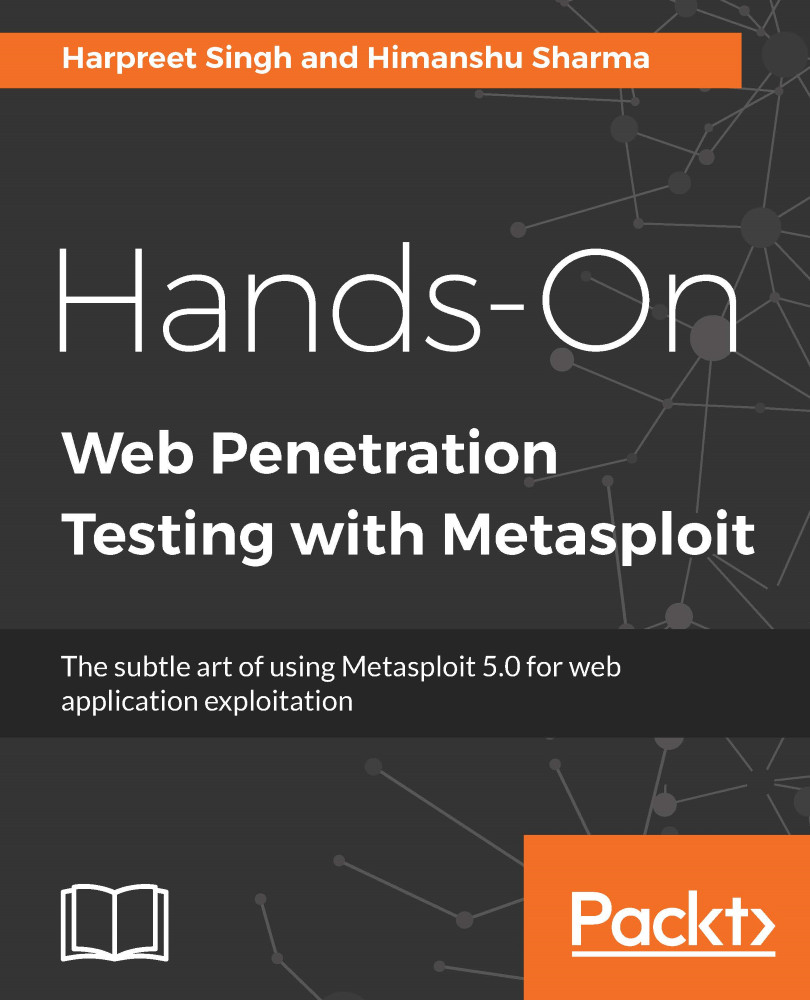
Hands-On Web Penetration Testing with Metasploit

Hands-On Web Penetration Testing with Metasploit: The subtle art of using Metasploit 5.0 for web application exploitation

Arrow left icon
Profile Icon Harpreet Singh Profile Icon Himanshu Sharma
Arrow right icon
₹3798.99
Full star icon Full star icon Full star icon Full star icon Empty star icon 4 (2 Ratings)
Paperback May 2020 544 pages 1st Edition
eBook
₹999.99 ₹3038.99
Paperback
₹3798.99
Arrow left icon
Profile Icon Harpreet Singh Profile Icon Himanshu Sharma
Arrow right icon
₹3798.99
Full star icon Full star icon Full star icon Full star icon Empty star icon 4 (2 Ratings)
Paperback May 2020 544 pages 1st Edition
eBook
₹999.99 ₹3038.99
Paperback
₹3798.99
eBook
₹999.99 ₹3038.99
Paperback
₹3798.99

What do you get with Print?

Product feature icon Instant access to your digital copy whilst your Print order is Shipped
Product feature icon Paperback book shipped to your preferred address
Product feature icon Redeem a companion digital copy on all Print orders
Product feature icon Access this title in our online reader with advanced features
Product feature icon DRM FREE - Read whenever, wherever and however you want
Product feature icon AI Assistant (beta) to help accelerate your learning
Modal Close icon
Payment Processing...
tick Completed

Shipping Address

Billing Address

Shipping Methods
Table of content icon View table of contents Preview book icon Preview Book

Hands-On Web Penetration Testing with Metasploit

Introduction to Web Application Penetration Testing

In today's world, there are automated tools and SaaS solutions that can test the security of a system or application. Automation often fails at a logical level when an application needs to be tested for business-logic flaws. It is important to learn how the penetration tester can help organizations stay a step ahead of cyber attacks and why the organization needs to follow a strict patch-management cycle to secure their assets.

In this book, you will learn how to perform a penetration test on web applications that are built on different platforms using the famous Metasploit framework. As most of us have heard about this tool and its importance in regular penetration tests, this book will be focused on how we can perform penetration testing on a variety of web applications, such as content management systems (CMSes) and content delivery and content integration systems (CD/CI), using the Metasploit framework. To learn more about the tools and techniques, we first need to understand the basics of penetration testing.

In this chapter, we will cover the following topics:

  • What is penetration testing?
  • Types of penetration testing
  • Stages of penetration testing
  • Important terminologies
  • Penetration testing methodologies
  • Common weakness enumeration (CWE)

What is a penetration test?

Penetration testing, also known as pen testing, is an authorized attack on a computer system that is done to evaluate the security of the system/network. The test is performed to identify vulnerabilities and the risks they pose. A typical penetration test is a five-stage process that identifies the target systems, their vulnerabilities, and the exploitability of each vulnerability. The goal is to find as many vulnerabilities as possible and report back in a universally acceptable format for the client to understand. Let's look at the different types of penetration testing in the next section.

Types of penetration test

Depending upon the client's requirement, penetration tests can be categorized into three types:

  • White box
  • Black box
  • Gray box

We will discuss each of these in the following sections.

White box penetration test

A white box penetration test, or a glass box or clear box penetration test, is a type of test in which the information and details regarding the target system, network, or application are fully shared by the client, such as the login credentials of the systems, the SSH/Telnet login for the network devices, and the application source code that needs to be tested. Since the information retrieved from the client regarding their system, network, or application is highly sensitive, it is recommended that you have all the information in an encrypted format.

Black box penetration test

A black box penetration test is an attacker-simulated test in which the penetration tester will act as a threat actor with no internal information regarding the targeted systems, networks, or applications. This type of testing really focuses on the first phase of penetration testing—reconnaissance. The more a pen tester can gain information about a target organization, the better the results will be. In this type of test, the pen tester is not provided with any architectural diagrams, layouts of the network, or any source code files.

Gray box penetration test

A gray box penetration test is the halfway point between the white box and black box test. In a typical gray box test, the pen tester is provided with some knowledge of the applications, systems, or networks. Because of its nature, this type of test is quite efficient and more focused on an organization that has a deadline in place. Using the information provided by the client, the pen tester can focus on the systems with greater risks and save a lot of time performing their own recon.

Now that we have a clear understanding of the types of pen tests that can be done, let's look at the stages of a penetration test.

Stages of penetration testing

To have a better understanding of penetration testing, let's go through the stages of the process:

  • Stage 1: Reconnaissance
  • Stage 2: Enumeration
  • Stage 3: Vulnerability assessment and analysis
  • Stage 4: Exploitation (includes the post-exploitation period)
  • Stage 5: Reporting

This can be seen in the following diagram:

Each and every stage has its own set of tools and techniques that can be used to perform the testing efficiently.

Reconnaissance and information gathering

Reconnaissance is the very first stage of performing a penetration test. In this stage, a pen tester will try to identify the system or application in question and find as much information as they can about it. This is the most crucial stage of testing as this step defines the attack surface. In white box testing, the recon may not be important because all the information regarding the in-scope target is already provided by the client.

The black box test heavily relies on this stage as no information is given to the tester. In the context of a web application penetration test, we will be focusing on identifying the technology used by the web application, the domain/subdomain information, the HTTP protocol recon and enumeration, and any other details that could help us increase our efficiency. The scope for the target and the goal are generally defined at this stage.

The following is the list of tools that can be used to perform recon on a web application:

  • Identifying applications running on a nonstandard port (user-defined custom ports): Amap, Nmap, and so on
  • Identifying the DNS and subdomains: dnsenum, dnsmap, dnswalk, dnsrecon, dnstracer, Fierce, dnscan, Sublist3r, and so on
  • Identifying technological platforms: BlindElephant, Wappalyzer, WhatWeb, and so on
  • Identifying content management systems: WPScan, Joomscan, CMScan, Drupscan, and so on

Now, let's look at enumeration.

Enumeration

In the enumeration stage, each and every application, system, or network identified in the previous stage (recon) will be scanned for different attack surfaces—for example, files and directory enumeration in the case of a web application, and ports and services in the case of a network device. This stage will help the tester to identify the attack vectors. An attack vector is a path or method for the attacker to gain access or penetrate the target system; in this case, the pen tester. The most common attack vectors used are phishing emails, malware, and unpatched vulnerabilities.

A pen tester can perform file and directory enumeration, HTTP method enumerations, host enumeration, and a few other enumeration methods to find an insertion point where vulnerabilities might exist. In a white box test, this stage doesn't really play an important role as all the information and details are already given to the tester, but it doesn't mean that you should not go through with this stage. It's always a good practice to perform enumeration and scanning, even when all the details are provided. This will help the tester to find obsolete attack paths that are not supported by the application but may help the tester to penetrate the network.

This stage is very crucial for the black box and gray box test as all the information that was retrieved by performing reconnaissance on the target system or application is identified by the pen tester. Enumeration could become a tedious process if done manually, so there are publicly available tools and some Metasploit modules that can be used to enumerate applications quickly.

The following is a list of tools that can be used to perform enumeration on a web application:

  • Files and directory enumeration: Dirsearch, dirb, dirbuster, Metasploit Framework, BurpSuite, gobuster, and so on
  • HTTP protocol supported methods enumeration: Nmap, BurpSuite, Metasploit Framework, wfuzz, and so on
  • Testing for rate limiting: BurpSuite, ffuf, wfuzz, and so on

Let's now look at vulnerability assessment.

Vulnerability assessment and analysis

Once we have identified an attack vector, we need to perform vulnerability scanning, which occurs in this stage of penetration testing. A vulnerability assessment is done on the web application to identify vulnerabilities on a web page, directory, HTTP protocol method, HTTP headers, and so on. The Scanning can be done using publicly available tools or paid-for licensed tools. All types of testing—white box, black box, and gray box— rely heavily on this stage.

Once a vulnerability scan has been done, we need to assess and analyze each vulnerability that is found and then filter out the false positives. Filtering out the false positives helps the pen tester to work on the vulnerabilities that actually exist and not the ones that were found because of time delay or the scanner's error. All the vulnerability filtration happens at this stage.

The following is the list of tools that can be used to perform vulnerability assessment and scanning on a web application:

  • System and network vulnerability assessment: Nessus, OpenVAS, and so on
  • Web application vulnerability assessment: Nikto, Acunetix, BurpSuite, Nessus, and so on

Exploitation

The exploitation stage is the second most crucial stage after the reconnaissance stage. This stage proves whether a certain vulnerability found in the previous stage is exploitable. A pen tester can always identify the success of penetration testing projects if they can exploit the vulnerabilities that are found. Exploitation can be done automatically using certain tools, such as Metasploit Framework and Canvas. This is because we don't know how a certain web application or system will behave when we use our payloads.

Generally, in all types of tests, we need to confirm from the client whether we are authorized to perform memory-based exploitation, such as exploiting buffer/heap overflows and running memory corruption exploits. The advantage of doing this is that we can have access to the target system by running a specific exploit (this only works if the target system is vulnerable to this specific exploit). The issue with using such exploits is that the system/server/web application may crash, which could cause a business continuity issue.

Once we have exploited a system or web application, we can either stop at that or we can perform post-exploitation work (if authorized by the client) to move inside the network (pivoting) and locate business-critical servers.

Please make sure that all the payloads, web shells, files, and scripts are uploaded to the target system for exploitation so that they can be cleaned up after taking proper proof-of-concept (PoC) screenshots. This should be done at all times; otherwise, a genuine attacker can find the web shells and easily use them to attack the organization.

Reporting

The reporting stage is the final stage of the penetration testing process and involves reporting each and every vulnerability found on the target (in-scope). The reported vulnerabilities will be listed according to the severity level defined by the Common Vulnerability Scoring System (CVSS), which is a free and open standard that is used to assess the vulnerabilities.

As pen testers, we need to understand how important this stage really is for the client. All the work that has been done by the testers on the client system should be reported in a structured format. The report should include a short introduction to the test, the scope of work, the rules of engagement, a short and crisp summary, the vulnerabilities found, and the proof of concept for each vulnerability, with some recommendations and patching techniques from the reference links.

There are some publicly available tools, such as Serpico, Magic Tree, BurpSuite, and Acunetix that can be used to ease the process of reporting. As this is an important stage of pen testing, all the details that were found during the test should be included in the report.

We can provide two different kinds of report: an executive report for management and a technical report for the technical team in place. This could help both the management and the technical team of an organization to understand and fix the vulnerabilities found by the penetration testers.

Important terminologies

Now that we are familiar with the standards, let's now cover the important terminology that we will be using a lot in the upcoming chapters:

  • Vulnerability: A weakness in a system that may allow an attacker to gain unauthorized access to it.
  • Spoofing: A situation where an individual or program successfully masks data as something else in order to obtain an unlawful advantage.
  • Exploit: A piece of code, a program, a method, or a sequence of commands that takes advantage of a vulnerability to gain unauthorized access to a system/application.
  • Payload: The actual code that is executed on the system after/during exploitation to perform the desired task.
  • Risk: Anything that can affect the confidentiality, integrity, and availability of data. Unpatched software, misconfigured servers, unsafe internet surfing habits, and so on all contribute to risk.
  • Threat: Anything that may have the potential to cause serious harm to a computer system, network, or application.
  • Black box: A method of testing during which the tester has no information about the internal structure or functioning of a system.
  • White box: A method of testing during which the tester has complete knowledge of the internal structure and functioning of a system.
  • Bug bounty: A bug bounty program is a deal that is offered by many websites and developers that allows individuals to be honored and rewarded for reporting bugs, particularly those linked to exploits and vulnerabilities.
  • SAST: Static application security testing (SAST) is a form of security testing that relies on the inspection of an application's source code.
  • DAST: Dynamic application security testing (DAST) is a technique that is used to detect security vulnerabilities in an application in its running state.
  • Fuzzing: An automated testing technique in which invalid, unexpected, or random data is provided as input to an application.

Now that we are aware of this important terminology, let's go ahead and learn about testing methodologies.

Penetration testing methodologies

As we all know, there are no official penetration testing standards defined; however, our security community has introduced a few standards for all security personnel to follow. Some of the commonly known standards are the Open Source Security Testing Methodology Manual (OSSTMM), the Penetration Testing Execution Standard (PTES), and the Information Systems Security Assessment Framework (ISSAF). Most of them follow the same methodology, but their phases have been named differently. We will take a look at each of them in the following sections and cover PTES in detail.

Open Source Security Testing Methodology Manual (OSSTMM)

The definition of the OSSTMM is mentioned on their official website, at https://www.isecom.org/OSSTMM.3.pdf:

It is a peer-reviewed manual of security testing and analysis that results in verified facts. These facts provide actionable information that can measurably improve your operational security.

Using the OSSTMM, an audit will provide a precise estimation of security at an operational level that clears out assumptions and unreliable evidence. It is used for thorough security testing and is designed to be consistent and repeatable. As an open source project, it is open to contributions from all security testers, encouraging increasingly accurate, actionable, and productive security tests.

OSSTMM includes the following key sections:

  • Operational security metrics
  • Trust analysis
  • Human security testing
  • Physical security testing
  • Wireless security testing
  • Telecommunications security testing
  • Data network security testing
  • Compliance regulations
  • Reporting with the Security Test Audit Report (STAR)

Operational security metrics

This part of the OSSTMM section deals with what needs to be protected and how much the attack surface is exposed. This can be measured by creating an RAV (an unbiased factual description of the attack surface).

Trust analysis

In operational security, trust is measured as the interactions between targets within the scope that can be exploited by any person with malicious intent. To quantify trust, we need to understand and perform analysis to make more rational and logical decisions.

Human security testing

Human Security (HUMSEC) is a subsection of Physical Security (PHYSSEC) and incorporates Psychological Operations (PSYOPS). Testing this aspect of security requires communication with individuals who have physical access to the protected assets—for example, a gatekeeper.

Physical security testing

Physical Security (PHYSSEC) refers to material security inside the physical domain. Testing this channel requires noncommunicative interaction with barriers and humans (gatekeepers) placed within the assets.

Wireless security testing

Spectrum Security (SPECSEC) is the security classification that includes Electronics Security (ELSEC), Signals Security (SIGSEC), and Emanations Security (EMSEC). Testing this channel requires the analyst to be within the vicinity of the target.

Telecommunications security testing

Telecommunications Security is a subset of ELSEC, which describes the organization's telecommunication over wires. Testing this channel covers the interaction between the analyst and the targets.

Data network security testing

Tests regarding the Data Network Security (Communications Security [COMSEC]) aspect of security requires interaction with the individuals who have access to the operational data that is used to control access to the property.

Compliance regulations

The kind of compliance required depends on the locale and currently ruling government, industry and business types, and supporting legislation. In a nutshell, compliance is a set of general policies that are defined by the legislation or the industry, and these policies are compulsory.

Reporting with the STAR

The purpose of a Security Test Audit Report (STAR) is to serve as an executive summary, stating the attack surface of the targets tested within a particular scope.

OSSTMM test types

OSSTMM divides the testing types into six broad categories based on the amount of information known to the tester:

  • Blind: In this test, the analyst has no knowledge of the target, but the target knows about the audit and has all the details of the analyst. This can be considered a test of the analyst's knowledge.
  • Double-Blind: In this test, the analyst has no knowledge of the target, its defenses, assets, and so on. The target is also not notified of the audit. This test is used to check the knowledge and skills of the analyst as well as the preparedness of the target against unknown threats. This is also known as a black box test.
  • Gray Box: In this test, the analyst has limited knowledge of the defenses of the target, but has complete knowledge of the assets and workings of the target. The target, in this case, is fully prepared for the audit and knows its full details. This test is also referred to as a Vulnerability Test.
  • Double Gray Box: This is also known as the white box test. The target has advance knowledge of the scope and timeframe but has no knowledge of the payloads and test vectors.
  • Tandem: This is also referred to as an in-house audit or crystal ball test. In this test, both the target and the analyst know the full details of the audit, but this test does not check the preparedness of the target against unknown variables or vectors.
  • Reversal: In this test, an attacker engages with full knowledge of its target's processes and operational security, but the target doesn't know anything about when or how the audit will happen. This is also referred to as a red team exercise.

Here are these types represented in a graph:

Source: https://www.isecom.org/OSSTMM.3.pdf
License: https://creativecommons.org/licenses/by/3.0/

Now that we have read through the different OSSTMM test types, let's look at ISSAF.

Information Systems Security Assessment Framework (ISSAF)

The ISSAF is not very active, but the guide they have provided is quite comprehensive. It aims to evaluate information security policy and an organization's compliance with IT industry standards, laws, and regulatory requirements. The current version of ISSAF is 0.2.

It covers the following stages:

  • Project management
  • Guidelines and best practices—pre-assessment, assessment, and post-assessment
  • Assessment methodology
  • Review of information security policy and security organization
  • Evaluation of risk assessment methodology
  • Technical control assessment
  • Technical control assessment—methodology
  • Password security
  • Password cracking strategies
  • Unix /Linux system security assessment
  • Windows system security assessment
  • Novell netware security assessment
  • Database security assessment
  • Wireless security assessment
  • Switch security assessment
  • Router security assessment
  • Firewall security assessment
  • Intrusion detection system security assessment
  • VPN security assessment
  • Anti-virus system security assessment and management strategy
  • Web application security assessment
  • Storage area network (SAN) security
  • Internet user security
  • As 400 security
  • Source code auditing
  • Binary auditing
  • Social engineering
  • Physical security assessment
  • Incident analysis
  • Review of logging/monitoring and auditing processes
  • Business continuity planning and disaster recovery
  • Security awareness and training
  • Outsourcing security concerns
  • Knowledge base
  • Legal aspects of security assessment projects
  • Non-disclosure agreement (NDA)
  • Security assessment contract
  • Request for Proposal Template
  • Desktop security checklist—windows
  • Linux security checklist
  • Solaris operating system security checklist
  • Default ports—firewall
  • Default ports—IDS/IPS

Penetration Testing Execution Standard (PTES)

This standard is the most widely used standard and covers almost everything related to the pen test.

PTES is divided into seven phases:

  • Pre-engagement interactions
  • Intelligence gathering
  • Threat modeling
  • Vulnerability analysis
  • Exploitation
  • Post exploitation
  • Reporting

Let’s take a brief look at what each of these phases involves.

Pre-engagement interactions

Pre-engagement interactions are carried out before an activity kicks off, such as defining the scope of the activity, which usually involves mapping the network IPs, web applications, wireless networks, and so on.

Once the scoping is done, lines of communication are established across both the vendors and the incident reporting process is finalized. These interactions also include status updates, calls, legal processes, and the start and end date of the project.

Intelligence gathering

Intelligence gathering is a process that is used to gather as much information as possible on the target. This is the most critical part of pen testing as the more information we have, the more attack vectors we can use to perform the activity. In case of a white box activity, all this information is already provided to the testing team.

Threat modeling

Threat modeling is a process by which potential threats can be identified and enumerated and mitigations can be prioritized. Threat modeling depends on the amount and quality of information gathered; with this information, the activity can be broken down into stages and then performed using automated tools and logical attacks.

The following is a mind map of a threat model:

Let's now have a look at vulnerability analysis.

Vulnerability analysis

Vulnerability analysis is a process of discovering flaws that can be used by an attacker. These flaws can be anything ranging from open ports and service misconfigurations to an SQL injection. There are lots of tools available that can help in performing a vulnerability analysis—for example, Nmap, Acunetix, and Burp Suite. New tools are currently being released every few weeks.

Exploitation

Exploitation is the process of gaining access to the system by evading the protection mechanism based on the vulnerability assessment. Exploits can be public or zero-day.

Post-exploitation

Post-exploitation is the stage where the goal is to determine the criticality of the compromise and then maintain access for future use. This phase must always follow the rules of engagement that protect the client and protect ourselves (covering the tracks as per the requirements of the activity).

Reporting

Reporting is one of the most important phases, as patching all the issues wholly depends on the details presented in your report. The report must contain three key elements:

  • The criticality of the bug
  • The steps needed to reproduce the bug
  • Patch suggestions

In summary, the pen test life cycle phases can be presented in the following way:

In the next section, we will talk about the Common Weakness Enumeration (CWE) and the two top CWEs.

Common Weakness Enumeration (CWE)

In this section, we will talk about the Common Weakness Enumeration (CWE). The CWE is a universal online dictionary of weaknesses that have been found in computer software. In this section, we will cover two well-known CWEs—the OWASP Top 10 and the SANS Top 25.

OWASP Top 10

Open Web Application Security Project (OWASP) is an organization that provides computer and internet applications with impartial, realistic, and cost-effective information.

The current list for 2020 contains the following bugs:

  • Injection
  • Broken authentication
  • Sensitive data exposure
  • XML external entities (XXE)
  • Broken access control
  • Security misconfigurations
  • Cross-site scripting (XSS)
  • Insecure deserialization
  • Using components with known vulnerabilities
  • Insufficient logging and monitoring

SANS TOP 25

The SANS Top 25 list is a collaboration between the SANS Institute, MITRE, and many top software security experts in the US and Europe. It consists of the following vulnerabilities:

  • Improper neutralization of special elements used in a SQL command ('SQL injection')
  • Improper neutralization of special elements used in an OS command ('OS command injection')
  • Buffer copy without checking the size of the input ('classic buffer overflow')
  • Improper neutralization of the input during web page generation ('cross-site scripting')
  • Missing authentication for a critical function
  • Missing authorization
  • Use of hardcoded credentials
  • Missing encryption of sensitive data
  • Unrestricted upload of a file of a dangerous type
  • Reliance on untrusted inputs in a security decision
  • Execution with unnecessary privileges
  • Cross-site request forgery (CSRF)
  • Improper limitation of a pathname to a restricted directory ('path traversal')
  • The downloading of code without an integrity check
  • Incorrect authorization
  • Inclusion of a functionality from an untrusted control sphere
  • Incorrect permission assignment for a critical resource
  • Use of a potentially dangerous function
  • Use of a broken or risky cryptographic algorithm
  • Incorrect calculation of buffer size
  • Improper restriction of excessive authentication attempts
  • URL redirection to an untrusted site ('open redirect')
  • Uncontrolled format string
  • Integer overflow or wraparound
  • Use of a one-way hash without a salt

We will cover some of these vulnerabilities in detail in later chapters of this book.

Summary

In this chapter, we started with the introduction to penetration testing and its types and stages. We covered the pen testing methodologies and life cycle and we looked at some important terminology. Then, we looked at the OWASP Top 10 and SANS Top 25.

In the next chapter, we will learn about the essentials of Metasploit including the Metasploit framework, installation, and setup.

Questions

  1. Is there a database that maintains the Common Weakness Enumeration (CWE) list?

  2. Where can I find the OWASP Top 10 and SANS Top 25 lists?

  3. Are the tools required to perform a penetration test free?

  4. How do the OSSTMM- and PTES-based penetration tests differ?

Further reading

Left arrow icon Right arrow icon
Download code icon Download Code

Key benefits

  • Get up to speed with Metasploit and discover how to use it for pentesting
  • Understand how to exploit and protect your web environment effectively
  • Learn how an exploit works and what causes vulnerabilities

Description

Metasploit has been a crucial security tool for many years. However, there are only a few modules that Metasploit has made available to the public for pentesting web applications. In this book, you'll explore another aspect of the framework – web applications – which is not commonly used. You'll also discover how Metasploit, when used with its inbuilt GUI, simplifies web application penetration testing. The book starts by focusing on the Metasploit setup, along with covering the life cycle of the penetration testing process. Then, you will explore Metasploit terminology and the web GUI, which is available in the Metasploit Community Edition. Next, the book will take you through pentesting popular content management systems such as Drupal, WordPress, and Joomla, which will also include studying the latest CVEs and understanding the root cause of vulnerability in detail. Later, you'll gain insights into the vulnerability assessment and exploitation of technological platforms such as JBoss, Jenkins, and Tomcat. Finally, you'll learn how to fuzz web applications to find logical security vulnerabilities using third-party tools. By the end of this book, you'll have a solid understanding of how to exploit and validate vulnerabilities by working with various tools and techniques.

Who is this book for?

This book is for web security analysts, bug bounty hunters, security professionals, or any stakeholder in the security sector who wants to delve into web application security testing. Professionals who are not experts with command line tools or Kali Linux and prefer Metasploit’s graphical user interface (GUI) will also find this book useful. No experience with Metasploit is required, but basic knowledge of Linux and web application pentesting will be helpful.

What you will learn

  • Get up to speed with setting up and installing the Metasploit framework
  • Gain first-hand experience of the Metasploit web interface
  • Use Metasploit for web-application reconnaissance
  • Understand how to pentest various content management systems
  • Pentest platforms such as JBoss, Tomcat, and Jenkins
  • Become well-versed with fuzzing web applications
  • Write and automate penetration testing reports
Estimated delivery fee Deliver to India

Premium delivery 5 - 8 business days

₹630.95
(Includes tracking information)

Product Details

Country selected
Publication date, Length, Edition, Language, ISBN-13
Publication date : May 22, 2020
Length: 544 pages
Edition : 1st
Language : English
ISBN-13 : 9781789953527
Vendor :
Rapid7
Category :
Languages :
Tools :

What do you get with Print?

Product feature icon Instant access to your digital copy whilst your Print order is Shipped
Product feature icon Paperback book shipped to your preferred address
Product feature icon Redeem a companion digital copy on all Print orders
Product feature icon Access this title in our online reader with advanced features
Product feature icon DRM FREE - Read whenever, wherever and however you want
Product feature icon AI Assistant (beta) to help accelerate your learning
Modal Close icon
Payment Processing...
tick Completed

Shipping Address

Billing Address

Shipping Methods
Estimated delivery fee Deliver to India

Premium delivery 5 - 8 business days

₹630.95
(Includes tracking information)

Product Details

Publication date : May 22, 2020
Length: 544 pages
Edition : 1st
Language : English
ISBN-13 : 9781789953527
Vendor :
Rapid7
Category :
Languages :
Tools :

Packt Subscriptions

See our plans and pricing
Modal Close icon
₹800 billed monthly
Feature tick icon Unlimited access to Packt's library of 7,000+ practical books and videos
Feature tick icon Constantly refreshed with 50+ new titles a month
Feature tick icon Exclusive Early access to books as they're written
Feature tick icon Solve problems while you work with advanced search and reference features
Feature tick icon Offline reading on the mobile app
Feature tick icon Simple pricing, no contract
₹4500 billed annually
Feature tick icon Unlimited access to Packt's library of 7,000+ practical books and videos
Feature tick icon Constantly refreshed with 50+ new titles a month
Feature tick icon Exclusive Early access to books as they're written
Feature tick icon Solve problems while you work with advanced search and reference features
Feature tick icon Offline reading on the mobile app
Feature tick icon Choose a DRM-free eBook or Video every month to keep
Feature tick icon PLUS own as many other DRM-free eBooks or Videos as you like for just ₹400 each
Feature tick icon Exclusive print discounts
₹5000 billed in 18 months
Feature tick icon Unlimited access to Packt's library of 7,000+ practical books and videos
Feature tick icon Constantly refreshed with 50+ new titles a month
Feature tick icon Exclusive Early access to books as they're written
Feature tick icon Solve problems while you work with advanced search and reference features
Feature tick icon Offline reading on the mobile app
Feature tick icon Choose a DRM-free eBook or Video every month to keep
Feature tick icon PLUS own as many other DRM-free eBooks or Videos as you like for just ₹400 each
Feature tick icon Exclusive print discounts

Frequently bought together


Stars icon
Total 11,023.97
Mastering Metasploit
₹3798.99
Hands-On Web Penetration Testing with Metasploit
₹3798.99
Cybersecurity Attacks- Red Team Strategies
₹3425.99
Total 11,023.97 Stars icon

Table of Contents

22 Chapters
Introduction Chevron down icon Chevron up icon
Introduction to Web Application Penetration Testing Chevron down icon Chevron up icon
Metasploit Essentials Chevron down icon Chevron up icon
The Metasploit Web Interface Chevron down icon Chevron up icon
The Pentesting Life Cycle with Metasploit Chevron down icon Chevron up icon
Using Metasploit for Reconnaissance Chevron down icon Chevron up icon
Web Application Enumeration Using Metasploit Chevron down icon Chevron up icon
Vulnerability Scanning Using WMAP Chevron down icon Chevron up icon
Vulnerability Assessment Using Metasploit (Nessus) Chevron down icon Chevron up icon
Pentesting Content Management Systems (CMSes) Chevron down icon Chevron up icon
Pentesting CMSes - WordPress Chevron down icon Chevron up icon
Pentesting CMSes - Joomla Chevron down icon Chevron up icon
Pentesting CMSes - Drupal Chevron down icon Chevron up icon
Performing Pentesting on Technological Platforms Chevron down icon Chevron up icon
Penetration Testing on Technological Platforms - JBoss Chevron down icon Chevron up icon
Penetration Testing on Technological Platforms - Apache Tomcat Chevron down icon Chevron up icon
Penetration Testing on Technological Platforms - Jenkins Chevron down icon Chevron up icon
Logical Bug Hunting Chevron down icon Chevron up icon
Web Application Fuzzing - Logical Bug Hunting Chevron down icon Chevron up icon
Writing Penetration Testing Reports Chevron down icon Chevron up icon
Assessment Chevron down icon Chevron up icon
Other Books You May Enjoy Chevron down icon Chevron up icon

Customer reviews

Rating distribution
Full star icon Full star icon Full star icon Full star icon Empty star icon 4
(2 Ratings)
5 star 50%
4 star 0%
3 star 50%
2 star 0%
1 star 0%
Wisnu Dwi Hidayat Jun 10, 2020
Full star icon Full star icon Full star icon Full star icon Full star icon 5
If you are learning and want to know and deep to practice in web penetration, and everyone who interesting in web penetration, this book is very useful. It may upgrade your knowledge.
Amazon Verified review Amazon
Jeff Welch May 31, 2021
Full star icon Full star icon Full star icon Empty star icon Empty star icon 3
This book seems to have some great content and I was excited to use the capabilities of the GUI metasploit only to find out that the vendor no longer provides a free community edition. To use the "pro" version is only $15000 per year. Unfortunately, this makes a lot of the content in the book null and void for those of us just trying to learn.
Amazon Verified review Amazon
Get free access to Packt library with over 7500+ books and video courses for 7 days!
Start Free Trial

FAQs

What is the digital copy I get with my Print order? Chevron down icon Chevron up icon

When you buy any Print edition of our Books, you can redeem (for free) the eBook edition of the Print Book you’ve purchased. This gives you instant access to your book when you make an order via PDF, EPUB or our online Reader experience.

What is the delivery time and cost of print book? Chevron down icon Chevron up icon

Shipping Details

USA:

'

Economy: Delivery to most addresses in the US within 10-15 business days

Premium: Trackable Delivery to most addresses in the US within 3-8 business days

UK:

Economy: Delivery to most addresses in the U.K. within 7-9 business days.
Shipments are not trackable

Premium: Trackable delivery to most addresses in the U.K. within 3-4 business days!
Add one extra business day for deliveries to Northern Ireland and Scottish Highlands and islands

EU:

Premium: Trackable delivery to most EU destinations within 4-9 business days.

Australia:

Economy: Can deliver to P. O. Boxes and private residences.

Trackable service with delivery to addresses in Australia only.
Delivery time ranges from 7-9 business days for VIC and 8-10 business days for Interstate metro
Delivery time is up to 15 business days for remote areas of WA, NT & QLD.

Premium: Delivery to addresses in Australia only
Trackable delivery to most P. O. Boxes and private residences in Australia within 4-5 days based on the distance to a destination following dispatch.

India:

Premium: Delivery to most Indian addresses within 5-6 business days

Rest of the World:

Premium: Countries in the American continent: Trackable delivery to most countries within 4-7 business days

Asia:

Premium: Delivery to most Asian addresses within 5-9 business days

Disclaimer:
All orders received before 5 PM U.K time would start printing from the next business day. So the estimated delivery times start from the next day as well. Orders received after 5 PM U.K time (in our internal systems) on a business day or anytime on the weekend will begin printing the second to next business day. For example, an order placed at 11 AM today will begin printing tomorrow, whereas an order placed at 9 PM tonight will begin printing the day after tomorrow.


Unfortunately, due to several restrictions, we are unable to ship to the following countries:

  1. Afghanistan
  2. American Samoa
  3. Belarus
  4. Brunei Darussalam
  5. Central African Republic
  6. The Democratic Republic of Congo
  7. Eritrea
  8. Guinea-bissau
  9. Iran
  10. Lebanon
  11. Libiya Arab Jamahriya
  12. Somalia
  13. Sudan
  14. Russian Federation
  15. Syrian Arab Republic
  16. Ukraine
  17. Venezuela
What is custom duty/charge? Chevron down icon Chevron up icon

Customs duty are charges levied on goods when they cross international borders. It is a tax that is imposed on imported goods. These duties are charged by special authorities and bodies created by local governments and are meant to protect local industries, economies, and businesses.

Do I have to pay customs charges for the print book order? Chevron down icon Chevron up icon

The orders shipped to the countries that are listed under EU27 will not bear custom charges. They are paid by Packt as part of the order.

List of EU27 countries: www.gov.uk/eu-eea:

A custom duty or localized taxes may be applicable on the shipment and would be charged by the recipient country outside of the EU27 which should be paid by the customer and these duties are not included in the shipping charges been charged on the order.

How do I know my custom duty charges? Chevron down icon Chevron up icon

The amount of duty payable varies greatly depending on the imported goods, the country of origin and several other factors like the total invoice amount or dimensions like weight, and other such criteria applicable in your country.

For example:

  • If you live in Mexico, and the declared value of your ordered items is over $ 50, for you to receive a package, you will have to pay additional import tax of 19% which will be $ 9.50 to the courier service.
  • Whereas if you live in Turkey, and the declared value of your ordered items is over € 22, for you to receive a package, you will have to pay additional import tax of 18% which will be € 3.96 to the courier service.
How can I cancel my order? Chevron down icon Chevron up icon

Cancellation Policy for Published Printed Books:

You can cancel any order within 1 hour of placing the order. Simply contact customercare@packt.com with your order details or payment transaction id. If your order has already started the shipment process, we will do our best to stop it. However, if it is already on the way to you then when you receive it, you can contact us at customercare@packt.com using the returns and refund process.

Please understand that Packt Publishing cannot provide refunds or cancel any order except for the cases described in our Return Policy (i.e. Packt Publishing agrees to replace your printed book because it arrives damaged or material defect in book), Packt Publishing will not accept returns.

What is your returns and refunds policy? Chevron down icon Chevron up icon

Return Policy:

We want you to be happy with your purchase from Packtpub.com. We will not hassle you with returning print books to us. If the print book you receive from us is incorrect, damaged, doesn't work or is unacceptably late, please contact Customer Relations Team on customercare@packt.com with the order number and issue details as explained below:

  1. If you ordered (eBook, Video or Print Book) incorrectly or accidentally, please contact Customer Relations Team on customercare@packt.com within one hour of placing the order and we will replace/refund you the item cost.
  2. Sadly, if your eBook or Video file is faulty or a fault occurs during the eBook or Video being made available to you, i.e. during download then you should contact Customer Relations Team within 14 days of purchase on customercare@packt.com who will be able to resolve this issue for you.
  3. You will have a choice of replacement or refund of the problem items.(damaged, defective or incorrect)
  4. Once Customer Care Team confirms that you will be refunded, you should receive the refund within 10 to 12 working days.
  5. If you are only requesting a refund of one book from a multiple order, then we will refund you the appropriate single item.
  6. Where the items were shipped under a free shipping offer, there will be no shipping costs to refund.

On the off chance your printed book arrives damaged, with book material defect, contact our Customer Relation Team on customercare@packt.com within 14 days of receipt of the book with appropriate evidence of damage and we will work with you to secure a replacement copy, if necessary. Please note that each printed book you order from us is individually made by Packt's professional book-printing partner which is on a print-on-demand basis.

What tax is charged? Chevron down icon Chevron up icon

Currently, no tax is charged on the purchase of any print book (subject to change based on the laws and regulations). A localized VAT fee is charged only to our European and UK customers on eBooks, Video and subscriptions that they buy. GST is charged to Indian customers for eBooks and video purchases.

What payment methods can I use? Chevron down icon Chevron up icon

You can pay with the following card types:

  1. Visa Debit
  2. Visa Credit
  3. MasterCard
  4. PayPal
What is the delivery time and cost of print books? Chevron down icon Chevron up icon

Shipping Details

USA:

'

Economy: Delivery to most addresses in the US within 10-15 business days

Premium: Trackable Delivery to most addresses in the US within 3-8 business days

UK:

Economy: Delivery to most addresses in the U.K. within 7-9 business days.
Shipments are not trackable

Premium: Trackable delivery to most addresses in the U.K. within 3-4 business days!
Add one extra business day for deliveries to Northern Ireland and Scottish Highlands and islands

EU:

Premium: Trackable delivery to most EU destinations within 4-9 business days.

Australia:

Economy: Can deliver to P. O. Boxes and private residences.
Trackable service with delivery to addresses in Australia only.
Delivery time ranges from 7-9 business days for VIC and 8-10 business days for Interstate metro
Delivery time is up to 15 business days for remote areas of WA, NT & QLD.

Premium: Delivery to addresses in Australia only
Trackable delivery to most P. O. Boxes and private residences in Australia within 4-5 days based on the distance to a destination following dispatch.

India:

Premium: Delivery to most Indian addresses within 5-6 business days

Rest of the World:

Premium: Countries in the American continent: Trackable delivery to most countries within 4-7 business days

Asia:

Premium: Delivery to most Asian addresses within 5-9 business days

Disclaimer:
All orders received before 5 PM U.K time would start printing from the next business day. So the estimated delivery times start from the next day as well. Orders received after 5 PM U.K time (in our internal systems) on a business day or anytime on the weekend will begin printing the second to next business day. For example, an order placed at 11 AM today will begin printing tomorrow, whereas an order placed at 9 PM tonight will begin printing the day after tomorrow.


Unfortunately, due to several restrictions, we are unable to ship to the following countries:

  1. Afghanistan
  2. American Samoa
  3. Belarus
  4. Brunei Darussalam
  5. Central African Republic
  6. The Democratic Republic of Congo
  7. Eritrea
  8. Guinea-bissau
  9. Iran
  10. Lebanon
  11. Libiya Arab Jamahriya
  12. Somalia
  13. Sudan
  14. Russian Federation
  15. Syrian Arab Republic
  16. Ukraine
  17. Venezuela
Modal Close icon
Modal Close icon