Search icon CANCEL
Subscription
0
Cart icon
Your Cart (0 item)
Close icon
You have no products in your basket yet
Save more on your purchases! discount-offer-chevron-icon
Savings automatically calculated. No voucher code required.
Arrow left icon
Explore Products
Best Sellers
New Releases
Books
Events
Videos
Audiobooks
Packt Hub
Free Learning
Arrow right icon
timer SALE ENDS IN
0 Days
:
00 Hours
:
00 Minutes
:
00 Seconds
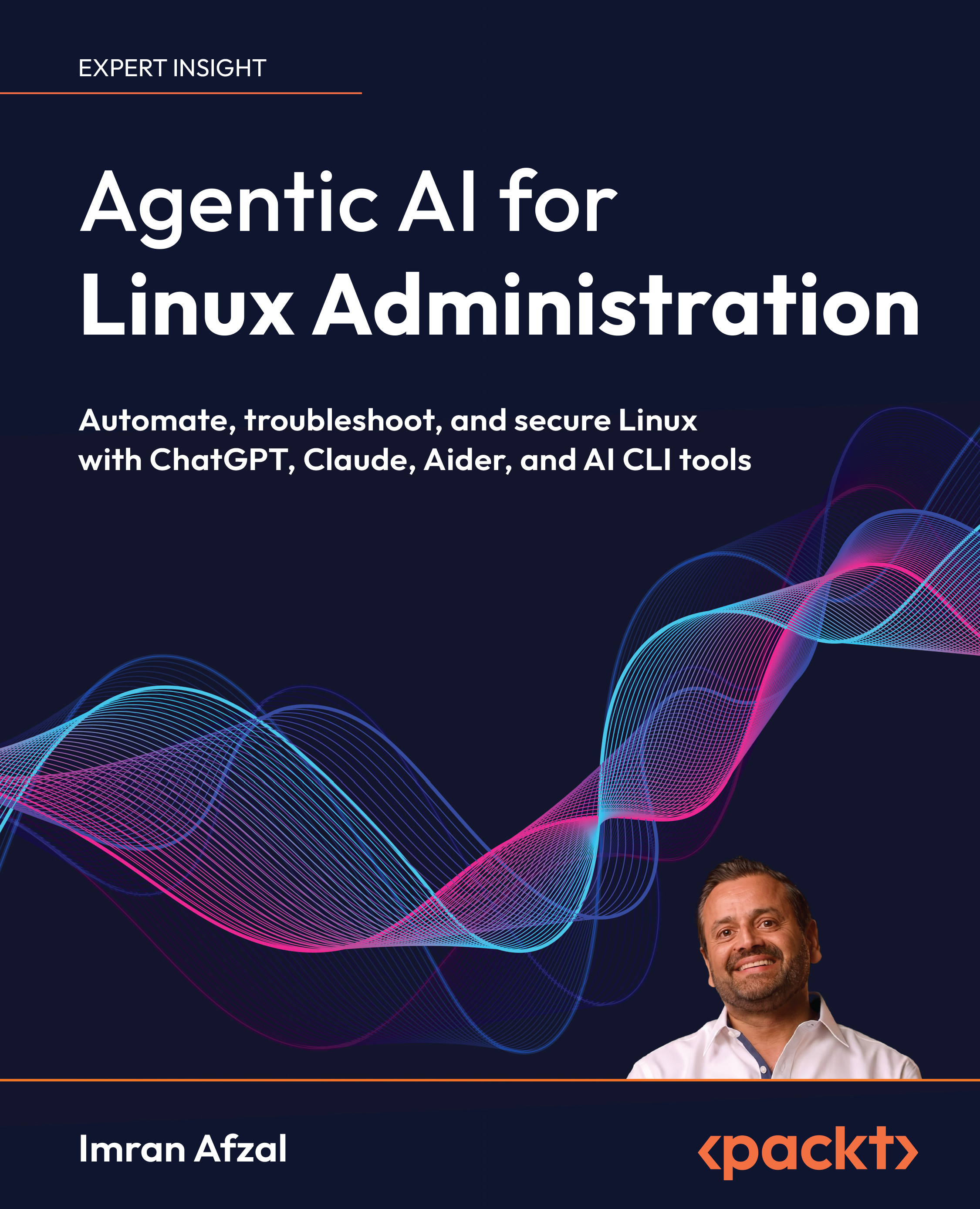
Agentic AI for Linux Administration

Agentic AI for Linux Administration: Automate, troubleshoot, and secure Linux with ChatGPT, Claude, Aider, and AI CLI tools

Arrow left icon
Profile Icon Imran Afzal
Arrow right icon
Early Access Early Access Publishing in Sep 2026
€26.99 €29.99
eBook Sep 2026 172 pages 1st Edition
eBook
€26.99 €29.99
Paperback
€37.99
eBook + Subscription
€21.99 Monthly
Arrow left icon
Profile Icon Imran Afzal
Arrow right icon
Early Access Early Access Publishing in Sep 2026
€26.99 €29.99
eBook Sep 2026 172 pages 1st Edition
eBook
€26.99 €29.99
Paperback
€37.99
eBook + Subscription
€21.99 Monthly
eBook
€26.99 €29.99
Paperback
€37.99
eBook + Subscription
€21.99 Monthly

What do you get with eBook?

Product feature icon Instant access to your Digital eBook purchase
Product feature icon Download this book in EPUB format
Product feature icon Access this title in our online reader with advanced features
Product feature icon DRM FREE - Read whenever, wherever and however you want
Modal Close icon
Payment Processing...
tick Completed

Billing Address

Table of content icon View table of contents Preview book icon Preview Book

Agentic AI for Linux Administration

1

Foundations of AI-Driven Linux System Management

When you first come across terms such as artificial intelligence (AI) and Linux, they can sound like two large and complicated subjects. If you are new to technology, don't worry. We are going to keep things simple and build the foundation step by step.

We will first look at what Linux is, then explore what artificial intelligence means, and finally see how the two can work together. We will also examine how AI supports system administrators and how it is already changing IT and DevOps work in the real world.

In this chapter, we'll cover the following topics:

  • Understanding AI and Linux
  • How AI can help system administrators
  • How AI is transforming IT and DevOps

Let's start with Linux.

Download the PDF version of this book

Your purchase includes a DRM-free PDF copy of this book, the code bundle, and a range of exclusive benefits. To unlock everything, follow the Free benefits with your book section in the Preface.

Agentic Linux Administration: Automate, Troubleshoot, and Secure Linux with ChatGPT, Claude, Aider, and AI CLI Tools

We're giving you an exclusive preview of this book before it goes on sale. It can take many months to write a book, but our authors have cutting-edge information to share with you today. Early Access gives you an insight into the latest developments by making chapter drafts available. The chapters may be a little rough around the edges right now, but our authors will update them over time.

You can dip in and out of this book or follow along from start to finish; Early Access is designed to be flexible. We hope you enjoy getting to know more about the process of writing a Packt book.

  1. Chapter 1: Foundations of AI-Driven Linux System Management
  2. Chapter 2: Preparing Your System Workspace
  3. Chapter 3: Using ChatGPT/Claude from the Linux Command Line
  4. Chapter 4: Using ChatGPT CLI for Linux Administration
  5. Chapter 5: Generating Linux Commands with Shell Genie
  6. Chapter 6: Using Aider for Bash Scripting and Linux Automation
  7. Chapter 7: Bringing It All Together

How AI can help system administrators

Before looking at how AI can help, we first need to understand the role of a system administrator.

A system administrator, often shortened to system admin or sysadmin, manages an organization's computer systems and helps ensure that they continue to operate smoothly.

Common system administration responsibilities include:

  • Creating user accounts
  • Assigning permissions
  • Installing software
  • Updating systems
  • Checking available storage
  • Monitoring logs for problems
  • Managing backups
  • Restarting and maintaining services
  • Helping keep systems secure

These tasks may sound straightforward, but as a company grows, many of them must be repeated again and again. This can take a considerable amount of time. This is where AI becomes helpful.

For example, imagine that a system administrator needs to create five new users with similar permissions. Instead of creating every user individually, the administrator can ask an AI tool to generate a script that handles all five accounts.

AI can also recommend commands for setting password policies, configuring firewall rules, or restricting access. Just as importantly, it can explain why those commands may be needed.

Troubleshooting is another area in which AI can help. Linux sometimes produces long and confusing error messages that can be difficult to interpret. Instead of immediately spending time searching online or reading lengthy documentation, a system administrator can ask an AI tool to analyze the error.

Depending on how the tool is being used, it can examine supplied system messages, logs, or terminal output and explain the issue in simpler language. It may also suggest possible solutions, commands, or next steps. In the practical examples later in this book, the relevant command output or log excerpt is supplied to the AI tool manually.

AI can also assist with documentation. Many administrators perform their tasks correctly but forget to document the steps afterward. An administrator can provide a short description of the work completed, and AI can help turn that description into a clearer and more professional record.

Now, let's talk about automation, which is one of the most useful applications of AI for system administrators.

Instead of manually completing the same tasks every day, an administrator can use AI to help create scripts that perform those tasks automatically. These tasks might include checking disk space, cleaning temporary files, verifying the status of a service, or sending alerts.

For security-related work, AI can offer suggestions for improving system safety, identifying weak points, and creating audit or compliance checklists. Rather than spending hours trying to determine the correct command or method, an administrator can ask AI for guidance and receive a response in clear language.

This can make system administration work smoother, faster, and less stressful. With AI support, even someone who is new to Linux can approach unfamiliar tasks with greater confidence.

With AI by your side, you are not alone while learning, solving problems, and developing into a stronger and more capable system administrator.

How AI is transforming IT and DevOps

AI is already helping professionals in real working environments, particularly in areas such as IT and DevOps.

DevOps is a collaborative approach in which development and operations teams work together to build, test, update, and maintain applications. Its goals include faster delivery, continuous improvement, and reliable system performance.

In the past, DevOps teams had to perform many activities manually. These included testing code, reading logs, monitoring performance, and resolving system issues. This often required significant time, effort, and attention.

Today, many companies use AI to make DevOps work easier, faster, and less stressful. AI can monitor systems, identify patterns, and help teams respond to changing conditions.

Alright, let's look at a few examples.

Netflix

Netflix (https://netflixtechblog.com/cloud-efficiency-at-netflix-f2a142955f83) provides an example of how data and AI can support large-scale services. Netflix's engineering teams use centralized platform data to understand resource inventory, ownership, usage, and cost. This data helps them identify usage and cost patterns and make informed decisions about cloud efficiency.

Looking ahead, Netflix has also described plans to use predictive analytics and machine learning to optimize usage and detect cost anomalies. In simple terms, this can help teams spot inefficient resource use or unexpected costs earlier and decide where action is needed.

By giving engineering teams clearer information about resource use, efficiency, and cost, this approach supports better decisions about how cloud infrastructure is managed. The goal is smoother, more efficient operation at scale.

Amazon

Amazon Web Services (AWS) (https://aws.amazon.com/devops-guru/features/) provides another practical example. Amazon DevOps Guru uses machine learning to analyze operational data, application metrics, and events, identify behavior that differs from normal patterns, and present recommendations for current or predicted operational issues.

AI-assisted detection does not automatically stop every problematic release. It gives administrators insights and recommendations so they can decide what action to take. For workloads with recurring demand patterns, Amazon EC2 Auto Scaling can also use predictive scaling to forecast demand and add capacity before the expected load arrives.

Increasing resources during high-traffic periods helps maintain performance. Reducing them when traffic is lower can help control costs.

Google

Google Cloud (https://docs.cloud.google.com/cloud-assist/investigations) offers similar AI-assisted operations through Gemini Cloud Assist. It can correlate logs, metrics, traces, and configuration data, summarize complex log entries, explain error messages, and provide troubleshooting recommendations.

In simple terms, AI can help operations teams identify and investigate issues more quickly. Gemini Cloud Assist can support investigations and recommend actions, but it acts only with explicit user authorization rather than resolving issues on its own.

These examples show that AI is not simply a future idea in DevOps. It is already being used to support daily IT operations.

With AI handling or assisting with repetitive tasks, DevOps teams can spend more time planning, improving systems, and creating new solutions. AI and DevOps are becoming a strong team, helping organizations deliver reliable services with fewer errors and greater confidence.

Summary

In this chapter, you learned the foundations of Linux and artificial intelligence and explored what happens when they are brought together. Linux provides a stable, flexible, and widely used operating environment, while AI can help make working with that environment simpler and more efficient.

You also learned about the responsibilities of a system administrator and how AI can assist with scripting, automation, troubleshooting, documentation, and security-related tasks. Finally, we looked at how AI is already supporting IT and DevOps operations in large-scale environments.

Knowledge check

Test your understanding of the concepts covered in this chapter.

  1. What is Linux?
    1. An AI-powered monitoring tool
    2. An operating system
    3. A programming language
    4. A cloud storage service
  2. What does it mean when Linux is described as open source?
    1. It can only be used on public servers
    2. It does not require security updates
    3. Its source code is publicly available
    4. It can only be managed through the command line
  3. Which of the following is a common responsibility of a system administrator?
    1. Designing marketing campaigns
    2. Creating user accounts and assigning permissions
    3. Producing product recommendations for customers
    4. Developing mobile games
  4. How can AI assist with Linux troubleshooting?
    1. By preventing every possible system failure
    2. By replacing the operating system
    3. By analyzing supplied errors or logs and explaining them in simpler language
    4. By removing the need to monitor systems
  5. Which task is a suitable candidate for AI-assisted automation?
    1. Checking disk space every day
    2. Choosing a company name
    3. Designing an office floor plan
    4. Conducting an employee interview
  6. What is DevOps?
    1. A Linux distribution designed for developers
    2. A security tool for managing passwords
    3. A collaborative approach in which development and operations teams work together
    4. An AI model that generates Linux commands
  7. What do the Netflix, Amazon, and Google examples illustrate?
    1. AI is only being considered for future IT systems
    2. AI is already being used to support large-scale IT operations
    3. AI removes the need for development and operations teams
    4. AI is used only to create user accounts

Answers

  1. b. An operating system. Linux is an operating system used across servers, cloud environments, security tools, and many other systems.
  2. c. Its source code is publicly available. Linux is open source, allowing a global community to examine, maintain, and improve it.
  3. b. Creating user accounts and assigning permissions. User and permission management is one of the common responsibilities of a system administrator.
  4. c. By analyzing supplied errors or logs and explaining them in simpler language. AI can help interpret complex information and suggest possible next steps.
  5. a. Checking disk space every day. This is a repetitive task that can be performed automatically through a script.
  6. c. A collaborative approach in which development and operations teams work together. DevOps helps teams build, test, update, and maintain applications more efficiently.
  7. b. AI is already being used to support large-scale IT operations. The examples demonstrate how AI can assist with monitoring, resource management, software delivery, and troubleshooting.
Left arrow icon Right arrow icon

Key benefits

  • Apply ChatGPT, Claude, Aider, and AI CLI tools to real Linux administration workflows
  • Automate Bash scripting, troubleshooting, monitoring, log analysis, and routine maintenance
  • Use practical safeguards to validate AI output and protect credentials, data, and production systems

Description

The AI-Driven Linux System Administration Handbook is a practical guide to using generative AI as a reliable assistant for everyday Linux operations. It shows system administrators, DevOps engineers, cloud professionals, and learners how to combine core Linux skills with ChatGPT, Claude, Aider, and AI-powered command-line tools to work faster without giving up control or operational safety. You will build a hands-on lab and learn how to translate natural-language requests into Linux commands, generate and debug Bash scripts, automate repetitive tasks, create cron jobs, analyze logs, troubleshoot failing services, investigate performance and networking problems, and strengthen system security. A focused section on Claude demonstrates how its long-context capabilities can support configuration reviews, incident analysis, documentation, and multi-file troubleshooting alongside ChatGPT-based workflows. Real-world examples, reusable prompts, validation checklists, and mini projects help bridge the gap between experimentation and production use. The book also addresses privacy, credential handling, hallucinations, command verification, rollback planning, and human approval. By the end, you will be able to build safe, repeatable AI-assisted workflows for Linux administration, troubleshooting, automation, and documentation.

Who is this book for?

This book is designed for Linux system administrators, DevOps engineers, cloud and platform engineers, SREs, IT support professionals, and learners who want to use generative AI in day-to-day Linux operations. It will help readers automate repetitive administration, generate and improve Bash scripts, troubleshoot services, analyze logs, document procedures, and strengthen system security using ChatGPT, Claude, Aider, and AI-powered CLI tools. Basic familiarity with Linux commands is helpful, but no prior AI or machine learning experience is required.

What you will learn

  • Understand how generative AI supports modern Linux system administration
  • Set up a safe Linux lab and configure AI-powered command-line tools
  • Use ChatGPT and Claude to generate commands, scripts, and operational guidance
  • Create, debug, and improve Bash scripts with AI assistance
  • Analyze logs and troubleshoot services, performance, storage, and networking issues
  • Automate recurring tasks, cron jobs, backups, updates, and user administration
  • Apply AI to Linux hardening, configuration review, documentation, and runbooks

Product Details

Country selected
Publication date, Length, Edition, Language, ISBN-13
Publication date : Sep 17, 2026
Length: 172 pages
Edition : 1st
Language : English
ISBN-13 : 9781808724787

What do you get with eBook?

Product feature icon Instant access to your Digital eBook purchase
Product feature icon Download this book in EPUB format
Product feature icon Access this title in our online reader with advanced features
Product feature icon DRM FREE - Read whenever, wherever and however you want
Modal Close icon
Payment Processing...
tick Completed

Billing Address

Product Details

Publication date : Sep 17, 2026
Length: 172 pages
Edition : 1st
Language : English
ISBN-13 : 9781808724787

Packt Subscriptions

See our plans and pricing
Modal Close icon
€18.99 billed monthly
Feature tick icon Unlimited access to Packt's library of 7,000+ practical books and videos
Feature tick icon Constantly refreshed with 50+ new titles a month
Feature tick icon Exclusive Early access to books as they're written
Feature tick icon Solve problems while you work with advanced search and reference features
Feature tick icon Offline reading on the mobile app
Feature tick icon Simple pricing, no contract
€189.99 billed annually
Feature tick icon Unlimited access to Packt's library of 7,000+ practical books and videos
Feature tick icon Constantly refreshed with 50+ new titles a month
Feature tick icon Exclusive Early access to books as they're written
Feature tick icon Solve problems while you work with advanced search and reference features
Feature tick icon Offline reading on the mobile app
Feature tick icon Choose a DRM-free eBook or Video every month to keep
Feature tick icon PLUS own as many other DRM-free eBooks or Videos as you like for just €5 each
Feature tick icon Exclusive print discounts
€264.99 billed in 18 months
Feature tick icon Unlimited access to Packt's library of 7,000+ practical books and videos
Feature tick icon Constantly refreshed with 50+ new titles a month
Feature tick icon Exclusive Early access to books as they're written
Feature tick icon Solve problems while you work with advanced search and reference features
Feature tick icon Offline reading on the mobile app
Feature tick icon Choose a DRM-free eBook or Video every month to keep
Feature tick icon PLUS own as many other DRM-free eBooks or Videos as you like for just €5 each
Feature tick icon Exclusive print discounts

Table of Contents

10 Chapters
Chapter 1: Foundations of AI-Driven Linux System Management Chevron down icon Chevron up icon
Chapter 2: Preparing Your System Workspace Chevron down icon Chevron up icon
Chapter 3: Using ChatGPT and Claude from the Linux Command Line Chevron down icon Chevron up icon
Chapter 4: Using ChatGPT CLI for Linux Administration Chevron down icon Chevron up icon
Chapter 5: Generating Linux Commands with Shell Genie Chevron down icon Chevron up icon
Chapter 6: Using Aider for Bash Scripting and Linux Automation Chevron down icon Chevron up icon
Chapter 7: Bringing It All Together Chevron down icon Chevron up icon
Chapter 8: Unlock Your Exclusive Benefits Chevron down icon Chevron up icon
Other Books You May Enjoy Chevron down icon Chevron up icon
Index Chevron down icon Chevron up icon
Get free access to Packt library with over 7500+ books and video courses for 7 days!
Start Free Trial

FAQs

How do I buy and download an eBook? Chevron down icon Chevron up icon

Where there is an eBook version of a title available, you can buy it from the book details for that title. Add either the standalone eBook or the eBook and print book bundle to your shopping cart. Your eBook will show in your cart as a product on its own. After completing checkout and payment in the normal way, you will receive your receipt on the screen containing a link to a personalised PDF download file. This link will remain active for 30 days. You can download backup copies of the file by logging in to your account at any time.

If you already have Adobe reader installed, then clicking on the link will download and open the PDF file directly. If you don't, then save the PDF file on your machine and download the Reader to view it.

Please Note: Packt eBooks are non-returnable and non-refundable.

Packt eBook and Licensing When you buy an eBook from Packt Publishing, completing your purchase means you accept the terms of our licence agreement. Please read the full text of the agreement. In it we have tried to balance the need for the ebook to be usable for you the reader with our needs to protect the rights of us as Publishers and of our authors. In summary, the agreement says:

  • You may make copies of your eBook for your own use onto any machine
  • You may not pass copies of the eBook on to anyone else
How can I make a purchase on your website? Chevron down icon Chevron up icon

If you want to purchase a video course, eBook or Bundle (Print+eBook) please follow below steps:

  1. Register on our website using your email address and the password.
  2. Search for the title by name or ISBN using the search option.
  3. Select the title you want to purchase.
  4. Choose the format you wish to purchase the title in; if you order the Print Book, you get a free eBook copy of the same title. 
  5. Proceed with the checkout process (payment to be made using Credit Card, Debit Cart, or PayPal)
Where can I access support around an eBook? Chevron down icon Chevron up icon
  • If you experience a problem with using or installing Adobe Reader, the contact Adobe directly.
  • To view the errata for the book, see www.packtpub.com/support and view the pages for the title you have.
  • To view your account details or to download a new copy of the book go to www.packtpub.com/account
  • To contact us directly if a problem is not resolved, use www.packtpub.com/contact-us
What eBook formats do Packt support? Chevron down icon Chevron up icon

Our eBooks are currently available in a variety of formats such as PDF and ePubs. In the future, this may well change with trends and development in technology, but please note that our PDFs are not Adobe eBook Reader format, which has greater restrictions on security.

You will need to use Adobe Reader v9 or later in order to read Packt's PDF eBooks.

What are the benefits of eBooks? Chevron down icon Chevron up icon
  • You can get the information you need immediately
  • You can easily take them with you on a laptop
  • You can download them an unlimited number of times
  • You can print them out
  • They are copy-paste enabled
  • They are searchable
  • There is no password protection
  • They are lower price than print
  • They save resources and space
What is an eBook? Chevron down icon Chevron up icon

Packt eBooks are a complete electronic version of the print edition, available in PDF and ePub formats. Every piece of content down to the page numbering is the same. Because we save the costs of printing and shipping the book to you, we are able to offer eBooks at a lower cost than print editions.

When you have purchased an eBook, simply login to your account and click on the link in Your Download Area. We recommend you saving the file to your hard drive before opening it.

For optimal viewing of our eBooks, we recommend you download and install the free Adobe Reader version 9.

Modal Close icon
Modal Close icon