Search icon CANCEL
Subscription
0
Cart icon
Your Cart (0 item)
Close icon
You have no products in your basket yet
Save more on your purchases! discount-offer-chevron-icon
Savings automatically calculated. No voucher code required.
Arrow left icon
Explore Products
Best Sellers
New Releases
Books
Videos
Audiobooks
Learning Hub
Newsletter Hub
Free Learning
Arrow right icon
timer SALE ENDS IN
0 Days
:
00 Hours
:
00 Minutes
:
00 Seconds
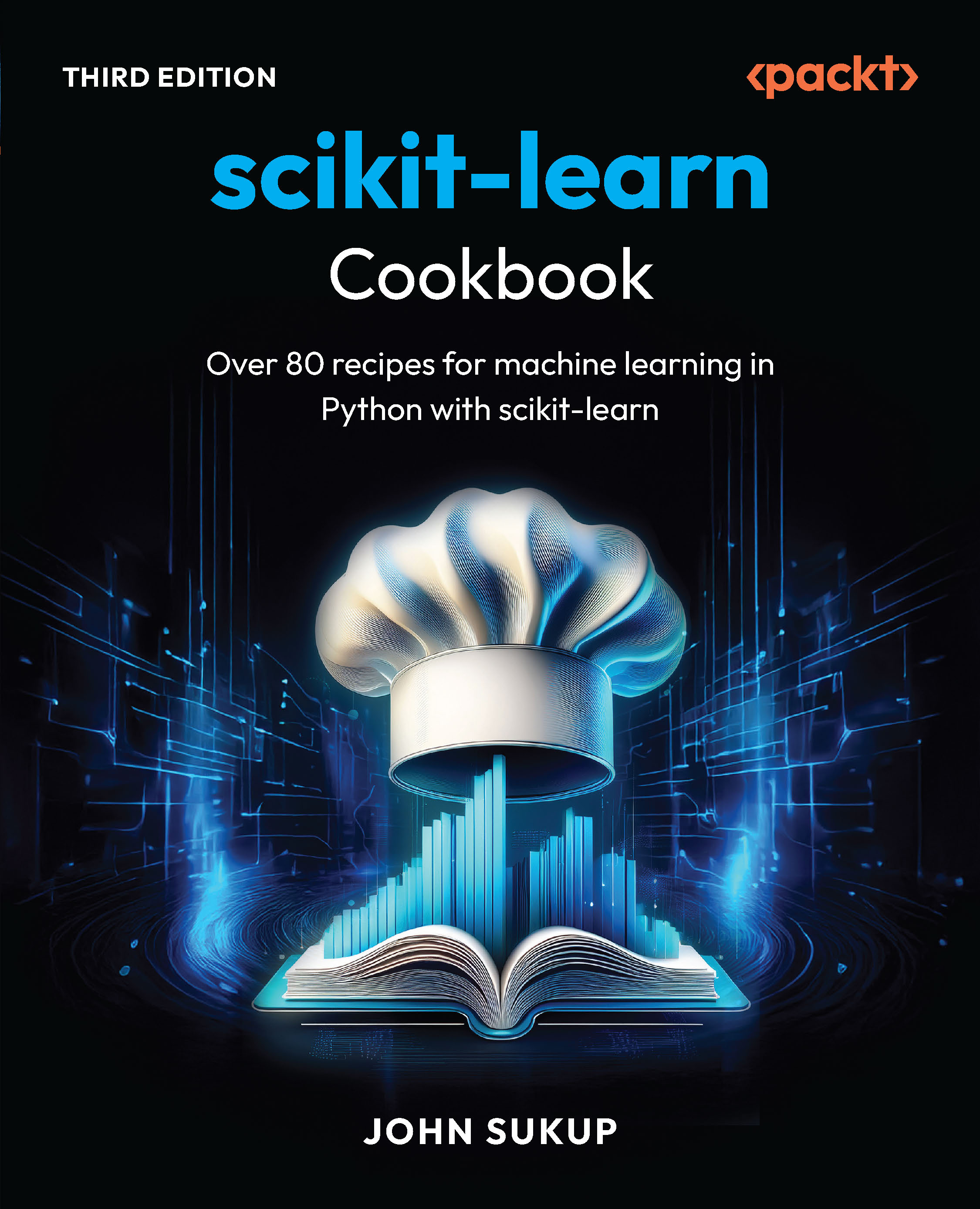
scikit-learn Cookbook

scikit-learn Cookbook: Over 80 recipes for machine learning in Python with scikit-learn , Third Edition

Arrow left icon
Profile Icon John Sukup
Arrow right icon
Early Access Early Access Publishing in Dec 2025
€37.99
Paperback Dec 2025 388 pages 3rd Edition
eBook
€26.99 €29.99
Paperback
€37.99
Subscription
Free Trial
Renews at €18.99p/m
Arrow left icon
Profile Icon John Sukup
Arrow right icon
Early Access Early Access Publishing in Dec 2025
€37.99
Paperback Dec 2025 388 pages 3rd Edition
eBook
€26.99 €29.99
Paperback
€37.99
Subscription
Free Trial
Renews at €18.99p/m
eBook
€26.99 €29.99
Paperback
€37.99
Subscription
Free Trial
Renews at €18.99p/m

What do you get with Print?

Product feature icon Instant access to your digital copy whilst your Print order is Shipped
Product feature icon Paperback book shipped to your preferred address
Product feature icon Redeem a companion digital copy on all Print orders
Product feature icon Access this title in our online reader with advanced features
Product feature icon DRM FREE - Read whenever, wherever and however you want
OR
Modal Close icon
Payment Processing...
tick Completed

Shipping Address

Billing Address

Shipping Methods
Table of content icon View table of contents Preview book icon Preview Book

scikit-learn Cookbook

Common Conventions and API Elements of scikit-learn

It’s hard to believe that the scikit-learn project started back in 2007 and officially launched in 2009. Even after so many years, it is hard to deny the impact the Python library has had on the world of data science and machine learning (ML). For many of us, scikit-learn is one of the first libraries we hear about when we begin our journey in ML programming and engineering—and that hasn’t changed, with the library being one of the most widely used in research, academia, and production applications at scale in the business world.

This chapter will cover the standard conventions and core API elements of scikit-learn, including the design principles behind estimators, transformers, and pipelines, as well as common methods such as fit(), predict(), and transform(). The exercises provided throughout the rest of this book will involve using these conventions to build and evaluate models, all while focusing on understanding the consistent structure of scikit-learn’s API to enhance usability and flexibility in ML projects.

In this chapter, we’re going to cover the following recipes:

  • Introduction to scikit-learn’s design philosophy
  • Understanding estimators
  • Transformers and the transform() method
  • Handling custom estimators and transformers
  • Pipelines and workflow automation
  • Common attributes and methods
  • Hyperparameter tuning with search methods
  • Working with metadata: Tags and more
  • Best practices for API usage

Free Benefits with Your Book

Your purchase includes a free PDF copy of this book along with other exclusive benefits. Check the Free Benefits with Your Book section in the Preface to unlock them instantly and maximize your learning experience.

Technical requirements

This chapter does not have any technical requirements. If you’re more seasoned in scikit-learn, feel free to jump forward to Chapter 2 to get started right away.

Introduction to scikit-learn’s design philosophy

scikit-learn’s design is centered around a few core principles: consistency, simplicity, modularity, and reusability. At its foundation, scikit-learn offers a unified interface for a broad range of ML algorithms, where most models follow a similar pattern: they use fit() to train the model, predict() to make predictions, and transform() to manipulate data. This consistency allows users to easily switch between models, improving productivity and reducing the learning curve.

Additionally, scikit-learn is designed to be modular, meaning individual components such as estimators, transformers, and pipelines can be combined and reused across different tasks. This modularity enables users to build complex workflows by chaining these components together, while maintaining flexibility and readability in their code. It’s also a great way to save time as a developer via software reuse!

For example, data preprocessing steps such as scaling and encoding can be integrated directly into the modeling process using scikit-learn’s Pipeline() class. The ability to encapsulate preprocessing and modeling into a single object makes workflows not only more efficient but also easily reproducible. This is fairly important today, considering the reduced timelines many businesses enforce on their developers’ output. Moreover, this design ensures that scikit-learn can be easily extended—advanced users can create custom transformers or estimators that conform to scikit-learn’s interface and fit effortlessly into the broader ecosystem of their organization’s use cases.

Proper capitalization of scikit-learn

You may have noticed that scikit-learn is always lowercase and never capitalized. This is not a mistake and is the intended spelling by the original project authors. The correct pronunciation is sy-kit, with sci being an abbreviation for the word science. So, you can think of the library as a (data) science kit.

Understanding estimators

So, what exactly is an estimator anyway? The concept of estimators lies at the heart of scikit-learn. Estimators are objects (in the sense of Python’s Object-Oriented Programming (OOP)) that implement algorithms for learning from data and are consistent across the entire library. Every estimator in scikit-learn, whether a model or a transformer, follows a simple and intuitive interface. The two most essential methods of any estimator are fit() and predict(), both of which were mentioned previously. The fit() method trains the model by learning from data, while predict() is used to make predictions on new data based on the trained model. This is the raison d’être of ML.

For example, in one of the simplest—yet often most powerful—ML models, LinearRegression(), calling fit() with training data allows the model to learn the optimal coefficients for predicting outcomes. Afterward, predict() can be used on new data to generate predictions:

from sklearn.linear_model import LinearRegression
import numpy as np
# Example data
X = np.array([[1], [2], [3], [4], [5]])  # Feature matrix
y = np.array([1, 2, 3, 3.5, 5])  # Target values
# Create and fit the model
model = LinearRegression()
model.fit(X, y)
# Predict values for new data
X_new = np.array([[6], [7]])
predictions = model.predict(X_new)
print(predictions)
# Output:
[5.75, 6.7]

The library also provides a nice shortcut method, fit_predict(), that combines these operations into a single API call—a very useful tool! Now, there is a reason why scikit-learn has both the fit() and predict() methods separate, as well as fit_predict(). Typically, the fit_predict() method is applied when you want to obtain predictions within the same dataset the model was trained on. This is often the case in unsupervised learning. An example of this can be seen here regarding KMeans, where our data does not contain a target variable we are trying to predict in the training data. In supervised learning scenarios where we do have a target, the fit() method would be applied to the training data, and the predict() method would be applied to our holdout dataset.

This is not to say you can’t use fit_predict() in unsupervised learning scenarios. Datasets can still be split into training, validation, and testing sets:

# Fit_predict is not used in LinearRegression,
# but as an example for clustering:
from sklearn.cluster import KMeans
# Example data
X = np.array([[1], [2], [3], [4], [5]])
# KMeans Clustering example
kmeans = KMeans(n_clusters=2)
labels = kmeans.fit_predict(X)
print(labels)
# Output:
[0,0,0,1,1]

scikit-learn’s design ensures that whether you are working with simple linear regression or more complex algorithms such as random forests, the pattern remains the same, promoting consistency and ease of use.

Throughout this book, we will explore various estimators, including LinearRegression() (Chapter 5), DecisionTreeClassifier() (Chapter 8), and KNeighborsClassifier() (Chapter 4), while demonstrating how to use them to train models, evaluate performance, and make predictions, all using the familiar fit() and predict() structure.

Transformers and the transform() method

In scikit-learn, transformers are tools that modify data by applying transformations such as scaling, normalization, or encoding to prepare it for modeling. Each transformer follows a consistent interface, using the fit() method to learn any necessary parameters from the data and the transform() method to apply those transformations. For instance, StandardScaler() calculates the mean and standard deviation during fit() and uses those values to transform the data by scaling it (as you may recall from high school statistics, this transformed value is called a z-score).

Figure 1.1 – Data transformation in the context of scikit-learn’s Pipeline() class

Figure 1.1 – Data transformation in the context of scikit-learn’s Pipeline() class

Data transformations provide several benefits when applied to ML scenarios. First, many models presuppose data to be normally distributed, free of outliers, and so on. Second, most real-world datasets do not come in this neat-and-tidy format and require some massaging before modeling occurs:

from sklearn.preprocessing import StandardScaler
import numpy as np
# Example data
X = np.array([[1, 2], [3, 4], [5, 6]])
# Create a StandardScaler instance
scaler = StandardScaler()
# Fit the scaler on the data
scaler.fit(X)
# Transform the data
X_scaled = scaler.transform(X)
print(X_scaled)
# Output:
[[-1.22474487 -1.22474487]
[ 0.           0.        ]
[ 1.22474487   1.22474487]]

Another common shortcut that we saw previously, fit_transform(), allows users to perform both steps in one command, making preprocessing workflows more efficient. Again, when to use fit_transform() and fit() with transform() separately depends on the task at hand. Typically, we should apply the fit_transform() method to our training data if we want to transform our data immediately based on the calculated transformation, something the fit() method can’t achieve by itself. However, when applying transformations to our test dataset, we wouldn’t want to reapply the fit() method; this would impose a potentially different data transformation, as our test data will be slightly different from our training data. Remember, our test dataset is meant to be treated exactly like our training data for model consistency purposes, so implementing a separate fit() method on it could potentially alter our test data and make our model predictions unreliable when applied in a real-world scenario:

from sklearn.preprocessing import StandardScaler
import numpy as np
# Example data
X = np.array([[1, 2], [3, 4], [5, 6]])
# Create a StandardScaler instance and
# fit_transform the data in one step
scaler = StandardScaler()
X_scaled = scaler.fit_transform(X)
print(X_scaled)
# Output:
[[-1.22474487 -1.22474487]
[ 0.           0.        ]
[ 1.22474487   1.22474487]]

This consistency across all transformers allows them to be integrated seamlessly into ML pipelines, ensuring that the same transformation is applied to both the training and test data, something that becomes significantly important when implementing production-level models.

We will explore various transformers, including StandardScaler(), MinMaxScaler(), and OneHotEncoder(), in Chapter 2 to demonstrate how they can be used to prepare data for ML models using the fit(), transform(), and fit_transform() methods. Practical examples will be provided to illustrate how you can integrate transformers into workflows to ensure your data is preprocessed consistently.

Handling custom estimators and transformers

scikit-learn’s API is designed to be extensible, allowing developers to create custom estimators and transformers that integrate seamlessly into existing workflows. By subclassing BaseEstimator() and mixin classes, you can implement custom ML algorithms or data transformations. Each custom estimator should follow the scikit-learn interface by implementing the fit() and transform() (for transformers) or fit() and predict() (for models) methods, ensuring compatibility with tools such as GridSearchCV() and Pipeline().

Mixin classes

In scikit-learn, a mixin is a way to extend the functionality of classes without using traditional class inheritance found in Python and other OOP languages. Mixins are useful for code reusability, allowing programmers to share functionality between different classes. Instead of repeating the same code, common functionality can be grouped into a mixin and then included in each class that requires it.

We’ll cover essential elements such as parameter validation using check_is_fitted(), hyperparameter management, and integrating custom objects into pipelines in various chapters throughout this book. You’ll also learn how to test and validate your custom objects using scikit-learn’s utilities, ensuring they work with cross-validation and preprocessing steps, just like built-in estimators.

These practices will enable you to extend the functionality of scikit-learn while maintaining code that is clear, reusable, and fully compatible with the library’s ecosystem. Hopefully, by the end of this book, you’ll come to learn that scikit-learn can handle almost any ML task, whether on your laptop or in a full enterprise environment!

Pipelines and workflow automation

ML workflows typically take on a linear progression of sequential steps (although most production applications require several additional steps to create a cyclical pattern for the model monitoring, continuous training, and continuous integration/continuous delivery or deployment (CI/CD) stages found in machine learning operations (MLOps)—more on this later in this book). In scikit-learn, pipelines provide a structured way to automate ML workflows by chaining together multiple processing steps, such as data preprocessing, model training, and prediction, into a single, cohesive object. This allows for efficient and consistent execution of complex workflows while ensuring that each step, from transformation to prediction, is executed in the correct sequence.

MLOps

MLOps refers to the practice of integrating ML workflows into the larger life cycle of software development and operations. It focuses on automating the process of developing, testing, deploying, and maintaining ML models, ensuring they are scalable, reliable, and sustainable in production environments. MLOps is essential in a production environment for several reasons:

1) It bridges the gap between data science, ML engineering, and operational teams so that there is less of a “this is your job, this is our job” mindset between them

2) It improves collaboration since teams must think holistically about how models are utilized from various vantage points

3) It speeds up model deployment by creating an ecosystem that automates pipeline tasks and maintains a framework for easy reproducibility across projects

4) It enhances model performance monitoring, observability, and explainability to address issues such as model drift or technical debt

MLOps is crucial for businesses that rely on ML models to drive decision-making and automation, as it ensures that models are consistently performing at their best even after deployment. It enhances reproducibility and traceability, both of which are key for compliance, auditing, and continuous improvement. By employing MLOps, organizations can build efficient workflows for retraining models, managing datasets, and monitoring real-time model behavior, which minimizes disruptions and reduces risks associated with outdated or underperforming models. Remember, there is “No such thing as a free lunch” and, equally, “There is no such thing as a model that works well forever!”

scikit-learn supports MLOps workflows through tools such as the Pipeline() class for automating preprocessing and modeling steps, GridSearchCV() for hyperparameter optimization, and model persistence libraries such as joblib and pickle for saving and deploying models. Additionally, scikit-learn’s compatibility with other MLOps platforms ensures that models built with it can be integrated into larger ML life cycle systems such as MLflow or Kubeflow.

In Chapter 14, we will demonstrate how to create pipelines that include transformers such as ColumnTransformer() and estimators such as RandomForestClassifier() to streamline data preprocessing, model selection, and cross-validation into a unified process. By encapsulating this workflow, pipelines help eliminate manual intervention and make your ML process more reproducible. Furthermore, this encapsulation process is tightly bound to the scikit-learn paradigm of modularity, which makes creating a custom library of functions, pipelines, estimators, and transformers easy.

Common attributes and methods

As model complexity grows, it becomes harder and harder to look inside and understand a model’s inner workings (especially with artificial neural networks). Thankfully, scikit-learn models share several key attributes and methods that provide valuable insights into how a model has learned from data. For instance, attributes such as coef_ and intercept_, found in linear models specifically, store the learned coefficients and intercepts to help with interpreting model behavior.

Similarly, methods such as score() allow users to evaluate model performance, typically returning a default metric such as accuracy for classifiers or R² for regressors. These common features ensure consistency across different models and simplify model analysis and interpretation:

from sklearn.linear_model import LinearRegression
import numpy as np
# Example data
X = np.array([[1], [2], [3], [4], [5]])  # Feature matrix
y = np.array([1, 2, 3, 3.5, 5])  # Target values
# Create and fit the model
model = LinearRegression()
model.fit(X, y)
# Access coefficients (slope of the linear model)
print("Coefficients:", model.coef_)
# Access y-intercept
print("Intercept:", model.intercept_)
# Use score() method to evaluate the model (R-squared value)
print("Model R-squared:", model.score(X, y))
# Output:
Coefficients: [0.95]
Intercept: 0.04999999999999938
Model R-squared: 0.9809782608695652

Note

R-squared has received criticism in some cases as being misleading as it can be influenced by how messy or organized your data is. It will also always increase with the addition of more variables in your data. Often, the adjusted R-squared is used to account for the number of variables in your dataset, applying a penalty when many variables are included.)

We will look more closely at these shared attributes and methods across various scikit-learn models throughout this book, with examples on how to access and interpret values such as coef_ and how to use methods such as score() to quickly evaluate performance. Practical examples will be provided to show how these features can be applied in real-world scenarios, such as evaluating model accuracy or interpreting regression coefficients for better model insights.

Hyperparameter tuning with search methods

Hyperparameter tuning is crucial for optimizing candidate ML models, and scikit-learn makes this process easier with a variety of built-in search methods. The library provides two popular methods, GridSearchCV() and RandomizedSearchCV(), in easy-to-implement APIs, along with their counterpart methods, that implement a successive halving approach to hyperparameter search.

scikit-learn also allows a manual approach to setting hyperparameters if you wish to adjust default values for your own training purposes: the set_params() and get_params() methods. The set_params() method allows users to adjust model hyperparameters programmatically, while get_params() retrieves the current hyperparameter settings. This functionality ensures flexibility when experimenting with different model configurations and can be paired with the techniques mentioned earlier for efficient tuning:

from sklearn.ensemble import RandomForestClassifier
# Create a RandomForestClassifier model
model = RandomForestClassifier()
# Set hyperparameters prior to training using set_params()
model.set_params(n_estimators=100, max_depth=10, random_state=42)
# Check the updated parameters
print(model.get_params())
# Output:
{'bootstrap': True, 'ccp_alpha': 0.0, 'class_weight': None, 'criterion': 'gini', 'max_depth': 10, 'max_features': 'sqrt', 'max_leaf_nodes': None, 'max_samples': None, 'min_impurity_decrease': 0.0, 'min_samples_leaf': 1, 'min_samples_split': 2, 'min_weight_fraction_leaf': 0.0, 'monotonic_cst': None, 'n_estimators': 100, 'n_jobs': None, 'oob_score': False, 'random_state': 42, 'verbose': 0, 'warm_start': False}

As you can see, scikit-learn provides a detailed output of model hyperparameters that provide the best fit. This is something we can use in our model for training purposes.

Working with metadata: Tags and more

scikit-learn uses metadata, such as estimator tags, to control how models behave in various contexts, including cross-validation and pipeline processing, as well as to control their capabilities, such as supported output types. Additionally, tags can provide information about an estimator, such as whether it can handle multi-output data or missing values, enabling scikit-learn to optimize workflows dynamically.

scikit-learn’s metadata captures information related to model inputs and outputs and then typically uses this information to control the flow of data between different tasks in a pipeline. Metadata objects come in two varieties: routers and consumers. Here, routers move metadata to consumers, and consumers use that metadata in their calculations. This is known as metadata routing in scikit-learn.

More on metadata routing

In scikit-learn, metadata routing is a feature that allows users to control how metadata is passed between router and consumer objects in a pipeline or workflow. It enables the dynamic management of metadata such as sample weights, group labels, or fit parameters, allowing models and transformers to access additional information beyond the input data. This makes workflows more flexible and customizable, as metadata can be routed through specific steps or even ignored when not relevant, reducing the need for manual intervention.

For example, in a data science project that involves handling imbalanced datasets, metadata routing can be used to pass sample weights to specific transformers and classifiers in a pipeline. By routing the sample weights through only the required steps—such as oversampling or weighting in the classifier—while ignoring them in others, such as scaling, the workflow ensures proper handling of imbalances without it affecting the preprocessing steps unnecessarily. This leads to more accurate and efficient model training.

We’ll explore how to access and modify metadata by covering practical examples of how these tags influence model behavior during cross-validation and pipeline execution later in this book (see Chapters 12 and 13). You’ll also learn how to create custom tags for your own estimators.

Best practices for API usage

Once you’ve gotten a feel for the underlying scikit-learn programming paradigm, you’ll realize just how powerful it is! When working with scikit-learn’s API, following best practices ensures that your code remains clear, modular, and maintainable. This includes leveraging reusable components such as pipelines, adhering to the consistent fit(), predict(), and transform() methods, and making effective use of hyperparameter tuning tools such as GridSearchCV(). Keeping models and data processing steps modular allows for easy debugging and scaling of your ML workflows.

Here are a few additional model development best practices and key takeaways related to scikit-learn functionality that you should keep in mind as we move forward and explore some of the concepts laid out in this chapter further, in more granular detail:

  • Uniform API: All estimators in scikit-learn follow the same basic pattern of fit(), transform() (for transformers), and predict(), making code more readable, maintainable, and easier to develop
  • Data preprocessing: Always preprocess your data using the appropriate tools from sklearn.preprocessing, such as scaling, encoding, or handling missing values, before feeding it to the model
  • Pipelines: For complex workflows involving multiple transformations and models, use Pipeline() to chain operations together, simplifying code and managing hyperparameter tuning
  • Cross-validation: Evaluate model performance using cross-validation techniques from sklearn.model_selection to get a reliable estimate of generalization ability
  • Hyperparameter tuning: Use tools such as GridSearchCV() or RandomizedSearchCV() to find optimal hyperparameters for your model

Get This Book's PDF Version and Exclusive Extras

Scan the QR code (or go to packtpub.com/unlock). Search for this book by name, confirm the edition, and then follow the steps on the page.

Note: Keep your invoice handy. Purchases made directly from Packt don’t require an invoice.

Left arrow icon Right arrow icon
Download code icon Download Code

Key benefits

  • Solve complex business problems with data-driven approaches
  • Master tools associated with developing predictive and prescriptive models
  • Build robust ML pipelines for real-world applications, avoiding common pitfalls
  • Free with your book: PDF Copy, AI Assistant, and Next-Gen Reader

Description

Trusted by data scientists, ML engineers, and software developers alike, scikit-learn offers a versatile, user-friendly framework for implementing a wide range of ML algorithms, enabling the efficient development and deployment of predictive models in real-world applications. This third edition of scikit-learn Cookbook will help you master ML with real-world examples and scikit-learn 1.5 features. This updated edition takes you on a journey from understanding the fundamentals of ML and data preprocessing, through implementing advanced algorithms and techniques, to deploying and optimizing ML models in production. Along the way, you’ll explore practical, step-by-step recipes that cover everything from feature engineering and model selection to hyperparameter tuning and model evaluation, all using scikit-learn. By the end of this book, you’ll have gained the knowledge and skills needed to confidently build, evaluate, and deploy sophisticated ML models using scikit-learn, ready to tackle a wide range of data-driven challenges.

Who is this book for?

This book is for data scientists as well as machine learning and software development professionals looking to deepen their understanding of advanced ML techniques. To get the most out of this book, you should have proficiency in Python programming and familiarity with commonly used ML libraries; e.g., pandas, NumPy, matplotlib, and sciPy. An understanding of basic ML concepts, such as linear regression, decision trees, and model evaluation metrics will be helpful. Familiarity with mathematical concepts such as linear algebra, calculus, and probability will also be invaluable.

What you will learn

  • Implement a variety of ML algorithms, from basic classifiers to complex ensemble methods, using scikit-learn
  • Perform data preprocessing, feature engineering, and model selection to prepare datasets for optimal model performance
  • Optimize ML models through hyperparameter tuning and cross-validation techniques to improve accuracy and reliability
  • Deploy ML models for scalable, maintainable real-world applications
  • Evaluate and interpret models with advanced metrics and visualizations in scikit-learn
  • Explore comprehensive, hands-on recipes tailored to scikit-learn version 1.5
Estimated delivery fee Deliver to Slovenia

Premium delivery 7 - 10 business days

€25.95
(Includes tracking information)

Product Details

Country selected
Publication date, Length, Edition, Language, ISBN-13
Publication date : Dec 19, 2025
Length: 388 pages
Edition : 3rd
Language : English
ISBN-13 : 9781836644453
Category :
Languages :

What do you get with Print?

Product feature icon Instant access to your digital copy whilst your Print order is Shipped
Product feature icon Paperback book shipped to your preferred address
Product feature icon Redeem a companion digital copy on all Print orders
Product feature icon Access this title in our online reader with advanced features
Product feature icon DRM FREE - Read whenever, wherever and however you want
OR
Modal Close icon
Payment Processing...
tick Completed

Shipping Address

Billing Address

Shipping Methods
Estimated delivery fee Deliver to Slovenia

Premium delivery 7 - 10 business days

€25.95
(Includes tracking information)

Product Details

Publication date : Dec 19, 2025
Length: 388 pages
Edition : 3rd
Language : English
ISBN-13 : 9781836644453
Category :
Languages :

Packt Subscriptions

See our plans and pricing
Modal Close icon
€18.99 billed monthly
Feature tick icon Unlimited access to Packt's library of 7,000+ practical books and videos
Feature tick icon Constantly refreshed with 50+ new titles a month
Feature tick icon Exclusive Early access to books as they're written
Feature tick icon Solve problems while you work with advanced search and reference features
Feature tick icon Offline reading on the mobile app
Feature tick icon Simple pricing, no contract
€189.99 billed annually
Feature tick icon Unlimited access to Packt's library of 7,000+ practical books and videos
Feature tick icon Constantly refreshed with 50+ new titles a month
Feature tick icon Exclusive Early access to books as they're written
Feature tick icon Solve problems while you work with advanced search and reference features
Feature tick icon Offline reading on the mobile app
Feature tick icon Choose a DRM-free eBook or Video every month to keep
Feature tick icon PLUS own as many other DRM-free eBooks or Videos as you like for just €5 each
Feature tick icon Exclusive print discounts
€264.99 billed in 18 months
Feature tick icon Unlimited access to Packt's library of 7,000+ practical books and videos
Feature tick icon Constantly refreshed with 50+ new titles a month
Feature tick icon Exclusive Early access to books as they're written
Feature tick icon Solve problems while you work with advanced search and reference features
Feature tick icon Offline reading on the mobile app
Feature tick icon Choose a DRM-free eBook or Video every month to keep
Feature tick icon PLUS own as many other DRM-free eBooks or Videos as you like for just €5 each
Feature tick icon Exclusive print discounts

Table of Contents

16 Chapters
Chapter 1: Common Conventions and API Elements of scikit-learn Chevron down icon Chevron up icon
Chapter 2: Pre-Model Workflow and Data Preprocessing Chevron down icon Chevron up icon
Chapter 3: Dimensionality Reduction Techniques Chevron down icon Chevron up icon
Chapter 4: Building Models with Distance Metrics and Nearest Neighbors Chevron down icon Chevron up icon
Chapter 5: Linear Models and Regularization Chevron down icon Chevron up icon
Chapter 6: Advanced Logistic Regression and Extensions Chevron down icon Chevron up icon
Chapter 7: Support Vector Machines and Kernel Methods Chevron down icon Chevron up icon
Chapter 8: Tree-Based Algorithms and Ensemble Methods Chevron down icon Chevron up icon
Chapter 9: Text Processing and Multiclass Classification Chevron down icon Chevron up icon
Chapter 10: Clustering Techniques Chevron down icon Chevron up icon
Chapter 11: Novelty and Outlier Detection Chevron down icon Chevron up icon
Chapter 12: Cross-Validation and Model Evaluation Techniques Chevron down icon Chevron up icon
Chapter 13: Deploying scikit-learn Models in Production Chevron down icon Chevron up icon
Chapter 14: Unlock Your Exclusive Benefits Chevron down icon Chevron up icon
Index Chevron down icon Chevron up icon
Other Books You May Enjoy Chevron down icon Chevron up icon
Get free access to Packt library with over 7500+ books and video courses for 7 days!
Start Free Trial

FAQs

What is the digital copy I get with my Print order? Chevron down icon Chevron up icon

When you buy any Print edition of our Books, you can redeem (for free) the eBook edition of the Print Book you’ve purchased. This gives you instant access to your book when you make an order via PDF, EPUB or our online Reader experience.

What is the delivery time and cost of print book? Chevron down icon Chevron up icon

Shipping Details

USA:

'

Economy: Delivery to most addresses in the US within 10-15 business days

Premium: Trackable Delivery to most addresses in the US within 3-8 business days

UK:

Economy: Delivery to most addresses in the U.K. within 7-9 business days.
Shipments are not trackable

Premium: Trackable delivery to most addresses in the U.K. within 3-4 business days!
Add one extra business day for deliveries to Northern Ireland and Scottish Highlands and islands

EU:

Premium: Trackable delivery to most EU destinations within 4-9 business days.

Australia:

Economy: Can deliver to P. O. Boxes and private residences.
Trackable service with delivery to addresses in Australia only.
Delivery time ranges from 7-9 business days for VIC and 8-10 business days for Interstate metro
Delivery time is up to 15 business days for remote areas of WA, NT & QLD.

Premium: Delivery to addresses in Australia only
Trackable delivery to most P. O. Boxes and private residences in Australia within 4-5 days based on the distance to a destination following dispatch.

India:

Premium: Delivery to most Indian addresses within 5-6 business days

Rest of the World:

Premium: Countries in the American continent: Trackable delivery to most countries within 4-7 business days

Asia:

Premium: Delivery to most Asian addresses within 5-9 business days

Disclaimer:
All orders received before 5 PM U.K time would start printing from the next business day. So the estimated delivery times start from the next day as well. Orders received after 5 PM U.K time (in our internal systems) on a business day or anytime on the weekend will begin printing the second to next business day. For example, an order placed at 11 AM today will begin printing tomorrow, whereas an order placed at 9 PM tonight will begin printing the day after tomorrow.


Unfortunately, due to several restrictions, we are unable to ship to the following countries:

  1. Afghanistan
  2. American Samoa
  3. Belarus
  4. Brunei Darussalam
  5. Central African Republic
  6. The Democratic Republic of Congo
  7. Eritrea
  8. Guinea-bissau
  9. Iran
  10. Lebanon
  11. Libiya Arab Jamahriya
  12. Somalia
  13. Sudan
  14. Russian Federation
  15. Syrian Arab Republic
  16. Ukraine
  17. Venezuela
What is custom duty/charge? Chevron down icon Chevron up icon

Customs duty are charges levied on goods when they cross international borders. It is a tax that is imposed on imported goods. These duties are charged by special authorities and bodies created by local governments and are meant to protect local industries, economies, and businesses.

Do I have to pay customs charges for the print book order? Chevron down icon Chevron up icon

The orders shipped to the countries that are listed under EU27 will not bear custom charges. They are paid by Packt as part of the order.

List of EU27 countries: www.gov.uk/eu-eea:

A custom duty or localized taxes may be applicable on the shipment and would be charged by the recipient country outside of the EU27 which should be paid by the customer and these duties are not included in the shipping charges been charged on the order.

How do I know my custom duty charges? Chevron down icon Chevron up icon

The amount of duty payable varies greatly depending on the imported goods, the country of origin and several other factors like the total invoice amount or dimensions like weight, and other such criteria applicable in your country.

For example:

  • If you live in Mexico, and the declared value of your ordered items is over $ 50, for you to receive a package, you will have to pay additional import tax of 19% which will be $ 9.50 to the courier service.
  • Whereas if you live in Turkey, and the declared value of your ordered items is over € 22, for you to receive a package, you will have to pay additional import tax of 18% which will be € 3.96 to the courier service.
How can I cancel my order? Chevron down icon Chevron up icon

Cancellation Policy for Published Printed Books:

You can cancel any order within 1 hour of placing the order. Simply contact customercare@packt.com with your order details or payment transaction id. If your order has already started the shipment process, we will do our best to stop it. However, if it is already on the way to you then when you receive it, you can contact us at customercare@packt.com using the returns and refund process.

Please understand that Packt Publishing cannot provide refunds or cancel any order except for the cases described in our Return Policy (i.e. Packt Publishing agrees to replace your printed book because it arrives damaged or material defect in book), Packt Publishing will not accept returns.

What is your returns and refunds policy? Chevron down icon Chevron up icon

Return Policy:

We want you to be happy with your purchase from Packtpub.com. We will not hassle you with returning print books to us. If the print book you receive from us is incorrect, damaged, doesn't work or is unacceptably late, please contact Customer Relations Team on customercare@packt.com with the order number and issue details as explained below:

  1. If you ordered (eBook, Video or Print Book) incorrectly or accidentally, please contact Customer Relations Team on customercare@packt.com within one hour of placing the order and we will replace/refund you the item cost.
  2. Sadly, if your eBook or Video file is faulty or a fault occurs during the eBook or Video being made available to you, i.e. during download then you should contact Customer Relations Team within 14 days of purchase on customercare@packt.com who will be able to resolve this issue for you.
  3. You will have a choice of replacement or refund of the problem items.(damaged, defective or incorrect)
  4. Once Customer Care Team confirms that you will be refunded, you should receive the refund within 10 to 12 working days.
  5. If you are only requesting a refund of one book from a multiple order, then we will refund you the appropriate single item.
  6. Where the items were shipped under a free shipping offer, there will be no shipping costs to refund.

On the off chance your printed book arrives damaged, with book material defect, contact our Customer Relation Team on customercare@packt.com within 14 days of receipt of the book with appropriate evidence of damage and we will work with you to secure a replacement copy, if necessary. Please note that each printed book you order from us is individually made by Packt's professional book-printing partner which is on a print-on-demand basis.

What tax is charged? Chevron down icon Chevron up icon

Currently, no tax is charged on the purchase of any print book (subject to change based on the laws and regulations). A localized VAT fee is charged only to our European and UK customers on eBooks, Video and subscriptions that they buy. GST is charged to Indian customers for eBooks and video purchases.

What payment methods can I use? Chevron down icon Chevron up icon

You can pay with the following card types:

  1. Visa Debit
  2. Visa Credit
  3. MasterCard
  4. PayPal
What is the delivery time and cost of print books? Chevron down icon Chevron up icon

Shipping Details

USA:

'

Economy: Delivery to most addresses in the US within 10-15 business days

Premium: Trackable Delivery to most addresses in the US within 3-8 business days

UK:

Economy: Delivery to most addresses in the U.K. within 7-9 business days.
Shipments are not trackable

Premium: Trackable delivery to most addresses in the U.K. within 3-4 business days!
Add one extra business day for deliveries to Northern Ireland and Scottish Highlands and islands

EU:

Premium: Trackable delivery to most EU destinations within 4-9 business days.

Australia:

Economy: Can deliver to P. O. Boxes and private residences.
Trackable service with delivery to addresses in Australia only.
Delivery time ranges from 7-9 business days for VIC and 8-10 business days for Interstate metro
Delivery time is up to 15 business days for remote areas of WA, NT & QLD.

Premium: Delivery to addresses in Australia only
Trackable delivery to most P. O. Boxes and private residences in Australia within 4-5 days based on the distance to a destination following dispatch.

India:

Premium: Delivery to most Indian addresses within 5-6 business days

Rest of the World:

Premium: Countries in the American continent: Trackable delivery to most countries within 4-7 business days

Asia:

Premium: Delivery to most Asian addresses within 5-9 business days

Disclaimer:
All orders received before 5 PM U.K time would start printing from the next business day. So the estimated delivery times start from the next day as well. Orders received after 5 PM U.K time (in our internal systems) on a business day or anytime on the weekend will begin printing the second to next business day. For example, an order placed at 11 AM today will begin printing tomorrow, whereas an order placed at 9 PM tonight will begin printing the day after tomorrow.


Unfortunately, due to several restrictions, we are unable to ship to the following countries:

  1. Afghanistan
  2. American Samoa
  3. Belarus
  4. Brunei Darussalam
  5. Central African Republic
  6. The Democratic Republic of Congo
  7. Eritrea
  8. Guinea-bissau
  9. Iran
  10. Lebanon
  11. Libiya Arab Jamahriya
  12. Somalia
  13. Sudan
  14. Russian Federation
  15. Syrian Arab Republic
  16. Ukraine
  17. Venezuela
Modal Close icon
Modal Close icon