






























































Basic Git Commands and Workflows
We are beginning to get deeper into layers of Git and GitHub. So far, we have dealt with the basic concept of Git and experimented with a few Git commands in Lab 1: setting up Git in Chapter 1.
In this chapter, we will go deeper by learning about some intermediate Git commands and flags. A flag is an extra option or parameter appended to a command to modify its behavior, supply more context/data, or influence its output. Flags are typically preceded by a hyphen (-) or double hyphen (--). For example, in the following diagram, looking at the git --version command, --version is a flag that tells the git command to display the version number of Git installed:
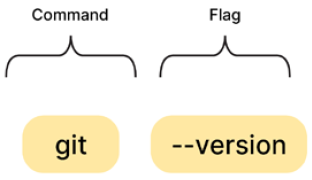
Figure 4.1: The behavior of a command can be modified with a flag
What else are we going to explore? We will be covering the following topics:
- Common Git commands
- Lab 4.1: Linking a remote repo and pushing changes
- Git workflows
- Troubleshooting common...












