






























































Using textures to style particles
In the previous example, we saw how you could style THREE.PointCloud and individual THREE.Sprite objects using an HTML5 canvas. Since you can draw anything you want and even load external images, you can use this approach to add all kinds of styles to the particle system. There is, however, a more direct way to use an image to style your particles. You can use the THREE.ImageUtils.loadTexture() function to load an image as THREE.Texture. THREE.Texture can then be assigned to the map property of a material.
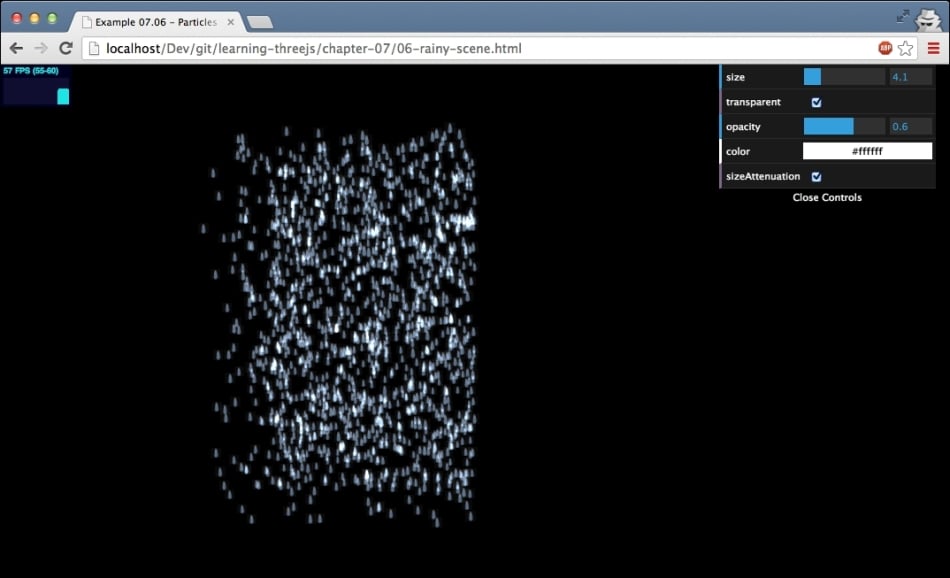
In this section, we'll show you two examples and explain how to create them. Both these examples use an image as a texture for your particles. In the first example, we create a simulation of rain, 06-rainy-scene.html. The following screenshot shows this example:
The first thing we need to do is get a texture that will represent our raindrop. You can find a couple of examples in the assets/textures/particles folder. In Chapter 9, Animations and Moving the...














