Using AWS Secrets Manager to manage RDS credentials
In this recipe, we will learn to use AWS Secrets Manager to manage RDS credentials. This is a more secure alternative to managing and rotating the RDS credentials manually.
Getting ready
We need the following to successfully complete the recipe:
- A working AWS account and a user as described in the Technical requirements section.
- An RDS database instance created in RDS with defaults, but with the following exceptions:
- For Instance configuration, select serverless v2 to keep costs to the minimum.
- For Credentials Settings, provide values for Master username and Master password, as shown in the following figure:
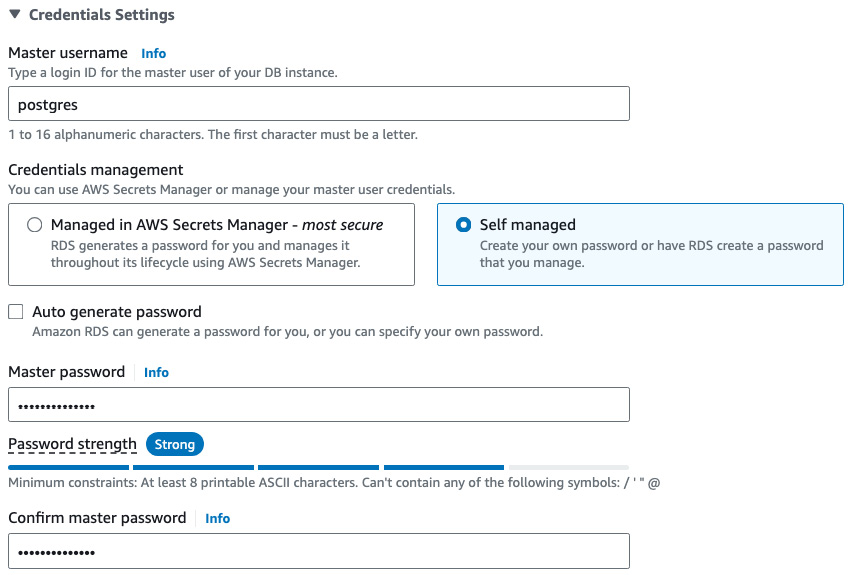
Figure 10.5 – Credentials Settings for the RDS database
Important note
If we select the Managed in AWS Secrets Manager option in Figure 10.5, then RDS will generate a password and store it within the Secrets Manager without the need for the steps outlined in this recipe...